1. Setup
1.1 Kuburitsa zvinhu uye Kuchaja Kwekutanga
Carefully remove all contents from the packaging. Ensure you have the Nintendo 3DS XL console, a stylus, AR Cards, and the AC adapter. Connect the AC adapter to the charging port on the console and plug it into a wall outlet. Charge the console fully before first use.
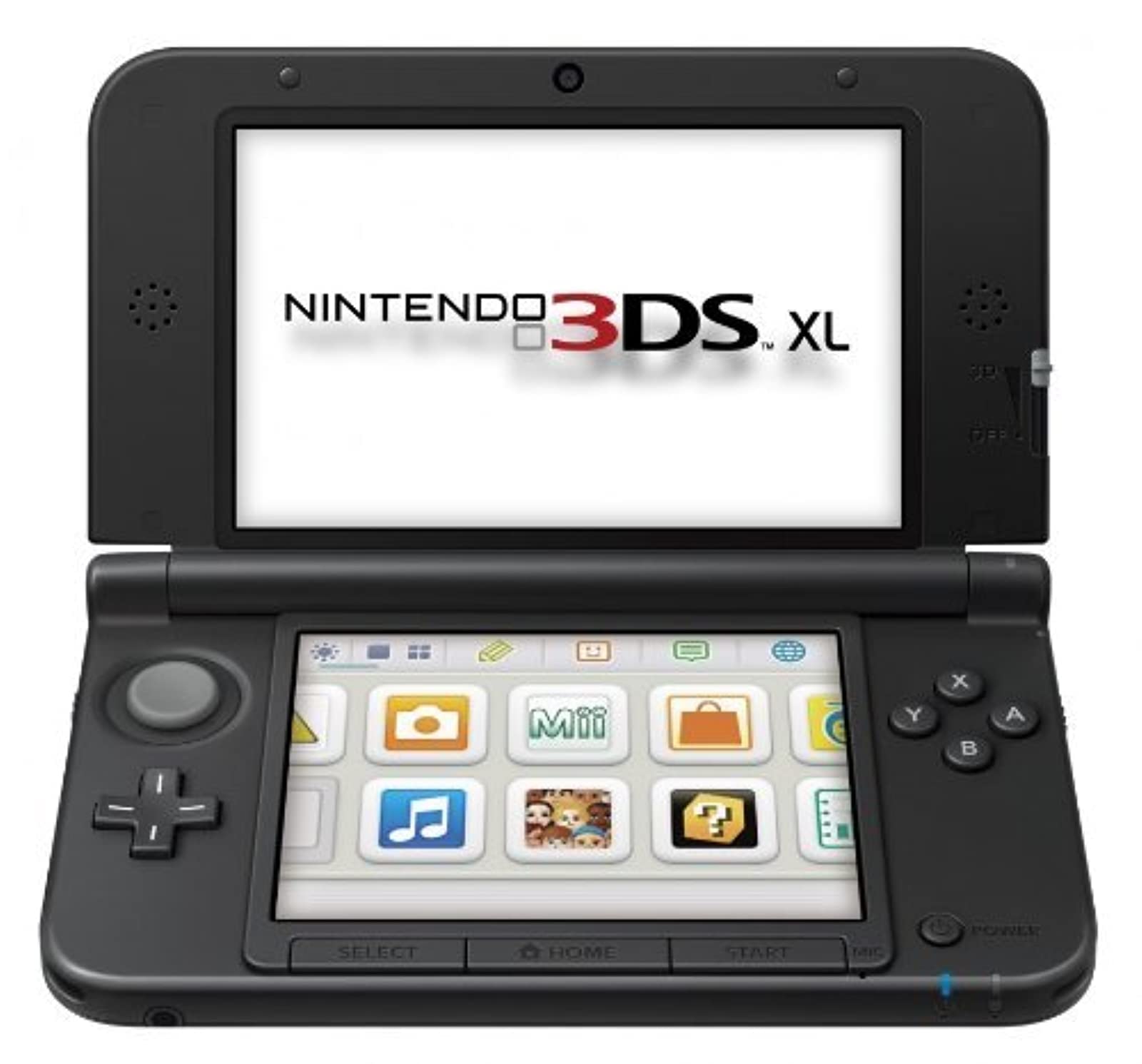
Image: Nintendo 3DS XL console (Blue/Black).
1.2 Powering On and Initial Settings
To power on the console, press the POWER button located on the bottom right side of the lower screen. Follow the on-screen instructions to set the language, date, time, and create a user profile. This process will guide you through essential system configurations.
1.3 Kubatanidza kuWi-Fi
From the HOME Menu, select System Settings, then Internet Settings. Follow the prompts to find and connect to a wireless network. A stable internet connection is required for online features, eShop access, and system updates.
2. Kushanda kweConsole
2.1 Basic Controls
- Circle Pad: Located on the left, used for analog movement in games.
- Pad Inotungamira (D-Pad): Located below the Circle Pad, used for directional input.
- A/B/X/Y Mabhatani: Action buttons on the right side.
- Mabhatani eL/R: Shoulder buttons on the top edge of the console.
- Mabhatani ekutanga/sarudza: Located below the A/B/X/Y buttons.
- Bata Sikirini: The lower screen is touch-sensitive and operated with the included stylus.
- Chinyorwa: Used for precise input on the touch screen.
2.2 Mashandiro e3D
The top screen displays stereoscopic 3D images without the need for special glasses. Use the 3D Depth Slider on the right side of the top screen to adjust the 3D effect or turn it off completely. For optimal 3D viewing, hold the console steady and directly in front of your face.

Image: Nintendo 3DS XL demonstrating stable 3D viewing.
2.3 Game Card Insertion
Insert Nintendo 3DS or Nintendo DS game cards into the game card slot located on the top edge of the console until it clicks into place. To remove, press the game card gently until it pops out.
2.4 AR Cards
The Nintendo 3DS XL comes with AR Cards that allow you to play augmented reality games. Place an AR Card on a flat surface and use the console's outer cameras to view it. Characters and objects will appear on your screen as if they are in your real-world environment.

Image: Nintendo 3DS XL utilizing AR Cards for augmented reality gameplay.
3. Kuchengeta
3.1 Kuchenesa iyo Console
Use a soft, dry cloth to clean the exterior of the console. For screens, use a soft, lint-free cloth specifically designed for electronics. Do not use harsh chemicals or abrasive materials. Avoid spraying cleaning solutions directly onto the screens; instead, apply a small amount to the cloth first.
3.2 Kuchengeta Battery
To prolong battery life, avoid exposing the console to extreme temperatures. Charge the battery regularly, but it is not necessary to fully discharge it before recharging. If storing the console for an extended period, charge it to about 50% and store it in a cool, dry place.
3.3 Kutarisira Kwese
Keep the console away from dust, dirt, and moisture. Avoid dropping the console or subjecting it to strong impacts. Close the console when not in use to protect the screens.
4. Kugadzirisa matambudziko
4.1 Console Not Powering On
Ensure the console is fully charged. If the battery is completely depleted, it may take a few minutes of charging before the console can power on. Try connecting the AC adapter to a different outlet.
4.2 Matambudziko eScreen
If the screen is unresponsive, ensure it is clean and free of debris. If the 3D effect appears blurry or causes discomfort, adjust the 3D Depth Slider or turn off the 3D function. For persistent screen issues, perform a system restart.
4.3 Matambudziko ekubatanidza kweWi-Fi
Verify that your wireless router is functioning correctly and within range. Check the Wi-Fi settings on your console to ensure the correct network is selected and the password is entered accurately. Restarting your router and console can often resolve connectivity issues.
4.4 System Restart
If the console becomes unresponsive, hold down the POWER button for several seconds until the system shuts down. Wait a few moments, then press the POWER button again to restart.
5. Zvinotsanangurwa
| Feature | Detail |
|---|---|
| Model Number | SPRSBKA1 |
| Dimensions (Yakavharwa) | 6.14 x 0.87 x 3.66 inches |
| Kurema | 12 ounces |
| Supported Flash Memory Cards | Chengetedza Digital (SD) |
| Graphic Quality | 240p |
| Wi-Fi | Yakavakwa-mukati |
| Bhatiri Type | 1 Lithium Metal bhatiri inodiwa |
| Release Date | Nyamavhuvhu 19, 2012 |
6. Warranty uye Tsigiro
6.1 Chigadzirwa Chivimbiso
This Nintendo 3DS XL console is covered by a limited warranty. Please refer to the warranty information included in your product packaging or visit the official Nintendo support website for details regarding coverage, terms, and conditions.
6.2 Mutengi Tsigiro
For technical assistance, troubleshooting, or service inquiries, please visit the official Nintendo support website or contact Nintendo customer service directly. Contact information can typically be found on the Nintendo website or in the documentation provided with your console.


