1. Chigadzirwa Pamusoroview
The Cable Matters HDMI to VGA Adapter with 3.5mm Aux Audio Port (Model 113056) is designed to convert a digital HDMI signal from a source device into an analog VGA video signal and a 3.5mm stereo audio signal. This allows you to connect modern devices with HDMI output, such as laptops, computers, gaming consoles, or streaming sticks, to older displays or projectors that only have a VGA input. The adapter supports resolutions up to 1920x1080 (Full HD) and includes an optional USB power port for devices with low-power HDMI outputs.
Zvinokosha:
- Converts HDMI digital signal to VGA analog video and 3.5mm stereo audio.
- Supports video resolutions up to 1080p (1920x1080).
- Includes a 3.5mm audio output for connecting to speakers or headphones.
- Features an optional Micro-USB port for additional power, useful for devices with low-power HDMI ports.
- Compact uye inotakurika dhizaini.
2. Package Zviri mukati
Ndokumbira utarise kuti zvinhu zvese zviripo uye zviri muchimiro chakanaka pakuvhura package:
- Cable Matters HDMI to VGA Adapter (Model 113056)
- 3.5mm Male-to-Male Audio Cable
- Micro-USB to USB-A Power Cable

Image: The included 3.5mm male-to-male audio cable.
3. Safety Information
Please read and follow these safety guidelines to ensure proper operation and prevent damage:
- Usafumure adapta kumvura, unyoro, kana tembiricha yakanyanyisa.
- Dzivisa kudonhedza kana kuisa adapta panjodzi dzakakomba.
- Do not attempt to disassemble or modify the adapter. This will void the warranty.
- Use only the provided or recommended cables and power sources.
- Chengetedza pasingasvikirwi nevana.
4. Setup Instructions
Follow these steps to connect your HDMI source device to a VGA display:
- Batanidza HDMI Source: Plug the HDMI connector of the adapter into the HDMI output port of your source device (e.g., laptop, computer, gaming console).

Image: The HDMI connector of the adapter.
- Connect the VGA Display: Connect a VGA cable (sold separately) from your VGA display or projector to the VGA port on the adapter. Secure the VGA cable with the screws if available.
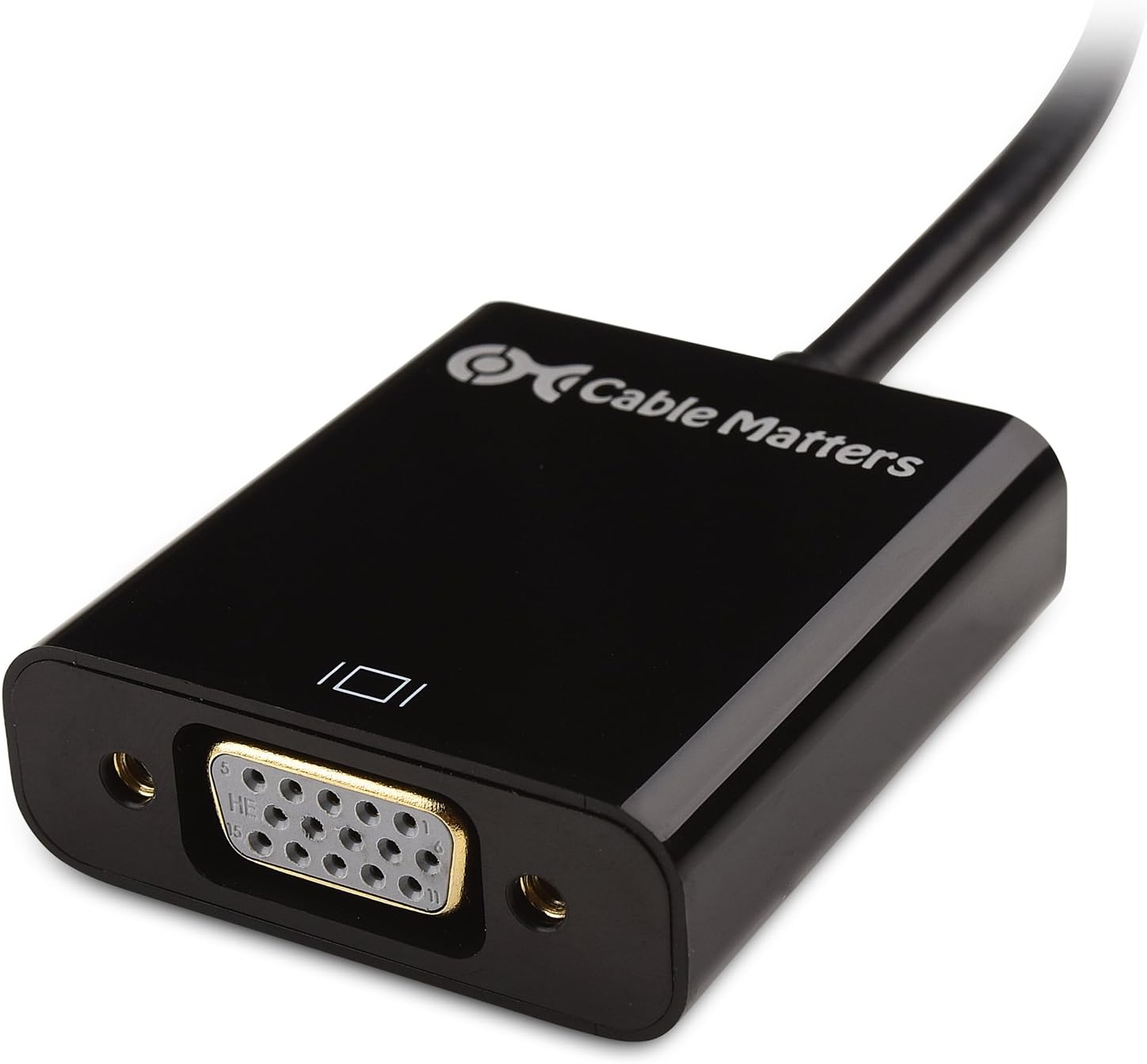
Image: The VGA port on the adapter.
- Batanidza Audio (Sarudzo): If you require audio, connect one end of the 3.5mm audio cable to the audio output jack on the adapter and the other end to the audio input of your speakers, headphones, or display.
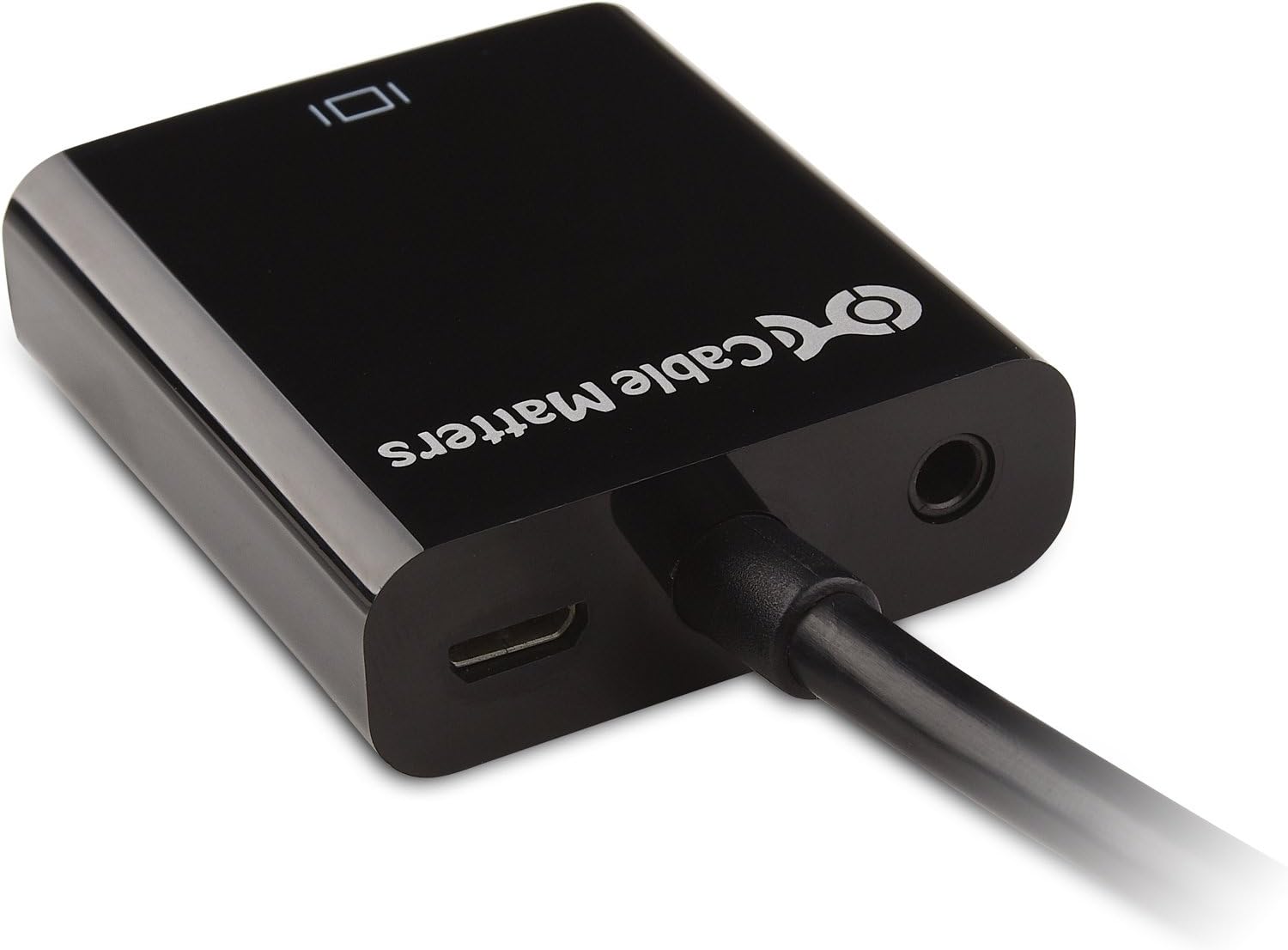
Image: The 3.5mm audio output and Micro-USB power input ports.
- Connect USB Power (Optional): For devices with low-power HDMI ports (e.g., some laptops, Raspberry Pi), connect the Micro-USB end of the power cable to the adapter's Micro-USB port and the USB-A end to a USB power source (e.g., computer USB port, USB wall charger). This provides additional power to ensure stable signal conversion.
Image: The Micro-USB power input port.
- Simba Pamidziyo: Power on your HDMI source device and your VGA display/projector.

Image: Connection diagram for the HDMI to VGA adapter, showing a laptop connected to the adapter, which then connects to a VGA display or projector, with optional audio output to speakers.
5. Operating Instructions
Once all connections are made and devices are powered on, the adapter should automatically convert the HDMI signal to VGA. You may need to adjust settings on your source device or display:
- Display Input Selection: On your VGA display or projector, select the correct VGA input source.
- Resolution Adjustment: The adapter supports resolutions up to 1920x1080. If the display is not optimal, adjust the display resolution settings on your source device to match the native resolution of your VGA display or a supported resolution by the adapter.
- Audio Output: If using the 3.5mm audio output, ensure that your source device's audio output is set to HDMI (which the adapter will then convert to analog audio). You may also need to adjust volume levels on your source device or connected speakers.
- Zviri MuHDCP: Please note that this HDMI to VGA adapter does not support devices that require High-bandwidth Digital Content Protection (HDCP) for viewing copyrighted content, such as some DVD or Blu-Ray players. Attempting to play HDCP-protected content may result in a blank screen or no signal.
Video: A demonstration of the Cable Matters HDMI to VGA Adapter in use, showcasing its functionality and connection process.
6. Kugadzirisa matambudziko
Kana ukasangana nematambudziko, tarisa kune anotevera akajairika matambudziko uye mhinduro:
- No Video Signal / Blank Screen:
- Ensure all cables (HDMI, VGA, optional USB power) are securely connected.
- Verify that the VGA display is powered on and set to the correct VGA input source.
- Try connecting the optional USB power cable to the adapter, especially if using a device with low HDMI power output (e.g., MacBook Pro, Raspberry Pi).
- Adjust the display settings on your HDMI source device (e.g., extend display, duplicate display, change resolution).
- If using a Raspberry Pi, you may need to modify the
config.txtfile (e.g., sethdmi_force_hotplug=1) to ensure HDMI output. - Confirm that the content you are trying to display is not HDCP-protected.
- Hapana Audio Output:
- Ensure the 3.5mm audio cable is securely connected to both the adapter and your speakers/headphones.
- Check the audio output settings on your HDMI source device to ensure audio is routed through HDMI.
- Verify that your speakers or headphones are powered on and their volume is turned up.
- Test with different speakers or headphones to rule out a faulty audio device.
- Mufananidzo unopenya kana wakakanganiswa:
- Ensure the optional USB power cable is connected to the adapter and a reliable power source.
- Try a different VGA cable.
- Adjust the resolution on your source device to a lower setting or a standard resolution supported by your VGA display.
7. Zvinotsanangurwa
| Brand | Nyaya Dzetambo |
| Model Number | 113056 |
| Connector Type | HDMI Male, VGA Female, 3.5mm Audio Female, Micro-USB Female |
| Inotsigirwa Resolution | Up to 1920x1080 (1080p) |
| Color | Nhema |
| Item Weight | 1 pairi |
| Package Dimensions | 9.45 x 6.22 x 0.47 inches |
| Inowirirana Devices | Monitor, Projector, Speaker |
8. Warranty uye Tsigiro
Cable Matters products are designed for reliability and performance. For specific warranty information, technical support, or customer service inquiries, please visit the official Cable Matters website or contact their customer support directly. Please have your product model number (113056) and purchase details available when seeking support.
Official Websaiti: Cable Matters Store on Amazon