1. Chigadzirwa Pamusoroview
The SALORA CR612 is a compact digital alarm clock radio designed for bedside use. It features a large LED display, dual alarm functionality, AM/FM radio tuning, and convenient snooze and sleep timer functions. This manual provides detailed instructions for its operation.

Mufananidzo: Angled view of the SALORA CR612 Digital Alarm Clock Radio, showing the green LED display and top control buttons.
Kudzora uye Ratidza
Familiarize yourself with the main controls and display elements:
- Yakakura LED Display: Inoratidza nguva, mamiriro ealarm, uye mafrequency eredhiyo.
- Bhatani reSimba: Inoshandura iyo unit on / off.
- Bhatani reSnooze: Inonyaradza alarm kwenguva pfupi.
- Bhatani reNguva: Inoshandiswa kuseta nguva iripo.
- Mabhatani eAlarm 1/Alarm 2: Used to set and activate individual alarms.
- Tuning/Volume Knobs: Adjust radio frequency and sound volume.
- Bhatani rebhendi: Inochinja pakati pemabhendi eredhiyo eAM neFM.
- Memory/Preset Buttons: Save and recall radio stations.
2. Setup
2.1 Simba Connection
The SALORA CR612 operates primarily on AC power with a battery backup feature to retain time and alarm settings during power outages.
- Batanidza AC Power: Tambanudza tambo yemagetsi yeA AC mune yakajairwa madziro nzira.
- Install Battery Backup: Open the battery compartment located at the bottom or rear of the unit. Insert 2 x AAA batteries (not included) according to the polarity markings. These batteries are for backup only and will not power the display or radio functions continuously.

Mufananidzo: Rear view of the SALORA CR612, highlighting the power cable connection and the battery compartment for backup.
2.2 Antenna Setup
For optimal FM radio reception, extend the built-in wire antenna fully. For AM reception, the unit has a built-in ferrite bar antenna; try rotating the unit for better signal.
3. Operating Instructions
3.1 Kuisa Nguva
- Dzvanya uye ubate iyo NGUVA ISETA bhatani. Manhamba eawa achatanga kupenya.
- Shandisa iyo TUNING/VOLUME knob (or +/- buttons if present) to adjust the hour. Pay attention to AM/PM indicators if applicable.
- Press the NGUVA ISETA button again. The minute digits will flash.
- Shandisa iyo TUNING/VOLUME bhatani rekugadzirisa maminitsi.
- Press the NGUVA ISETA button once more to confirm and exit time setting mode.
3.2 Kugadzirisa Maaramu (Araramu mbiri)
The CR612 features two independent alarms (Alarm 1 and Alarm 2).
- To Set Alarm 1: Dzvanya uye ubate iyo ALARAMU 1 bhatani. Nhamba dzeawa yekuyambira dzichapenya.
- Shandisa iyo TUNING/VOLUME knob to set the desired alarm hour.
- Press the ALARAMU 1 bhatani zvakare. Manhamba eminiti yealamu achapenya.
- Shandisa iyo TUNING/VOLUME knob to set the desired alarm minutes.
- Press the ALARAMU 1 button again to select the alarm source (Buzzer or Radio). The corresponding indicator will light up.
- Press the ALARAMU 1 button once more to confirm and activate Alarm 1. An alarm indicator (e.g., a bell icon or 'A1') will appear on the display.
- Repeat the process using the ALARAMU 2 bhatani rekuseta Alarm 2.
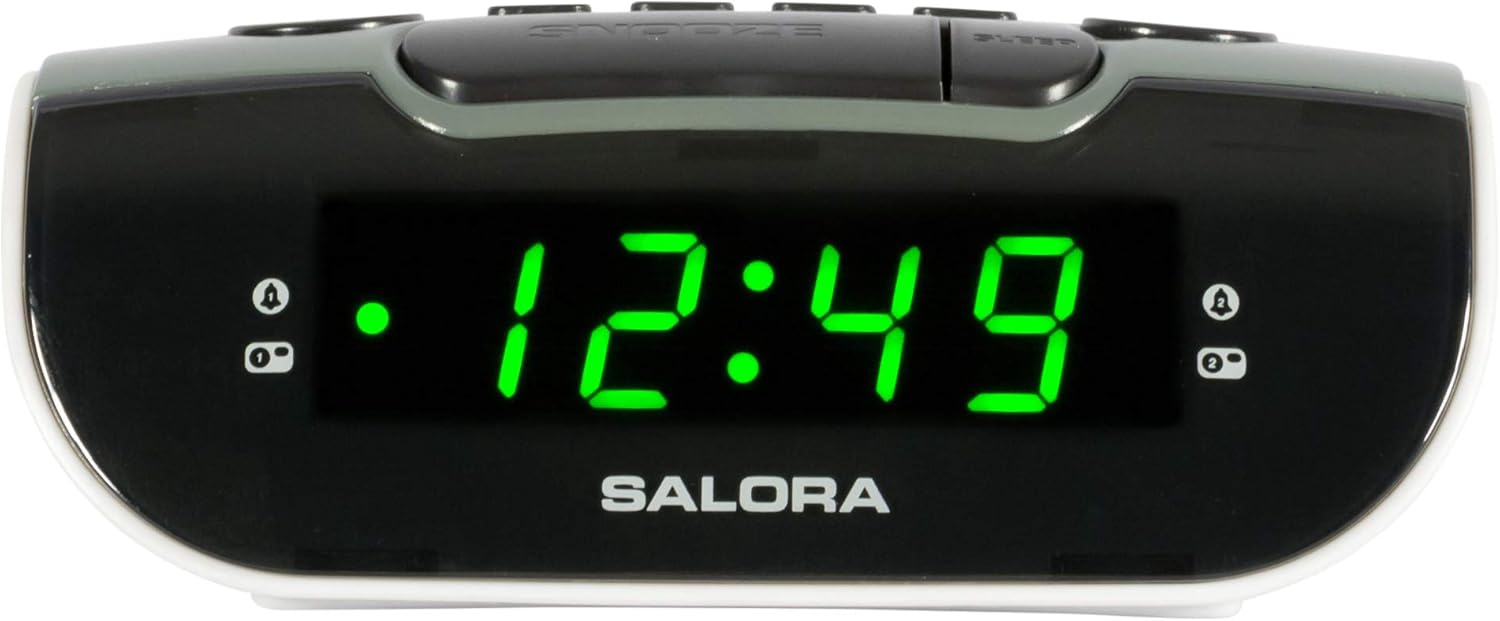
Image: Close-up of the SALORA CR612 display, showing the time '12:49' and active alarm indicators.
3.3 Zivai Rinoshanda
Kana alarm yarira, tinya iyo KUSVIRA button to temporarily silence it. The alarm will sound again after approximately 9 minutes. To cancel the snooze and turn off the alarm completely, press the SIMBA bhatani.
3.4 Radio Kushanda
- Turn On Radio: Press the SIMBA bhatani kuvhura iyo unit.
- Sarudza Band: Press the BAND button to switch between AM and FM frequencies.
- Nzvimbo yeKugadzirisa: Shandisa iyo TUNING knob to manually tune to your desired radio station.
- Gadzirisa Inzwi: Shandisa iyo VOLUME bhatani rekugadzirisa huwandu hweruzha.
- Sevha Presets: To save a station, tune to it, then press and hold the NDANGARIRO button until the display flashes. Use the PRESET buttons (or tuning knob) to select a preset number, then press NDANGARIRO zvakare kusimbisa.
- Recall Presets: Muchidimbu dzvanya iyo PRESET buttons to cycle through saved stations.
3.5 Kurara Nguva
Chinotora nguva yekurara chinobvumira redhiyo kurira kwenguva yakatarwa isati yadzima yega.
- Redhiyo ichiri kurira, dzvanya iyo RARA bhatani kakawanda kuti udzokorore nguva dzekurara dziripo (semuenzaniso, maminetsi gumi, makumi matatu, makumi matanhatu, makumi mapfumbamwe, kana kuti OFF).
- Redhiyo inozodzima yega mushure menguva yakasarudzwa.
4. Kuchengeta
4.1 Kuchenesa
To clean the unit, wipe it with a soft, dry cloth. Do not use abrasive cleaners, waxes, or solvents as these can damage the finish. Ensure the unit is unplugged before cleaning.
4.2 Kutsiviwa kwebhatiri
Replace the backup batteries (2 x AAA) annually or if the time and alarm settings are lost after a power interruption. Ensure correct polarity when inserting new batteries.
5. Kugadzirisa matambudziko
- Hapana Simba/Display Off:
- Ita shuwa kuti tambo yemagetsi yeAC yakanamirwa zvakachengeteka mudura rekushanda.
- Tarisa kana bhatani rekudzima radzvanywa.
- Alarm haisi Kurira:
- Verify that the alarm is set and activated (check for the alarm indicator on the display).
- Ensure the alarm volume is not set to minimum if using radio alarm.
- Confirm the alarm time is correctly set (AM/PM).
- Kusagamuchira Redhiyo Zvakanaka:
- Kuwedzera zvizere FM waya antenna.
- For AM, rotate the unit to find the best signal.
- Move the unit away from other electronic devices that may cause interference.
- Time/Settings Lost After Power Outage:
- Check and replace the backup batteries if necessary.
- Ita shuwa kuti mabhatiri akaiswa aine polarity chaiyo.
6. Zvinotsanangurwa
| Feature | Detail |
|---|---|
| Brand | SALORA |
| Model Number | CR612 |
| Product Dimensions | 11.5 x 13 x 4.8 cm |
| Kurema | 320 magiramu |
| Simba Source | AC Power (with 2x AAA battery backup) |
| Display Type | Digital LED |
| Radio Bands | AM/FM PLL Tuner |
| Special Features | Dual Alarm, Snooze, Sleep Timer |
| Room Type | Bedroom |
| Color | Grey (with black and white accents) |
7. Warranty uye Tsigiro
7.1 Ruzivo rweWaranti
This product is covered by a standard manufacturer's warranty. For specific details regarding warranty duration and terms, please refer to the warranty card included with your purchase or contact your retailer. If you wish to return a product within 30 days of receipt because you have changed your mind, please consult the retailer's return policy. If you have received a defective or damaged product, please consult the retailer's help page on returns and refunds.
7.2 Mutengi Tsigiro
For further assistance, technical support, or inquiries not covered in this manual, please contact SALORA customer service through their official website or the retailer where the product was purchased. Please have your model number (CR612) and purchase information ready when contacting support.


