Nhanganyaya
Thank you for choosing the Baseus Encok True Wireless Earbuds W06. This manual provides detailed instructions on how to set up, operate, and maintain your earbuds to ensure optimal performance and longevity. Please read this manual thoroughly before using the product.
Package Zviri mukati
Ndapota tarisa zviri mupakeji kana wabvisa zvinhu mubhokisi. Kana paine zvinhu zvisipo kana kuti zvakakuvara, taura nemutengesi wako.
- Baseus Encok True Wireless Earbuds (L/R)
- Kuchaja Case
- USB-C Kuchaja Cable
- Zvishongo zveSilicone (saizi dzakasiyana-siyana)
- User Manual
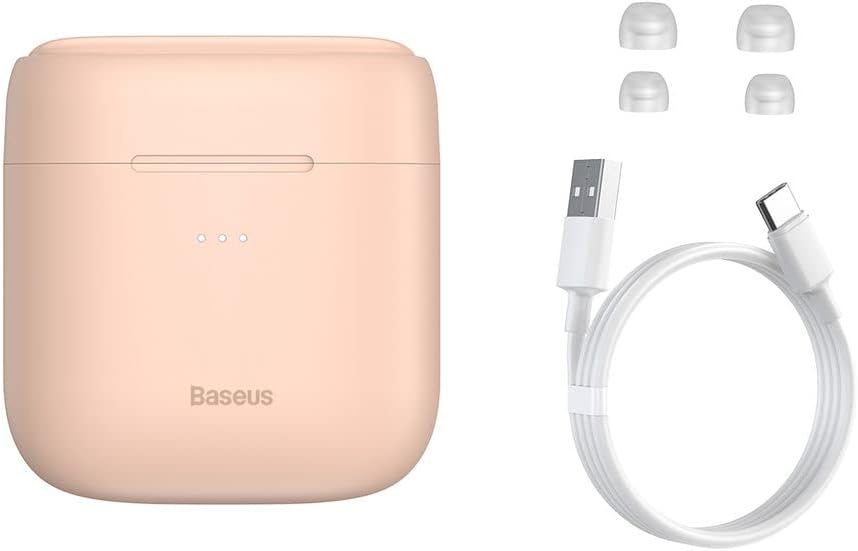
Image: The package contents, showing the charging case, two earbuds, a USB-C charging cable, and several pairs of silicone eartips.
Gadzirira
1. Kuchaja maEarbuds uye Case
Before first use, fully charge the earbuds and the charging case. Place the earbuds into the charging case. Connect the USB-C cable to the charging case and a power source, or place the charging case on a compatible wireless charging pad.
- Chiratidzo chinovhenekera pakesi chicharatidza mamiriro ekuchaja.
- Kuchaja kwakazara kunotora nguva ingangoita maawa matatu.
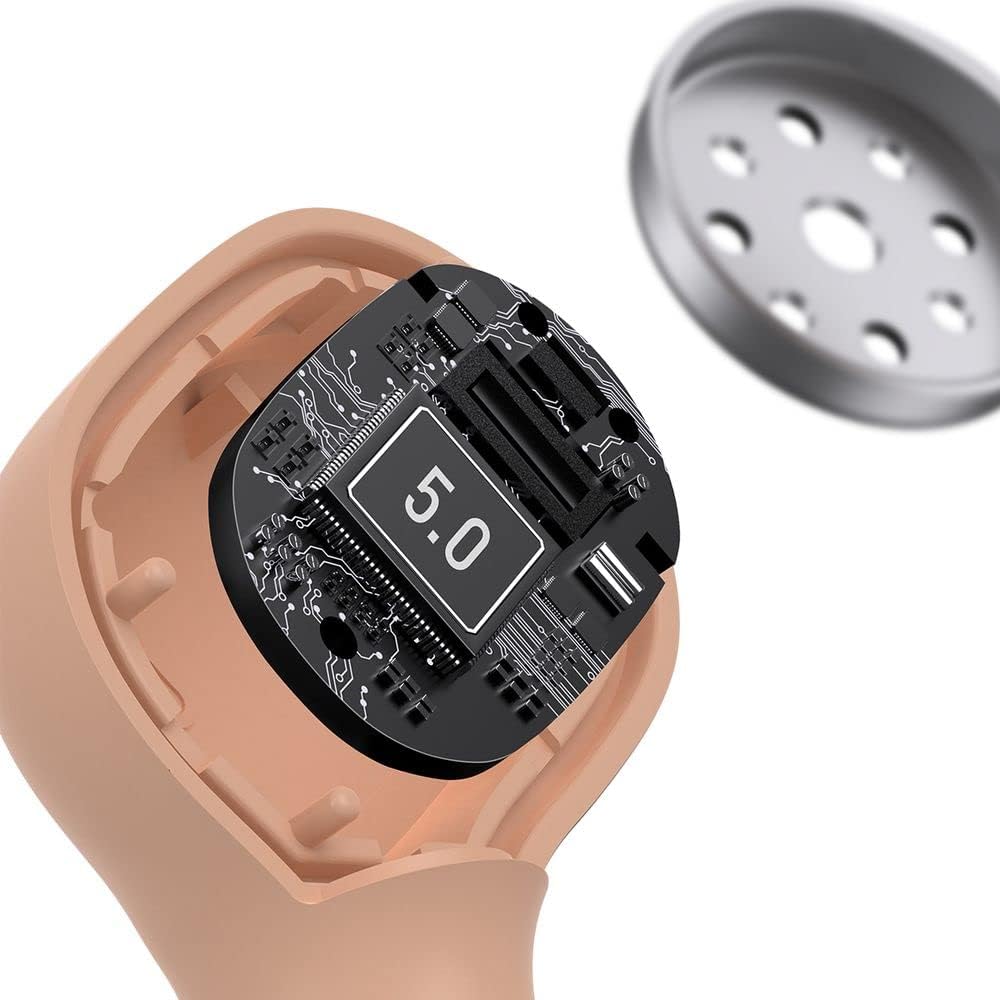
Image: The Baseus Encok W06 earbuds resting inside their open charging case, indicating they are ready for charging or use.

Image: Two Baseus Encok W06 charging cases, one connected via a USB-C cable and another placed on a wireless charging pad, demonstrating charging methods.
2. Bluetooth Kubatanidza
- Ita shuwa kuti maearbuds akachajwa.
- Vhura kesi yekuchaja. Maearbuds anozopinda otomatiki maitiro, anoratidzwa nemwenje unopenya pamaearbuds.
- Pamudziyo wako (smartphone, piritsi, nezvimwewo), shandisa Bluetooth.
- Tsvaga "Baseus Encok W06" in the list of available Bluetooth devices.
- Select it to connect. Once connected, the indicator light on the earbuds will stop flashing.
Maearbuds anozobatana otomatiki kune yekupedzisira paired mudziyo kana aburitswa kunze kwekesi, kana Bluetooth yakagoneswa pachigadzirwa.
3. Kupfeka maEarbuds
Choose the silicone eartips that provide the best fit and seal for your ears. Insert the earbuds gently into your ear canal and rotate them slightly until they feel secure and comfortable.

Image: A person wearing a Baseus Encok W06 earbud, illustrating how the earbud sits comfortably and securely in the ear.
Operating Instruction
The Baseus Encok W06 earbuds feature touch controls for various functions.
- Power On: Open the charging case, or press and hold the touch panel for 3 seconds if earbuds are out of case.
- Power Off: Place earbuds back into the charging case and close the lid, or press and hold the touch panel for 5 seconds.
- Tamba/Kumbomira: Double-tap the touch panel on either earbud.
- Next Track: Tokonya katatu munzeve wekurudyi.
- Previous Track: Tokonya katatu munzeve wekuruboshwe.
- Pindura/Pedzisa Kufona: Double-tap the touch panel on either earbud during an incoming call.
- Ramba Kufona: Press and hold the touch panel on either earbud for 2 seconds during an incoming call.
- Shandisa Izwi Mubatsiri: Press and hold the touch panel on either earbud for 3 seconds.
Key Features
- Double-sided Wireless Charging: The charging case supports wireless charging from both sides, allowing flexible placement on a wireless charging pad.
- APT-X Audio Decoding: Provides high-quality audio transmission for a superior listening experience.
- CVC Noise Canceling: Clear Voice Capture technology reduces background noise during calls for clearer communication.
- Hupenyu Hwebhatiri Hwakawedzerwa: Offers up to 300 hours of standby time.
- Makaralı 5.0: Inovimbisa kubatana kwe wireless kwakasimba uye kunoshanda zvakanaka.

Image: A visual representation of the Baseus Encok W06 earbuds and charging case, accompanied by text detailing key features such as two-sided wireless charging, APT-X audio decoding, CVC noise canceling, and 300 hours of battery life.

Mufananidzo: Yakadzama view of the internal circuitry of a Baseus Encok W06 earbud, prominently displaying '5.0', signifying its Bluetooth 5.0 connectivity.
Maintenance
Kuchenesa
- Garai kuchenesa maearbud nekesi yekuchaja nejira rakapfava, rakaoma, risina lint.
- Bvisa nzeve wozvichenesa nesipo yakapfava nemvura, wozonyatsoomesa usati wabatanidza zvakare.
- Usashandise abrasive cleaners, doro, kana makemikari zvinonyungudutsa.
- Ita shuwa kuti kuchaja macontact pane ese maearbud uye makesi akachena uye haana tsvina.
Storage
- Chengetedza maearbuds mukesi yavo yekuchaja kana isiri kushandiswa kuadzivirira uye kuti agare aine chaji.
- Avoid storing in extreme temperatures (hot or cold) or high humidity.
Battery Care
- To preserve battery life, charge the earbuds and case regularly, even if not used frequently.
- Dzivisa kupedza simba rebhatiri zvachose kwenguva yakareba.
Kugadzirisa matambudziko
| Dambudziko | Solution |
|---|---|
| Maearbud haashande nemudziyo. |
|
| Hapana ruzha runobva kune rimwe kana ese ari maviri earbuds. |
|
| Kesi yekuchaja haichaji. |
|
Zvinotsanangurwa
| Feature | Detail |
|---|---|
| Brand | Baseus |
| Model Name | NGJW06-04 (W06) |
| Item Model Number | B00F2ZIDTS |
| Kubatana Technology | Wireless (Bluetooth 5.0) |
| Headphone Form Factor | Munzeve |
| Cable Feature | Wireless |
| Item Weight | 50 magiramu |
| Product Dimensions | 10 x 3 x 2 cm |
| Mugadziri | Baseus |
| Wireless Charging | Supported (Double-sided) |
| Audio Decoding | APT-X |
| Kubvisa Noise | CVC (for calls) |
| Hupenyu hwebhatiri (Yakamira) | Kusvikira kumaawa makumi maviri nemashanu |
Safety Information
- Usabvisa, kugadzirisa, kana kugadzirisa chigadzirwa.
- Chengetedza chigadzirwa kure nemvura, mwando, uye kupisa kwakanyanya.
- Dzivisa kuratidzwa kwenguva refu kune yakakwirira vhoriyamu kudzivirira kukuvara kwekunzwa.
- Rasa chigadzirwa uye bhatiri rayo zvine hungwaru maererano nemitemo yenzvimbo.
- Chengetedza kure nevana nemhuka dzinovaraidza.
Warranty uye Support
Baseus products typically come with a limited warranty. For specific warranty terms and conditions, please refer to the warranty card included in your package or visit the official Baseus website. For technical support, product inquiries, or warranty claims, please contact Baseus customer service or your local retailer.
You can visit the official Baseus store for more information: Baseus Store