Nhanganyaya
This manual provides instructions for the proper setup, operation, and maintenance of your Linq IT-H408 4-Port USB 2.0 Hub. This device allows you to expand a single USB port into four, each with an independent on/off switch, facilitating efficient management of connected peripherals.
Product Overview
The Linq IT-H408 is a USB 2.0 hub designed to provide four additional USB ports. Each port features an individual power switch, allowing you to control power to connected devices independently. It supports data transfer speeds of up to 480 Mbps.
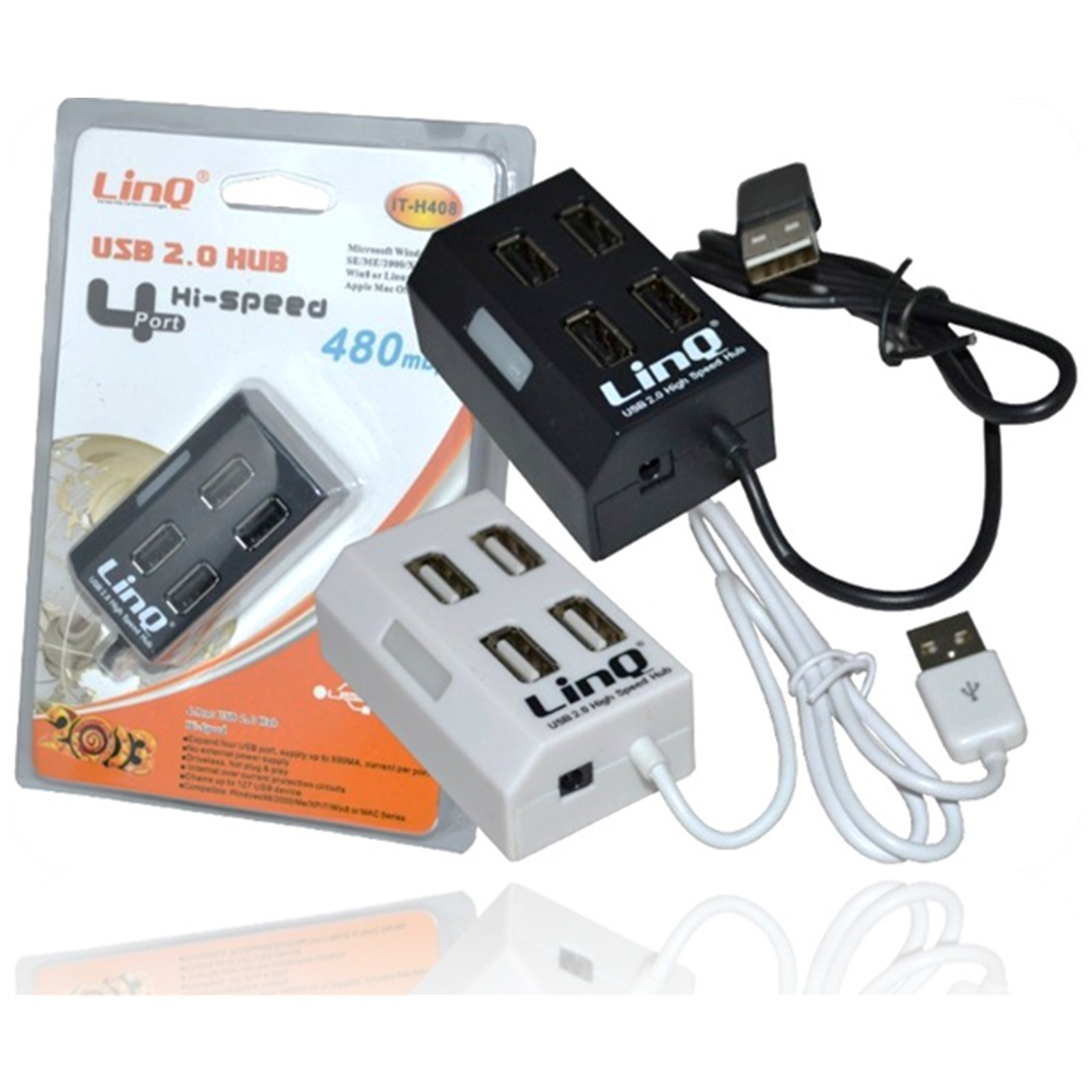
Figure 1: Linq IT-H408 4-Port USB 2.0 Hub. This image displays the hub's compact form factor, highlighting the four USB ports and their corresponding individual power switches, along with the integrated USB cable for connection to a host device.
Setup Instructions
- Bvisa Hub: Carefully remove the Linq IT-H408 USB Hub from its packaging.
- Batanidza kuKombuta: Plug the integrated USB cable from the hub into an available USB 2.0 or USB 3.0 port on your computer.
- Kuiswa kwemutyairi: The hub is plug-and-play and typically does not require additional driver installation for compatible operating systems (Windows 98/2000/ME/XP/7/8, Mac OS series). Your operating system should automatically detect and configure the device.
- Batanidza Peripherals: Plug your USB devices (e.g., flash drives, keyboards, mice) into the available ports on the Linq IT-H408 hub.
Operating the Hub
- Powering On/Off Ports: Each USB port on the Linq IT-H408 has an independent on/off switch. Press the switch corresponding to the desired port to toggle its power state. An indicator light (if present) will illuminate when the port is active.
- Kubatanidza Midziyo: Insert your USB device into an available port. Ensure the port is powered on using its individual switch.
- Kuendesa Data: The hub supports USB 2.0 data transfer speeds up to 480 Mbps. Performance may vary based on the connected device and host system.
- Kushandisa Simba: For high-power devices, ensure your computer's USB port can supply sufficient power. If multiple high-power devices are connected, an external power adapter (not included) might be required for optimal performance, if the hub supports it.
Maintenance
- Kuchenesa: Use a soft, dry cloth to clean the exterior of the hub. Avoid using liquid cleaners or solvents.
- Kuchengeta: Kana isiri kushandiswa, chengetedza hubhu munzvimbo inotonhorera, yakaoma kure nechiedza chezuva uye tembiricha yakanyanyisa.
- Kubata: Dzivisa kudonhedza hub kana kuisa pasi kune zvinokanganisa zvakasimba. Usaedze disassemble mudziyo.
Kugadzirisa matambudziko
Mudziyo hauzivikanwe:
- Ensure the hub's USB cable is securely connected to your computer.
- Verify that the individual switch for the connected port is in the "on" position.
- Edza kubatanidza iyo hub kune rakasiyana USB chiteshi pakombuta yako.
- Test the connected device by plugging it directly into your computer's USB port to rule out device issues.
- Tangazve komputa yako.
Kumhanyisa data kunononoka:
- Ensure both the hub and the connected device are USB 2.0 compatible for optimal USB 2.0 speeds.
- Avoid connecting multiple high-bandwidth devices simultaneously if experiencing slowdowns.
- Ensure the hub is connected to a USB 2.0 or higher port on your computer.
Kubatana kwepakati:
- Tarisa zvese zvakabatanidzwa netambo kuti hazvina kusimba.
- Ensure the hub is not placed near sources of strong electromagnetic interference.
- If using a desktop computer, try connecting the hub to a rear USB port directly on the motherboard.
Zvinotsanangurwa
| Model Number | IT-H408 (Internal: 6950029010495) |
| Brand | Linq |
| Interface | USB 2.0 |
| Nhamba yePorts | 4 (with individual switches) |
| Data Transfer Rate | Kusvikira ku480 Mbps |
| Inowirirana Operating Systems | Windows 98 / 2000 / ME / XP / 7 / 8, Mac OS series |
| Color | Muchena, Mutema |
| Dimensions (approx.) | 19 x 11.6 x 5 cm (Zviyero zvepakeji) |
| Huremu (approx.) | 80 magiramu |
| Mabhatiri Anodiwa | Aihwa |
Warranty uye Support
Specific warranty information for the Linq IT-H408 USB Hub is typically provided at the point of purchase or within the product packaging. Please refer to your purchase documentation for details regarding warranty coverage and duration.
For technical support or further assistance, please contact your retailer or visit the official Linq website. Chengetedza risiti yako yekutenga sehumbowo hwekutenga kune chero vimbiso yewaranti.


