1. Nhanganyaya
This manual provides essential information for the safe and effective use of the Shark W225S Mounted Point. Please read these instructions thoroughly before operation and retain for future reference. The Shark W225S is a multi-purpose abrasive tool designed for various grinding and finishing applications.
2. Safety Information
YAMBIRO: Always wear appropriate personal protective equipment (PPE) including safety glasses, gloves, and hearing protection when operating abrasive tools. Failure to do so may result in serious injury.
- Ensure the mounted point is securely fastened to the tool before use.
- Do not exceed the maximum operating speed specified for the mounted point.
- Inspect the mounted point for damage or wear before each use. Discard if damaged.
- Chengeta nzvimbo yebasa yakachena uye ine chiedza chakanaka.
- Chengetedza vana nevanoona kure paunenge uchishandisa chishandiso chemagetsi.
- Dzivisa kusangana nezvikamu zvinotenderera.
- Do not force the tool; let the abrasive do the work.
This product contains chemicals known to the State of California to cause cancer and birth defects or other reproductive harm. Always handle with care and wash hands after use.
3. Setup
The Shark W225S Mounted Point is designed for use with compatible rotary tools or grinders.
- Tool Compatibility: Verify that your rotary tool or grinder is compatible with a 1-inch diameter mounted point and has a collet or chuck that can securely hold the shank.
- Kuiswa:
- Ensure the power tool is unplugged or its battery is removed before installation.
- Insert the shank of the Shark W225S Mounted Point into the collet or chuck of your rotary tool.
- Tighten the collet or chuck securely to prevent the mounted point from slipping during operation.
- Gently pull on the mounted point to confirm it is firmly seated.
- Kugadzirira Workpiece: Secure the workpiece firmly in a vise or clamp to prevent movement during grinding.
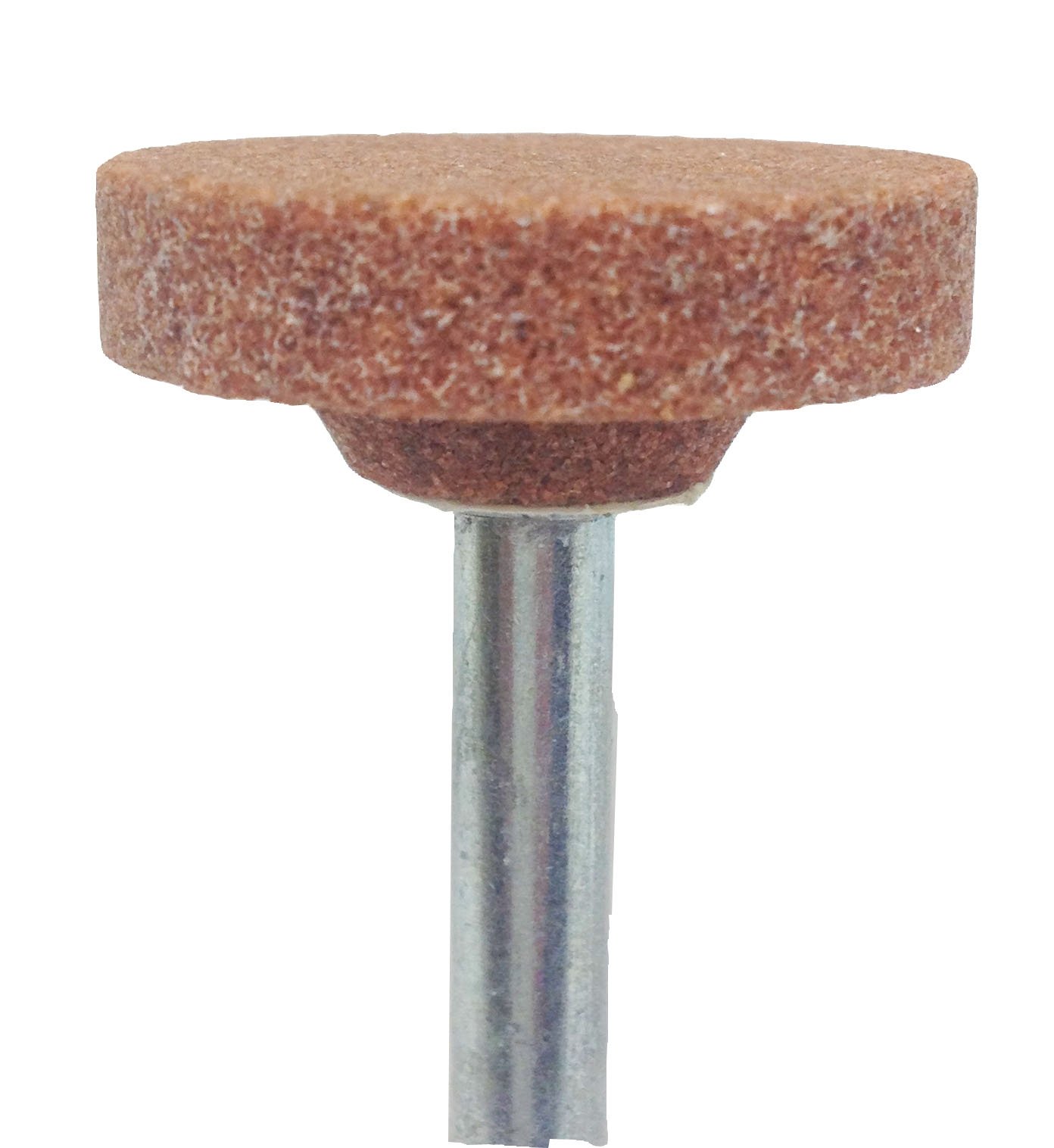
Figure 1: The Shark W225S Mounted Point (salmon color, 1-inch diameter) attached to a rotary tool. This image illustrates the correct installation of the abrasive point into the tool's chuck or collet.
4. Operating Instructions
- Power On: With all safety precautions in place, turn on your rotary tool. Start at a lower speed setting if adjustable.
- Application: Gently bring the rotating mounted point into contact with the workpiece. Apply light, consistent pressure.
- Kukuya Technique: Move the mounted point smoothly across the surface of the workpiece. Avoid dwelling in one spot, which can cause overheating or uneven material removal.
- Kudzora Kumhanya Adjust the tool speed as necessary for the material and desired finish. Higher speeds are generally for finer finishes, while lower speeds are for heavier material removal.
- Kutonhodza: For prolonged use or on heat-sensitive materials, allow the mounted point and workpiece to cool periodically to prevent damage.
- Power Off: When finished, lift the mounted point from the workpiece before turning off the tool. Allow the tool to come to a complete stop before setting it down.
5. Kuchengeta
- Kuchenesa: After each use, clean any debris or dust from the mounted point using a stiff brush or compressed air.
- Kuongorora: Regularly inspect the mounted point for signs of wear, chipping, or cracking. A worn or damaged point can be inefficient and dangerous.
- Kuchengeta: Store mounted points in a dry, safe place, away from moisture and direct sunlight, to prevent degradation.
- Kurasa: Dispose of worn or damaged mounted points responsibly according to local regulations.
6. Kugadzirisa matambudziko
| Dambudziko | Zvinogona Kukonzera | Solution |
|---|---|---|
| Poor material removal | Worn mounted point; insufficient speed; incorrect pressure | Replace mounted point; increase tool speed; apply consistent, light pressure |
| Kudedera kwakanyanyisa | Mounted point not securely fastened; bent shank; damaged point | Re-tighten collet/chuck; replace mounted point if shank is bent or damaged |
| Overheating of workpiece/point | Excessive pressure; prolonged contact; too high speed for material | Reduce pressure; use intermittent contact; reduce tool speed; allow cooling periods |
7. Zvinotsanangurwa
- Muenzaniso: W225S
- Type: Mounted Point
- Ruvara: Salmon
- Diameter: 1 padiki
- Ukobvu: 1 padiki
- Mugadziri: Shark
- Chikamu Nhamba: W225S
- Chinhu Weight: 0.353 ounces
- Zviyero zvechigadzirwa: 5.5 x 3 x 1.25 inches (hukuru hwekurongedza)
- Nyika Yekwakabva: Nyika dzakabatana
8. Warranty uye Tsigiro
For information regarding warranty coverage or technical support for your Shark W225S Mounted Point, please contact the manufacturer directly.
Manufacturer: Shark Industries
Please refer to the original product packaging or the manufacturer's official websaiti yeruzivo rwazvino rwekusangana uye ruzivo rwewaranti.


