Nhanganyaya
This manual provides essential instructions for the safe and efficient operation of your Muse M-28 VF Portable CD/MP3 Radio with USB Player. Please read this manual thoroughly before using the device and retain it for future reference.
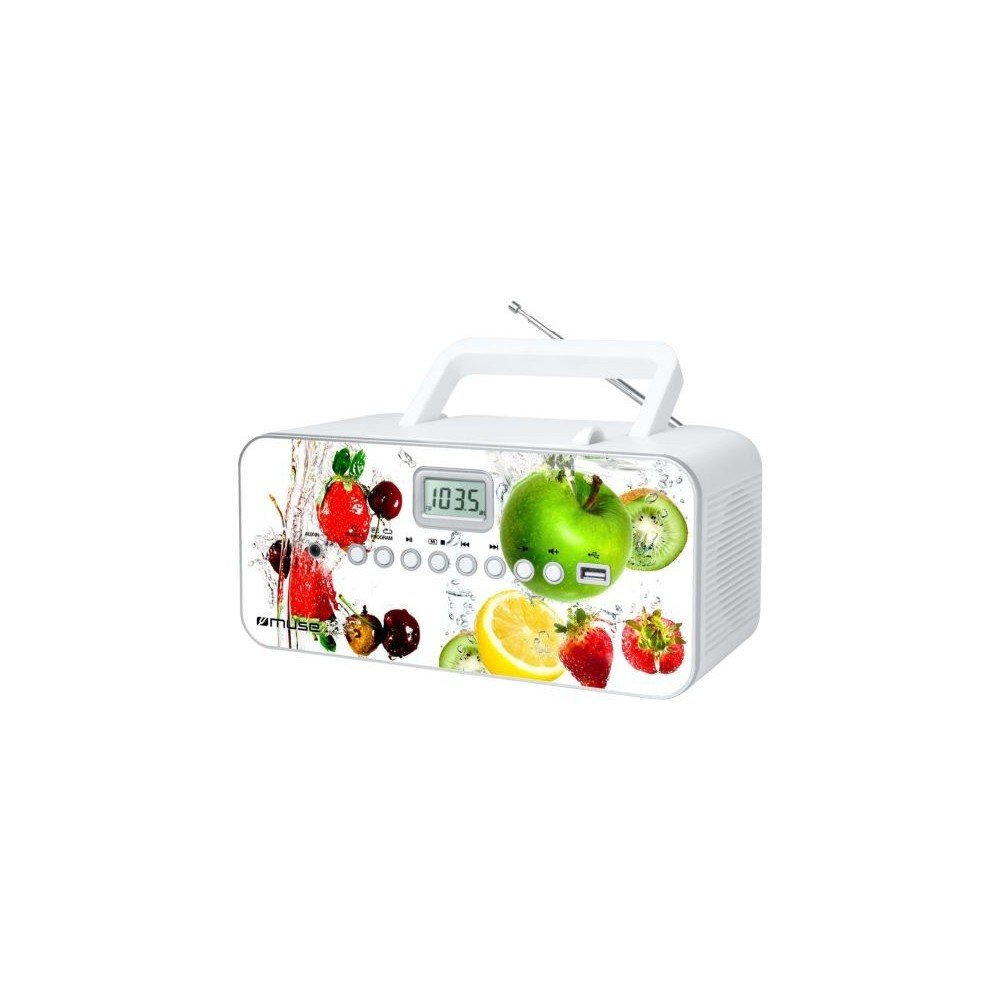
Mberi view of the Muse M-28 VF portable CD/MP3 radio, showing the CD compartment, display, and control buttons.
Safety Information
- Usafumure chikwata kune mvura kana hunyoro.
- Usavhare chero mazaru emhepo.
- Ita shuwa kuti kune ventilation yakakodzera kutenderedza unit.
- Shandisa zvakanamirwa chete/zvishandiso zvinotsanangurwa nemugadziri.
- Bvisa iyo unit panguva yemadutu emheni kana kana isina kushandiswa kwenguva refu.
- Tumira masevhisi ese kuvashandi vanokwanisa.
Gadzirira
1. Simba Connection
- Locate the AC power cord.
- Insert the small end of the power cord into the AC IN jack on the back of the unit.
- Batanidza rimwe divi retambo yemagetsi muchikamu chekunze chemadziro.
2. Kugadziriswa kweAntena
For optimal FM radio reception, fully extend the telescopic antenna. For MW (AM) reception, the unit has a built-in antenna; rotate the unit for best reception.
Operating Instruction
1. Simba On / Off
Press the SIMBA bhatani rekubatidza kana kudzima unit.
2. Mode Selection
Press the MODE button repeatedly to switch between CD, USB, FM Radio, MW Radio, and AUX modes.
3. CD Playback
- Vhura gonhi rechikamu cheCD.
- Place a CD (CD/CD-R/CD-RW/MP3 compatible) with the label side facing up.
- Vhara iyo CD compartment gonhi.
- Select CD mode using the MODE bhatani.
- Press the TAMBA/KUMIRA bhatani kutanga kutamba.
- Shandisa iyo SKIP mabhatani (<< / >>) to navigate tracks.
- Press the MIRA bhatani rekugumisa kutamba.
- The unit features a full or partial repeat function. Refer to the display for repeat mode indicators.
4. USB Playback
- Isa USB flash drive muchiteshi che USB.
- Sarudza USB mode uchishandisa MODE bhatani.
- Playback will start automatically or by pressing the TAMBA/KUMIRA bhatani.
- Shandisa iyo SKIP mabhatani (<< / >>) to navigate tracks.
5. FM/MW Radio Operation
- Select FM or MW mode using the MODE bhatani.
- Dzvanya uye ubate iyo TUNE +/- mabhatani ekuti utarise otomatiki kune inotevera chiteshi chiteshi.
- Press the TUNE +/- buttons briefly to fine-tune the frequency.
- To store a station: Tune to the desired station, then press and hold the PROGRAM bhatani. Shandisa SKIP mabhatani ekusarudza nhamba yagara yaiswa, wobva wadzvanya PROGRAM again to confirm. The unit supports 20 FM and 10 MW storable stations.
- To recall a stored station: Press the NDANGARIRO or PRESET bhatani, wobva washandisa SKIP buttons to select the desired preset.
6. Kupinza Kwekubatsira (AUX IN)
- Connect an external audio device (e.g., smartphone, MP3 player) to the AUX IN jack using a 3.5mm audio cable (not supplied).
- Sarudza AUX mode uchishandisa MODE bhatani.
- Dzora kutamba kubva pamudziyo wekunze wakabatana.
7. Volume Control
Rotate the VOLUME bhatani rekugadzirisa huwandu hweruzha.
Maintenance
1. Kuchenesa Chikwata
- Before cleaning, ensure the unit is powered off and unplugged from the wall outlet.
- Shandisa jira rakapfava, rakaoma kupukuta kunze.
- Pamavara akasindimara, zvishoma dampIsa jira nemvura. Usashandise zvinochenesa zvinogumbura, wakisi, kana zvinonyungudutsa.
- Clean the CD lens periodically with a specialized CD lens cleaner disc (not supplied).
2. Kuchengeta
Kana isiri kushandiswa kwenguva yakareba, chengetedza iyo unit munzvimbo inotonhorera, yakaoma, kure nechiedza chezuva uye tembiricha yakanyanyisa.
Kugadzirisa matambudziko
| Dambudziko | Zvinogona Kukonzera | Solution |
|---|---|---|
| Hapana simba | Tambo yemagetsi haina kubatana zvakanaka. | Check if the power cord is securely plugged into the unit and the wall outlet. |
| Hapana ruzha | Volume is too low or muted. Incorrect mode selected. | Increase the volume. Ensure the correct playback mode (CD, USB, Radio, AUX) is selected. |
| CD haisi kutamba | CD inserted incorrectly. CD is dirty or scratched. Incorrect mode. | Insert CD with label side up. Clean or replace the CD. Select CD mode. |
| USB isiri kutamba | USB drive not inserted correctly. Incompatible file format. | Ensure USB drive is fully inserted. Check if files are MP3 format. |
| Kugamuchirwa kweredhiyo kusina kunaka | Antenna not extended/positioned correctly. Interference. | Fully extend and adjust the FM telescopic antenna. Rotate the unit for MW reception. Move away from other electronic devices. |
Zvinotsanangurwa
- Muenzaniso: M-28 VF
- Brand: MUSE
- Inoenderana Disc Types: CD, CD-R, CD-RW, MP3
- Radio Tuner: PLL FM/MW
- Preset Stations: 20 FM, 10 MW
- Kubatana: USB Port (1), Auxiliary Input (3.5mm)
- Rudzi rweMutauriri: Stereo
- Kunobva Simba: AC Cable
- Output Power: 14 Watts
- Zviyero (L x W x H): 17 x 26 x 13 masendimita (inenge 6.7 x 10.2 x 5.1 inches)
- Kurema 1.4 Makirogiramu (anenge 3.1 lbs)
- Bluetooth Inoenderana: Aihwa
Warranty Information
This product comes with a manufacturer's warranty of 1 gore from the date of purchase. Please retain your proof of purchase for warranty claims. The warranty covers defects in materials and workmanship under normal use. It does not cover damage caused by misuse, accident, unauthorized modification, or external causes.
Mutengi Support
For further assistance, technical support, or warranty inquiries, please refer to the contact information provided with your product packaging or visit the official MUSE webUsaedze kugadzirisa mudziyo wega.


