1. Nhanganyaya uye Pamusoroview
The Logilink PA0078 is a compact plug-in adapter designed to provide surge protection for your electronic devices. It safeguards equipment such as televisions, computers, PCs, and DVD players from voltage spikes and electrical surges that can occur due to lightning or power grid fluctuations. This adapter is intended for use with standard 230V electrical systems.
The unit features a single grounded (2P+E) socket for connecting your device and a corresponding grounded plug for insertion into a wall outlet. An indicator light is present to provide status information.
2. Safety Information
- Indoor Use Chete: This device is designed for indoor use in dry locations. Do not expose it to moisture, rain, or extreme temperatures.
- Nzvimbo Yakakodzera: Always plug the surge protector into a properly grounded wall outlet. The adapter itself is designed with 2P+E (Schuko type) grounding.
- Dzivisa kuwandisa: Do not exceed the maximum electrical ratings of the adapter (16 Ampere / 3500 Watt). Overloading can cause overheating and fire hazards.
- Kuongorora Kukuvadza: Regularly inspect the adapter for any signs of damage, such as cracks, frayed wires, or loose connections. If damaged, discontinue use immediately and replace the unit.
- Chiedza chechiratidzo: The adapter includes an indicator light. While its specific function (e.g., active protection, fault) is not detailed in the provided product information, a non-illuminated light typically suggests that the surge protection is no longer active or the unit is not receiving power. In such cases, the unit should be replaced to ensure continued protection.
- Vana uye Zvipfuwo: Chengetedza mudziyo kunze kwekusvikirwa nevana nemhuka dzinovaraidza.
3. Package Zviri mukati
- 1 x Logilink PA0078 Surge Protector Adapter
4. Setup Instructions
- Bvisa iyo Adapter: Carefully remove the Logilink PA0078 surge protector adapter from its packaging.
- Batanidza muWall Outlet: Insert the adapter's plug firmly into a standard, properly grounded 230V (50/60 Hz) wall outlet. Ensure it is fully seated.
- Observe Indicator Light: After plugging in, check if the adapter's indicator light illuminates. This typically signifies that the unit is powered and the surge protection is active.
- Batanidza Chishandiso Chako: Plug the power cord of the electronic device you wish to protect (e.g., TV, computer) into the socket on the Logilink PA0078 adapter.
Your device is now connected and protected against power surges.
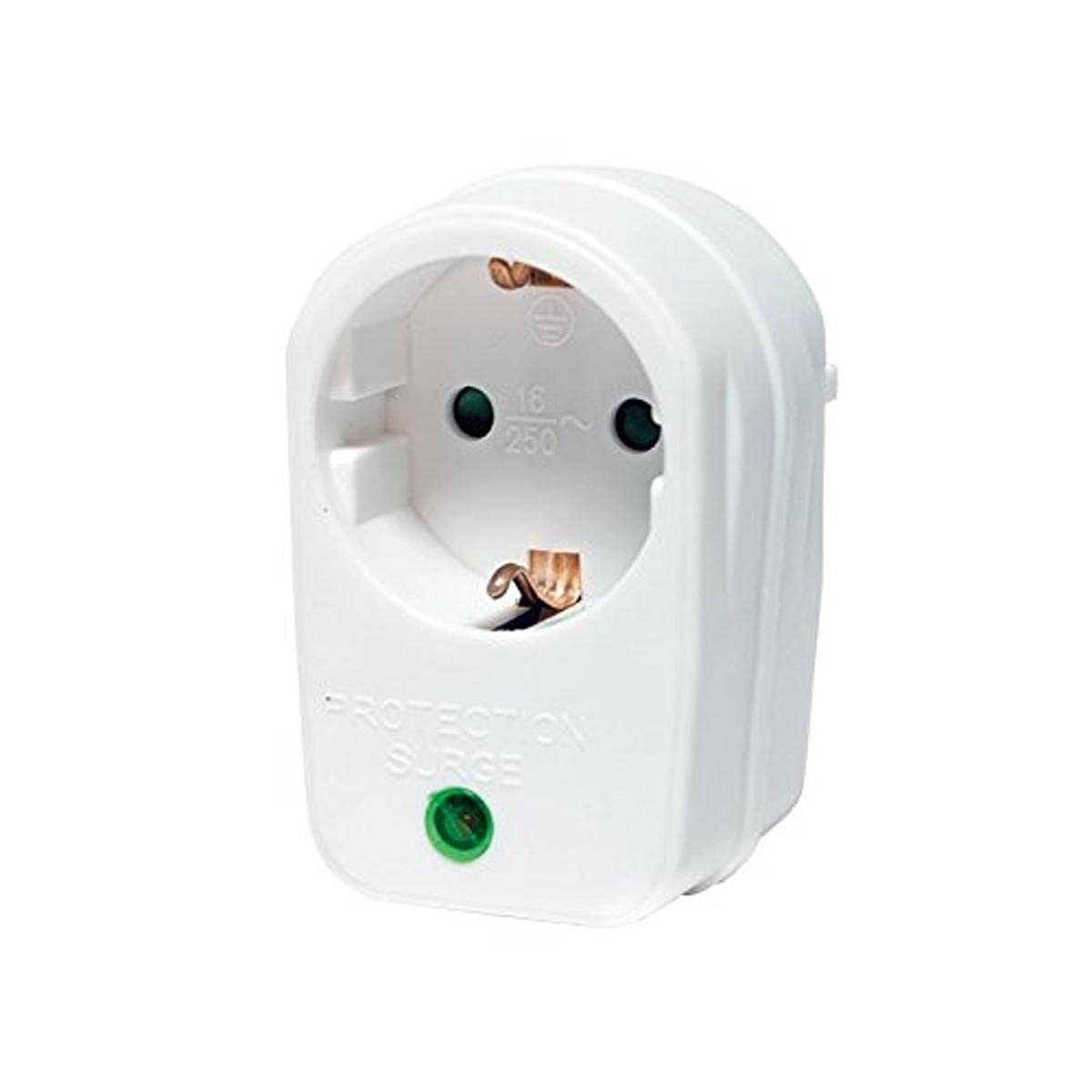
Mufananidzo 1: Mberi view of the Logilink PA0078 surge protector adapter, showing the single grounded socket and indicator light.
5. Operating Instructions
The Logilink PA0078 surge protector adapter operates automatically once properly installed. It continuously monitors the incoming power line for voltage spikes and diverts excess voltage away from your connected devices.
- Dziviriro Inoenderera Mberi: The adapter provides constant surge protection for the connected device as long as it is plugged into a live, grounded outlet and the protection circuitry is functional.
- Chiedza chechiratidzo: The indicator light on the adapter typically signifies the status of the surge protection. If this light is off, it may indicate that the surge protection components have been compromised or the unit is not receiving power.
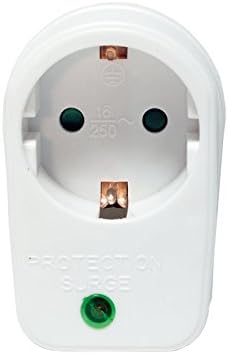
Mufananidzo 2: Angled view of the Logilink PA0078 surge protector adapter, showing the front socket and side profile.
6. Kuchengeta
- Kuchenesa: Disconnect the adapter from the wall outlet before cleaning. Use a soft, dry cloth to wipe the exterior. Do not use liquid cleaners or solvents.
- Environmental Conditions: Ensure the adapter is used in a clean, dry environment, away from direct sunlight, heat sources, and excessive dust.
- Kuongorora: Periodically check the adapter for any physical damage, such as cracks in the casing or bent pins. If any damage is observed, replace the unit.
- Protection Status: If the indicator light on the adapter goes out, it signifies that the surge protection components may have been consumed by a significant surge. The adapter will no longer provide surge protection and should be replaced.
7. Kugadzirisa matambudziko
- Mudziyo Usingagamuchire Simba:
- Ensure the Logilink PA0078 adapter is firmly plugged into the wall outlet.
- Verify that your electronic device is properly plugged into the adapter's socket.
- Edza nzvimbo yekubuditsa madziro nemumwe mudziyo kuti uone kuti inoshanda.
- Indicator Light is Off:
- If the indicator light is not illuminated when the adapter is plugged into a live outlet, it typically means the surge protection is no longer active. The adapter should be replaced to ensure continued protection for your devices.
- Adapter Does Not Fit Outlet/Plug:
- The Logilink PA0078 is designed for 2P+E (Schuko type) outlets. Ensure your wall outlet and the plug of your device are compatible with this standard.

Mufananidzo 3: Kurutivi view of the Logilink PA0078 surge protector adapter, showing the plug pins and side profile.
8. Zvinotsanangurwa
| Model Number: | PA0078 |
| Brand: | Logilink |
| Chiyamuro Voltage: | 230 Volt |
| Max. Zvazvino: | 16 Ampere |
| Max. Wattage: | 3500 Watt |
| Type yekubatanidza: | 2-pole (2P+E, grounded) |
| Zviyero (L x W x H): | 11 x 7 x 6 cm |
| Kurema | 100 g |
| Material: | Plastiki |
| Ruvara: | Chena |
| Zvitupa: | RoHS |

Mufananidzo 4: Kumashure view of the Logilink PA0078 surge protector adapter, showing the plug pins.
9. Warranty uye Tsigiro
For specific warranty terms and conditions, please refer to the documentation provided with your purchase or contact the retailer where the product was acquired. Logilink also provides customer support for their products.
For technical assistance or further inquiries, please visit the official Logilink websaiti kana kubata dhipatimendi ravo rebasa revatengi zvakananga.


