1. Nhanganyaya
This manual provides essential information for the safe and efficient operation of your MUSE M-1280 BTK Bluetooth Speaker. Please read these instructions carefully before using the device and retain them for future reference.
2. Safety Information
- Usaise mudziyo wacho pamvura kana hunyoro kudzivirira moto kana kuvhundutswa nemagetsi.
- Iva nechokwadi chekuti mhepo inofema zvakanaka yakatenderedza mudziyo. Usavhare chero nzvimbo dzinofema.
- Isa chikwata panzvimbo yakagadzikana, yakatsetseka.
- Shandisa zvinonamirwa/zvishandiso zvinotsanangurwa nemugadziri chete.
- Bvisa plug yemagetsi panguva yemadutu emheni kana kana isina kushandiswa kwenguva refu.
- Tumira masevhisi ese kuvashandi vanokwanisa.
3. Package Zviri mukati
Tarisa uone kuti zvinhu zvese zviripo mupakeji:
- MUSE M-1280 BTK Bluetooth Speaker Unit
- Remote Control
- AUX-In Cable
- Multilingual User Manual (this document)
4. Chigadzirwa Pamusoroview
The MUSE M-1280 BTK is a 2.1 channel Bluetooth speaker system featuring an integrated subwoofer, PLL FM radio, and multiple connectivity options. It delivers 80W of output power and is housed in a wooden cabinet with a distinctive UK flag design.

Mufananidzo 1: Mberi view of the MUSE M-1280 BTK Bluetooth Speaker, showcasing its tall, tower design and UK flag pattern.
Zvinokosha:
- Bluetooth V2.1 + EDR for wireless audio streaming
- NFC for automatic pairing
- PLL FM Radio with 20 preset stations
- 80W output power with 2.1 speaker system
- Adjustable bass and treble controls
- USB port for charging and audio playback
- AUX-In (2 x RCA + 1 x 3.5 mm)
- SD / MMC kadhi muverengi
- Integrated alarm function
- Wooden cabinet construction
- Display with dimmer function

Mufananidzo 2: Pedyo-up view of the speaker's top panel, showing the digital display and control buttons.
5. Setup
5.1 Kuiswa kweMutauriri
The MUSE M-1280 BTK is designed for floor mounting. Place the speaker on a stable, level surface, ensuring adequate space around it for optimal sound dispersion and ventilation. Avoid placing it near heat sources or in direct sunlight.

Image 3: The MUSE M-1280 BTK speaker placed in a room, demonstrating typical floor placement.
5.2 Simba Connection
Connect the power cable to the AC input on the back of the speaker, then plug it into a standard AC 100-240V, 50/60Hz wall outlet. The unit will enter standby mode.
6. Operating Instructions
6.1 Simba On/Kudzima
Press the Power button on the top panel or the remote control to turn the unit on or off.
6.2 Bluetooth Pairing
Kuti ubatanidze mudziyo weBluetooth:
- Press the Source button to select Bluetooth mode. The display will show "BT" and flash, indicating it's ready for pairing.
- On your Bluetooth-enabled device (e.g., smartphone, tablet, laptop), enable Bluetooth and search for available devices.
- Select "M-1280 BTK" from the list. Once paired, the display will stop flashing and show "BT" steadily.
- For NFC-enabled devices, simply tap your device against the NFC area on the speaker for automatic pairing.
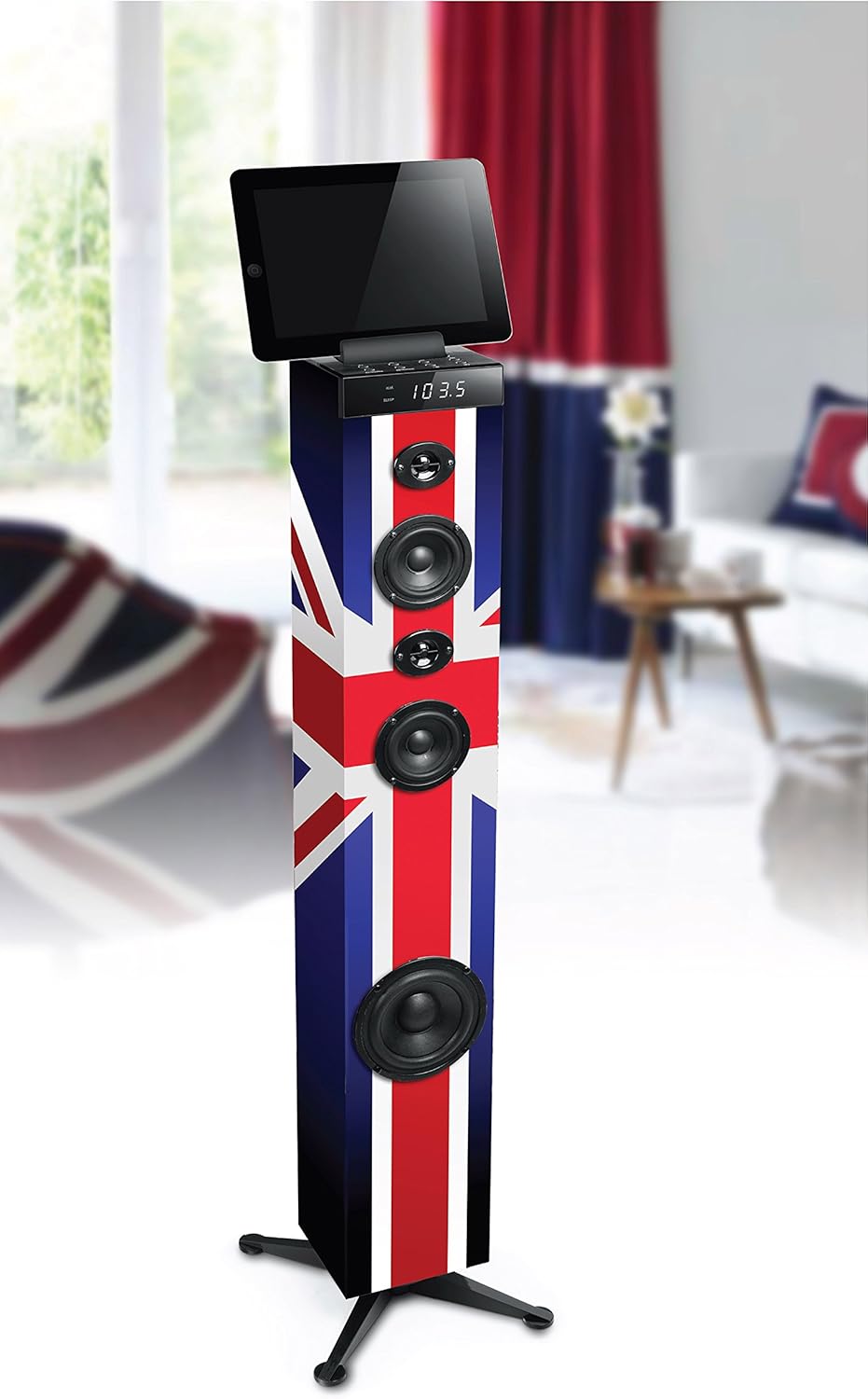
Image 4: The MUSE M-1280 BTK speaker with a tablet on its top surface, illustrating Bluetooth connectivity for media playback.
6.3 FM Radio Kushanda
Kushandisa redhiyo yeFM:
- Press the Source button to select FM radio mode.
- Press the Scan button (or equivalent on remote) to automatically scan and store up to 20 preset stations.
- Use the Previous/Next buttons to navigate through the preset stations.
6.4 USB and SD/MMC Playback
Insert a USB flash drive or an SD/MMC card into the respective port. The unit will automatically switch to USB/SD mode and begin playing compatible audio files. Use the playback controls (Play/Pause, Skip) on the unit or remote control.
6.5 Kubatanidza AUX-In
Connect an external audio device (e.g., TV, MP3 player) to the AUX-In ports using the provided 3.5mm cable or RCA cables. Press the Source button to select AUX mode.
6.6 Alarm Basa
The unit includes an alarm function. Refer to the detailed instructions in the multilingual user manual for setting and managing alarms, as specific steps may vary.
6.7 Volume, Bass, and Treble Control
Adjust the master volume using the rotary knob on the top panel or the Volume +/- buttons on the remote control. Use the dedicated Bass and Treble controls on the remote or unit (if available) to fine-tune the audio output.
7. Kuchengeta
7.1 Kuchenesa
Wipe the unit with a soft, dry cloth. Do not use abrasive cleaners, waxes, or solvents as they may damage the finish. Ensure the unit is unplugged before cleaning.
7.2 Kuchengeta
If the unit is not used for an extended period, unplug it from the power outlet and store it in a cool, dry place, away from direct sunlight and extreme temperatures.
8. Kugadzirisa matambudziko
If you experience issues with your MUSE M-1280 BTK, consult the following table for common problems and solutions:
| Dambudziko | Zvinogona Kukonzera | Solution |
|---|---|---|
| Hapana simba | Tambo yemagetsi haina kubatana; Nzvimbo yekubuditsa magetsi haisi kushanda | Iva nechokwadi chekuti tambo yemagetsi yakabatana zvakanaka; Edza nzira yekubuditsa nayo uchishandisa chimwe chishandiso |
| Hapana ruzha | Vhoriyamu yakaderera zvakanyanya; Kwakabva zvisiri izvo kwakasarudzwa; Mudziyo hauna kusanganiswa (Bluetooth) | Increase volume; Select correct input source; Re-pair Bluetooth device |
| Bluetooth pairing yakundikana | Mutauri asiri mukuita pairing; Mudziyo wakanyanya kureba; Kupindira | Ensure speaker is in BT pairing mode; Move device closer; Avoid other wireless devices |
| Kugamuchira FM kwakashata | Antenna not extended/positioned correctly; Weak signal | Adjust the FM antenna; Try repositioning the unit |
Kana dambudziko rikaramba riripo mushure mekuyedza mhinduro idzi, ndapota taura nerutsigiro rwevatengi.
9. Zvinotsanangurwa
- Brand: MUSE
- Model Number: M-1280 BTK (Item Model Number: TOUR MULTIMEDIA)
- Rudzi rweMutauriri: 2.1 Channel System with Subwoofer
- Output Power: 80 Watts
- Kubatana Technology: AUX, Bluetooth V2.1+EDR, NFC, RCA, USB
- Zvinyorwa Zvekuteerera: 2 x RCA, 1 x 3.5 mm Jack, USB, SD/MMC Card Reader
- Special Features: PLL FM Radio (20 presets), Alarm Function, Adjustable Bass/Treble, Display with Dimmer
- Zvishandiso Zvinoenderana: Laptop, Smartphone, Tablet
- Kunobva Simba: AC 100-240V, 50/60Hz (Power Cable)
- Material: Wood
- Mounting Type: Floor Kubhururuka
- Zviyero zveChigadzirwa (L x W x H): 24.8 x 24.8 x 101.2 cm
- Product Weight: 4.84 kg
- Color/Design: UK Flag Style
10. Warranty uye Tsigiro
For warranty information and customer support, please refer to the warranty card included with your product or visit the official MUSE website. Chengetedza humbowo hwako hwekutenga kune chero vimbiso yewaranti.


