1. Nhanganyaya
Ndatenda nekutengaasing the iTOMA CKS3501BT Radio Alarm Clock. This manual provides detailed instructions for setting up and operating your device. Please read it thoroughly before use to ensure proper functionality and to maximize your user experience.
Package Zviri mukati:
- iTOMA CKS3501BT Radio Alarm Clock
- Power Adapter
- FM Wire Kanyanga
- Mushandisi Chinyorwa (gwaro iri)
2. Chigadzirwa Pamusoroview
Familiarize yourself with the controls and display of your iTOMA CKS3501BT Radio Alarm Clock.
Top Panel Controls:
- VOL- / VOL+: Adjust volume.
- SET: Enter setup mode for time, date, and alarms.
- NGUVA ZONE: Adjust time zone.
- AL 1 / AL 2: Set Alarm 1 / Alarm 2.
- SNOOZE / DIMMER: Snooze active alarm; adjust display brightness.
- TUNE - / TUNE +: Tune FM radio frequency; navigate menu options.
- NDANGARIRO: Save and recall FM radio presets.
- SOURCE: Select audio source (FM, Bluetooth, AUX).
- SIMBA: Turn unit on/off.
Kuratidzwa Kwepamberi:
- 1.4-inch blue LED display for time, date, and status indicators.
- Indicators for Alarm 1, Alarm 2, FM frequency, Bluetooth status.

Mufananidzo 2.1: Mberi view of the iTOMA CKS3501BT Radio Alarm Clock, showing the large blue LED display and top panel controls.
3. Setup
3.1 Yekutanga Simba-Kukwira
- Batanidza adapta yemagetsi kujeki yeDC IN iri kumashure kweyuniti.
- Batanidza adapta yemagetsi mugomba rekunze. Chiratidziro chichabatidza.
- The unit includes a pre-installed backup battery to maintain time and alarm settings during power outages.
3.2 Kuisa Nguva uye Zuva
- Ensure the unit is powered DZIMA (press SIMBA button if display is on).
- Dzvanya uye ubate iyo SET bhatani kusvikira gore richipenya pachiratidziro.
- Shandisa iyo TUNE - / TUNE + buttons to adjust the year. Press SET kusimbisa.
- Repeat the process for Month, Day, Hour, and Minute.
- After setting the minute, press SET kusimbisa uye kubuda kwemamiriro ekugadzirisa nguva.
3.3 Automatic Daylight Saving Time (DST)
The unit is equipped with an Auto DST feature. To enable or disable:
- Ensure the unit is powered DZIMA.
- Dzvanya uye ubate iyo NGUVA ZONE button. The display will show "DST ON" or "DST OFF".
- Shandisa iyo TUNE - / TUNE + buttons to toggle between "DST ON" and "DST OFF".
- Sunungura iyo NGUVA ZONE bhatani rekusimbisa sarudzo yako.
4. Operating Instructions
4.1 Alarm Settings (Dual Alarm)
The CKS3501BT features two independent alarms (AL1 and AL2) that can be set to wake you with a buzzer or FM radio.
- Ensure the unit is powered DZIMA.
- Dzvanya uye ubate kana AT 1 or AT 2 bhatani kusvika nguva yekuridza alarm yatanga.
- Shandisa TUNE - / TUNE + to adjust the hour. Press the respective AL bhatani rekusimbisa.
- Dzokorora kwemaminitsi.
- Next, select the alarm source: Use TUNE - / TUNE + to choose between "Buzzer" or "FM Radio". Press the AL bhatani rekusimbisa.
- If FM Radio is selected, use TUNE - / TUNE + to set the desired wake-up volume. Press the AL bhatani rekusimbisa.
- Finally, select the alarm schedule: Use TUNE - / TUNE + to choose "Every Day", "Weekdays", or "Weekends". Press the AL bhatani rekusimbisa nekubuda mumodhi yekugadzika alarm.
To activate/deactivate an alarm, press the corresponding AT 1 or AT 2 button briefly when the unit is powered DZIMA. The alarm indicator (1 or 2) will appear/disappear on the display.
4.2 Zivai Rinoshanda
Kana alarm yarira, tinya iyo SNOOZE / DIMMER button to temporarily silence it for 9 minutes. The alarm will sound again after the snooze period.
4.3 Kurara Nguva
The sleep timer allows you to fall asleep to FM radio or Bluetooth audio, which will automatically turn off after a set duration (10 to 90 minutes).
- While the unit is playing FM radio or Bluetooth audio, press the RARA button (often integrated with SNOOZE or another button, refer to device markings if different).
- Dzokorora dzvanya iyo RARA button to cycle through sleep timer options (e.g., 90, 80, 70... 10 minutes, OFF).
- Iyo unit inodzima otomatiki mushure menguva yakasarudzwa.
4.4 FM Radio Kushanda

Figure 4.1: The iTOMA CKS3501BT can receive FM radio signals, indicated by the radio icon and waves.
- Ensure the FM wire antenna is properly connected to the antenna jack on the back of the unit for optimal reception.
- Press the SIMBA bhatani kuvhura iyo unit.
- Press the SOURCE bhatani kakawanda kusvikira "FM" yaonekwa pachiratidziro.
- Chinyorwa Kugadziridza: Press TUNE - / TUNE + kugadzirisa frequency nhanho nhanho.
- Auto Ongororo: Dzvanya uye ubate TUNE - / TUNE + for a few seconds to automatically scan for the next available station.
4.5 Saving and Recalling FM Presets
The unit can store up to 10 FM radio stations as presets.
- Tune kune yaunoda FM chiteshi.
- Dzvanya uye ubate iyo NDANGARIRO button until "P01" (or the next available preset number) flashes on the display.
- Shandisa TUNE - / TUNE + to select the desired preset number (P01-P10).
- Press NDANGARIRO again to confirm and save the station.
- Kuti udzorere chiteshi chakatarwa, tinya zvishoma bhatani rekuti NDANGARIRO button repeatedly to cycle through the saved stations.
4.6 Kushanda kweBluetooth
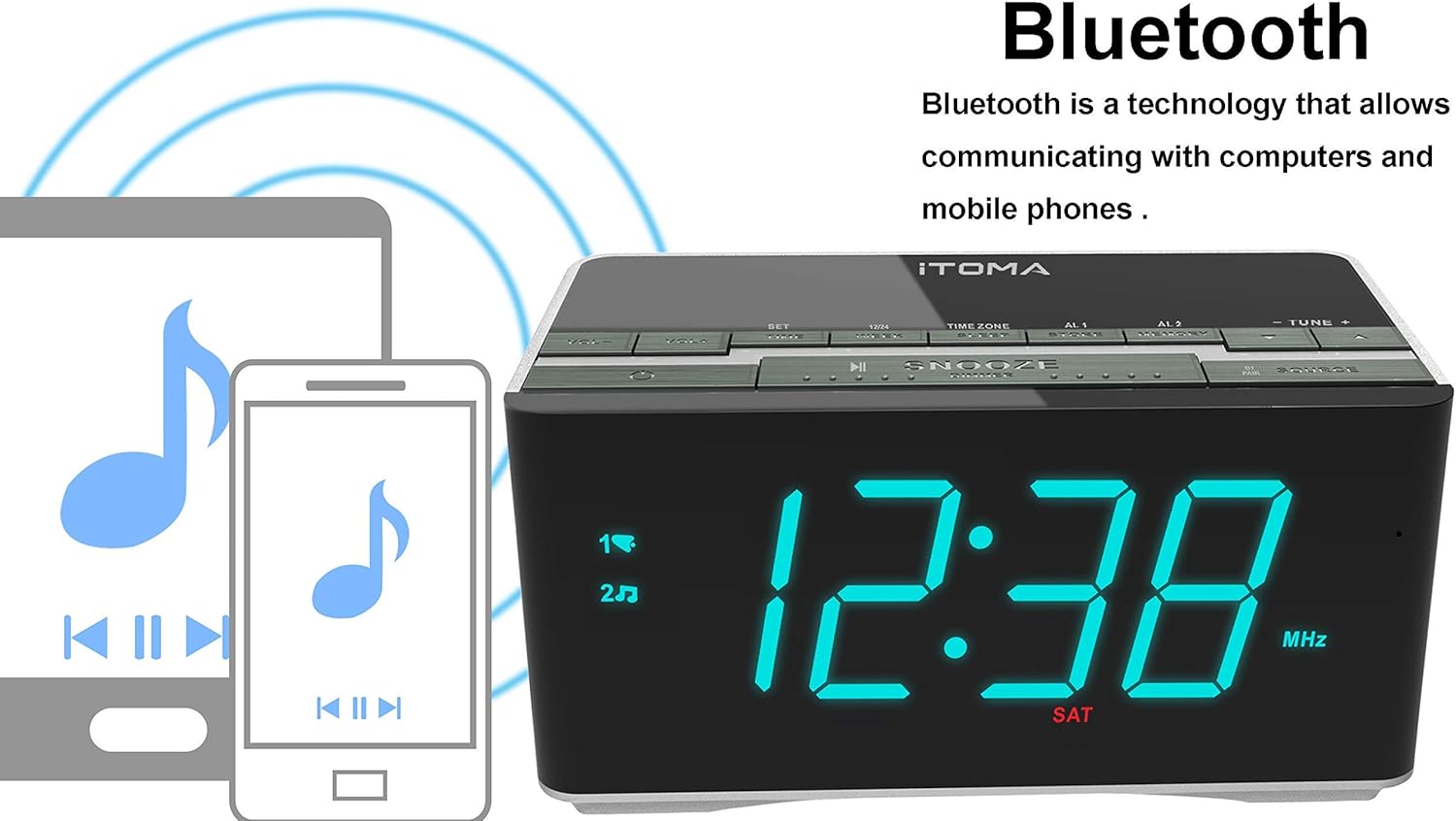
Figure 4.2: The iTOMA CKS3501BT supports Bluetooth connectivity for wireless audio streaming from compatible devices.
- Press the SIMBA bhatani kuvhura iyo unit.
- Press the SOURCE button repeatedly until "BT" appears on the display and the Bluetooth indicator flashes, indicating pairing mode.
- Pamudziyo wako une Bluetooth (semuenzaniso, smartphone, tablet), vhura Bluetooth wobva watsvaga michina iripo.
- Select "iTOMA CKS3501BT" from the list. Once paired, the Bluetooth indicator on the alarm clock will stop flashing and remain solid.
- You can now play audio from your device through the alarm clock's speakers. Use the VOL - / VOL + buttons on the alarm clock or your device to adjust the volume.
4.7 Kubatsira Kupinza (AUX)
Connect external audio devices (e.g., MP3 players) using a 3.5mm audio cable (not included).
- Connect one end of a 3.5mm audio cable to the AUX IN jack on the back of the unit.
- Batanidza rimwe divi kune headphone jack kana odhiyo inobuda kubva pamudziyo wako wekunze.
- Press the SIMBA bhatani kuvhura iyo unit.
- Press the SOURCE bhatani kakawanda kusvikira "AUX" yaonekwa pachiratidziro.
- Ridza odhiyo kubva pamudziyo wako wekunze. Gadzirisa vhoriyamu uchishandisa VOL - / VOL + buttons on the alarm clock or your external device.
4.8 USB Yekuchaja Port

Figure 4.3: The iTOMA CKS3501BT features a USB port for charging mobile devices.
The USB port on the back of the unit is for charging mobile devices only. It does not support data transfer or playing music from USB drives.
- Connect your mobile device's USB charging cable to the USB port on the alarm clock.
- Unganidza mumwe mugumo wedambo kune yako nhare mbozha.
- Mudziyo wako uchatanga kuchaja.
4.9 Display Brightness (Dimmer)

Figure 4.4: The iTOMA CKS3501BT offers an auto-dimmer function and manual brightness control for its display.
The display has an auto-dimmer feature that adjusts brightness based on ambient light. You can also manually adjust it.
- Press the SNOOZE / DIMMER button repeatedly to cycle through different brightness levels (e.g., High, Medium, Low, Auto).
- Select "Auto" for automatic brightness adjustment.
5. Kuchengeta
5.1 Kuchenesa
- Bvisa adapta yemagetsi usati wachenesa.
- Shandisa jira rakapfava, rakaoma kupukuta kunze kwechikwata.
- Do not use liquid cleaners, abrasive cleaners, or sprays, as they may damage the finish.
5.2 Backup Battery
The unit contains a pre-installed lithium-metal backup battery. This battery is designed to retain time and alarm settings during brief power interruptions. It is not user-replaceable and does not power the unit for normal operation.
6. Kugadzirisa matambudziko
| Dambudziko | Zvinogona Kukonzera | Solution |
|---|---|---|
| Unit haibatike. | Power adapter haina kubatana kana kukanganisa. | Iva nechokwadi chekuti adapta yemagetsi yakabatanidzwa zvakanaka muyuniti uye pamadziro anoshanda. |
| No sound from FM radio. | Weak signal; volume too low; incorrect source. | Adjust FM antenna position. Increase volume. Ensure "FM" source is selected. |
| Chishandiso cheBluetooth hachikwanisi kubatana. | Unit not in pairing mode; device too far; Bluetooth already connected. | Ensure "BT" is flashing on the display. Move device closer. Disconnect from other Bluetooth devices. |
| Alarm hainzwi. | Alarm not activated; volume too low; incorrect time. | Verify alarm indicator (1 or 2) is on. Check alarm volume setting. Confirm alarm time is correct. |
| Kuchaja USB hakusi kushanda. | Cable faulty; device not compatible; unit not powered. | Try a different USB cable. Ensure the alarm clock is powered on. |
7. Zvinotsanangurwa
- Muenzaniso: CKS3501BT
- Ratidza: 1.4-inch Blue LED
- Kunobva Simba: AC 100-240V, 50/60Hz (via power adapter)
- Backup Battery: 1 x Lithium-metal (pre-installed)
- Mabhendi eRadio: FM
- Bluetooth Version: (Not specified, assuming standard)
- Kutengesa USB Kubuda: (Not specified, typically 5V/1A)
- Zvekubatsira: 3.5mm stereo jack
- Dimensions: 14.5 x 8 x 7.52 masendimita (5.71 x 3.15 x 2.93 inches)
- Kurema 390.09 g (0.86 lbs)
- Material: Plastiki

Figure 7.1: Dimensions of the iTOMA CKS3501BT Radio Alarm Clock.
8. Warranty uye Tsigiro
For warranty information or technical support, please refer to the warranty card included with your product or visit the official iTOMA website. Chengeta risiti rako rekutenga seumboo hwekutenga.
iTOMA Official Websaiti: www.itoma.com


