1. Nhanganyaya
Thank you for choosing the HTC USB Type-C Hi-Res Earphones, Model 99H20317-00. These earphones are designed to provide a high-quality audio experience with their advanced features and ergonomic design. This manual provides essential information for the proper setup, operation, maintenance, and troubleshooting of your new earphones.
Zvinhu zvakakosha zvinosanganisira:
- Concert hall design for unparalleled sound.
- Larger 13mm speakers for a fuller sound profile.
- Enhanced port optimization for improved bass reproduction.
- Lighter and thinner aerospace polymer diaphragm to increase sound frequency response.
- Ergonomic design for maximum comfort during extended use.
2. Safety Information
Please read and follow these safety guidelines to ensure safe and optimal use of your earphones:
- Kudzivirira Kunzwa: Dzivisa kuteerera zvine ruzha rwakanyanya kwenguva yakareba kuti usanyanya kunzwa zvakanaka.
- Environmental Awareness: Do not use earphones in situations where the inability to hear ambient sounds could be dangerous, such as while driving, cycling, or walking in traffic.
- Kuchenesa: Clean the earphones regularly with a soft, dry cloth. Do not use liquid cleaners or solvents.
- Kuratidzwa kwemvura: These earphones are not waterproof. Avoid exposure to water or excessive moisture.
- Vana: Keep out of reach of small children due to small parts that could pose a choking hazard.
3. Package Zviri mukati
Ona kuti zvinhu zvese zviripo mupasuru yako:
- HTC USB Type-C Hi-Res Earphones (Model: 99H20317-00)
- Additional ear tips (if included)
- Mushandisi Chinyorwa (gwaro iri)
4. Setup
These earphones are designed for simple plug-and-play operation.
- Batanidza: Insert the USB Type-C connector of the earphones into the USB Type-C port of your compatible device (Smartphone, Laptop, Tablet).
- Kuzivikanwa Kwemudziyo: Your device should automatically recognize the earphones. If prompted, select the earphones as the audio output device.
- Gadzirisa Inzwi: Begin playback at a low volume and gradually increase to a comfortable listening level.
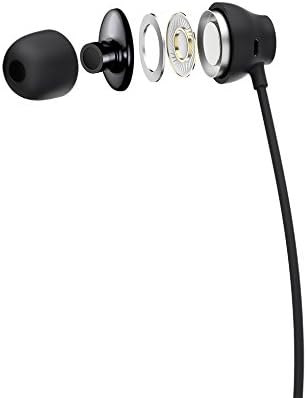
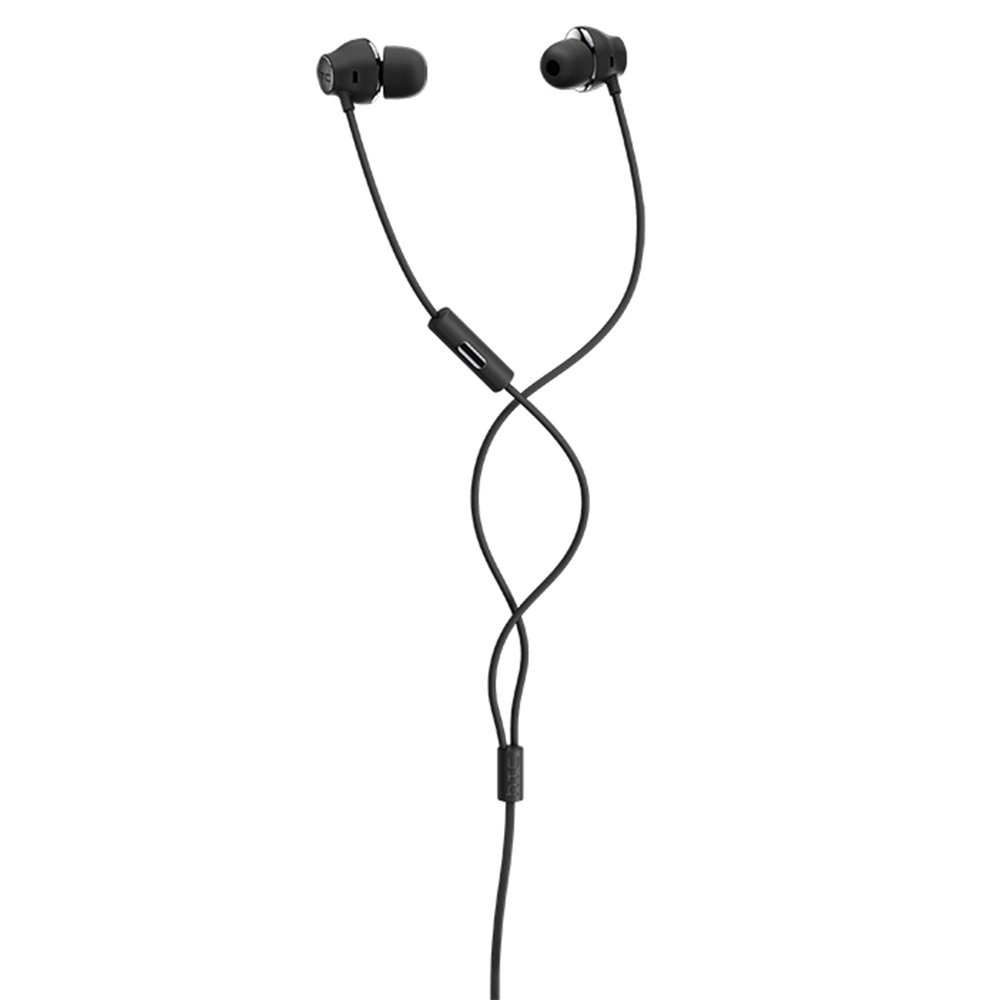
Figure 1: HTC USB Type-C Hi-Res Earphones connected to a device.
5. Operating Instructions
Once connected, your earphones are ready for use.
- Kutamba Kwekuteerera: Play audio from your connected device. The sound will be routed through the earphones.
- Call Management: For devices supporting call functions, you can typically answer/end calls using the device's interface.
- App Control: This model supports control via an application. Refer to your device's app store for any official HTC audio control applications that may offer additional features or sound customization.
6. Kuchengeta uye Kuchengeta
Proper care extends the lifespan of your earphones:
- Mazano Ekuchenesa Nzeve: Gently remove ear tips and clean them with a mild soap solution and water. Ensure they are completely dry before reattaching.
- Cleaning Earphone Body: Wipe the earphone body and cable with a soft, dry, lint-free cloth. Do not use abrasive materials or harsh chemicals.
- Kuchengeta: Kana usingashandise, chengeta maearphone munzvimbo yakachena, yakaoma, zviri nani mubhegi rinodzivirira kudzivirira kubatwa nekukuvadzwa.
- Cable Management: Avoid tightly winding the cable or subjecting it to sharp bends, which can damage internal wires.
Mufananidzo 2: Yakaputika view of earphone components, highlighting the 13mm speaker and aerospace polymer diaphragm.
7. Kugadzirisa matambudziko
Kana ukasangana nematambudziko, tarisa kune anotevera akajairika matambudziko uye mhinduro:
| Dambudziko | Zvinogona Kukonzera | Solution |
|---|---|---|
| Hapana ruzha | Earphones not properly connected; device volume too low; incorrect audio output selected on device. | Ensure the USB Type-C connector is fully inserted. Increase device volume. Check device audio settings to confirm earphones are selected as output. |
| Hunhu husina kunaka | Dirty ear tips; damaged cable; low-quality audio source. | Clean ear tips. Inspect the cable for visible damage. Try a different audio source or file. |
| Earphones uncomfortable or fall out | Saizi yemuromo wenzeve isiriyo. | Try different sized ear tips (if provided) to find the best fit for your ears. |
8. Zvinotsanangurwa
| Feature | Detail |
|---|---|
| Brand | HTC |
| Model Number | 99H20317-00 |
| Kubatana Technology | Wired (USB Type-C) |
| Mutauri Mukuru | 13 mm |
| Material | Synthetic leather (ear tips/housing accents) |
| Kurema | 50 magiramu |
| Product Dimensions | 0.1 x 0.1 x 0.1 cm (packaging/shipping dimensions, actual earphone size is compact) |
| Kudzora Nzira | App |
| Bluetooth Tsigiro | Aihwa |
| Mabhatiri Anodiwa | Aihwa |
| Inowirirana Devices | Smartphone, Laptop, Tablet with USB Type-C audio output |
| Color | Rima grey |
| Kuiswa Nzeve | Munzeve |
9. Warranty uye Tsigiro
For warranty information and technical support, please refer to the documentation provided with your purchase or visit the official HTC support website. Chengetedza humbowo hwako hwekutenga kune warranty claim.


