Nhanganyaya
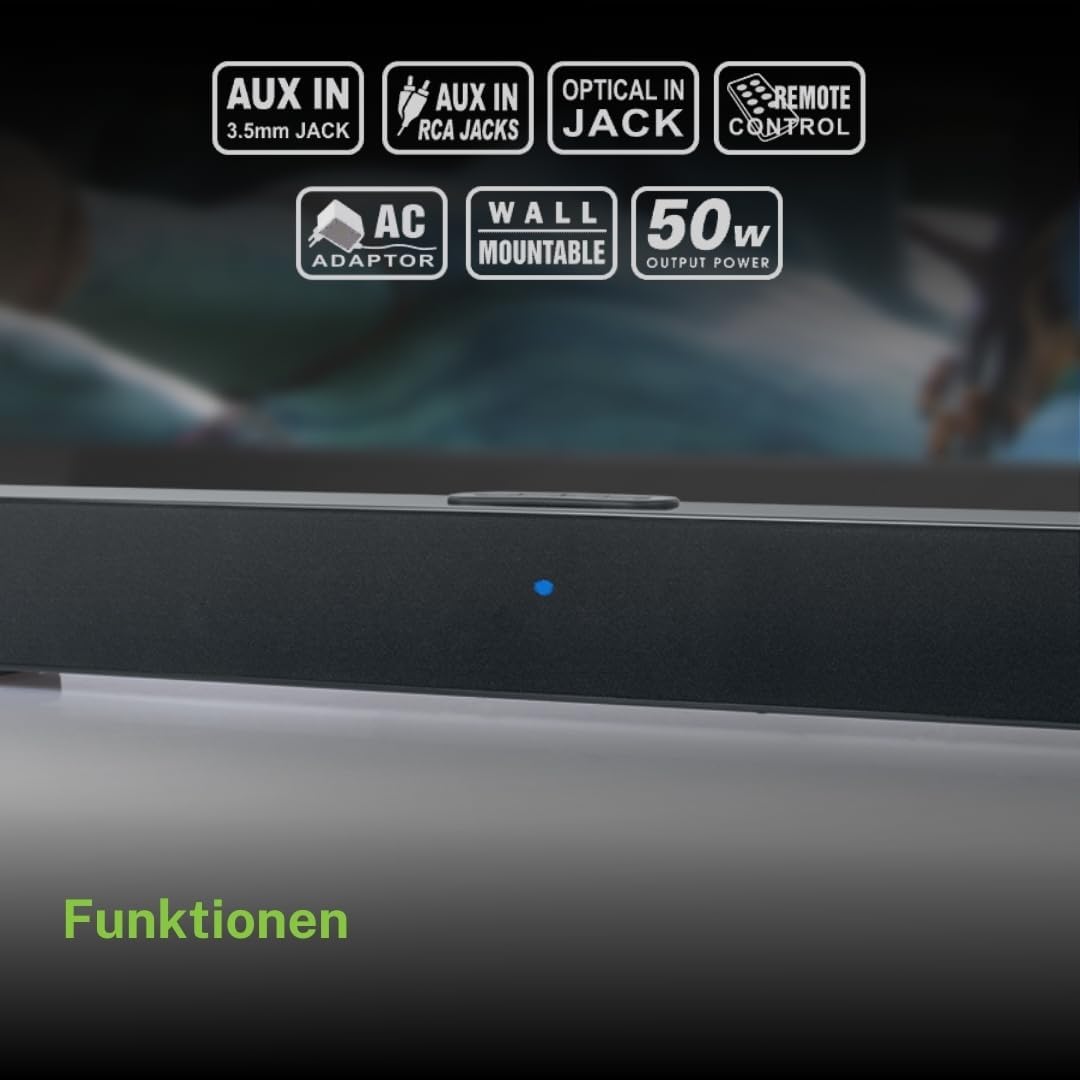
Ndatenda nekutengaasing the Muse M-1520 SBT Soundbar. This device is designed to enhance your audio experience with 50W of power and versatile connectivity options including Bluetooth, AUX-IN, RCA, and Optical inputs. Please read this manual carefully before use to ensure proper setup and operation.

The Muse M-1520 SBT Soundbar integrated into a home entertainment setup.
Mirayiridzo Yekuchengetedza
- Usafumure chikwata kune mvura kana hunyoro.
- Usavhura casing; endesa masevhisi ese kuvashandi vanokwanisa.
- Ita shuwa kuti kune ventilation yakakodzera kutenderedza unit.
- Chengeta mudziyo uyu kure nezuva rakananga, manyuko ekupisa, uye simba remagineti.
- Shandisa chete adapta yemagetsi yakapihwa.
- Do not place heavy objects on the soundbar.
- Rasa mabhatiri zvine mutsigo.
Package Zviri mukati
Ndokumbira utarise kuti zvinhu zvese zvakanyorwa pazasi zvinosanganisirwa mupakeji yako:
- Muse M-1520 SBT Soundbar
- AC Simba Adapter
- RCA Cable
- 3.5 mm Aux-In Cable
- Remote Control
- 2 x AA Mabhatiri (ekuremote control)

All accessories included with the Muse M-1520 SBT Soundbar.
Zvidzoro uye Mabatanidza
Rear Panel Connections

Detailed view of the soundbar's rear input ports.
- AUX 1 (3.5mm): Batanidza ekunze ekuteerera midziyo uchishandisa 3.5mm yekuteerera tambo.
- AUX 2 (RCA L/R): Connect external audio devices using an RCA stereo cable.
- OPTICAL: Connect to a TV or other device with an optical digital audio output.
- DC 12V: Connect the provided AC power adapter.
Top Panel Controls and Indicators
Top panel controls and LED indicator for the soundbar.
The top panel features buttons for power, volume control, and source selection. A blue LED indicator shows the current status or selected input.
Gadzirira
1. Kugadzwa
Place the soundbar on a stable, flat surface in front of your television, or mount it on the wall below your TV. Ensure there are no obstructions blocking the sound.
2. Simba Connection
- Connect the AC power adapter to the DC 12V input on the rear of the soundbar.
- Plug the AC power adapter into a wall outlet.
3. Audio Connection
Sarudza imwe yenzira dzinotevera dzekubatanidza soundbar kune yako audio source (semuenzaniso, TV, DVD player):
- Optical Connection: For best audio quality, connect an optical cable (not included) from your TV's optical output to the OPTICAL input on the soundbar.
- RCA Connection: Connect the supplied RCA cable from your audio source's RCA L/R output to the AUX 2 (RCA) input on the soundbar.
- 3.5mm AUX-IN Connection: Connect the supplied 3.5mm Aux-In cable from your audio source's headphone jack or AUX output to the AUX 1 (3.5mm) input on the soundbar.
Operating Instruction
Simba On/Kudzima
- Press the SIMBA button on the remote control or the soundbar's top panel to turn the unit on or off.
Source Selection
- Press the SOURCE button on the remote control or the soundbar's top panel repeatedly to cycle through input sources: Bluetooth, AUX 1, AUX 2, Optical.
- The LED indicator will change color or pattern to indicate the selected source.
Volume Control
- Press the VOL+ or VOL- buttons on the remote control or the soundbar's top panel to adjust the volume.
Bluetooth Kubatanidza
- Turn on the soundbar and select the Bluetooth input source. The LED indicator will flash, indicating it is in pairing mode.
- Bvumira Bluetooth pafoni yako (smartphone, tablet, nezvimwewo).
- Tsvaga available Bluetooth devices. The soundbar will appear as "M-1520 SBT".
- Select "M-1520 SBT" to pair. Once connected, the LED indicator will stop flashing and remain solid.
- Iye zvino unogona kuridza odhiyo kubva pamudziyo wako uchishandisa soundbar.
Cherechedza: Kana ukakumbirwa password, isa "0000".
Kuiswa Kwemadziro
The Muse M-1520 SBT Soundbar is designed to be wall-mountable. Mounting hardware (screws, anchors) is not typically included and must be purchased separately based on your wall type.
Zvakakosha: Ensure the wall can support the weight of the soundbar (approximately 1.2 kg). Consult a professional if you are unsure about wall mounting.
Maintenance
- Kuchenesa: Shandisa jira rakapfava, rakaoma kuti uchenese pamusoro peruzha. Usashandise zvicheneso zvemvura kana zvinhu zvinokurisa.
- Kuchengeta: Kana ukachengeta yuniti yacho kwenguva yakati rebei, bvisa pamagetsi woichengeta munzvimbo inotonhorera, yakaoma.
Kugadzirisa matambudziko
| Dambudziko | Zvinogona Kukonzera | Solution |
|---|---|---|
| Hapana simba | Power adapter not connected or wall outlet not active. | Ensure the power adapter is securely connected to the soundbar and a working wall outlet. |
| Hapana ruzha | Incorrect input source selected, volume too low, or audio cable not connected properly. | Select the correct input source. Increase the volume. Check all audio cable connections. Ensure the TV/source audio output is enabled. |
| Bluetooth pairing yakundikana | Soundbar haisi mu pairing mode, mudziyo uri kure zvakanyanya, kana kupindirana. | Ensure the soundbar is in Bluetooth pairing mode (flashing LED). Move your device closer to the soundbar. Turn off other Bluetooth devices to reduce interference. |
| Remote control haisi kushanda | Batteries are dead or inserted incorrectly, or line of sight is blocked. | Replace the batteries (2 x AA). Ensure batteries are inserted with correct polarity. Remove any obstructions between the remote and the soundbar. |
Zvinotsanangurwa
| Model Name | M-1520 SBT |
| Output Power | 50 Watts |
| Kubatana | Bluetooth, AUX-IN (3.5mm), RCA, Optical |
| Wireless Technology | Bluetooth |
| Inowirirana Devices | TV, smartphone, PC, tablet |
| Dimensions (L x W x H) | 66 x 6 x 5.9 masendimita (25.98 x 2.36 x 2.32 inches) |
| Kurema | 1.2 kg (2.65 lbs) |
| Kudzora Nzira | Remote Control |
| Simba Source | AC Adapter (12V DC) |
| Color | Nhema |

Dimensional diagram of the Muse M-1520 SBT Soundbar.
Warranty uye Support
Specific warranty information for the Muse M-1520 SBT Soundbar is not available in the provided product details. Please refer to the warranty card included in your product packaging or contact your retailer for details regarding warranty coverage and customer support.


