1. Setup
1.1 Kusunungura Monitor
Nyatsobvisa zvese zvikamu kubva pakurongedza. Ita shuwa kuti zvinhu zvese zvakanyorwa pazasi zviripo:
- BenQ EX3501R Monitor
- Monitor Stand (Base and Neck)
- Power Adapter
- Power Cord
- HDMI Cable
- RatidzaPort Cable
- USB-C Cable
- Mushandisi Chinyorwa (gwaro iri)
1.2 Kuunganidza Chigadziko
Tevedza nhanho idzi kuti ubatanidze stand kune yako monitor:
- Isa jira rakapfava, rakachena, rakatarisa pasi kuti rirege kukwenya.
- Attach the stand neck to the back of the monitor. Ensure it clicks securely into place.
- Connect the stand base to the neck, tightening any screws as indicated in the quick start guide.

Mufananidzo 1: Mberi view of the BenQ EX3501R monitor with its stand.
1.3 Kubatanidza Cables
Connect the necessary cables to the monitor and your computer. The monitor supports various input options:
- Simba: Batanidza adapta yemagetsi kune monitor wobva wabatanidza kune soketi yemagetsi.
- Video Input: Use either the HDMI, DisplayPort, or USB-C cable to connect your computer to the monitor.
- USB-C: The USB-C port supports video, data transfer, and power delivery, allowing for a single-cable connection with compatible devices.
- USB 3.0 Ports: Utilize the integrated USB 3.0 ports for connecting peripherals.
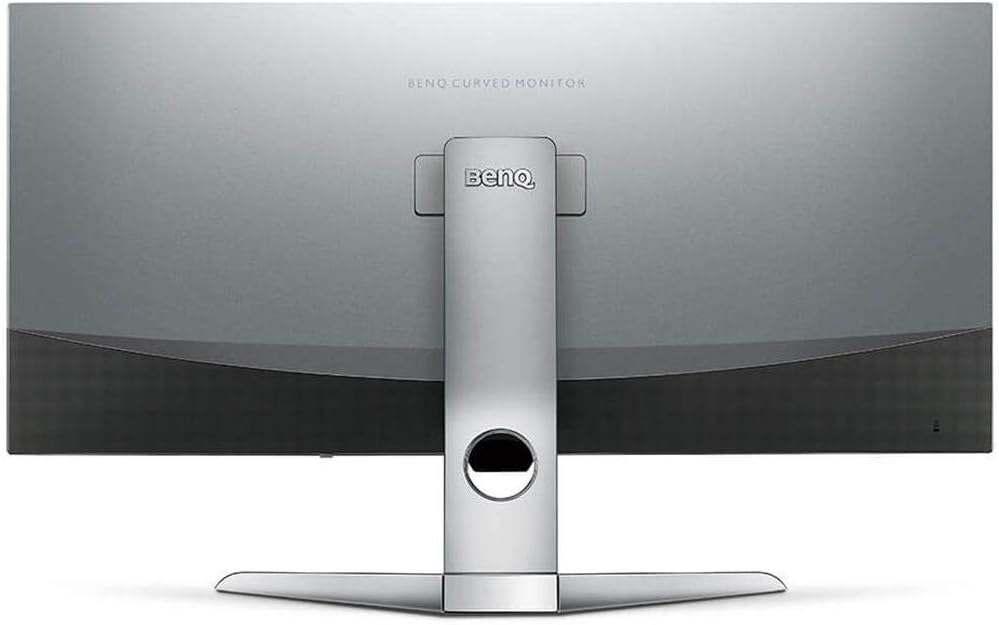
Mufananidzo 2: Kumashure view of the monitor displaying the connectivity ports.
2. Kushandisa Monitor
2.1 Simba On/Kudzima
Press the power button, usually located on the bottom right side of the monitor, to turn it on or off. The power indicator light will illuminate when the monitor is active.
2.2 Pa-Screen Display (OSD) Navigation
Use the joystick or buttons located on the monitor's underside to navigate the On-Screen Display (OSD) menu. This menu allows you to adjust various settings such as brightness, contrast, color modes, and input sources.
2.3 Display Features and Eye-Care Technology
The BenQ EX3501R incorporates several technologies designed to enhance viewing experience and reduce eye strain:
- Brightness Intelligence Plus (B.I.+): This patented technology automatically senses ambient lighting conditions and adjusts the screen's brightness and color temperature to provide optimal viewing comfort and protect your eyes during extended use.
- Low Blue Light: Filters out harmful blue light emissions to reduce eye fatigue. Multiple levels of blue light reduction are available.
- ZeroFlicker™: Eliminates screen flickering at all brightness levels, further reducing eye strain and discomfort.
- HDR (High Dynamic Range): Offers enhanced brightness and contrast, bringing greater detail and vibrancy to HDR video content.
Vhidhiyo 1: Kuperaview of BenQ's Eye-Care technology, including Low Blue Light, ZeroFlicker, and Brightness Intelligence Plus, demonstrating how these features work to reduce eye strain and adjust screen settings automatically based on ambient light.
2.4 Resolution uye Refresh Rate
The monitor features a QHD (3440x1440) resolution and a 100Hz refresh rate, providing a smooth and detailed visual experience. The 21:9 ultrawide aspect ratio offers ample screen space for multitasking, such as viewing multiple documents side-by-side without needing a second monitor.
2.5 AMD FreeSync
For a fluid gaming experience, the monitor supports AMD FreeSync technology, which synchronizes the monitor's refresh rate with your graphics card's frame rate to eliminate screen tearing and stuttering.
3. Kuchengeta
3.1 Kuchenesa Monitor
To maintain optimal performance and appearance, regularly clean your monitor:
- Sikirini Pukuta chivharo zvinyoro nyoro nejira rakapfava, risina ruvara. Kana paine tsvina yakaoma, shandisa mushonga wekuchenesa wakagadzirirwa jira, kwete zvakananga pachivharo.
- Kunze: Use a soft, dry cloth to wipe dust and debris from the monitor casing and stand.
Avoid using abrasive cleaners, waxes, or solvents as they can damage the monitor's surface.
3.2 Mazano Ekutarisira Kwakajairika
- Do not block ventilation openings on the monitor.
- Dzivisa kuisa monitor muzuva rakananga kana pedyo nenzvimbo dzinopisa.
- Bata cheki nehanya kudzivirira kukuvara kwemuviri.
4. Kugadzirisa matambudziko
If you encounter issues with your BenQ EX3501R monitor, refer to the following common troubleshooting steps:
4.1 No Display or Black Screen
- Ita shuwa kuti tambo yemagetsi yakabatana zvakachengeteka kune ese ari maviri monitor uye magetsi.
- Verify that the video cable (HDMI, DisplayPort, or USB-C) is firmly connected to both the monitor and your computer.
- Tarisa kana iyo chaiyo yekuisa sosi yakasarudzwa mune yekutarisa OSD menyu.
- Tangazve komputa yako.
4.2 Flickering or Unstable Image
- Ensure the ZeroFlicker™ feature is enabled in the OSD menu.
- Check for loose video cable connections.
- Gadzirisa madhiraivha emakadhi ako emifananidzo kune yazvino vhezheni.
- If using AMD FreeSync, ensure it is properly configured in your graphics card settings.
4.3 Color or Brightness Issues
- Gadzirisa kupenya, kusiyana, uye marongero emavara uchishandisa menyu yeOSD.
- Enable or disable Brightness Intelligence Plus (B.I.+) to see if it resolves the issue.
- Perform a factory reset through the OSD menu.
5. Zvinotsanangurwa
Key technical specifications for the BenQ EX3501R monitor:
| Feature | Tsanangudzo |
|---|---|
| Screen Size | 35 inches |
| Max Screen Resolution | 3440 x 1440 Pixels (QHD Ultrawide) |
| Aspect ratio | 21:9 |
| Refresh Rate | 100 Hz |
| Curvature | 1800R |
| Panel Type | VA (Vertical Alignment) |
| Kubatana | USB-C, HDMI, DisplayPort |
| Special Features | AMD FreeSync, Brightness Intelligence Plus, Low Blue Light, ZeroFlicker |
| Item Weight | 21.3 makirogiramu |
| Product Dimensions | 6.88 x 3.47 x 12.93 inches |
6. Warranty uye Tsigiro
6.1 Chigadzirwa Chivimbiso
The BenQ EX3501R monitor typically comes with a 3-year manufacturer's warranty. Please refer to the warranty card included in your product packaging for specific terms and conditions, or visit the official BenQ websaiti yeruzivo rwakadzama nezvewarandi.
6.2 Mutengi Tsigiro
For further assistance, technical support, or warranty claims, please contact BenQ customer service. You can find contact information and support resources on the official BenQ websaiti: www.benq.com/en-us/support.html


