1. Nhanganyaya
Ndatenda nekutengaasing the Bytech Massive Bluetooth Long Bar Speaker-BK. This manual provides essential information for the proper setup, operation, and maintenance of your new speaker. Please read this manual thoroughly before using the product to ensure optimal performance and longevity.
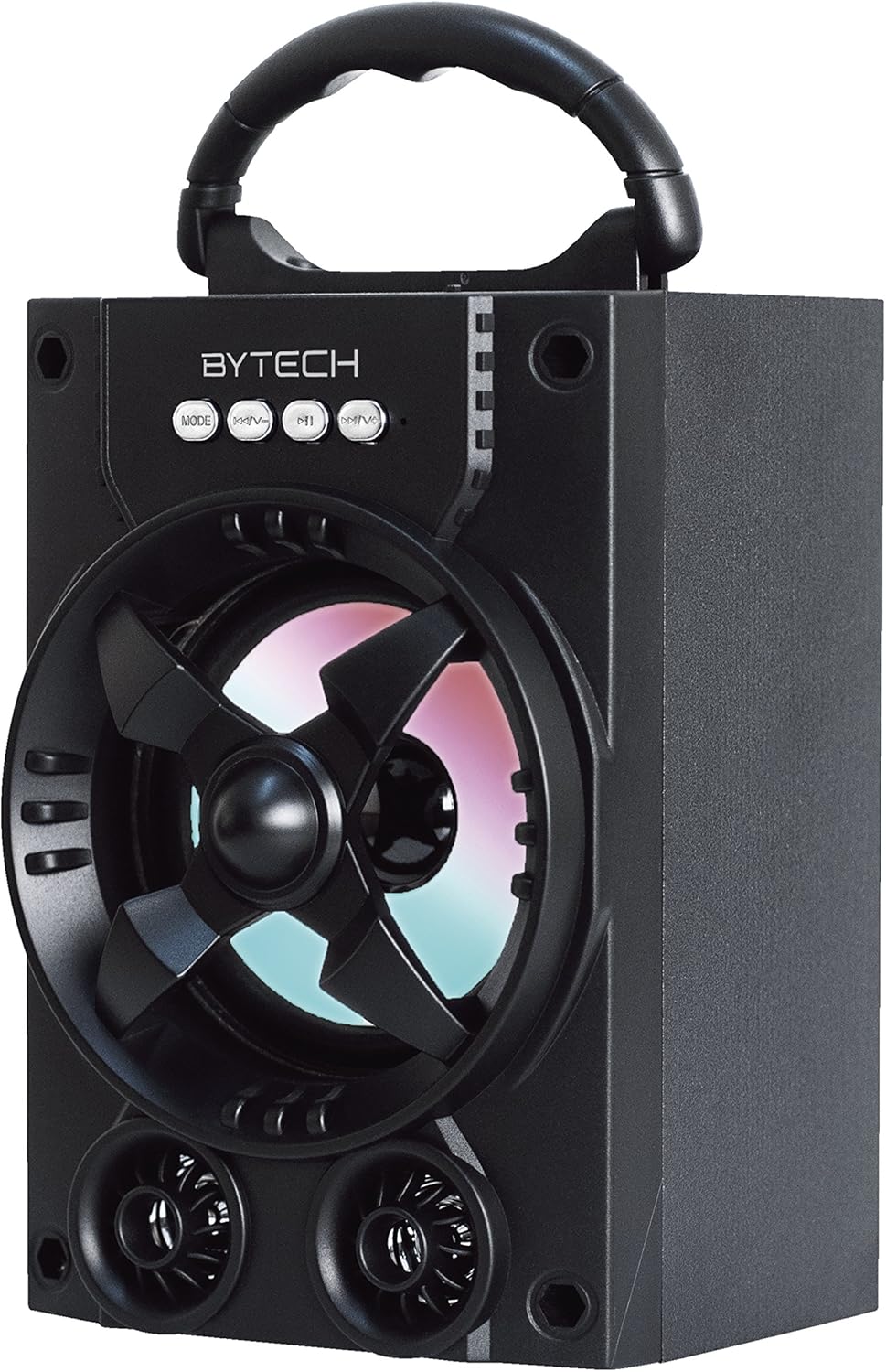
Mufananidzo 1.1: Mberi view of the Bytech Massive Bluetooth Long Bar Speaker-BK, showcasing its design, handle, and speaker grille with LED lights.
2. Package Zviri mukati
Ndokumbira utarise pasuru yezvinhu zvinotevera:
- Bytech Massive Bluetooth Long Bar Speaker-BK
- USB Kuchaja Cable
- Mushandisi Chinyorwa (gwaro iri)
Kana paine zvinhu zvisipo kana kuti zvakakuvara, ndapota taura nerutsigiro rwevatengi.
3. Zvigadzirwa zveChigadzirwa
- LED Performance Lights: Dynamic LED lights that synchronize with your music for an enhanced audio-visual experience.
- Convenient Carrying Handle: Integrated handle for easy portability, allowing you to take your music anywhere.
- Universal Bluetooth Connectivity: Seamlessly connect wirelessly to your smartphone, tablet, or other Bluetooth-enabled devices.
- Yakakomberedza Ruzha: Designed to deliver a high-quality surround sound experience.
- Portable Design: Ideal for various settings, including parties, outdoor gatherings, and personal use.

Figure 1.2: The speaker shown with its retail packaging, illustrating its key features such as multi-color LED lights, Bluetooth connectivity, and surround sound capability.
4. Zvidzore uye Zviratidzo
The speaker features intuitive controls and indicators for easy operation:
- Bhotani reMODE: Press to switch between available input modes (e.g., Bluetooth).
- V- Bhatani: Press to decrease volume. Long press to skip to the previous track.
- V+ Bhatani: Dzvanya kuti uwedzere vhoriyamu. Dzvanya kwenguva refu kuti usvetuke kuenda kurwiyo runotevera.
- Bhatani reM: (Function not explicitly detailed, typically for mode or mute)
- Mwenje ye LED: Indicate power status, charging status, and provide dynamic light effects during audio playback.
5. Setup Guide
5.1 Kuchaja Mutauriri
- Batanidza kumucheto kudiki kwe USB yekuchaja tambo kune yekuchaja port pane sipika.
- Batanidza kumagumo kwetambo yekuchaja USB kune USB magetsi adapta (isina kuisirwa) kana USB port yekombuta.
- Chiratidzo che LED chicharatidza mamiriro ekuchaja (semuenzaniso, tsvuku yekuchaja, kudzimwa kana chaja zvizere).
- Bvumira maawa angangosvika 3-4 kuti ubhadhare zvizere usati watanga kushandisa.
5.2 Kubatidza/Kudzima
- To power on, press and hold the Power button (location not specified, typically near charging port or on control panel) for a few seconds until you hear an audible prompt or see the LED lights activate.
- Kuti udzime, baya uye bata bhatani reMasimba zvakare kusvikira sipika yadzima.
5.3 Bluetooth Pairing
- Ensure the speaker is powered on and in Bluetooth pairing mode (indicated by a flashing LED light or audible prompt).
- Pane yako smartphone kana piritsi, enda kune iyo Bluetooth marongero.
- Tsvaga available devices. The speaker will appear as "BYTECH" or a similar name.
- Sarudza mutauri kubva pane runyorwa kuti utange kusanganisa.
- Once successfully paired, the LED indicator will typically become solid, and you may hear a confirmation tone.
6. Operating Instructions
6.1 Kuridza Audio kuburikidza neBluetooth
- After successful Bluetooth pairing, open your preferred music application on your connected device.
- Select and play your desired audio. The sound will be streamed wirelessly to the speaker.
- Use the V+ and V- buttons on the speaker or your connected device to adjust the volume.
- Long press V+ or V- to skip tracks.
6.2 LED Performance Lights
The speaker features integrated LED lights that enhance your listening experience. These lights typically activate automatically when the speaker is powered on and playing audio. Specific controls for light modes are not detailed, but they are designed to provide dynamic visual effects.
6.3 Mode Kuchinja
Press the MODE button to cycle through available input modes. While Bluetooth is the primary connectivity, other modes (if available, such as FM radio or AUX input) can be accessed via this button.
7. Kuchengeta uye Kuchengeta
- Kuchenesa: Shandisa jira rakapfava, rakaoma kuchenesa kunze kwemutauri. Usashandise zvinochenesa zvinogumbura, wakisi, kana zvinonyungudutsa.
- Kuchengeta: Kana isingashandiswi kwenguva yakareba, chengeta mukurukuri munzvimbo inotonhorera, yakaoma pasina chiedza chezuva uye tembiricha yakanyanyisa.
- Battery Care: To prolong battery life, avoid fully discharging the battery frequently. Recharge the speaker regularly, even if not in use, to maintain battery health.
- Kuramba Mvura: Ichi chigadzirwa KWETE waterproof. Avoid exposure to water, rain, or excessive moisture to prevent damage.
8. Kugadzirisa matambudziko
Kana ukasangana nematambudziko nemutauri wako, tarisa kune anotevera matambudziko akajairika uye mhinduro:
| Dambudziko | Zvinogona Kukonzera | Solution |
|---|---|---|
| Mutauri haabati simba. | Bhatiri rakaderera. | Chaja mukurukuri zvizere. |
| Hapana ruzha kubva kumutauri. | Volume too low; Not paired; Incorrect mode. | Increase volume on speaker and device; Ensure successful Bluetooth pairing; Press MODE button to select correct input. |
| Kubatana kweBluetooth hakuna kugadzikana kana kuti hakushande. | Device too far; Interference; Pairing issue. | Move device closer to speaker (within 33 ft/10m); Avoid obstacles; Forget device on your phone and re-pair. |
| Mwenje ye LED haisi kushanda. | Speaker not powered on or playing audio. | Ensure speaker is on and audio is playing. |
9. Zvinotsanangurwa
| Feature | Detail |
|---|---|
| Brand | Bytech |
| Model Name | BYTECH |
| Item Model Number | BCAUBS134BK |
| Mutauri Rudzi | Surround Sound |
| Kubatana Technology | Bluetooth |
| Wireless Communication Technology | Bluetooth |
| Inowirirana Devices | Smartphone |
| Mutauri Mukuru Wekubuda Simba | 20 Watts |
| Frequency Response | 20 KHz |
| Impedance | 1 Ohm |
| Mutauri Mukuru | 5 inches |
| Simba Source | Corded Electric (yekuchaja) |
| Bhatiri Type | 1 Lithium Ion bhatiri inodiwa |
| Color | Nhema |
| Product Dimensions | 4.75 x 5.5 x 8.5 inches |
| Item Weight | 1.3 makirogiramu |
| Inodzivirira Mvura | Aihwa |
| Nyika Yekwakabva | China |
| UPC | 805112038121 |
10. Ruzivo rweWaranti
Bytech products are manufactured to the highest quality standards. For specific warranty terms and conditions, please refer to the warranty card included with your purchase or visit the official Bytech website. Chengetedza humbowo hwako hwekutenga kune warranty claim.
11. Mutengi Tsigiro
For technical assistance, troubleshooting, or general inquiries, please contact Bytech customer support. Contact information can typically be found on the product packaging, the official Bytech websaiti, kana risiti yako yekutenga.
Note: No official product videos from the seller were available for embedding based on the provided data.


