Nhanganyaya
Thank you for choosing the Pro Breeze Small HEPA Air Purifier. This manual provides essential information for the safe and efficient operation, maintenance, and troubleshooting of your device. Please read it thoroughly before use and retain it for future reference.

Image: The Pro Breeze Small HEPA Air Purifier, a compact white cylindrical device with a blue LED light band, designed for personal air purification.
Yakakosha Mirayiridzo Yekuchengetedza
- Verenga mirairo yese usati washandisa mudziyo.
- Ita shuwa kuti magetsi anoenderana nevoltage yakatsanangurwa pane iyo reti label.
- Usashandise mudziyo netambo yakakuvara kana plug.
- Chengetedza mudziyo kure nemvura kana zvimwe zvinwiwa.
- Usapinza zvinhu mumhepo inopinza kana yekubuda nayo.
- Bvisa mudziyo usati wachenesa kana kuita chero kugadzirisa.
- Mudziyo uyu ndewekushandisa mumba chete.
- Chengetedza pasingasvikirwi nevana.
Product Features
- Yechokwadi HEPA Sefa: Captures 99.7% of airborne particles as small as 0.3 microns, including dust, pollen, smoke, and pet dander.
- Pre-Sefa: Traps larger particles, extending the life of the HEPA filter.
- USB Powered: Convenient power options for use in various locations.
- Integrated Night Light: Provides a soft glow, ideal for bedrooms.
- Compact Design: Suitable for personal spaces, desktops, and small rooms.

Image: The Pro Breeze air purifier positioned on a desk, illustrating its use as a personal air purification device in a home or office setting.

Mufananidzo: Yakaputika view illustrating the multi-layer filtration system, comprising a pre-filter for large particles and a True HEPA filter for microscopic allergens.
Gadzirira
- Bvisa zvinhu: Nyatsobvisa mhepo yekuchenesa kubva pakurongedzerwa kwayo.
- Sefa Kuisa:
- Turn the unit upside down and twist the base counter-clockwise to unlock.
- Bvisa sefa kubva mubhegi rayo rekudzivirira repurasitiki.
- Isa sefa kumashure muyuniti, uchiona kuti yakagara zvakanaka.
- Replace the base and twist clockwise to lock it securely.
- Kuiswa: Place the air purifier on a flat, stable surface. Ensure there is adequate space around the air inlet and outlet for optimal airflow.
- Power Connection: Connect the provided USB cable to the air purifier and then to a compatible USB power source (e.g., computer, USB wall adapter, power bank).

Image: Detail of the USB and AC power input, highlighting the flexible power options for the device.
Operating Instruction
- Batidza/Kudzima: Press the power button located on the top of the unit to turn the air purifier on or off. The blue LED night light will illuminate when the unit is on.
- Night Light Control: Some models allow the night light to be turned off independently. If your model supports this, press and hold the power button for a few seconds to toggle the night light on or off while the purifier continues to operate. Refer to your specific model's instructions if this feature is not immediately apparent.

Mufananidzo: kumusoro-pasi view of the air purifier, highlighting the simple one-button control for operation.
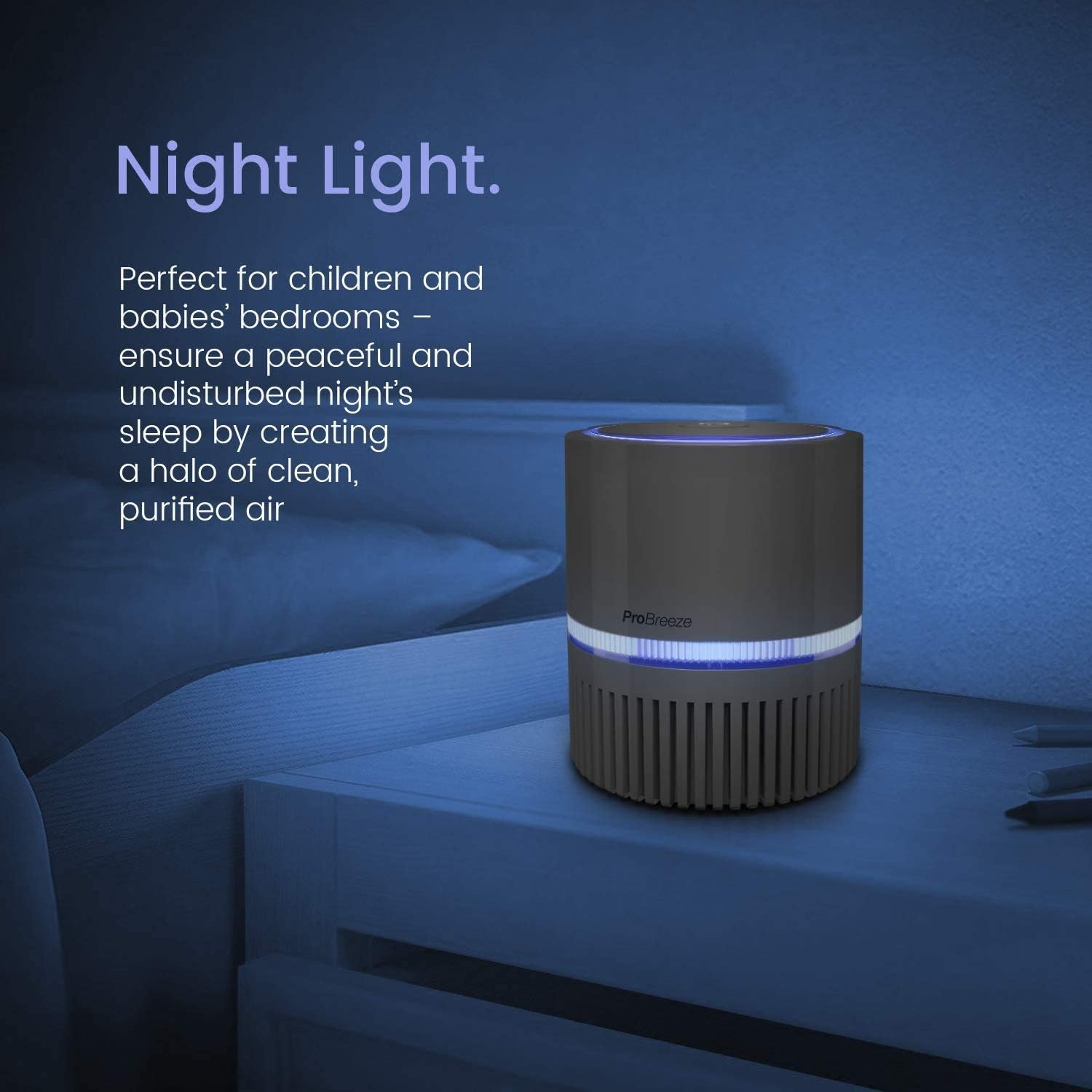
Image: The air purifier functioning as a night light, emitting a soft blue glow in a bedroom setting.
Maintenance
Sefa Replacement
The HEPA filter (Model: PB-P02F) should be replaced every 3-6 months, depending on usage and air quality. A dirty filter can reduce the purifier's efficiency.
- Unplug the air purifier from the power source.
- Turn the unit upside down and twist the base counter-clockwise to unlock.
- Bvisa sefa yekare.
- Insert a new Pro Breeze Replacement Filter (PB-P02F) into the unit.
- Replace the base and twist clockwise to lock it securely.
- Rasa sefa yakare zvine ungwaru.
Kuchenesa Kunze
- Ita shuwa kuti unit haina plug isati yachenesa.
- Pukuta nzvimbo dzekunze nekanyoro, damp jira. Usashandise abrasive cleaners kana solvents.
- Do not allow water to enter the interior of the unit.
Kugadzirisa matambudziko
| Dambudziko | Zvinogona Kukonzera | Solution |
|---|---|---|
| Unit haibatike. | Not plugged in or power source issue. | Ensure the USB cable is securely connected to both the unit and a working power source. Try a different USB port or adapter. |
| Kuyerera kwemhepo hakuna kusimba kana kuti kucheneswa kwayo hakushande. | Sefa yakavharwa. | Check and replace the filter (PB-P02F) if it appears dirty or has been in use for over 3-6 months. |
| Ruzha rusina kujairika panguva yekushanda. | Obstruction in fan or improper filter installation. | Unplug the unit and check for any foreign objects. Ensure the filter is correctly seated and the base is locked. |
| Night light not working. | Light function turned off or malfunction. | If your model has a separate night light control, ensure it is activated. If not, contact customer support. |
Zvinotsanangurwa
- Muenzaniso: PB P02F
- Brand: Pro Breeze
- Ruvara: Mini (White)
- Zviyero zvechigadzirwa: 4.92"D x 4.92"W x 5.3"H (12.5cm x 12.5cm x 13.5cm)
- Chinhu Weight: 1.06 makirogiramu
- Noise Level: 10 Decibel
- Particle Retention size: 0.3 Micron
- Anodzora Mhando: Bhatani Kudzora
- Wattage: 3 watts
- Rudzi rwesefa: True HEPA with Pre-Filter (Replacement Filter: PB-P02F)

Image: Technical drawing indicating the compact dimensions of the air purifier, measuring 12.5 cm in width and 13.5 cm in height.
Warranty uye Support
For warranty information, product support, or to purchase replacement filters (Model: PB-P02F), please visit the official Pro Breeze websaiti kana kubata dhipatimendi ravo rebasa revatengi. Chengeta risiti rako rekutenga seumboo hwekutenga.
Rutsigiro rwepamhepo: Visit the Pro Breeze Store on Amazon


