1. Nhanganyaya
This manual provides instructions for the installation, operation, and maintenance of the BougeRV EV Charger Holster Dock. This product is designed to securely hold your Electric Vehicle (EV) charger connector when not in use, ensuring a tidy and organized charging area.
The holster is constructed from durable, injection-molded material and is compatible with all SAE J1772 type connectors. Its design facilitates easy insertion and removal of the charger nozzle.

Figure 1: BougeRV EV Charger Holster Dock with an EV charger connector securely in place.
2. Package Zviri mukati
- 1 x BougeRV EV Charger Holster Dock
- 4 x Mounting Screws
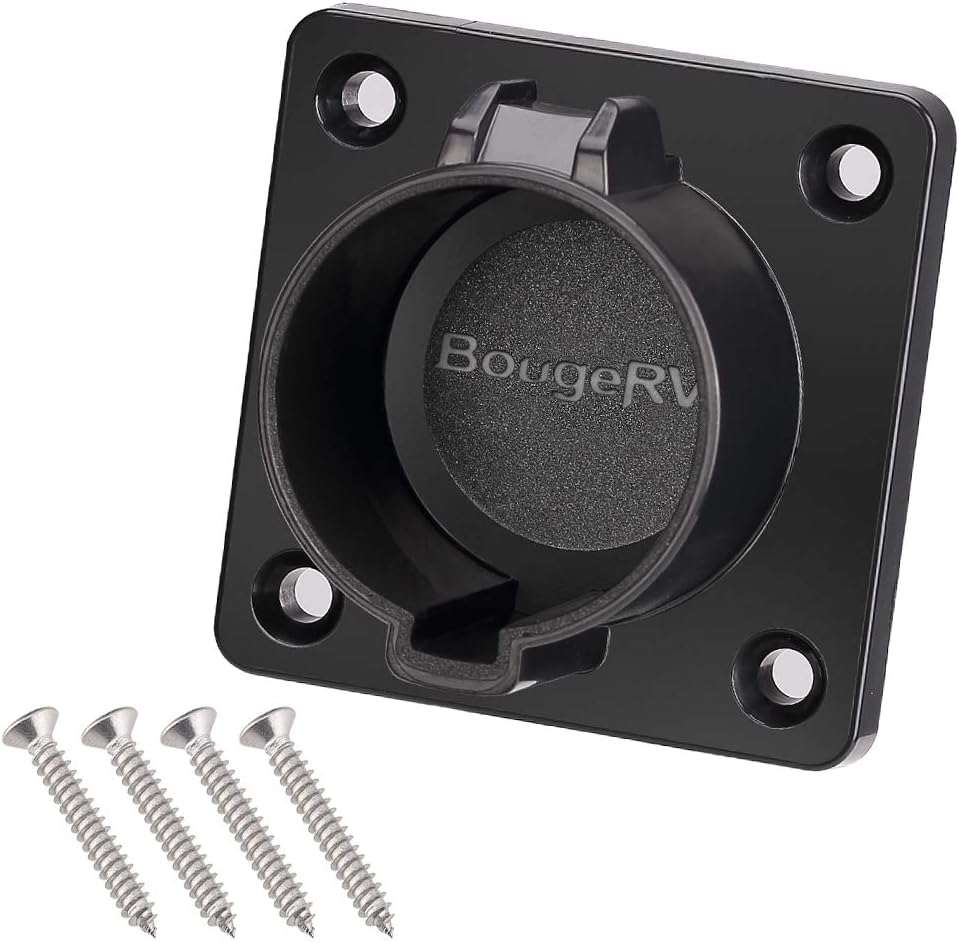
Figure 2: The BougeRV EV Charger Holster Dock and included mounting screws.
3. Setup uye Kuiswa
The BougeRV EV Charger Holster Dock is designed for quick and simple installation, suitable for both indoor and outdoor environments. Ensure the mounting surface is stable and appropriate for drilling.
Zvishandiso Zvinodiwa (Hazvina Kubatanidzwa):
- Drill
- Drill bit appropriate for mounting surface and screw size
- Screwdriver (Phillips musoro unokurudzirwa)
- Penzura kana chiratidzo
Kuisa Matanho:
- Sarudza Nzvimbo: Choose a convenient location near your EV charging station. Ensure there is enough space for the charger cable and that the holster will not obstruct pathways.
- Mark Drill Points: Place the holster against the desired mounting surface. Use a pencil or marker to mark the four screw hole locations.
- Drill Pilot Holes: Using an appropriate drill bit, carefully drill pilot holes at the marked locations. The depth and diameter of the pilot holes should be suitable for the provided mounting screws and the material of your mounting surface.
- Mount the Holster: Align the holster with the pilot holes. Insert the four provided mounting screws and tighten them securely with a screwdriver. Do not overtighten to avoid damaging the holster or the mounting surface.

Mufananidzo 3: Detailed views of the holster's mounting points and construction.
4. Operating Instructions
Using the BougeRV EV Charger Holster Dock is straightforward.
- Storing the Charger: When your EV charger is not in use, align the SAE J1772 connector nozzle with the opening of the holster. Gently push the connector into the holster until it clicks or feels securely seated. The design allows for easy engagement.
- Removing the Charger: To retrieve your charger, simply pull the SAE J1772 connector firmly out of the holster.

Figure 4: Demonstrating the insertion of an SAE J1772 connector into the holster.
5. Kuchengeta
The BougeRV EV Charger Holster Dock requires minimal maintenance to ensure its longevity and proper function.
- Kuchenesa: Periodically wipe the holster with a soft, damp cloth to remove dust and dirt. Avoid using harsh chemicals or abrasive cleaners, as these may damage the material.
- Kuongorora: Regularly inspect the holster for any signs of damage, such as cracks or loose mounting screws. If any damage is observed, ensure the holster is still securely mounted and functioning correctly.
6. Kugadzirisa matambudziko
If you encounter any issues with your BougeRV EV Charger Holster Dock, refer to the following common problems and solutions:
| Dambudziko | Zvinogona Kukonzera | Solution |
|---|---|---|
| Charger connector does not fit or is loose. | Incorrect connector type or improper insertion. | Ensure your EV charger uses an SAE J1772 connector. Verify the connector is aligned correctly before inserting. |
| Holster feels unstable after installation. | Loose mounting screws or unsuitable mounting surface. | Check and tighten all mounting screws. Ensure the holster is mounted on a solid, appropriate surface. |
7. Zvinotsanangurwa
| Feature | Detail |
|---|---|
| Brand | BougeRV |
| Model | EV Charger Holster Dock |
| Kugarisana | SAE J1772 EV Charger Connectors |
| Material | Injection-molded plastic |
| Color | Black (EV charger holder) |
| Nhamba yePorts | 1 |
| Dimensions (Yakaenzana) | 2.83 inches (width) x 2.83 inches (height) x 0.31 inches (thickness of mounting plate) |
| ASIN | B07F119GBF |

Figure 5: Approximate dimensions of the BougeRV EV Charger Holster Dock.
8. Warranty uye Tsigiro
Specific warranty information for the BougeRV EV Charger Holster Dock is not provided within this manual. For details regarding warranty coverage or technical support, please refer to the product packaging, the official BougeRV website, or contact BougeRV customer service directly.
Mugadziri: BougeRV
9. Vhidhiyo Zviwanikwa
Hapana mavhidhiyo ezvigadzirwa zvepamutemo kubva kumutengesi aripo kuti asimbiswe mubhuku rino.


