Nhanganyaya
This manual provides instructions for the setup, operation, and maintenance of your LG 32QN600-B QHD 32-inch IPS monitor. Please read this manual thoroughly before operating your device to ensure safe and optimal performance. Keep this manual for future reference.
Ruzivo Rwakakosha Chekuchengetedza
Gara uchitevera chenjedzo dzekuchengetedza paunenge uchishandisa chigadzirwa ichi kuderedza njodzi yemoto, kuvhunduka kwemagetsi, uye kukuvara kwevanhu. Izvi zvinosanganisira, asi hazvigumiri ku:
- Usadzivirire kuvhurika kwemhepo.
- Usaise pedyo nechero nzvimbo dzinopisa.
- Chengetedza tambo yemagetsi kubva pakufamba kana kudzvanywa.
- Shandisa zvinonamirwa/zvishandiso zvinotsanangurwa nemugadziri chete.
- Tumira masevhisi ese kuvashandi vanokwanisa.
Gadzirira
1. Kusunungura
Carefully remove all components from the packaging. Ensure all parts listed in the packing list are present and undamaged. Keep packaging materials for future transport or return.
2. Stand Assembly / Wall Mounting
The monitor can be set up using its adjustable Edge-ArcLine stand or mounted to a wall using a VESA compatible mount (100 x 100 mm). Follow the instructions provided with the stand or wall mount kit for proper assembly.

Mufananidzo: Rear view of the LG 32QN600-B monitor with its Edge-ArcLine stand attached. The stand provides stability and allows for tilt and height adjustments.
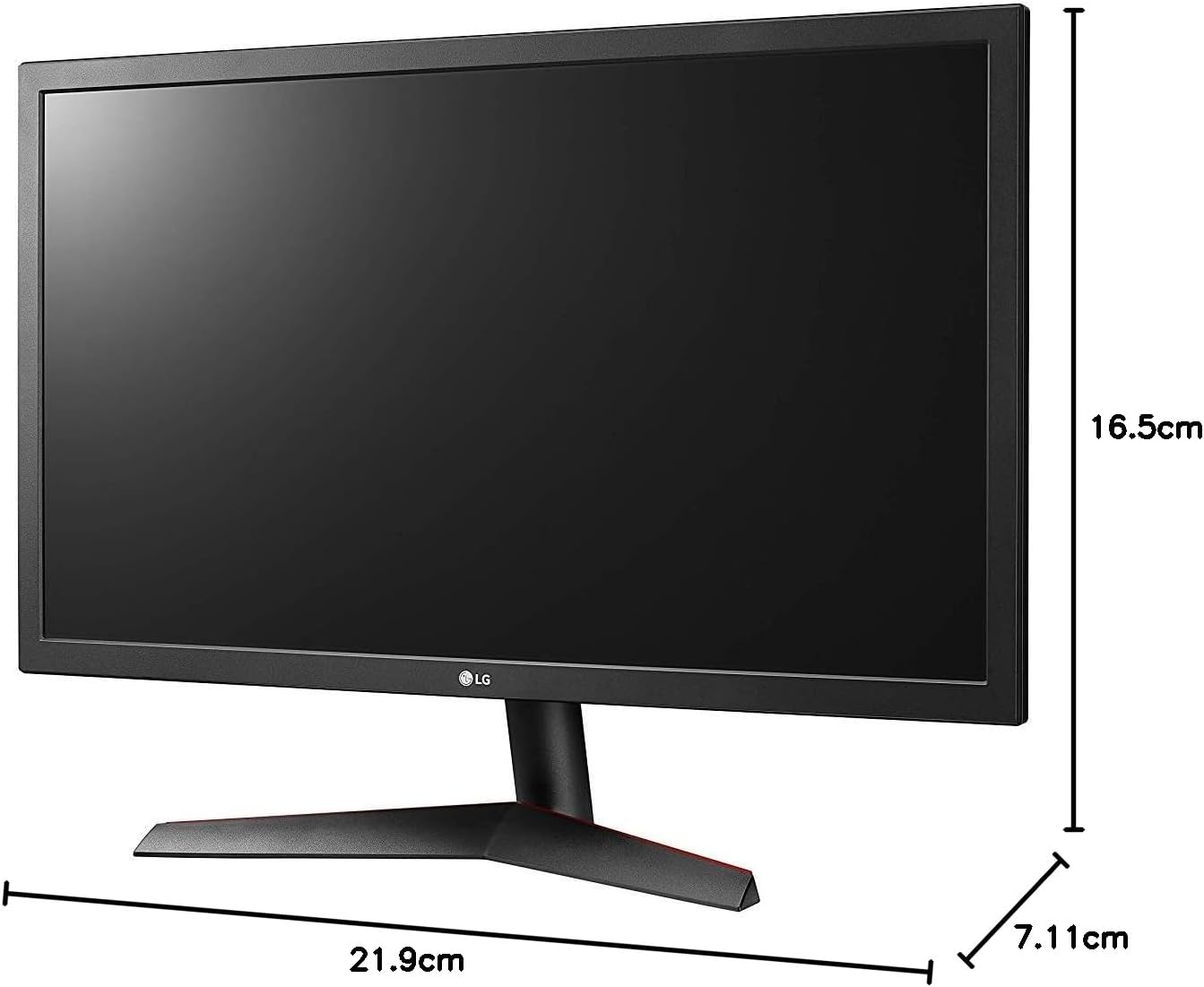
Image: Diagram illustrating the approximate dimensions of a similar LG monitor, showing width, height, and depth. Note: Specific dimensions for the 32QN600-B model are not provided in the available data.
3. Kubatanidza kuKombuta
Connect the monitor to your computer using one of the following cable types. Ensure the monitor and computer are powered off before making connections.
- HDMI Connection: Use an HDMI cable to connect the monitor's HDMI port to the HDMI port on your computer's graphics card. This monitor supports 2 HDMI inputs.
- DisplayPort Connection: Use a DisplayPort cable to connect the monitor's DisplayPort to the DisplayPort on your computer's graphics card. This monitor supports 1 DisplayPort input.

Image: Close-up of the rear panel of the LG 32QN600-B monitor, displaying the available input ports including HDMI and DisplayPort connections.
4. Simba Connection
Batanidza adapta yemagetsi kune chinongedzo chemagetsi chemonitor, wobva wabatanidza tambo yemagetsi mugomba rekuburitsa magetsi pamadziro.
Kushanda Monitor
1. Simba On / Off

Mufananidzo: Mberi view of the LG 32QN600-B QHD 32-inch IPS monitor, showing the display and stand.
Press the power button (usually a joystick-style button located on the bottom center of the monitor) to turn the monitor on or off.
2. Kufamba paMenyu yeOn-Screen Display (OSD)
The OSD menu allows you to adjust various monitor settings. Use the joystick button to navigate the menu:
- Press the joystick button to open the main OSD menu.
- Fambisa iyo joystick kumusoro/pasi/kuruboshwe/kurudyi kuti ufambe nemamenu sarudzo.
- Dzvanya bhatani remufaro kuti usarudze sarudzo kana kusimbisa marongero.
- Fambisa joystick kuruboshwe kuti ubve pane sub-menu kana OSD.
3. Mifananidzo Settings
Rongedza zviratidziro kuti zvive zvakakwana viewchiitiko:
- Kupenya: Inodzora kupenya kwese kwesekirini.
- Kusiyanisa: Inogadzirisa musiyano pakati pechiedza nenzvimbo dzerima.
- Ruvara Tembiricha: Changes the color warmth or coolness.
- Range: Adjusts the mid-tone luminance.
4. Special Features
The LG 32QN600-B monitor includes several features to enhance your viewmutambo uye ruzivo rwemitambo:
- HDR 10 Compatibility: Supports High Dynamic Range content for enhanced contrast and color detail.
- Reader Mode: Inoderedza kuburitswa kwechiedza chebhuruu kuderedza kushushikana kwemaziso panguva yekuverenga kwenguva refu.
- Flicker Safe: Virtually eliminates screen flicker to reduce eye fatigue.
- AMD FreeSync: Synchronizes the monitor's refresh rate with compatible AMD graphics cards to reduce screen tearing and stuttering for smoother gameplay.
- Dynamic Action Sync (DAS): Minimizes input lag, allowing for quicker responses in fast-paced games.
- Nhema Yakadzikama: Automatically brightens dark areas in games, making it easier to spot objects or enemies hidden in shadows.
Maintenance
Kuchenesa Monitor
To clean the monitor, ensure it is powered off and unplugged from the power outlet. Use a soft, lint-free cloth lightly dampened with water or a mild, non-abrasive screen cleaner. Do not spray cleaner directly onto the screen. Avoid using harsh chemicals, abrasives, or solvents.
General Care
Avoid placing heavy objects on the monitor or its cables. Do not expose the monitor to direct sunlight, high humidity, or extreme temperatures. Ensure adequate ventilation around the monitor.
Kugadzirisa matambudziko
If you experience issues with your monitor, refer to the following common problems and solutions:
| Dambudziko | Zvinogoneka Chikonzero / Mhinduro |
|---|---|
| Hapana simba | Ensure the power cord is securely connected to the monitor and a working power outlet. Check if the power adapter is functioning. |
| Hapana chiratidzo / isina chinhu skrini | Verify that the video cable (HDMI or DisplayPort) is securely connected to both the monitor and the computer. Ensure the correct input source is selected in the OSD menu. Check if the computer is powered on and not in sleep mode. |
| Mufananidzo hauna kujeka kana kukanganiswa | Adjust the resolution settings on your computer to match the monitor's native resolution (2560 x 1440). Check the video cable for damage. Perform an auto-adjustment or reset picture settings in the OSD menu. |
| Mavara haana kururama | Adjust color settings (color temperature, gamma) in the OSD menu. Ensure your graphics card drivers are up to date. |
| Screen tearing or stuttering (during gaming) | Ensure AMD FreeSync is enabled on both the monitor (via OSD) and your compatible AMD graphics card settings. |
If the problem persists after trying these solutions, contact LG customer support.
Zvinotsanangurwa
| Model Name | LG 32QN600-B |
| Screen Size | 32 inches |
| Panel Type | IPS |
| Resolution | QHD (2560 x 1440) |
| Aspect ratio | 16:9 |
| HDR Tsigiro | HDR 10 Inoenderana |
| Kupenya (Zvakajairika) | 350 nits |
| Color Gamut | DCI-P3 90% (Yakajairika) |
| Iyo Adaptive Sync Technology | AMD FreeSync |
| Kubatana | 2 x HDMI, 1 x DisplayPort |
| VESA Wall Mount | 100 x 100 mm |
| Special Features | Reader Mode, Flicker Safe, Dynamic Action Sync, Black Stabilizer |
| Power Input | 100-240 Volts |
| Zviyero (W x H x D) | Specific dimensions for the 32-inch model are not available in the provided data. |
| Kurema | Specific weight for the 32-inch model is not available in the provided data. |
Warranty Information
LG monitors typically come with a limited manufacturer's warranty. For detailed information regarding your product's warranty period, coverage, and terms and conditions, please refer to the warranty card included with your product or visit the official LG website. Chengetedza humbowo hwako hwekutenga kune warranty claim.
Mutengi Support
For technical assistance, troubleshooting beyond this manual, or service inquiries, please contact LG Customer Support:
- Websaiti: Shanyira iyo yepamutemo LG website for support resources, FAQs, and driver downloads.
- Runhare: Refer to your product documentation or the LG websaiti yenhamba dzedunhu.