1. Nhanganyaya
The ANTOP AT-800SBS HD Smart Panel Antenna is designed to receive free over-the-air (OTA) digital TV signals. This antenna features a Smart Boost System for adjustable amplification, dual connectivity for multiple devices, an integrated 4G LTE filter to block interference, and an FM antenna for radio reception. It supports both indoor and outdoor installation, providing a versatile solution for accessing local broadcasts.
2. Package Zviri mukati
Ndokumbira utarise kuti zvese zvirimo mupasuru yako:
- ANTOP AT-800SBS Smart Panel Antenna
- Smart Boost System Power Booster with Adjustment Dial
- VHF Enhancer Rods (Detachable)
- AC/DC Power Adapter
- 40 ft. Coaxial Cable
- 5 ft. Coaxial Cable
- Indoor Mira
- Wall/Pole Mounting Kit
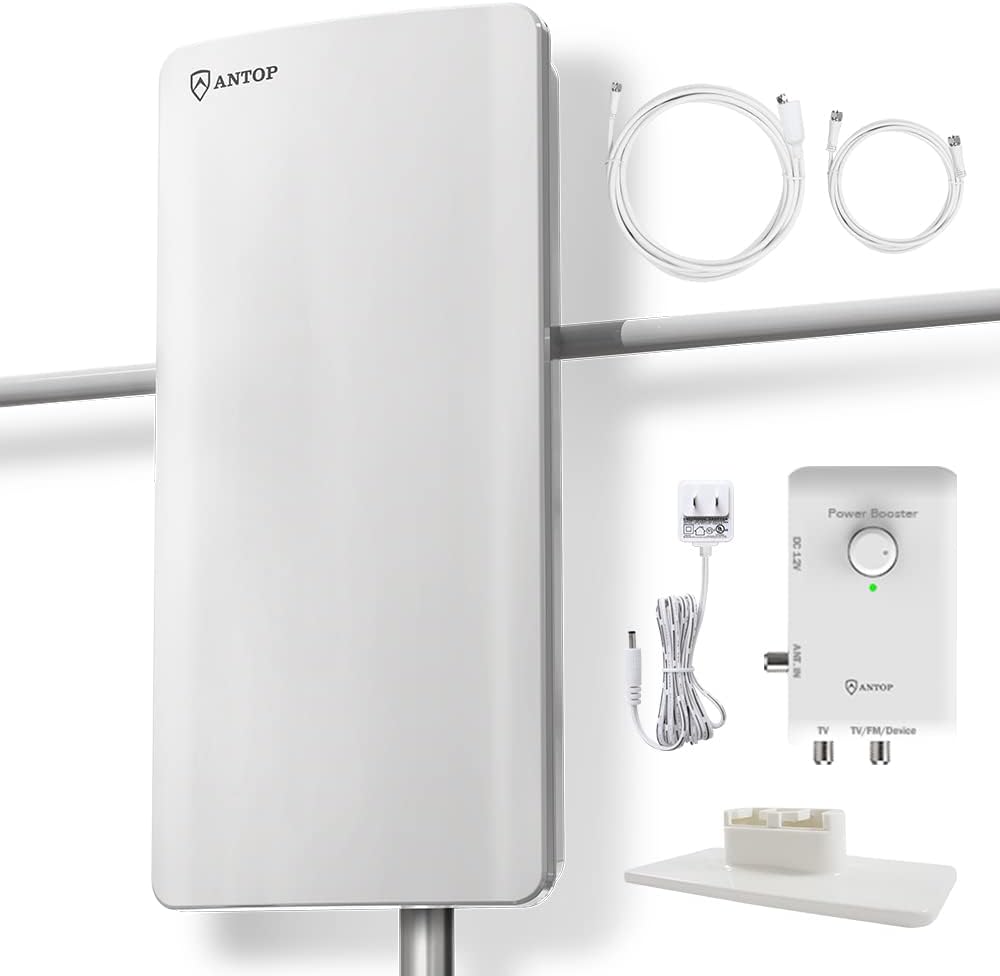
Image 2.1: The ANTOP AT-800SBS antenna with its Smart Boost System, power adapter, coaxial cables, and indoor stand.
3. Key Features
3.1 Smart Boost System with Adjustment Dial
The Smart Boost System allows for precise adjustment of the antenna's amplification strength. A built-in dial enables users to fine-tune reception from 0 to 85 miles, optimizing signal balance based on your specific location and signal conditions. This helps in achieving clear reception for various signal strengths.

Image 3.1: The Smart Boost System with its adjustable dial for reception power. Turning the dial clockwise increases gain, while counter-clockwise reduces it.
3.2 Dual Connectivity
The antenna's Smart Boost System includes a secondary output, allowing simultaneous connection to a second device. This can be another TV, an FM stereo receiver, or any OTA-ready streaming device or projector, expanding your viewing and listening options.
3.3 Integrated 4G LTE Filter
Equipped with a built-in 4G LTE filter, the antenna shields against interference from 3G and 4G wireless signals. This ensures stable performance and helps prevent picture pixelation, contributing to a smooth and clear 4K HDTV experience.

Image 3.2: Illustration of the 4G LTE filter's effect, showing a clear image compared to a pixelated one caused by interference.
3.4 Integrated FM Antenna
The antenna also functions as an FM antenna, enabling reception of local radio stations. Connect the antenna to a radio or stereo receiver to enjoy FM broadcasts. It features a multi-directional reception pattern for broad signal capture.
3.5 Versatile Placement Options
The AT-800SBS is designed for flexible installation, suitable for indoor (tabletop or wall-mounted) or outdoor (wall or pole-mounted) use. Its aesthetic design allows it to blend with various home interior styles.

Image 3.3: The antenna positioned indoors, demonstrating its suitability for living room environments.
4. Setup uye Kuiswa
Follow these steps to set up your ANTOP AT-800SBS antenna:
- Sarudza Nzvimbo: Determine the best location for your antenna. Higher locations, such as a roof or attic for outdoor installation, or near a window for indoor use, generally provide better signal reception. Consider both indoor (using the included stand or wall mount) and outdoor (using the pole/wall mounting kit) options.
- Attach VHF Enhancer Rods: If desired, screw the two detachable VHF enhancer rods into the designated ports on the antenna for improved VHF signal reception.
- Batanidza Coaxial Cable: Connect one end of the provided coaxial cable (40 ft. or 5 ft. depending on distance) to the ANTENNA IN port on the Smart Boost System.
- Connect to TV/Device: Connect the other end of the coaxial cable from the Smart Boost System's TV/FM/Device output to the ANT/IN or CABLE IN port on your TV or digital converter box. For dual connectivity, use the secondary output for a second device.
- Batanidza Power Adapter: Plug the AC/DC power adapter into the DC 12V port on the Smart Boost System, then plug the adapter into a standard electrical outlet. The LED indicator on the Smart Boost System should illuminate.

Image 4.1: A diagram illustrating the connection of the antenna to the Smart Boost System and then to a television or other devices.
5. Kushanda
After installation, follow these steps to operate your antenna:
- Power On: Ensure the Smart Boost System is powered on and its LED indicator is lit.
- Adjust Signal Strength: Use the adjustment dial on the Smart Boost System to fine-tune the signal strength. Start with the dial at a lower setting and gradually increase it. Observe the signal quality on your TV.
- Kuskena Channel: Access your TV's menu and navigate to the 'Channel Scan' or 'Auto Program' function. Select 'Antenna' or 'Air' as the input source. Allow the TV to scan for available channels. This process may take several minutes.
- Optimize Placement and Adjustment: If initial results are unsatisfactory, try repositioning the antenna slightly or adjusting the Smart Boost System dial again, then re-scan for channels. Different orientations or heights can significantly impact reception.
- FM Radio Reception: To listen to FM radio, connect the antenna to your FM stereo receiver's antenna input. Perform a channel scan on your receiver to find available FM stations.
6. Kuchengeta
To ensure optimal performance and longevity of your ANTOP AT-800SBS antenna:
- Kuchenesa: Periodically wipe the antenna and Smart Boost System with a soft, dry cloth. Avoid using harsh chemicals or abrasive cleaners.
- Kutariswa Kwekubatanidza: Regularly inspect all coaxial cable connections to ensure they are secure and free from corrosion. Loose connections can lead to signal loss.
- Outdoor Installation: For outdoor installations, check mounting hardware periodically for stability, especially after severe weather conditions. Ensure cables are properly secured to prevent damage.
- Environmental Protection: While designed for outdoor use, extreme weather conditions can affect performance. Ensure the antenna is installed according to guidelines to minimize exposure to direct impact from heavy rain or snow.
7. Kugadzirisa matambudziko
If you experience issues with your antenna, refer to the following common problems and solutions:
| Dambudziko | Zvinogona Kukonzera | Solution |
|---|---|---|
| Hapana chiratidzo kana chiratidzo chisina simba | Incorrect antenna placement, loose connections, amplifier setting too low/high, TV not set to antenna input. |
|
| Pixelated or distorted picture | Weak signal, interference from 3G/4G devices, ampLifier setting. |
|
| Cannot receive certain channels | Directional signal, local obstructions, weak signal for specific frequencies. |
|
| Smart Boost System LED is off | Hapana simba kuna amplifier. |
|
8. Zvinotsanangurwa
| Feature | Detail |
|---|---|
| Brand | ANTOP |
| Model Number | AT-800SBS (ANTAN-800SBS) |
| Item Weight | 8.13 makirogiramu |
| Package Dimensions | 22.5 x 10.9 x 6.9 inches |
| Color | Chena |
| Impedance | 75 Ohm |
| Maximum Range | 85 Maira |
| Nhamba yeChannels | 1 (refers to single antenna unit, not channel count received) |
| UPC | 682604901183 |
| Mugadziri | ANTOP |
9. Warranty uye Tsigiro
ANTOP is committed to providing quality products and customer satisfaction.
- Accessory Replacement: ANTOP offers free replacement of accessories such as the Power Booster, VHF Signal Enhancer Rods, AC/DC Power Adapter, and coaxial cables.
- Ruzivo rwewaranti: For detailed warranty terms and conditions, please refer to the product packaging or contact ANTOP customer support directly.
- Tsigiro yeVatengi: For any questions, technical assistance, or support needs, please contact ANTOP US support. Contact information can be found on the product packaging.
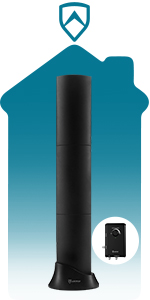
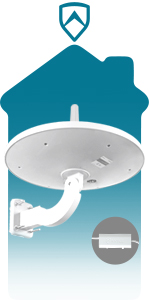
Image 9.1: ANTOP provides customer support and offers free replacement of certain accessories.


