Nhanganyaya
Welcome to the user manual for your Picun Elite P80S Wireless Headset. This guide provides detailed instructions for setup, operation, maintenance, and troubleshooting to ensure you get the most out of your device. Please read this manual thoroughly before using the headset.
Package Zviri mukati
- Picun Elite P80S Headset
- Detachable AUX Microphone
- USB Kuchaja Cable
- AUX Cable for Wired Transmission

Image: Picun Elite P80S Wireless Headset with detachable microphone, showcasing its design and included microphone.
Product Overview
Headset Components and Controls
The Picun Elite P80S headset features an ergonomic design with easy-to-access media buttons for various functions. These include controls for music playback, call management, vibration mode, LED light display, and volume adjustments.

Image: The Picun Elite P80S Wireless Headset shown in its folded configuration, highlighting its portable design.

Image: The Picun Elite P80S Wireless Headset displayed on a stand, providing a clear view of its over-ear design, earcups, and adjustable headband.
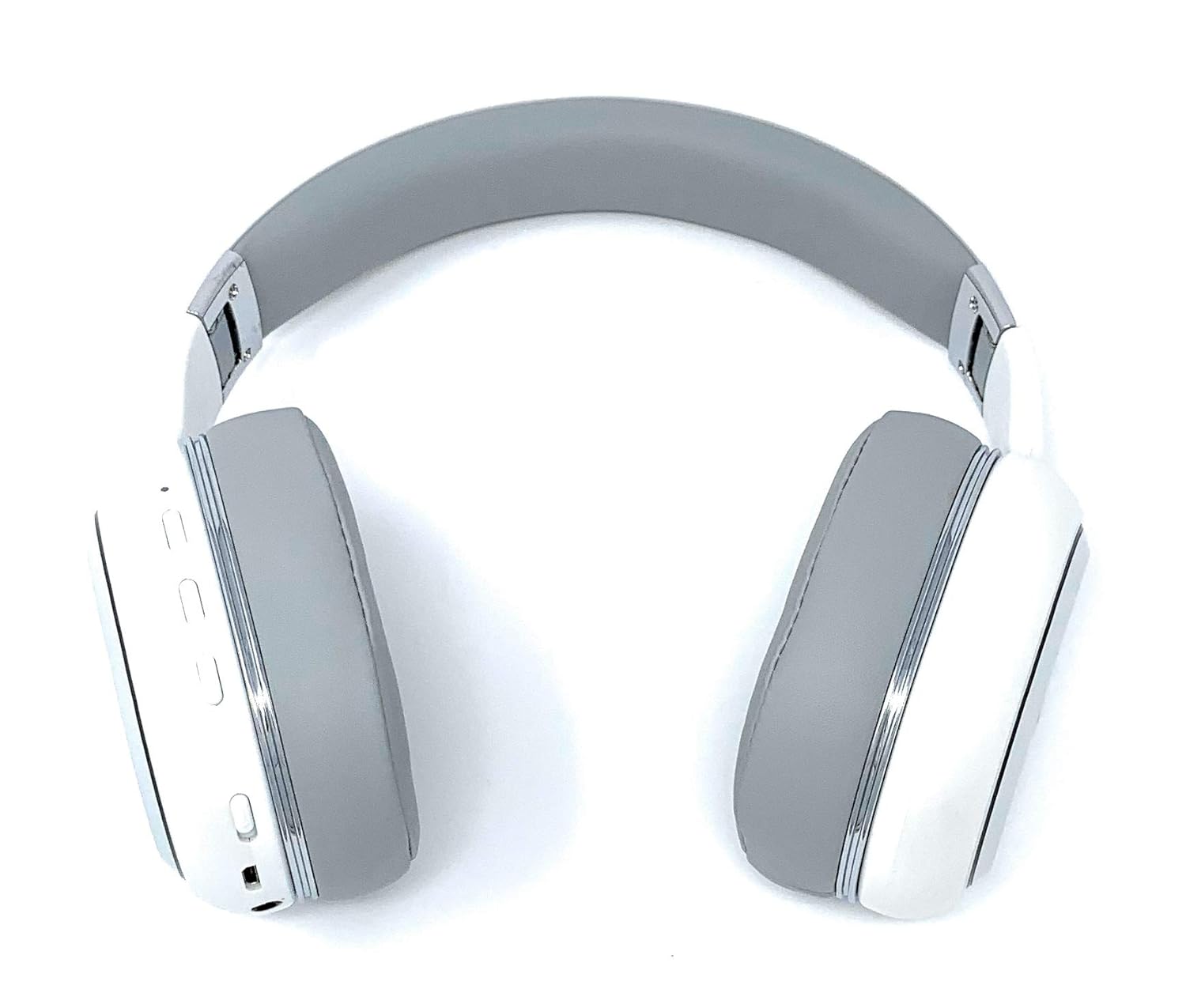
Image: A rear perspective of the Picun Elite P80S Wireless Headset, illustrating the placement of control buttons on the earcup.

Image: A detailed close-up of the right earcup hinge and the 'R' indicator on the Picun Elite P80S Wireless Headset, showing construction details.
Gadzirira
Kuchaja mahedhifoni
Before initial use, fully charge the headset. Use the provided USB charging cable with any compatible USB adapter or device.
- Connect the USB charging cable to the headset's charging port.
- Batanidza imwe magumo e USB tambo kune sosi yemagetsi.
- A full charge provides approximately 40 hours of game time or 60 hours of music/media playback in wireless mode.
Bluetooth Kubatanidza
To connect your headset wirelessly:
- Iva nechokwadi chekuti headset inobviswa.
- Dzvanya uye ubate bhatani remagetsi kusvika chiratidzo che LED chapenya, chichiratidza pairing mode.
- Pamudziyo wako (smartphone, piritsi, komputa), gonesa Bluetooth uye tsvaga zvishandiso zviripo.
- Select "Picun P80S" from the list of found devices.
- Once connected, the LED indicator will show a steady light or flash slowly.
Wiring Yakabatana
For a wired connection, use the provided AUX cable:
- Connect one end of the AUX cable to the headset's AUX port.
- Batanidza rimwe divi kune jeki re3.5mm remuchina wako wekuteerera.
- The headset can be used indefinitely in wired mode, regardless of battery charge.
Kubatanidza Maikorofoni
The headset includes a detachable microphone for clear communication:
- Locate the microphone port on the headset.
- Gently insert the detachable microphone into the port until it clicks into place.
- The microphone is designed to reduce ambient noise for high-definition vocals.
Operating Instruction
Simba On/Kudzima
- Power On: Dzvanya uye bata bhatani remagetsi kwemasekonzi mashoma kusvika chiratidzo che LED chavheneka.
- Power Off: Press and hold the power button for a few seconds until the LED indicator turns off.
Music Playback
- Tamba/Kumbomira: Dzvanya bhatani rePlay/Pause kamwe chete.
- Next Track: Press and hold the 'Volume Up' button.
- Previous Track: Press and hold the 'Volume Down' button.
Fonera Management
- Pindura/Pedzisa Kufona: Dhinda iyo Multi-function bhatani kamwe.
- Ramba Kufona: Dzvanya uye bata bhatani reMulti-function kwemasekonzi maviri.
Dual Shock/Vibration Mode
This mode enhances audio with deep bass and vibrations, ideal for music, movies, and gaming.
- Activate/Deactivate: Use the dedicated 'Vibration/Dual Shock Mode On-Off toggle switch' on the headset.
Chiedza che LED
The headset features an LED light display.
- Batidza/Kudzima: Use the dedicated 'LED Light Display On-Off button' on the headset.
Volume Control
- Wedzera Vhoriyamu: Press the 'Volume Up' button.
- Deredza Vhoriyamu: Press the 'Volume Down' button.
Maintenance
Kuchenesa
- Pukuta headset nemucheka wakapfava, wakaoma.
- Usashandise abrasive cleaners kana solvents.
- Chengeta nzvimbo yekuchaja nemajeki eaudio asina guruva nemarara.
Storage
- Chengetedza mahedhifoni munzvimbo inotonhorera, yakaoma kure nechiedza chezuva uye tembiricha yakanyanyisa.
- When not in use for extended periods, ensure the headset is fully charged before storing.
Kugadzirisa matambudziko
Hapana Simba
- Ita shuwa kuti headset yakachajwa zvizere.
- Iva nechokwadi chekuti tambo yekuchaja uye sosi yemagetsi zviri kushanda nemazvo.
Hapana Inzwi
- Tarisa huwandu hwevhoriyamu pane ese mahedhifoni uye mudziyo wako wakabatana.
- If using Bluetooth, ensure the headset is properly paired and connected.
- If using a wired connection, ensure the AUX cable is securely plugged into both the headset and the audio source.
- Edza nechinhu chakasiyana cheodhiyo kana mudziyo.
Bluetooth Pairing Matambudziko
- Ita shuwa kuti headset iri papairing mode (LED inopenya).
- Dzima uye vhura Bluetooth pane chako kifaa.
- Bvisa kubatanidza neBluetooth pamudziyo wako uye edza kubatanidza zvakare.
- Ensure the headset is within the effective range of your Bluetooth device.
Zvinotsanangurwa
| Feature | Tsanangudzo |
|---|---|
| Model Name | Elite P80S |
| Kubatana Technology | Bluetooth |
| Wireless Communication Technology | Bluetooth |
| Inosanganisirwa Zvikamu | Headset, Detachable AUX Microphone, USB Charging Cable, AUX Cable for Wired Transmission |
| Age Range (Tsanangudzo) | Mukuru |
| Material | Sravana Sameeralu Serial 4th Faux Leather |
| Control Type | Kudzora Vhoriyamu, Kure kure |
| Cable Feature | Detachable |
| Item Weight | 820 g (0.82 Kilogiramu) |
| Nhamba Yezvinhu | 1 |
| Special Feature | Noise Cancellation |
| Mugadziri | Picun |
| Hardware Platform | Gaming Console |
| Maikorofoni fomati | Built-In, Detachable AUX Microphone |
| Mabhatiri Anodiwa | Kwete (Batiri remukati rinochajwa) |
| Fomu Factor | Over Ear |
| Color | Chena |
| Noise Control | Active Noise Cancellation |
| Maheadphone Jack | 3.5 mm Jack |
Warranty Information
The Picun Elite P80S Wireless Headset is covered by a manufacturer's warranty. For specific details regarding warranty terms, duration, and claims process, please refer to the warranty policy provided at the time of purchase or contact Picun customer support.
Mutengi Support
If you encounter any issues not covered in this manual or require further assistance, please contact Picun customer support through their official website or the contact information provided with your product packaging. Please have your product model (P80S) and purchase details ready when contacting support.


