Nhanganyaya
Welcome to the user manual for your Soundcore Anker Liberty Neo True Wireless Earbuds. These earbuds are designed to provide a high-quality audio experience with features tailored for active lifestyles. This manual will guide you through the setup, operation, maintenance, and troubleshooting of your device to ensure optimal performance.

Figure 1: Soundcore Anker Liberty Neo True Wireless Earbuds in their charging case.
Chii chiri muBhokisi
Your Soundcore Anker Liberty Neo True Wireless Earbuds package includes the following items:
- Kuchaja Case
- Mushandisi Chinyorwa (gwaro iri)
- USB Kuchaja Cable
- Multiple sizes of EarTips and WingTips for a secure fit

Figure 2: Included accessories with the Soundcore Anker Liberty Neo Earbuds.
Gadzirira
1. Kuchaja maEarbuds ako neKesi
Usati washandisa kekutanga, chaja zvese zviri munzeve nebhokisi rekuchaja.
- Place the earbuds into the charging case. Ensure they are correctly seated; the LED indicators on the earbuds will light up to confirm charging.
- Connect the provided USB charging cable to the charging port on the case and to a power source. The LED indicators on the charging case will show the charging status.
- Once fully charged, the LED indicators will turn solid or off, depending on the model.

Figure 3: Earbuds placed in the charging case.
2. Kubatanidza neChishandiso Chako
The Liberty Neo earbuds feature one-step pairing for convenience.
- Open the charging case. The earbuds will automatically enter pairing mode, and their LED indicators will flash white.
- Pamudziyo wako (smartphone, piritsi, nezvimwewo), shandisa Bluetooth.
- Tsvaga "Soundcore Liberty Neo" in the list of available Bluetooth devices and select it to connect.
- Once connected, the LED indicators on the earbuds will turn solid white or off, indicating successful pairing.
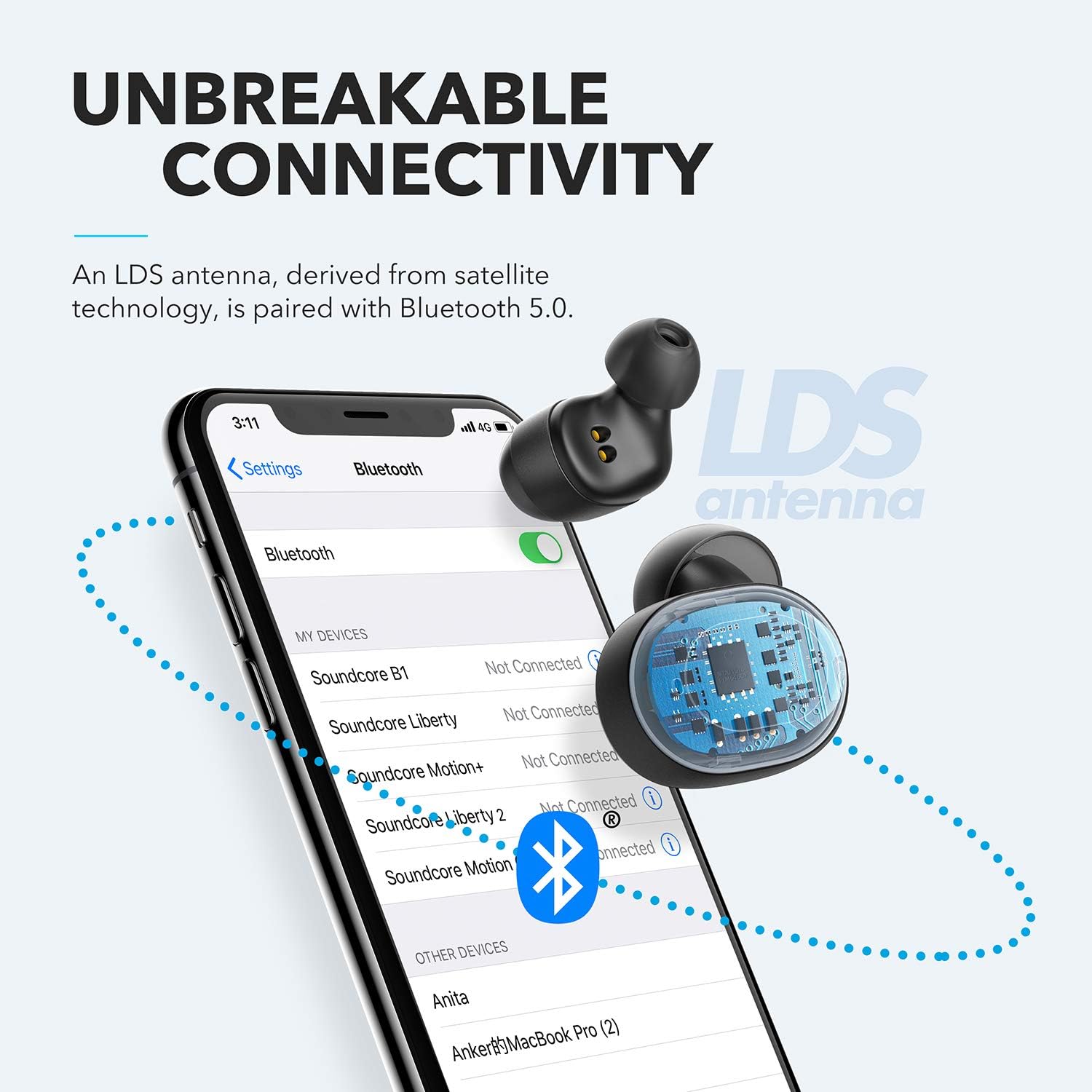
Figure 4: Bluetooth pairing process on a smartphone.
Kushanda MaEarbuds Ako
1. Kupfeka maEarbuds
For optimal sound quality and a secure fit, choose the correct size of EarTips and WingTips. Insert the earbuds into your ears and twist them gently until they feel snug and comfortable.

Figure 5: Proper wearing of the earbuds for a secure fit.
2. Zvidzoro
The Liberty Neo earbuds feature intuitive touch controls:
- Tamba/Kumbomira: Tap the multi-function button on either earbud once.
- Next Track: Double-tap the multi-function button on the right earbud.
- Previous Track: Double-tap the multi-function button on the left earbud.
- Pindura/Pedzisa Kufona: Tap the multi-function button on either earbud once.
- Ramba Kufona: Press and hold the multi-function button on either earbud for 2 seconds.
- Shandisa Izwi Mubatsiri: Press and hold the multi-function button on either earbud for 1 second.
3. Sound Modes
While the Liberty Neo earbuds offer excellent passive noise isolation, they do not feature Active Noise Cancellation (ANC) or Transparency modes. They are designed to provide a rich audio experience with Soundcore's signature sound and BassUp technology.
Maintenance
Kuti uve nechokwadi chekuti mahedhifoni ako anogara kwenguva refu uye anoshanda zvakanaka:
- Keep the earbuds and charging case clean and dry. Use a soft, dry cloth to wipe them.
- Dzivisa kupisa kwakanyanya.
- Usashandise corrosive cleaners.
- The earbuds are IPX7 waterproof, meaning they can withstand sweat and rain. However, the charging case is not waterproof. Ensure earbuds are dry before placing them back in the case.

Figure 6: Earbuds demonstrating IPX7 waterproof rating.
Kugadzirisa matambudziko
If you encounter any issues with your earbuds, refer to the following common solutions:
| Dambudziko | Solution |
|---|---|
| Maearbuds haasi kubatanidza | Ensure earbuds are charged. Turn off Bluetooth on your device, then turn it back on. Try resetting the earbuds (refer to Soundcore support for specific reset instructions). |
| Only one earbud playing audio | Place both earbuds back into the charging case, close the lid, then open it again. Ensure both earbuds are connected to your device. |
| Hunhu husina kunaka | Ensure earbuds are clean and free of debris. Try different sized EarTips for a better seal. Check your device's audio settings. |
| Maearbuds arikudonha | Experiment with different sizes of EarTips and WingTips to find the most secure and comfortable fit for your ears. |
Zvinotsanangurwa
| Feature | Detail |
|---|---|
| Model Name | Rusununguko Neo |
| Model Number | A3911 |
| Kubatana Technology | Wireless (Bluetooth 5.0) |
| Mvura Resistance Level | IPX7 (Earbuds chete) |
| Hupenyu hwebhatiri | 8 Hours (Earbuds), 40 Hours with Charging Case |
| Audio Driver Type | Dynamic Driver (Graphene-enhanced) |
| Kudzora Nzira | Bata |
| Item Weight | 1.76 ounces |
| Product Dimensions | 2.95 x 1.38 x 1.18 inches |
Warranty uye Support
For warranty information and customer support, please refer to the official Soundcore websaiti kana kubata basa ravo revatengi zvakananga. Chengeta risiti yako yekutenga yezvichemo zvewaranti.
Rutsigiro rwepamhepo: Visit www.namambe.com ye FAQs, madhairekitori ekugadzirisa, uye ruzivo rwekufonera.


