Nhanganyaya
This manual provides comprehensive instructions for the setup, operation, maintenance, and troubleshooting of your TELLUR Basic Wireless Keyboard and Mouse Kit. Please read this manual thoroughly before using the product to ensure proper functionality and longevity.
The TELLUR Basic Wireless Keyboard and Mouse Kit offers a complete digital control solution with plug-and-play functionality, requiring no special software. Both devices operate within a 10-meter range, providing flexibility and comfort. The mouse features adjustable DPI resolution (800/1200/1600) to suit various activities.
Package Zviri mukati
- 1 x Wireless Yekhibhodi
- 1 x Wireless Mouse
- 1 x USB Inogamuchira
- 1 x AAA Battery (for keyboard)
- 1 x AA Battery (for mouse)
- 1 x Chinyorwa cheMushandisi (gwaro iri)
Setup Guide
1. Kuisa Mabhatiri
The kit includes batteries for both the keyboard and mouse. Ensure correct polarity when inserting.
- YeKiyibhodhi: Open the battery compartment on the underside of the keyboard. Insert one AAA battery. Close the compartment.
- ZveMbeva: Open the battery compartment on the underside of the mouse. Insert one AA battery. Close the compartment.
2. Kubatanidza USB Receiver
The keyboard and mouse share a single USB receiver for wireless connectivity.
- Locate the USB receiver, usually stored in the mouse's battery compartment or a dedicated slot.
- Plug the USB receiver into an available USB port on your computer (PC or Laptop).
- Your computer should automatically detect and install the necessary drivers. This is a plug-and-play process and typically requires no manual driver installation.

Mufananidzo: Pamusoro-pasi view of the TELLUR Basic Wireless Keyboard and Mouse Kit, showing the full keyboard layout and the ergonomic mouse.
Operating Instruction
Kushandisa Keyboard
The keyboard functions as a standard full-size keyboard. Ensure the USB receiver is connected to your computer for wireless operation.
- Makiyi Ekushanda (F1-F12): These keys may have secondary functions (e.g., media control, volume) accessible by pressing the Fn kiyi panguva imwe chete.
- Numeric Keypad: The dedicated numeric keypad on the right provides quick entry for numbers. Ensure Num Lock is active if needed.
Mouse Kushandisa
The wireless mouse offers precise tracking and adjustable sensitivity.
- Kudzvanya kuruboshwe uye Kurudyi: Mabhatani embeva akajairwa ekusarudza nemamenu emamiriro ezvinhu.
- Mupumburu Wheel: Used for vertical scrolling in documents and web pages. Can also function as a middle click button.
- DPI Kugadziriswa: The mouse features a DPI adjustment button, typically located behind the scroll wheel. Press this button to cycle through the available DPI settings: 800, 1200, and 1600. This allows you to adjust the cursor speed and sensitivity to your preference.

Mufananidzo: Angled view of the TELLUR Basic Wireless Keyboard and Mouse Kit, highlighting the slim profile of the keyboard and the contoured design of the mouse.
Operating Range: Both devices operate reliably within a 10-meter (approximately 33 feet) range from the USB receiver. Obstructions or interference may reduce this range.
Maintenance and Care
Proper care will extend the life of your wireless keyboard and mouse kit.
- Kuchenesa: Shandisa jira rakapfava, rakaoma kuchenesa nzvimbo yekhibhodi negonzo. Patsvina yakasindimara, zvishoma damp jira rine sipo yakapfava rinogona kushandiswa, asi ona kuti hapana mvura inopinda mumidziyo. Dzivisa abrasive cleaners kana solvents.
- Kutsiva Bhatiri: Replace batteries when performance degrades (e.g., delayed response, intermittent connection). Always use new, good quality batteries of the specified type (AAA for keyboard, AA for mouse).
- Kuchengeta: When not in use for extended periods, remove batteries to prevent leakage. Store the devices in a cool, dry place away from direct sunlight and extreme temperatures.
- USB Receiver: Keep the USB receiver free from dust and debris. Avoid bending or applying excessive force to the receiver when plugging or unplugging.
Kugadzirisa matambudziko
| Dambudziko | Zvinogona Kukonzera | Solution |
|---|---|---|
| Kiyibhodhi/Mbeva haisi kudaira |
|
|
| Chinongedzo chembeva chinongoerekana chachinja kana kusvetuka-svetuka |
|
|
| Delayed response or lag |
|
|
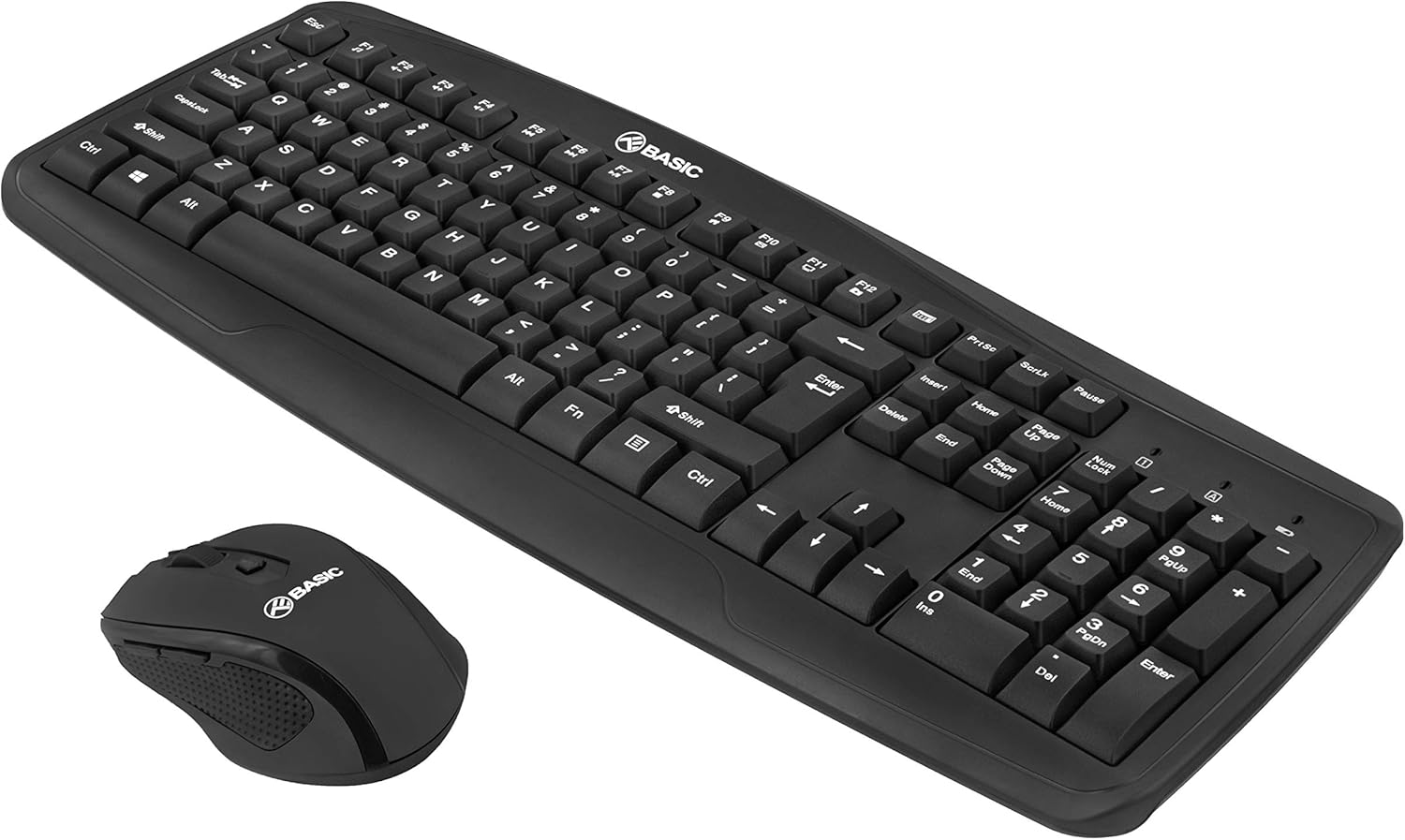
Image: Another angled view of the TELLUR Basic Wireless Keyboard and Mouse Kit, showing the full keyboard and mouse from a different perspective, emphasizing the compact design.
Zvinotsanangurwa
| Feature | Detail |
|---|---|
| Brand | TELLUR |
| Model Name | Basic Wireless Keyboard and Mouse kit |
| Model Number | Zvashandiswa kugutsikana |
| Kubatana Technology | 2.4GHz Wireless (kuburikidza ne USB Receiver) |
| Wireless Range | Kusvika kumamita gumi (10 tsoka) |
| Mouse DPI Settings | 800 / 1200 / 1600 DPI (Inogona Kugadziriswa) |
| Keyboard Power Source | 1 x AAA Bhatiri (inosanganisirwa) |
| Mouse Power Source | 1 x AA Bhatiri (inosanganisirwa) |
| Inowirirana Devices | Laptop, PC |
| Product Dimensions | 45 x 18 x 3.1 cm |
| Item Weight | 583 g |
Note on Connectivity: While some specifications may list "Bluetooth", this product operates via a dedicated 2.4GHz USB receiver for plug-and-play functionality.
Warranty uye Support
For warranty information and technical support, please refer to the warranty card included with your product or visit the official TELLUR website. Chengetedza risiti yako yekutenga sehumbowo hwekutenga kwezvichemo zvewaranti.
Contact Information:
- Brand: TELLUR
- Websaiti: www.kupar.com
- Email: Tarisa kune mukuru wehurumende webwebhusaiti yekubatsirana.
Disclaimer: Product specifications and appearance are subject to change without notice.


