Radiolink T8S

Radiolink T8S FHSS 8CH RC Handle Transmitter User Manual

Muenzaniso: T8S

Nhanganyaya

This manual provides comprehensive instructions for the Radiolink T8S FHSS 8-channel RC Handle Transmitter. It covers product features, specifications, setup procedures, operation guidelines, and maintenance tips to ensure optimal performance and longevity of your device. Please read this manual thoroughly before using the transmitter.

Radiolink T8S FHSS 8CH RC Handle Transmitter

Mufananidzo: Mberi view of the Radiolink T8S FHSS 8-channel RC Handle Transmitter, showcasing its ergonomic design and dual joysticks.

Key Features

Radiolink T8S Features Overview

Mufananidzo: Kupfuuraview graphic highlighting key features of the T8S transmitter, including FHSS, 2KM control distance, mini receiver compatibility, app parameter setup, USB charging, SBUS/PPM/PWM support, USB upgrade, and 8-channel functionality.

Package Zviri mukati

Pakeji yakajairika inosanganisira zvinhu zvinotevera:

Zvinotaurwa Nezvehunyanzvi

T8S Transmitter

  • Kushanda Voltage: 4.2V
  • Kushanda Zvazvino: <150(±5)mA
  • Bhatiri Rakavakwa-mukati: 1S 800mAh Lithium Battery
  • Nguva Yekushanda: Anenge maawa maviri
  • Dimensions: 162.5 * 95.5 * 57mm
  • Kurema 142g
  • Supported Receivers: R8EF, R8FM, R7FG, R7F, R6FG, R6F

R8EF Receiver

  • Zviteshi: 8CH
  • Kushanda Voltage: Kuwedzera 10V
  • Kushanda Zvazvino: 19-25mA (input 5V)
  • Dimensions: 48.5 * 21 * 11mm
  • Kurema 7g
  • Section Precision: 4096
  • Chiratidzo Chekubuda: S-BUS, PPM, and PWM

R8FM Receiver

  • Zviteshi: 8CH
  • Kushanda Voltage: 4.8-6V
  • Kushanda Iyezvino: 30mA (input 5V)
  • Dimensions: 16.0 * 21.5 * 1.0MM
  • Kurema 2.5g
  • Section Precision: 2048
  • Chiratidzo Chekubuda: S-BUS, PPM
Radiolink R8EF and R8FM Receivers

Mufananidzo: Pedyo-up view of the R8EF and R8FM mini receivers, illustrating their compact size and connection points.

Setup Guide

1. Kubhadhara Battery

The T8S transmitter features a built-in 1S 800mAh lithium battery. To charge the battery, connect the transmitter to a computer or a mobile charger using the provided USB cable. The green battery indicator will flash when the voltage is below 3.7V, signaling a low battery alarm.

Radiolink T8S USB Charging Port

Image: Close-up of the Radiolink T8S transmitter's top, showing the USB charging port.

2. Receiver Binding (Matching Code)

Follow these steps to bind your receiver (R8EF/R8FM) with the T8S transmitter:

  1. Place the transmitter and the receiver within 1 meter of each other.
  2. Turn on the transmitter, then supply power to the receiver.
  3. Connect CH3 (for R8EF/R8FM) to the Electronic Speed Controller (ESC).
  4. Locate the black button near the antenna on the receiver. Press and hold the ID SET switch for one second, then release it. The receiver light will begin blinking, indicating it is attempting to bind automatically.

Once the binding process is complete, the receiver light will stop blinking and remain solid, indicating a successful connection.

Operating Instruction

1. Transmitter Controls Overview

The T8S transmitter features a standard layout for intuitive control. Familiarize yourself with the various switches, buttons, and sticks:

Radiolink T8S Transmitter Control Layout

Image: Detailed diagram of the Radiolink T8S transmitter, labeling the throttle/rudder stick, aileron/elevator stick, power button, trimmer buttons, battery indicator, three-way switches (flight mode switch), toggle-switch (PTZ adjustment), and push-button (camera shutter).

Basic menu, advanced menu, and various mix controls can be customized for channels 6 and above. Flight modes are typically set using the two 3-way switches in the flight controller PIX by default.

2. Multiple Model Compatibility

The T8S transmitter is designed for versatility, supporting a wide range of RC models. It is compatible with fixed-wing aircraft, gliders, multicopters, RC cars, and RC boats. The receiver with a 21cm antenna is particularly suitable for RC boat control.
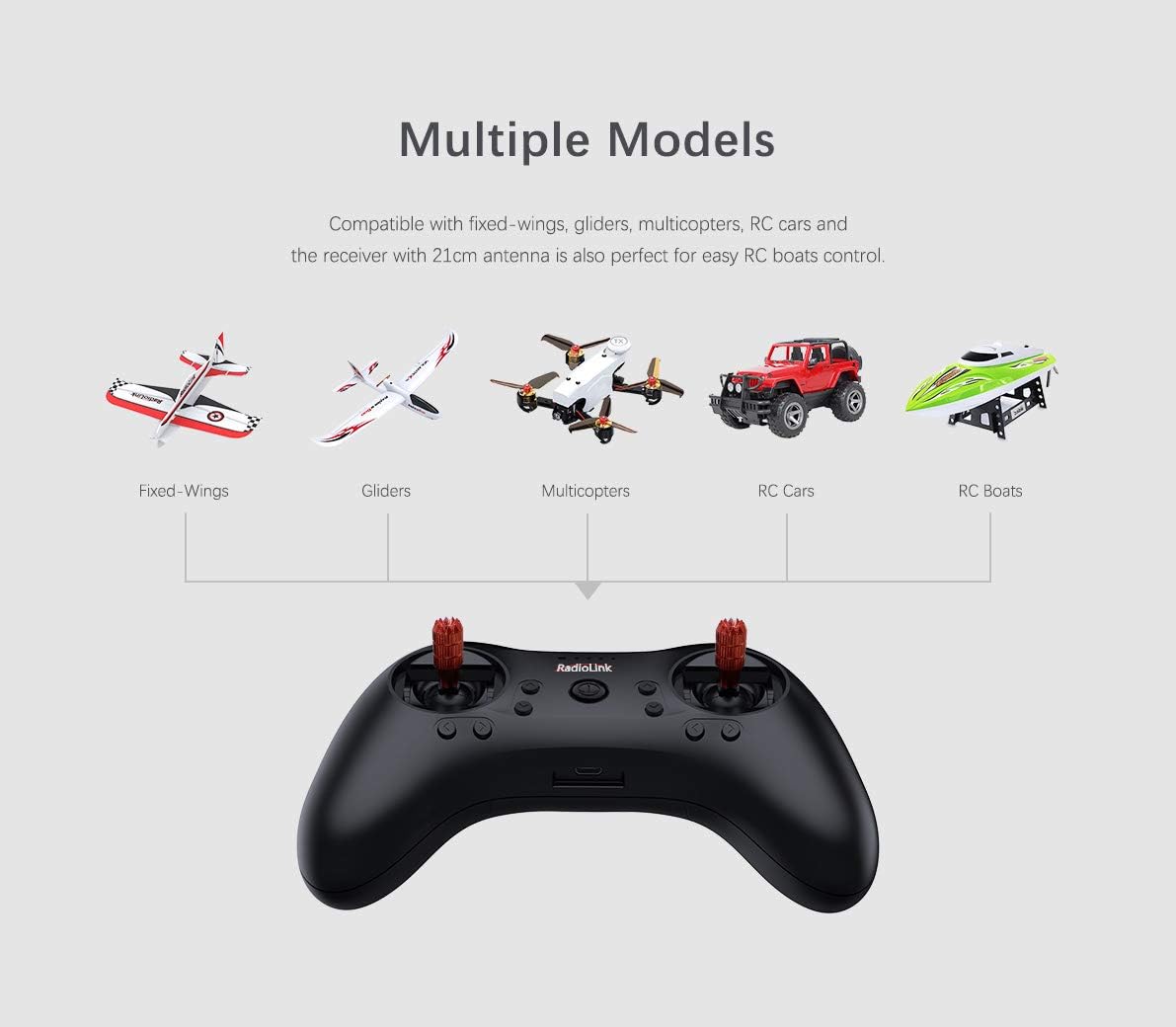
Radiolink T8S Multiple Model Support

Image: Graphic illustrating the Radiolink T8S transmitter's compatibility with various RC models, including fixed-wing aircraft, gliders, multicopters, RC cars, and RC boats.

3. App Setup and USB Upgrade

Parameters for the T8S can be easily configured and modified using a dedicated Android application. This allows for advanced customization of settings. Additionally, the USB port enables firmware upgrades, ensuring your transmitter always has the latest features and improvements.

Mission Planner Software Interface

Image: Screenshot of the Mission Planner software interface, showing various flight mode settings and calibration options, demonstrating the advanced configuration capabilities.
Maintenance

Kugadzirisa matambudziko

Warranty uye Support

For warranty information, technical support, or service inquiries, please refer to the official Radiolink websaiti kana kubata mutengesi wako ane mvumo. Chengetedza risiti yako yekutenga sehumbowo hwekutenga kwezvichemo zvewaranti.

Manufacturer recommended age for this product is 15 years and up.

Related Documents - T8S

Preview Bhuku reVashandisi veRadioLink T8S 8-Channel RC Transmitter
Bhuku rekushandisa rakakwana reRadioLink T8S remote controller ine 8-channel. Dzidza nezve setup, firmware upgrades, parameter configuration kuburikidza nefoni nekombiyuta, uye FAQs yeRadioLink T8S transmitter yako.
Preview RadioLink T8S 8-Channel Remote Controller User Manual
A comprehensive user manual for the RadioLink T8S 8-channel remote controller, detailing its features, setup, firmware upgrades, and parameter configuration via mobile app and computer software. Covers safety precautions, packing list, and receiver compatibility.
Preview RadioLink T8S 8-Channel Remote Controller User Manual
Yakakwana mushandisi bhuku reRadioLink T8S 8-Channel Remote Controller, inovhara setup, firmware upgrades, uye parameter kugadzirisa kuburikidza neAroid app nekombuta. Inoenderana neyakagadziriswa-mapapiro, multirotors, mota, uye mabhoti.
Preview RadioLink R7FG 7-Channel Receiver ine Gyro: Bhuku reMirayiridzo
Bhuku remirayiridzo rakakwana reRadioLink R7FG 7-channel dual antenna receiver, setup yakadzama, telemetry, gyro functions, working modes, specifications, uye antenna installation.
Preview Radiolink R6DS 2.4GHz RC Receiver: Features, Specs, and Setup Guide
The Radiolink R6DS is a 2.4GHz 6/10 channel RC receiver utilizing DSSS and FHSS spread spectrum technology for reliable anti-interference performance. It supports simultaneous SBUS, PPM, and PWM signal outputs, offering low latency and high precision for drone and model aircraft applications. This overview covers its features, operating modes, binding, installation, and specifications.
Preview Bhuku reMirayiridzo reRadioLink R8FG V2.1: 8-Channel Gyro Receiver
Bhuku remirayiridzo rakakwana reRadioLink R8FG V2.1 8-channel receiver. Dzidza nezve setup, binding, telemetry, gyro functions, uye magadzirirwo eiyi splash-proof, high-vol.tagMugamuchiri weRC anoenderana neservo.