1. Nhanganyaya
The Mondaine Helvetica Regular MH1.R2S10.LG Smart Watch combines the iconic, timeless design of the Helvetica typeface with modern smart technology. This Swiss-made timepiece offers activity tracking, sleep monitoring, and smartphone notifications, all while maintaining an elegant analog appearance. This manual provides essential information for setting up, operating, maintaining, and troubleshooting your watch.

Mufananidzo 1: Mberi view of the Mondaine Helvetica Regular Smart Watch.
2. Zvigadzirwa zveChigadzirwa
- Muenzaniso: Helvetica Smart 40 mm
- Nyaya: 40 mm polished stainless steel
- Dial: White, clear structured design
- Tambo: Genuine brown leather
- Crystal: Sapphire crystal ine anti-reflective coating
- Movement: Smart (connected technology)
- Mabasa: Activity tracking (steps), sleep monitoring, smartphone notifications (text messages, emails, calls)
- Kuramba Mvura: 30 meters (3 ATM / 100 feet)
- Kwakabva Swiss Made
3. Setup Guide
3.1 Yekutanga Kuchaja uye Simba On
Your Mondaine Smart Watch comes with a pre-installed battery. For optimal performance, ensure the watch is adequately charged before first use. Refer to the included charging cable and instructions for specific charging procedures.
3.2 Kurodha uye kuiswa kweApp
- Locate the official Mondaine Smart Watch application in your smartphone's app store (iOS App Store or Google Play Store).
- Dhawunirodha uye isa application yacho pafoni yako.
- Open the application and follow the on-screen prompts to create an account or log in.
3.3 Kubatanidza neSmartphone Yako
- Ita shuwa kuti Bluetooth yakagoneswa pane yako smartphone.
- Within the Mondaine Smart Watch app, navigate to the 'Pair Device' or 'Add Watch' section.
- Follow the app's instructions to put your watch into pairing mode. This typically involves pressing and holding a button on the watch.
- Select your Mondaine Smart Watch from the list of available devices in the app.
- Confirm the pairing on both your watch and smartphone if prompted.
Once paired, the watch will synchronize time and settings with your smartphone.
4. Operating Instructions
4.1 Nguva Ratidza
The watch displays time using traditional hour, minute, and second hands. Time synchronization occurs automatically upon successful pairing with your smartphone.
4.2 Kurondwa Kwekuita
The watch continuously tracks your daily activity, including steps taken. View your activity data, trends, and set goals within the Mondaine Smart Watch application on your smartphone.
4.3 Kurara Kuongorora
Wear your watch during sleep to monitor your sleep patterns. Detailed sleep analysis, including duration and quality, is available in the companion app.
4.4 Smartphone Notifications
When connected to your smartphone, the watch can alert you to incoming text messages, emails, and phone calls. The specific notification method (e.g., vibration, subtle hand movement) can typically be configured within the Mondaine Smart Watch app.

Figure 2: The Mondaine Smart Watch worn on a wrist.
5. Kuchengeta
5.1 Kuchenesa Wachi Yako
- Wipe the watch case and sapphire crystal with a soft, lint-free cloth.
- For the leather strap, avoid prolonged exposure to water and direct sunlight. Clean with a damp jira nesipo isina kunyorova kana zvichidikanwa, wobva waoma zvakanaka.
- Usashandise makemikari ane hasha kana abrasive zvinhu pakuchenesa.
5.2 Kuramba Mvura
The Mondaine Helvetica Regular Smart Watch has a water resistance rating of 30 meters (3 ATM / 100 feet). This means it is suitable for everyday use and can withstand splashes or brief immersion in water. However, it is kwete suitable for swimming, showering, diving, or any water sports. Avoid operating the crown or buttons when the watch is wet.
5.3 Kutsiviwa kwebhatiri
The watch uses a specific product battery. When the battery life diminishes, it is recommended to have the battery replaced by an authorized Mondaine service center to ensure proper sealing and functionality.
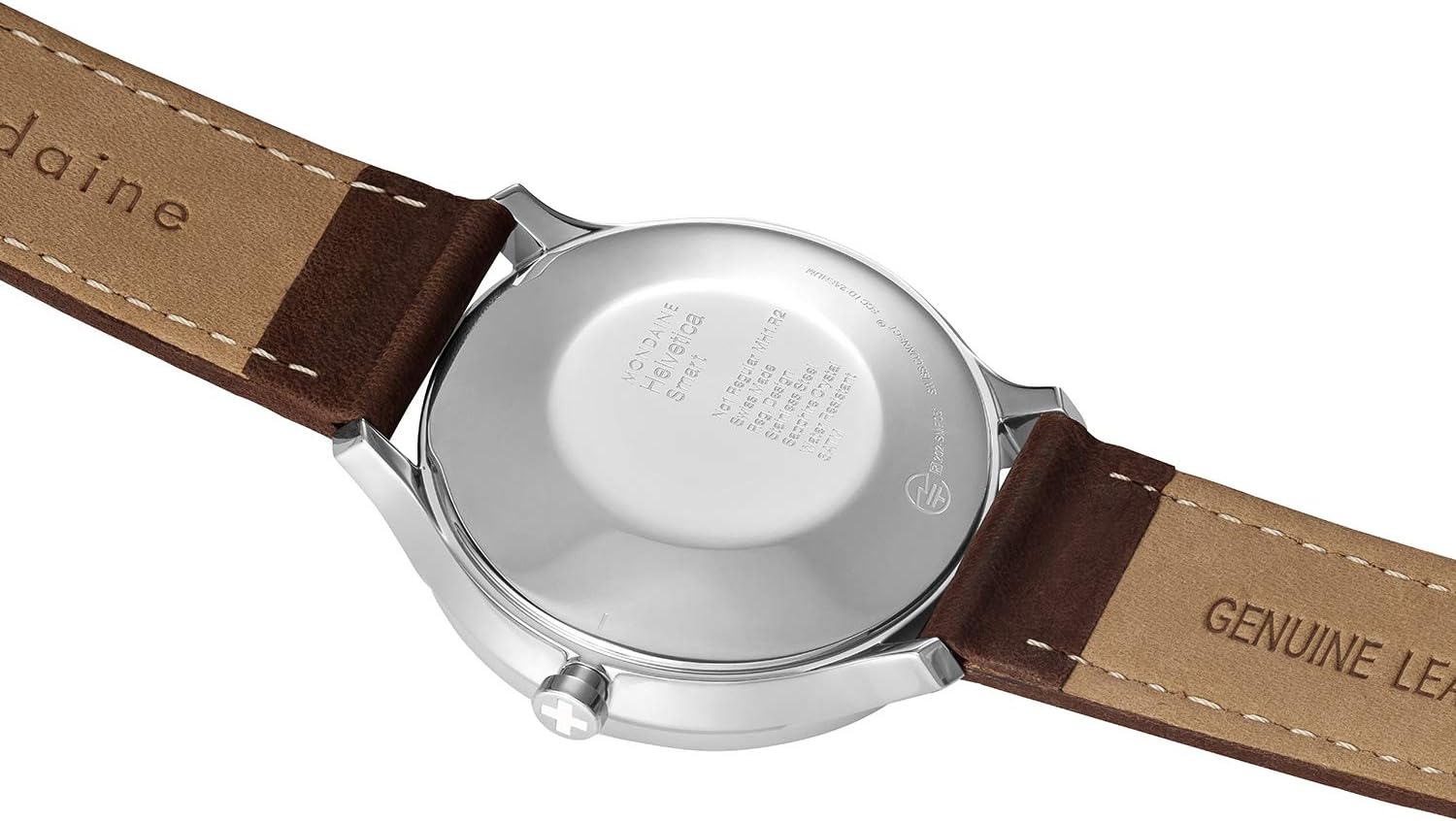
Mufananidzo 3: Kumashure view of the watch, highlighting the case back.
6. Kugadzirisa matambudziko
- Watch not connecting to smartphone:
- Ita shuwa kuti Bluetooth yakabatidzwa pafoni yako.
- Check that the Mondaine Smart Watch app is open and running in the background.
- Tangazve zvese wachi yako uye smartphone.
- Try unpairing and re-pairing the watch through the app's settings.
- Activity/Sleep data not syncing:
- Verify that the watch is successfully paired with your smartphone.
- Ensure the app has the necessary permissions to access health data on your phone.
- Check for app updates and install them if available.
- Zviziviso hazvisi kuoneka:
- Confirm that notification permissions are granted to the Mondaine Smart Watch app in your phone's settings.
- Check the app's settings to ensure notifications are enabled for the desired applications (e.g., messages, email).
- Ensure the watch is within Bluetooth range of your phone.
- Watch hands are not showing correct time:
- The watch automatically synchronizes time with your smartphone. Ensure successful pairing.
- If issues persist, perform a manual time calibration through the app, if available.
For further assistance, please refer to the support section of the Mondaine Smart Watch application or contact Mondaine customer support.
7. Zvinotsanangurwa

Figure 4: Visual summary of product specifications.
| Tsanangudzo | Detail |
|---|---|
| Model Number | MH1.R2S10.LG |
| Function | Smart Watch |
| Movement Type | Smart |
| Case Size/Diameter | 40.00 mm |
| Nyaya Yenyaya | Stainless steel polished |
| Case Back | Pressed caseback |
| Korona | Regular Gasket |
| Crystal/Glass Material | Sapphire crystal, anti-reflective coating |
| Kuramba Mvura | 30 m / 100 ft / 3 atm |
| Strap/Bracelet Material | Dehwe rechokwadi |
| Width at Lug | 20.00 mm |
| Origin | Swiss Made |
| Mabhatiri | 1 Chigadzirwa chakananga bhatiri (inosanganisirwa) |
| Clasp Type | Tang Buckle |
8. Warranty uye Tsigiro
8.1 International Warranty
Your Mondaine Helvetica Regular Smart Watch comes with a 2-gore rekune dzimwe nyika warantiWaranti iyi inovhara zvikanganiso zvekugadzira kana zvangoshandiswa. Ndapota chengetai humbowo hwekutenga kwenyu kuti muwane magwaro ewarandi.
8.2 Mutengi Tsigiro
For technical support, warranty service, or any inquiries regarding your Mondaine Smart Watch, please visit the official Mondaine website or contact their customer service department. Contact information can typically be found on the Mondaine websaiti kana mukati mekurongedza kwechigadzirwa.


