1. Nhanganyaya
This instruction manual provides detailed information for the Intel Core i9-10900K Desktop Processor, covering installation, operation, maintenance, troubleshooting, and technical specifications. It is designed to assist users in setting up and optimizing their processor for high-performance computing. The Intel Core i9-10900K is an unlocked 10th Gen desktop processor featuring Intel Turbo Boost Max Technology 3.0, optimized for enthusiast gamers and serious creators, delivering high-performance overclocking capabilities. Please note that a thermal solution is not included and the processor is compatible only with 400 series chipset based motherboards. It operates at 125W.
2. Chigadzirwa Pamusoroview
The Intel Core i9-10900K processor offers advanced features for demanding applications:
- 10 Cores / 20 Threads: Provides exceptional multitasking and processing power.
- Socket Type LGA 1200: Ensures compatibility with specific motherboard chipsets.
- Up to 5.3 GHz Unlocked: Allows for advanced overclocking to achieve higher performance.
- Compatible with Intel 400 Series Chipset Based Motherboards: Essential for proper system integration.
- Intel Turbo Boost Max Technology 3.0 Support: Dynamically increases processor frequency for demanding workloads.
- Rutsigiro rweMemori yeIntel Optane: Inovandudza mashandiro ehurongwa uye inokurumidza kuwana data.
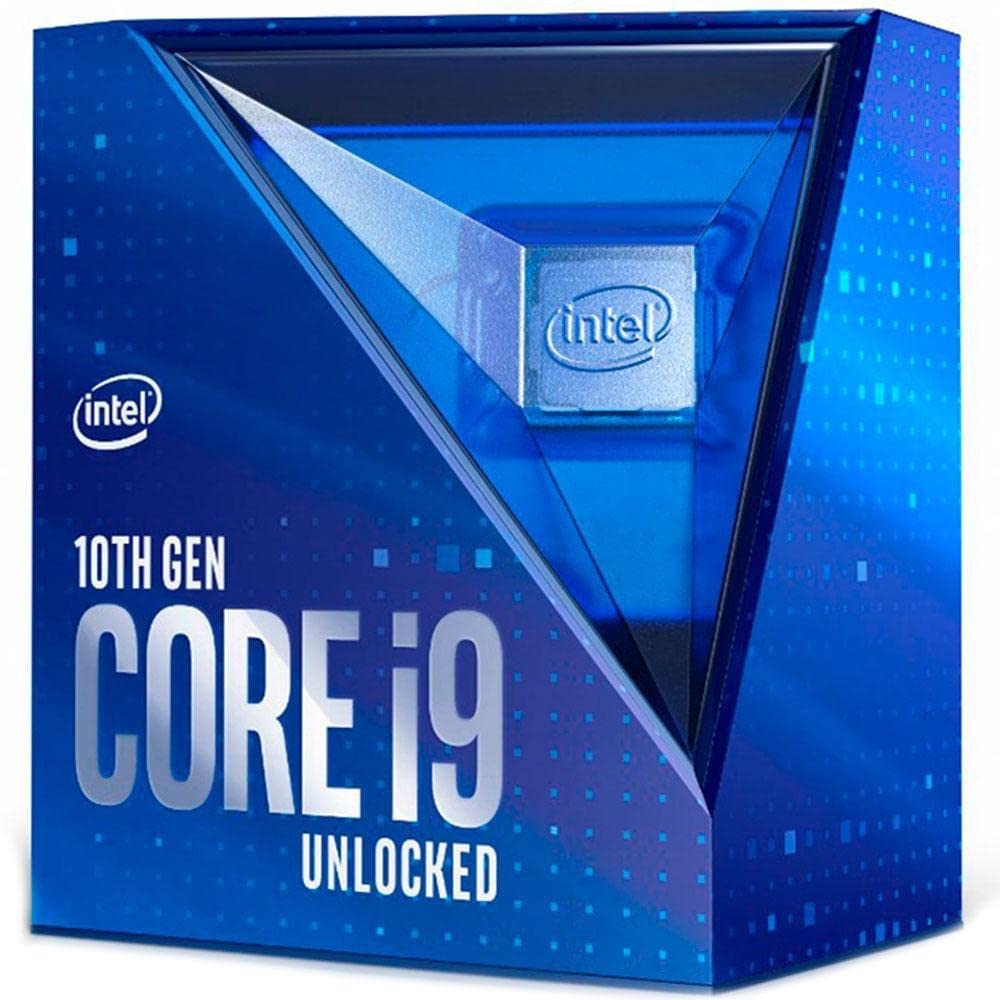
Figure 2.1: Retail packaging for the Intel Core i9-10900K Desktop Processor. This box contains the processor and documentation.
Chigadzirwa Vhidhiyo Pamusoroview
Vhidhiyo 2.1: An official overview of the 10th Gen Intel Core Boxed Processor Family, highlighting key features and performance benefits.
3. Setup & Installation
Installing your Intel Core i9-10900K processor requires careful handling and adherence to specific steps. Ensure your system is powered off and unplugged before beginning installation.
- Motherboard kuenderana: Verify that your motherboard uses the LGA 1200 socket and an Intel 400 series chipset. Refer to your motherboard's manual for specific compatibility details.
- Gadzirira Socket: Gently lift the load plate lever on the CPU socket. Open the load plate.
- Isa Processor: Carefully align the processor with the socket, matching the two alignment notches on the processor with the corresponding keys on the socket. Ensure the gold triangle on the processor aligns with the triangle on the socket. Lower the processor straight down into the socket without forcing it.
- Chengetedza processor: Close the load plate and push the load plate lever back into its locked position. This will secure the processor firmly in the socket.
- Isa Thermal Paste: Isa chidimbu chidiki chemafuta emhando yepamusoro pakati pechinhu chinoshandiswa pakupisa (IHS) che processor.
- Isa Mhinduro Yekupisa: Attach a compatible thermal solution (CPU cooler) to the motherboard, ensuring it makes firm contact with the processor's IHS. This processor does not include a thermal solution, so a separate cooler is required.
- Batanidza Simba: Batanidza tambo yemagetsi yefeni yeCPU nemusoro wakakodzera uri pabhodhi reamai.
Zvakakosha: Always handle the processor by its edges to avoid touching the gold contacts or the top surface. Incorrect installation can damage the processor or motherboard.
4. Kushanda
The Intel Core i9-10900K is designed for high-performance computing across various tasks, including gaming, content creation, and demanding applications. Its unlocked nature allows for advanced customization.
- Standard Operation: The processor will automatically adjust its clock speed based on workload demands, utilizing Intel Turbo Boost Max Technology 3.0 to reach higher frequencies when needed.
- Overclocking: As an unlocked processor, the i9-10900K allows for manual adjustment of core frequency, voltage, and other parameters through the motherboard BIOS/UEFI or Intel Extreme Tuning Utility (XTU). Overclocking can provide additional performance but requires adequate cooling and may void your warranty if not performed correctly. Consult Intel's official resources for safe overclocking guidelines.
- Thermal Monitoring: Modern motherboards and operating systems provide tools to monitor CPU temperature. Ensure your thermal solution is effectively dissipating heat to prevent thermal throttling and maintain optimal performance.
5. Kuchengeta
Proper maintenance ensures the longevity and optimal performance of your Intel Core i9-10900K processor.
- Kutonhodza System: Regularly inspect and clean your CPU cooler (heatsink and fan or liquid cooler radiator) to remove dust buildup. Dust can impede airflow and reduce cooling efficiency.
- Chinonhuhwirira Chinopisa: Over time, thermal paste can dry out and become less effective. If you notice consistently high temperatures, consider reapplying fresh thermal paste. This typically involves removing the cooler, cleaning old paste, and applying new paste.
- Nzvimbo Yemamiriro Ezvinhu: Ensure your computer case has good airflow and is kept in a clean, dust-free environment to minimize internal dust accumulation.
6. Kugadzirisa matambudziko
If you encounter issues with your Intel Core i9-10900K processor, consider the following troubleshooting steps:
- Hapana Kuratidzwa/Sisitimu Isiri Kutanga:
- Verify the processor is correctly seated in the LGA 1200 socket.
- Iva nechokwadi chekuti tambo dzese dzemagetsi (24-pin ATX, 8-pin CPU) dzakabatana zvakachengeteka nebhodhi reamai.
- Tarisa kuti ma module e RAM akamira zvakanaka.
- Confirm your motherboard BIOS/UEFI is updated to support the 10th Gen processor.
- Overheating/Thermal Throttling:
- Ensure the CPU cooler is correctly installed and making firm contact with the processor.
- Verify thermal paste application is adequate and evenly spread.
- Check that CPU fan(s) are spinning and connected to the correct headers.
- Clean any dust from the heatsink or radiator.
- Improve case airflow by managing cables and adding/adjusting case fans.
- Kusagadzikana kweSystem/Kuparara:
- If overclocked, revert to default CPU settings in BIOS/UEFI to rule out overclocking instability.
- Ita shuwa kuti madhiraivha ese (chipset, magiraidhi) ari kusvika parizvino.
- Shandisa maturusi ekuongorora ndangariro kuti utarise matambudziko eRAM.
For further assistance, refer to your motherboard's manual or Intel's official support website.
7. Zvinotsanangurwa
| Feature | Detail |
|---|---|
| processor Base Frequency | 3.7 GHz |
| Max Turbo Frequency | 5.3 GHz |
| Cores | 10 |
| Threads | 20 |
| Socket Type | LGA 1200 |
| TDP | 125W |
| Cache | 20 MB Intel Smart Cache |
| Max Memory Memory | 128 GB |
| Mamwe Memory | DDR4-2933 |
| PCI Express Kudzokorora | 3.0 |
| Nhamba yepamusoro yePCI Express Lanes | 16 |
| MaChipsets Anoenderana | Intel 400 series chipset |
| Item Model Number | BX8070110900K |
| Item Weight | 2.64 ounces |
| Product Dimensions | 3.54 x 5.24 x 6.1 inches |
8. Warranty & Tsigiro
Intel provides a standard warranty for its processors. For detailed information regarding your product's warranty, including terms, conditions, and duration, please visit the official Intel website. You can also find comprehensive support resources, drivers, and utility software there.
- Rutsigiro rweIntel rwepamutemo: For technical assistance, FAQs, and driver downloads, visit Intel Tsigiro.
- Ruzivo rwewaranti: Details on processor warranties can be found at Intel Processor Warranty.
Ndapota chengetedza humbowo hwako hwekutenga kwezvichemo zvewaranti.


