1. Nhanganyaya
Thank you for choosing the Losei D65 Wireless Earbuds. These earbuds are designed to provide a high-quality audio experience with advanced features such as environmental noise canceling (ENC), individual power display, wireless charging, and IPX7 waterproofing. This manual will guide you through the setup, operation, and maintenance of your new earbuds.
2. Chii chiri muBhokisi
- Wireless Sport Earbuds (1 Pair)
- Charging Case (1 PC)
- Type-C Charging Cable (1 PC)
- Original Ear Caps (1 Pair)
- Spare Ear Caps (6 Pairs)
- Mushandisi Manual (Gwaro iri)
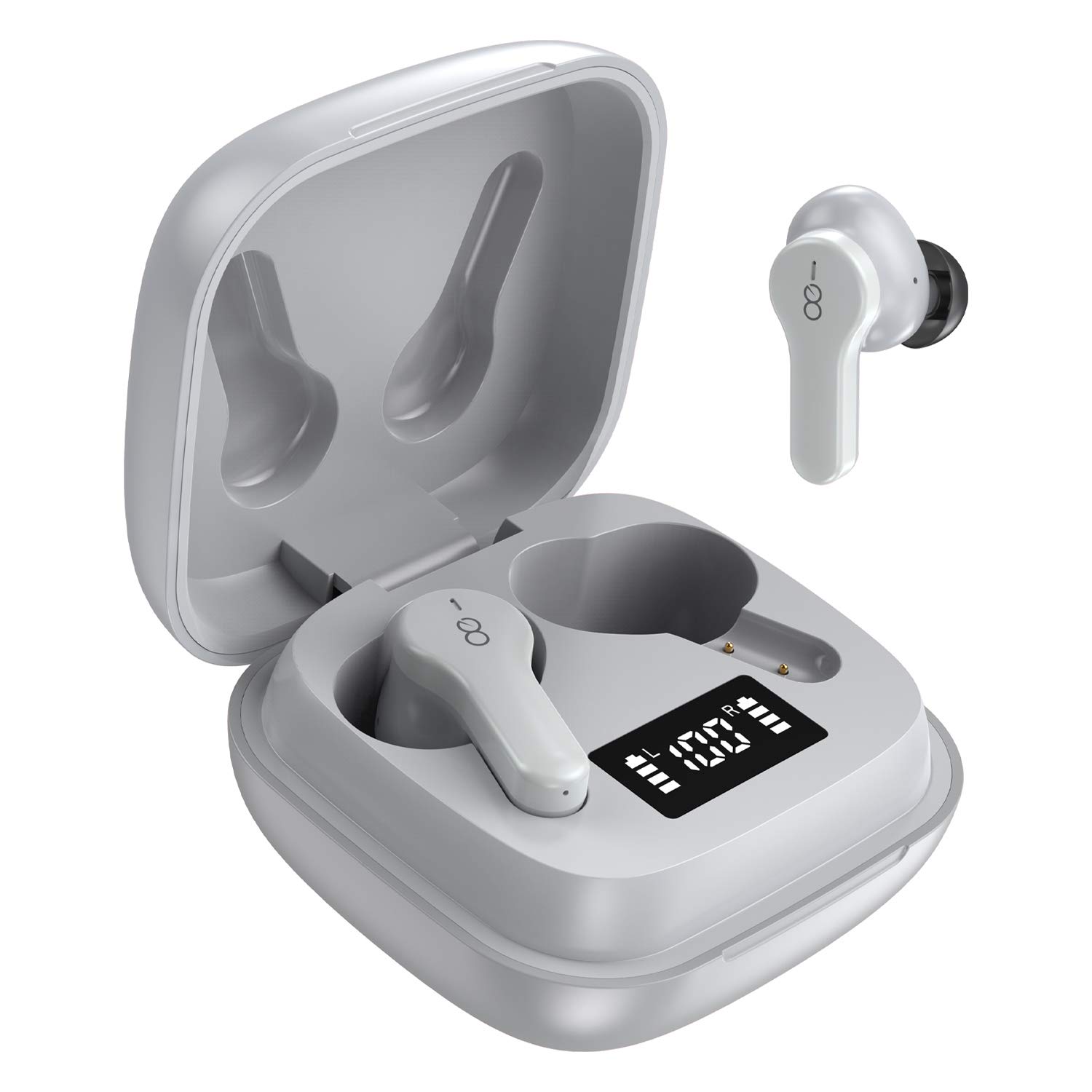
3. Chigadzirwa Pamusoroview
The Losei D65 earbuds feature a compact, in-ear design with touch controls. The accompanying charging case provides portable power and includes a digital display to show battery levels for both the case and individual earbuds.
Zvinokosha:
- Clear Call with 4-Mics Noise Reduction: Built-in 4 microphones with Environmental Noise Canceling (ENC) technology for clear calls.
- Individual Power Display: Digital kuratidza pacheji yekuchaja inoratidza huwandu hwebhatiritage for the case and charging status for each earbud.
- Wireless Charging & Extended Playtime: Supports wireless charging and provides up to 30 hours of total playtime with the charging case.
- Comfortable Fit & IPX7 Waterproof: Ergonomic design with multiple ear tip sizes and IPX7 water resistance for sports and daily use.
- Auto Pairing & Smart Touch Control: Automatic connection to the last paired device and intuitive touch controls for various functions.
4. Setup
4.1 Kuchaja maEarbuds uye Case
Usati watanga kushandisa, chaja zvizere maearbud nekesi yekuchaja.
- Kuchaja maEarbuds: Place the earbuds into the charging case. The marquee lights on the case will indicate charging. They will stop when fully charged.
- Kuchaja Kesi (Yakawaya): Connect the provided Type-C charging cable to the charging port on the case and to a USB power source. The digital display will show the battery percentagkuwedzeraasing. A full charge takes approximately 1.5-2 hours.
- Kuchaja Kesi (isina waya): Place the charging case on a compatible wireless charging pad (not included). The digital display will indicate charging status.
The charging case's digital display shows the battery percentage (1-100%). The individual earbud power consumption indicators show 4 grids, each representing 25% battery.
4.2 Kubatanidza neChishandiso Chako
The Losei D65 earbuds feature automatic pairing.
- Ita shuwa kuti Bluetooth yemudziyo wako yakabatidzwa.
- Vhura kesi yekuchaja. Maearbuds anozobatidza otomatiki uye opinda papairing mode.
- On your device, search for Bluetooth devices and select "Losei-D65" from the list.
- Kana yangobatanidzwa, uchanzwa simbisiro yekusimbisa, uye maearbuds anenge agadzirira kushandiswa.
The earbuds will automatically reconnect to the last paired device when taken out of the charging case.
5. Operating Instructions
5.1 Kudzora Kubata Kwakangwara
The Losei D65 earbuds utilize touch controls for various functions. The sensor area is typically located on the outer surface of each earbud.
- Tamba/Kumbomira: Top kamwechete pane imwe earbud.
- Next Track: Tokonya kaviri pane earbud yekurudyi.
- Previous Track: Tokonya kaviri kuruboshwe rwenzeve.
- Vhoriyamu Kumusoro: Tokonya katatu pane earbud yekurudyi.
- Vhoriyamu Pasi: Tokonya katatu pane earbud yekuruboshwe.
- Pindura/Pedzisa Kufona: Tokonya kamwe chete pane imwe earbud panguva yekufona.
- Ramba Kufona: Dzvanya uye ubate chero earbud kwemasekonzi maviri panguva yekufona.
- Shandisa Izwi Mubatsiri: Dzvanya wobata chero earbud kwemasekonzi maviri (kana usiri parunhare).
5.2 Multi-Using Modes
The earbuds support different usage scenarios:
- Mono Mamiriro: Each earbud can be used independently. This is ideal for driving or when you need to be aware of your surroundings. Simply take one earbud out of the case and connect it.
- Share Mode: You can share one earbud with another person to listen to the same audio content.
- Stereo Mode: Use both earbuds together for a full, immersive stereo sound experience.
6. Kuchengeta
6.1 Kuchenesa
Kuchenesa nguva dzose kunobatsira kuchengetedza ruzha rwemhando uye hutsanana.
- Shandisa jira rakapfava, rakaoma, risina lint kupukuta maearbud nekesi yekuchaja.
- Kuti uwane mazano munzeve, abvise kubva munzeve uye uchenese nesipo yakapfava kana zvichidikanwa, wonyatsogeza uye woomesa zvachose usati wabatanidza zvakare.
- Usashandise abrasive cleaners, doro, kana makemikari zvinonyungudutsa.
6.2 Kuchengeta
Kana isiri kushandiswa, chengeta maearbuds mukesi yavo yekuchaja kuti uzvidzivirire uye ugare wakachajwa.
- Chengetedza munzvimbo inotonhorera, yakaoma kure nekupisa kwakanyanya.
- Dzivisa kutarisana nechiedza chezuva kwenguva refu.
6.3 Kuramba Mvura (IPX7)
The Losei D65 earbuds are IPX7 waterproof, meaning they can withstand immersion in water up to 1 meter for 30 minutes. This makes them suitable for sports and protection against sweat and rain. However, they are not designed for swimming or prolonged submersion. Ensure the earbuds are dry before placing them back in the charging case to prevent damage.
7. Kugadzirisa matambudziko
If you encounter issues with your Losei D65 earbuds, refer to the following common solutions:
- Maearbuds asingabatanidzi kana kubatanidza:
- Ita shuwa kuti ese maearbud akachajwa.
- Dzima Bluetooth pamudziyo wako, wobva waibatidza zvakare.
- Forget/delete "Losei-D65" from your device's Bluetooth list and attempt to pair again.
- Place both earbuds back into the charging case, close the lid, wait a few seconds, then open the lid to reset.
- Imwe chete earbud inoshanda:
- Ita shuwa kuti ese maearbud akachajwa.
- Place both earbuds back into the charging case, close the lid, wait a few seconds, then open the lid. They should reconnect to each other automatically.
- If the issue persists, try resetting the earbuds as described in the pairing section.
- Poor sound quality or low volume:
- Rongedza vhoriyamu pane zvese mudziyo wako uye maearbuds.
- Ensure the ear tips are properly sealed in your ear canal. Try different sized ear tips for a better fit.
- Bvisa tsvina kubva pamasipika eearbud uye pamazano earbud.
- Iva nechokwadi chekuti hapana chinovhara pakati pemudziyo wako nema earbuds.
- Kesi yekuchaja isingabhadharisi:
- Tarisa tambo yekuchaja neadapta yemagetsi kuti uone kana paine kukuvara.
- Ita shuwa kuti Type-C tambo yakabatana zvakachengeteka kune ese ari maviri kesi uye sosi yemagetsi.
- If using wireless charging, ensure the case is correctly positioned on a compatible wireless charging pad.
8. Zvinotsanangurwa
| Model Name | Losei-D65 |
| Kubatana Technology | Wireless (Bluetooth 5.0) |
| Kuiswa Nzeve | Munzeve |
| Noise Control | Sound Isolation, Environmental Noise Canceling (ENC) |
| Mvura Resistance Level | IPX7 (Isingapindi mvura) |
| Control Type | Bata Kudzora |
| Hupenyu hwebhatiri (Earbuds) | Kusvika maawa mashanu pamutengo mumwe chete |
| Yese Yekutamba (neNyaya) | Kusvikira kumaawa makumi maviri nemashanu |
| Nguva yekuchaja (Nyaya) | Approx. 1.5-2 maawa |
| Kuchaja Interface | Type-C, Wireless Charging |
| Inowirirana Devices | Most Bluetooth-enabled devices (Android, iOS, PC, etc.) |
| Item Weight | 0.176 ounces (pa earbud imwe neimwe) |
| Product Dimensions | 1.18 x 1.54 x 1.85 inches (Kesi yekuchaja) |
9. Warranty uye Tsigiro
9.1 Ruzivo rweWaranti
The Losei D65 Wireless Earbuds come with a 12-mwedzi yekutsiva waranti. Additionally, returns are accepted within 30 days for a full refund. This warranty covers manufacturing defects and ensures customer satisfaction.
9.2 Mutengi Tsigiro
For any questions, issues, or support needs, please contact Losei customer service. Quick-response professional customer service is available to assist you.
Please refer to the product packaging or the official Losei websaiti kune chaiyo yekuonana ruzivo.


