Nhanganyaya
This manual provides comprehensive instructions for the setup, operation, and maintenance of your 1MORE Stylish True Wireless in-Ear Headphones, model E1026BT-I. Please read this manual thoroughly before using the product to ensure proper function and longevity.
Package Zviri mukati
Tarisa uone kuti zvinhu zvese zviripo mupakeji:
- 1MORE Stylish True Wireless Earbuds (Left and Right)
- Kuchaja Case
- USB Kuchaja Cable
- Multiple Pairs of Ear Tips (various sizes)
- Mushandisi Chinyorwa (gwaro iri)
Product Overview
The 1MORE Stylish True Wireless in-Ear Headphones feature a dynamic driver with a titanium composite diaphragm for balanced audio. They offer up to 6.5 hours of playtime on a single charge, extended to 24 hours with the charging case, and support quick charging. Connectivity is provided via an optimized Qualcomm chip with aptX and AAC compatibility for a stable Bluetooth 5.0 connection. The ergonomic design includes 45° oblique-angled nozzles for a secure fit.

Image: The 1MORE Stylish True Wireless Earbuds, pink in color, resting inside their matching pink charging case. The case is open, revealing the earbuds with their metallic pink finish and blue indicator lights.
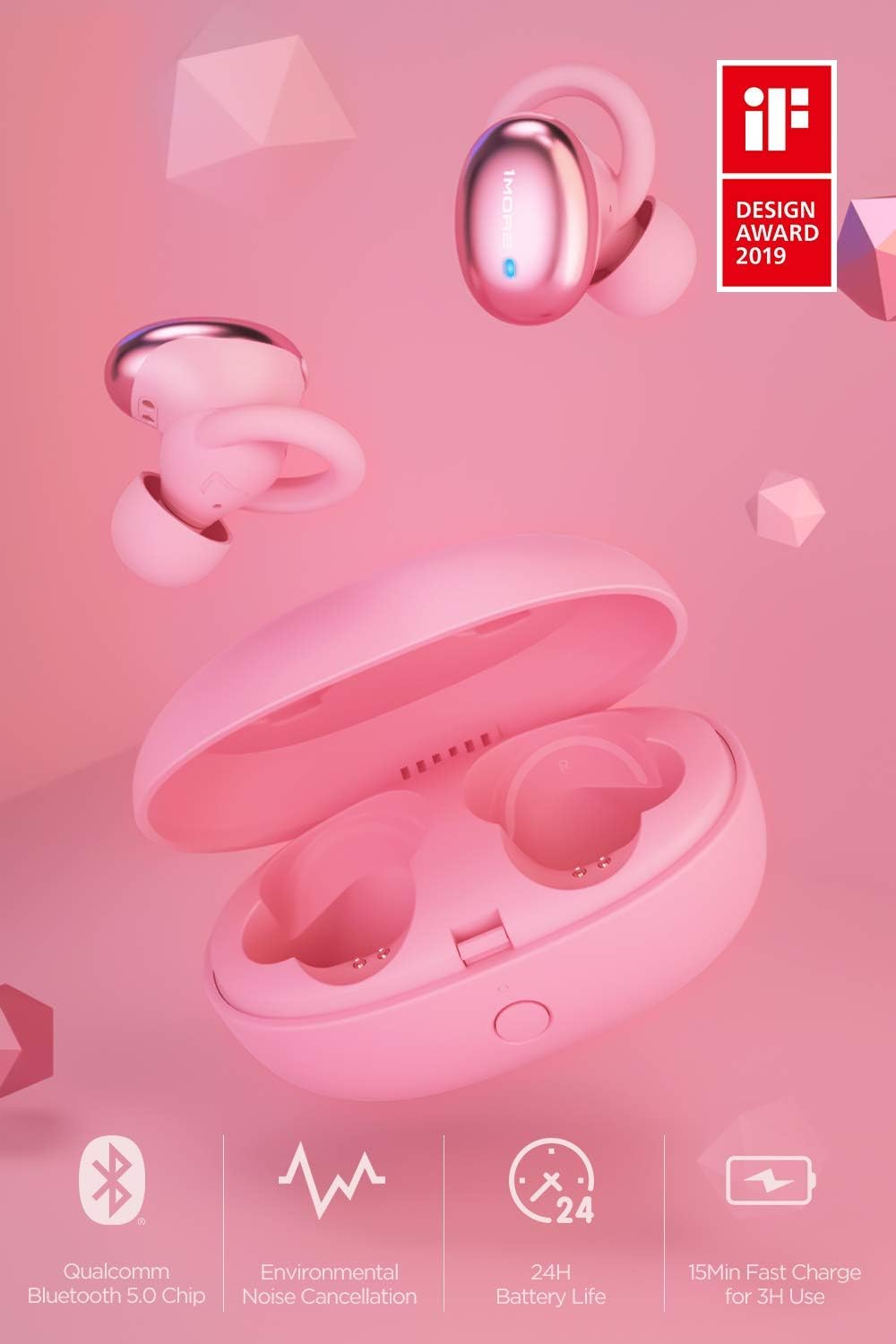
Mufananidzo: Kupfuuraview of the 1MORE Stylish True Wireless Earbuds, showcasing key features such as Qualcomm Bluetooth 5.0 Chip, Environmental Noise Cancellation, 24H Battery Life, and 15min Fast Charge for 3H Use. The earbuds and charging case are pink, with an 'iF DESIGN AWARD 2019' logo visible.
Gadzirira
1. Kuchaja maEarbuds uye Case
Usati watanga kushandisa, chaja zvizere maearbud nekesi yekuchaja.
- Place the earbuds into the charging case. Ensure they are seated correctly.
- Batanidza tambo yekuchaja yeUSB kune chinobatidza chiri pabhokisi uye kune simba (semuenzaniso, adapta yemadziro eUSB, chinobatidza USB yekombuta).
- The indicator light on the charging case will show charging status. A full charge typically takes approximately 2 hours for the case and earbuds.

Image: An illustration demonstrating the charging case and earbuds, highlighting the 24 hours of total battery life with the case and 6.5 hours of playtime for the earbuds on a single charge. The earbuds are shown both inside and outside the pink charging case.
2. Kubatanidza neBluetooth Device
The earbuds will automatically enter pairing mode when taken out of the charging case for the first time.
- Vhura bhokisi rekuchaja wobvisa maearbud ese ari maviri. Anobatidza otomatiki uye anoedza kubatana.
- Pamudziyo wako (smartphone, piritsi, laptop), enda kuBluetooth marongero uye wogonesa Bluetooth.
- Look for "1MORE Stylish TWS" in the list of available devices and select it to connect.
- Kana wangobatanidzwa, uchanzwa ruzha rwekunzwa, uye mwenje wechiratidzo pamahedhifoni uchachinja.
Cherechedza: If the earbuds do not automatically enter pairing mode, press and hold the multi-function button on both earbuds for 3 seconds until the indicator lights flash rapidly.
3. Kusarudza Mazano Enzeve Yakakodzera
Selecting the correct ear tip size is crucial for comfort, sound quality, and secure fit.
- Experiment with the different sizes of ear tips provided.
- A good fit will create a seal in your ear canal, enhancing bass response and noise isolation.
- The earbuds are designed with 45° oblique-angled nozzles for an ergonomic fit.

Image: A diagram illustrating the ergonomic design of the 1MORE Stylish True Wireless Earbuds, showing how they fit securely and comfortably within the ear, emphasizing the "Perfected Ergonomic Design for the Perfect Fit."
Operating Instruction
Simba On/Kudzima
- Power On: Remove earbuds from the charging case. They will power on automatically. Alternatively, press and hold the multi-function button for 2 seconds.
- Power Off: Place earbuds back into the charging case. They will power off automatically. Alternatively, press and hold the multi-function button for 4 seconds.
Music Playback

Image: An illustration showing the physical button controls on the 1MORE Stylish True Wireless Earbuds, with icons for Power, Music, Call, and Voice Assistant, indicating "Physical Button for Effortless Control."
- Tamba/Kumbomira: Single dzvanya bhatani re-multi-function pane chero earbud.
- Next Track: Dzvanya kaviri bhatani re-multi-function riri munzeve yekurudyi.
- Previous Track: Dzvanya kaviri bhatani re-multi-function riri kuruboshwe rwenzeve.
Fonera Management
- Pindura/Pedzisa Kufona: Single dzvanya bhatani re-multi-function pane chero earbud.
- Ramba Kufona: Dzvanya wobata bhatani rine mabasa akawanda pane chero earbud kwemasekondi maviri.
Voice Assistant
- Shandisa Izwi Mubatsiri: Triple press the multi-function button on either earbud.
Maintenance
Kuchenesa
- Garai kuchenesa maearbud nekesi yekuchaja nejira rakapfava, rakaoma, risina lint.
- Bvisa matipi nzeve woachenesa nesipo yakapfava nemvura, wobva wanyatsoomesa usati wabatanidza zvakare.
- Dzivisa kushandisa abrasive cleaners, solvents, kana aerosol sprays.
Storage
- Kana isiri kushandiswa, chengeta maearbuds mukesi yavo yekuchaja kuti uzvidzivirire uye ugare wakachajwa.
- Chengetedza munzvimbo inotonhorera, yakaoma, kure nekupisa kwakanyanya uye zuva rakananga.
Battery Care
- To preserve battery life, charge the earbuds and case regularly, even if not used frequently.
- Dzivisa kuburitsa bhatiri zvizere kwenguva yakareba.
Kugadzirisa matambudziko
| Dambudziko | Zvinogona Kukonzera | Solution |
|---|---|---|
| Maearbuds haasi kubatika | Bhatiri rakaderera | Isa maearbuds muchesi yekuchaja wochaja zvizere. |
| Haikwanise kubatanidzwa nemudziyo | Bluetooth haina kugoneswa; maearbuds asiri mukuita pairing mode; mudziyo wakanyanya kureba | Ensure Bluetooth is on. Remove earbuds from case to enter pairing mode. Keep device within 10 meters. Forget device on your phone and re-pair. |
| Hapana ruzha kana kuti ruzha rwakaipa | Incorrect ear tip size; low volume; connection issue | Adjust ear tips for a secure seal. Increase volume on device and earbuds. Reconnect Bluetooth. |
| Maearbuds haasi kuchaja | Improper placement in case; dirty charging contacts; faulty cable/charger | Ensure earbuds are correctly seated. Clean charging contacts. Try a different USB cable or power adapter. |
Zvinotsanangurwa
- Zita remuenzanisi: E1026BT-I
- Kubatana Technology: Bluetooth 5.0
- Audio Driver Type: Dynamic Driver
- Hupenyu hwebhatiri (Earbuds): Kusvikira kumaawa makumi maviri nemashanu
- Yese Yekutamba (ine Kesi yekuchaja): Kusvikira kumaawa makumi maviri nemashanu
- Quick Charge: 15 minutes charge for 3 hours of use
- Charging Time (Case & Earbuds): Anenge maawa maviri
- Kudzora nzira: Touch / Physical Button
- Chinhu Weight: 53 magiramu (zvese) / 1.87 ounces
- Zviyero zvechigadzirwa: 2.36 x 1.57 x 1.5 inches (Kesi yekuchaja)
- Special Features: Environmental Noise Cancellation (ENC) for calls, aptX and AAC compatibility, Ergonomic Fit
- UPC: 753575529154
Warranty uye Support
This product is covered under the Amazon Renewed Guarantee, which provides for replacement or refund if you are not satisfied with your purchase. For specific warranty details and support, please refer to the Amazon Renewed program terms or contact Amazon customer service.
For further assistance or technical support, please visit the official 1MORE websaiti kana kubata dhipatimendi ravo rebasa revatengi.
- Amazon Yakavandudzwa Guarantee: Learn more about Amazon Renewed
- Mugadziri: 1ZVIMWE


