1. Nhanganyaya
This manual provides detailed instructions for the safe and efficient operation of your Retekess TR106 Portable AM/FM Digital Tuning Radio. Please read this manual thoroughly before using the device and retain it for future reference.
2. Safety Information
- Do not expose the radio to extreme temperatures, direct sunlight, dust, or humidity.
- Dzivisa kudonhedza kana kuisa redhiyo panjodzi dzakasimba.
- Keep the radio away from water and other liquids.
- Usaedze kupatsanura kana kugadzirisa redhiyo. Izvi zvinoita kuti garandi isashande.
- Use only specified AAA batteries. Ensure correct polarity when inserting batteries.
- Remove batteries if the radio will not be used for an extended period.
3. Package Zviri mukati
Tarisa uone kuti zvinhu zvese zviripo mupakeji:
- 1 x Retekess TR106 FM AM Radio
- 1 x Chinyorwa cheMushandisi weChirungu
- 1 x Lanyard

4. Chigadzirwa Pamusoroview
The Retekess TR106 is a compact AM/FM digital tuning radio featuring an LCD display, built-in speaker, and various control buttons.

Kudzora uye Kuratidza:
- Bhatani reSimba: Inobatidza/kudzima redhiyo.
- Bhatani rebhendi: Switches between FM and AM bands.
- MEM Bhatani: Accesses memory functions.
- M-/M+ Buttons: Navigates through stored stations or adjusts settings.
- Tuning Dial/Buttons: Inogadzirisa maitikiro.
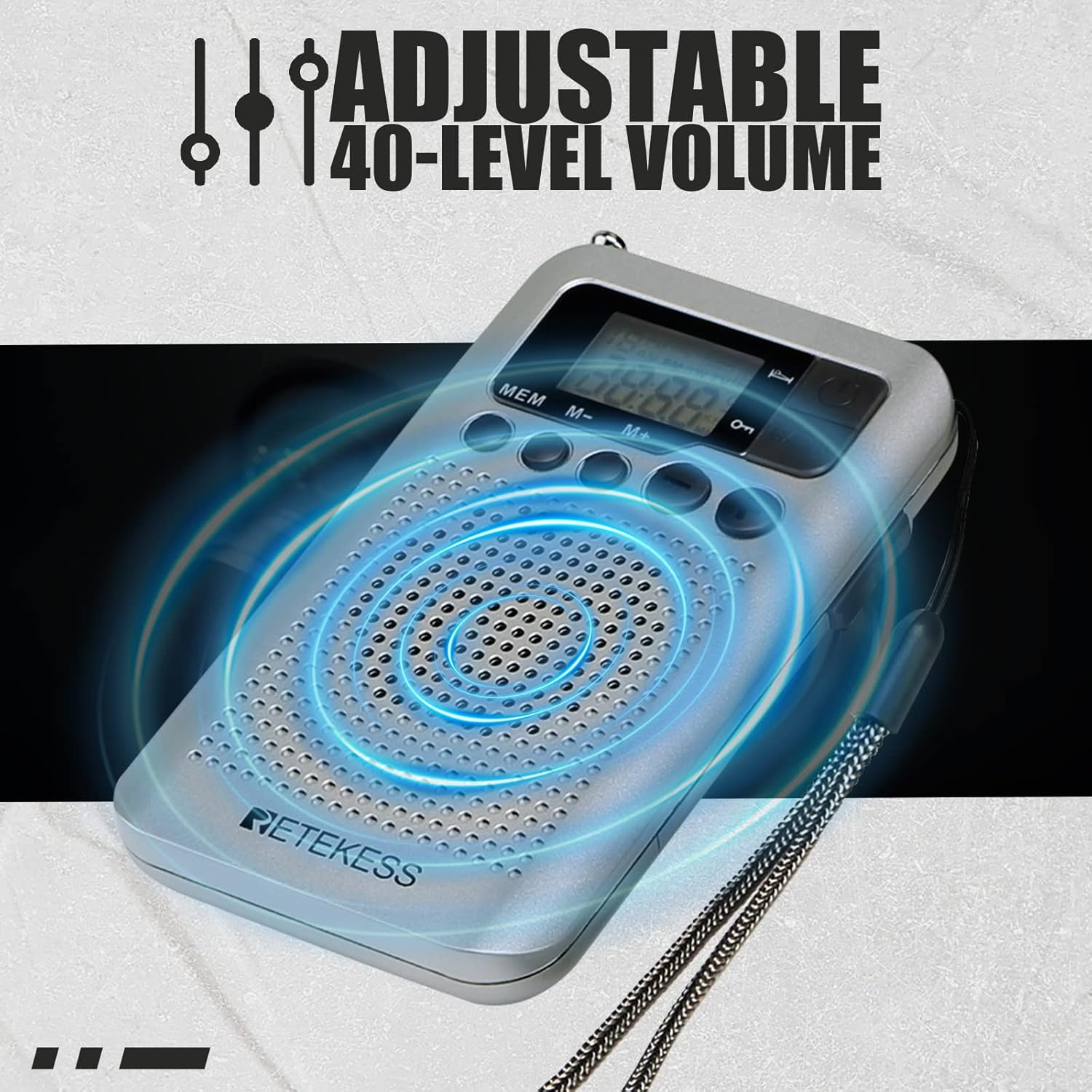
- Vhoriyamu +/- Mabhatani: Controls the audio volume (40 levels).
- Chiratidziro cheLCD: Shows frequency, time, band, and other indicators.
- 3.5mm Earphone Jack: For private listening and can act as an external antenna for FM.
- Antena Inodzoserwa: Improves FM reception.
5. Setup
5.1 Kuiswa kwebhatiri
The Retekess TR106 radio requires two AAA batteries (not included).
- Tsvaka chivharo chebhatiri kuseri kweredhiyo.
- Svetedza chivharo chivhure.
- Isa mabhatiri maviri eAAA, uchivimbisa kuti polarity (+ na -) yakakodzera sezvakaratidzwa mukati mekamuri.
- Vhara chivharo chebhatiri zvakachengeteka.

6. Operating Instructions
6.1 Simba On/Kudzima
Press the Simba button (usually located on the top right) to turn the radio on or off.
6.2 Kugadzirisa Vhoriyamu
Shandisa iyo Vhoriyamu +/- buttons to increase or decrease the sound level. The radio supports 40 levels of volume adjustment.
6.3 Selecting AM/FM Band
Press the BAND button to switch between FM (87-108MHz) and AM (520-1710KHz) frequency bands.
6.4 Nzvimbo dzekugadzirisa
You can tune stations manually or use the automatic search function.
- Chinyorwa Kugadziridza: Shandisa iyo Tuning +/- buttons (often on the side) to fine-tune the frequency.
- Otomatiki Kutsvaga: Kureba-press the Tuning +/- mabhatani ekuti utarise otomatiki kune inotevera chiteshi chiteshi.

6.5 Storing Preset Stations
The radio can store up to 35 stations per band.
- Tune kune chiteshi chako chaunoda.
- Dzvanya uye ubate iyo MEM button until 'P' appears on the display, indicating program mode.
- Shandisa iyo M-/M+ buttons to select a memory slot (e.g., P01, P02).
- Press the MEM bhatani zvakare kusimbisa uye kuchengetedza chiteshi.
6.6 Recalling Preset Stations
Muredhiyo modhi, tinya muchidimbu MEM bhatani, wobva washandisa iyo M-/M+ buttons to cycle through your stored stations.
6.7 Basa reKutora Nguva Yekurara
The sleep timer allows the radio to automatically turn off after a set period (0-90 minutes).
- While the radio is on, press and hold the Simba bhatani.
- The display will show '90'.
- Muchidimbu dzvanya iyo Simba button repeatedly to cycle through the sleep timer options (90, 80, 70...0 minutes).
- Stop at your desired time. The setting will be saved automatically.

6.8 Alarm Clock Setting
The radio can be set to turn on at a specific time as an alarm.
- Redhiyo yakadzimwa, dzvanya uye ubate iyo Simba bhatani rekuisa nguva yekuseta modhi.
- Shandisa iyo Tuning +/- mabhatani ekugadzirisa awa, wobva wadzvanya MEM kusimbisa.
- Dzokorora kwemaminitsi.
- To set the alarm, press the Simba button again after setting the time. The alarm icon will appear.
- Gadzirisa awa yealamu nemaminitsi uchishandisa Tuning +/- mabhatani uye simbisa ne MEM.
- To activate/deactivate the alarm, briefly press the Simba button when the radio is off. The alarm icon will show/hide.
6.9 Kushandisa Earphone
Plug any 3.5mm wired earphones into the earphone jack for private listening. The earphone cable also functions as an external antenna for improved FM reception.
6.10 AM Frequency Step Adjustment (9KHz/10KHz)
The AM frequency step can be adjusted for different regions (e.g., 9KHz for Europe/Asia, 10KHz for North/South America).
- Redhiyo yakadzimwa, dzvanya uye ubate iyo MEM bhatani kwemasekonzi mashoma.
- The display will show '9' or '10'.
- Press the Tuning +/- buttons to switch between 9KHz and 10KHz.
- Press the Simba bhatani rekusimbisa nekubuda.
6.11 Video Tutorial: How to Operate Retekess TR106
Video: A visual guide demonstrating the basic operation of the Retekess TR106 radio, including battery installation, tuning, and setting functions.
7. Kuchengeta
- Chenesa redhiyo nejira rakapfava, rakaoma. Usashandise zvinochenesa zvinogumbura kana zvinonyungudutsa.
- Keep the radio in a dry place when not in use.
- Regularly check the battery compartment for corrosion.
8. Kugadzirisa matambudziko
| Dambudziko | Zvinogona Kukonzera | Solution |
|---|---|---|
| Radio haibatike. | Mabhatiri akafa kana kuiswa zvisizvo. | Tsiva mabhatiri nemabhatiri matsva eAAA, kuve nechokwadi chekuti polarity iripo. |
| Poor reception (static/weak signal). | Weak signal area; antenna not extended; interference. | Extend the telescopic antenna fully. Try moving to a different location. If using FM, plug in earphones to act as an additional antenna. |
| Hapana ruzha. | Volume is too low; earphones plugged in. | Increase the volume. If earphones are plugged in, sound will only come through them. Unplug earphones for speaker output. |
| Cannot store stations. | Incorrect procedure followed. | Refer to section 6.5 "Storing Preset Stations" for the correct steps. |
9. Zvinotsanangurwa
- Muenzaniso: TR106
- Frequency Range:
- FM: 87-108MHz
- AM: 520-1710KHz
- Kunobva Simba: 2 x AAA batteries (DC 3V)
- Mutauri Yakavakwa-mukati
- Nhare mbozha Jack: 3.5mm
- Mavhoriyamu Levels: 40
- Preset Stations: Up to 35 per band
- Kurara Nguva: 0-90 maminitsi
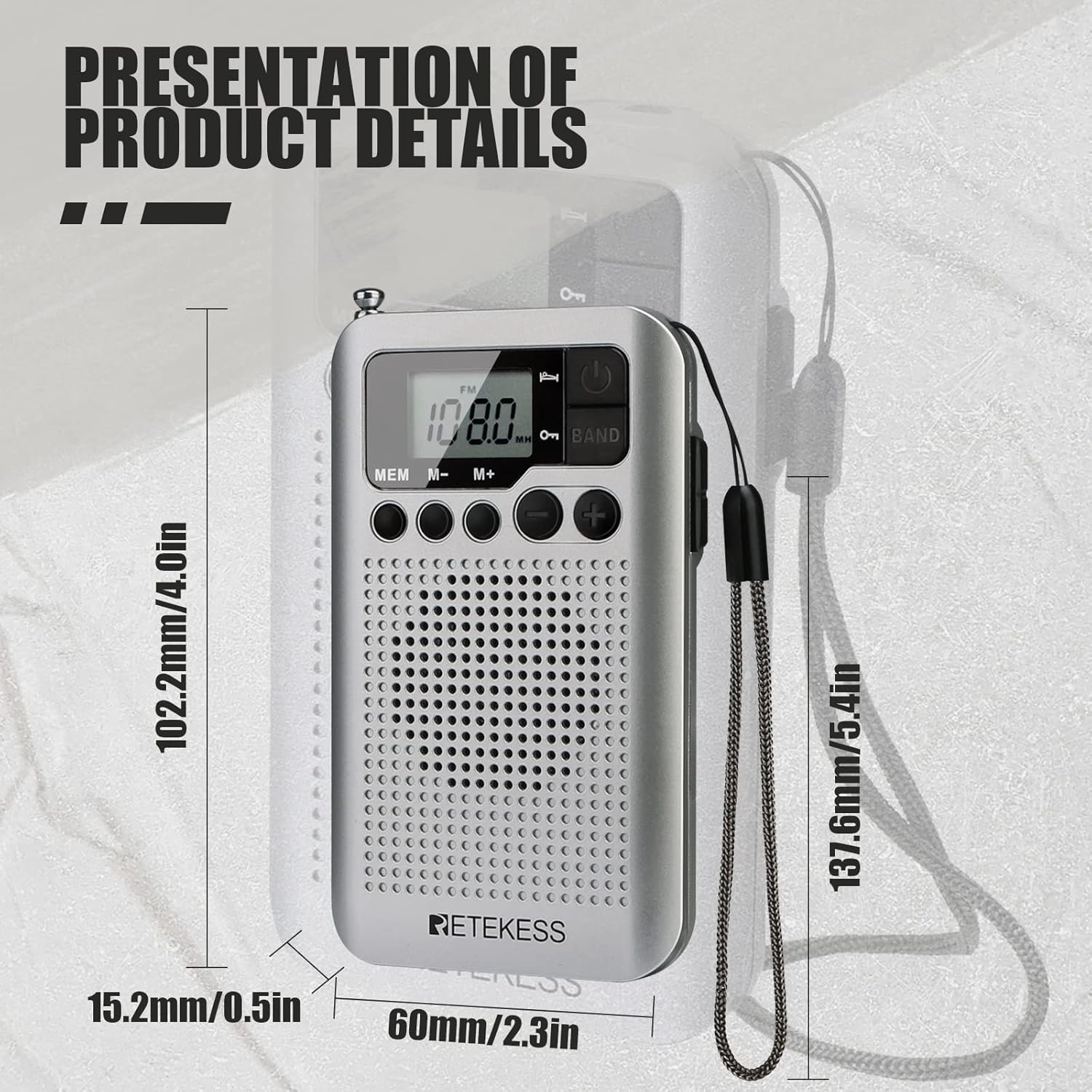
- Dimensions: Approximately 102.2mm (L) x 60mm (W) x 15.2mm (H) / 4.09" x 2.36" x 0.61"
- Kurema Anenge 2.72 ounces
10. Warranty uye Tsigiro
Retekess products typically come with a 12-month guarantee. For warranty claims, technical support, or customer service inquiries, please refer to the contact information provided with your purchase or visit the official Retekess website.
Mugadziri: Retekess


