1. Nhanganyaya
Ndatenda nekutengaasing the Yenkee YSP 2025 2.0 PC Speaker System. This manual provides detailed instructions for setting up, operating, and maintaining your new speakers. Please read this manual thoroughly before use to ensure proper operation and to maximize the lifespan of your product.
The Yenkee YSP 2025 speaker system is designed to enhance your multimedia audio experience with powerful and clear sound. It features versatile connectivity options including Bluetooth 5.0, 3.5mm audio input, TF card reader, and USB port for various audio sources.
2. Safety Information
Kuti uve nechokwadi chekushanda kwakachengeteka uye kudzivirira kukuvadzwa, ndapota chengeta zvinotevera zvekuchengetedza:
- Usaisa masipika mumvura, hunyoro, kana tembiricha yakanyanya.
- Do not place the speakers near heat sources such as radiators, heat registers, stoves, or other apparatus (including amplifiers) zvinoburitsa kupisa.
- Shandisa zvakanamirwa chete/zvishandiso zvinotsanangurwa nemugadziri.
- Bvisa mudziyo uyu panguva yemadutu emheni kana kuti usina kushandiswa kwenguva yakareba.
- Tumira masevhisi ese kuvashandi vanokwanisa. Kushumira kunodiwa kana mudziyo wakuvadzwa neimwe nzira, senge tambo yemagetsi-yekugovera kana plug yakuvadzwa, mvura yadeuka kana zvinhu zvawira mumidziyo, iyo midziyo yave ichinaya mvura kana hunyoro, haishande zvakajairika. , kana kuti yadonha.
- Usavhare chero mazaru emhepo. Isa maererano nemirairo yemugadziri.
- Chengetedza tambo yemagetsi kubva pakufambiswa kana kudzvanywa, kunyanya pamapulagi, midziyo yekurerutsira, nenzvimbo yavanobuda kubva mumidziyo.
3. Package Zviri mukati
Ndapota tarisa zviri mupakeji kana muchibvisa zvinhu. Kana paine zvinhu zvisipo kana kuti zvakakuvara, taurai nemutengesi wenyu.
- Yenkee YSP 2025 2.0 PC Speaker System (2 speakers)
- Remote Control
- 3.5mm Audio Cable
- Power Cable
- User Manual
4. Chigadzirwa Pamusoroview
Familiarize yourself with the components and controls of your Yenkee YSP 2025 speaker system.

Mufananidzo 4.1: Mberi view of the Yenkee YSP 2025 speakers, showing the main speaker with control panel on the side and the secondary speaker.
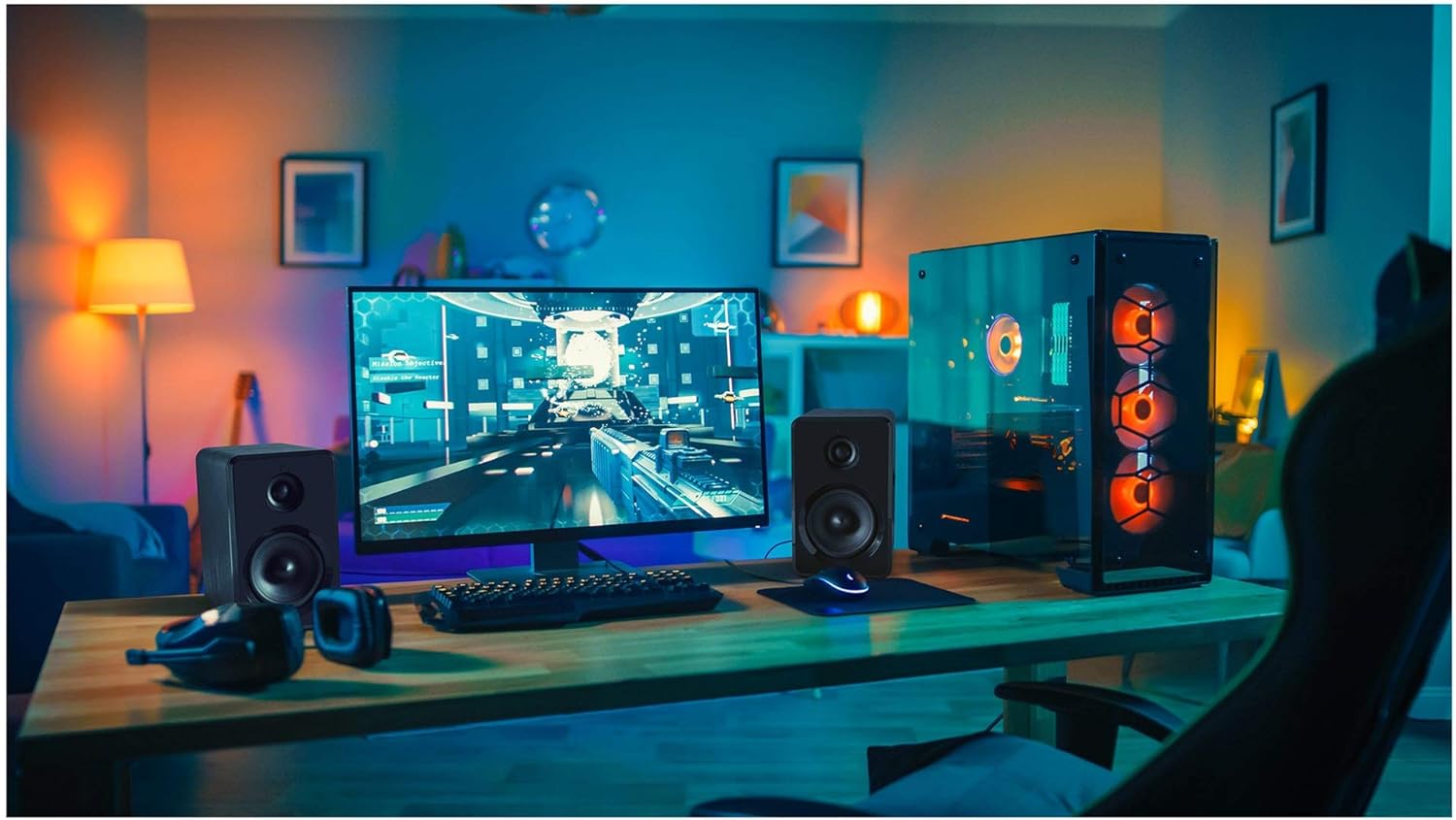
Mufananidzo 4.2: Yenkee YSP 2025 speakers integrated into a typical desktop computer setup, demonstrating their compact size and placement beside a monitor.

Mufananidzo 4.3: The retail packaging for the Yenkee YSP 2025 speakers, highlighting key features and including an image of the remote control.
4.1 Main Speaker Controls and Ports
The main speaker houses the primary controls and connectivity ports:
- Vhoriyamu Knob: Inogadzirisa huwandu hwese.
- Bhatani reModhi: Cycles through input modes (Bluetooth, AUX, USB, TF).
- Bhatani reTamba/Kumbomira: Controls playback in Bluetooth, USB, and TF modes.
- Mabhatani Anotevera/Anotevera: Navigates tracks in Bluetooth, USB, and TF modes.
- USB Port: Kuti utarise USB flash drive.
- TF Kadhi Slot: For TF (microSD) card playback.
- Kupinza kweAUX (3.5mm): For connecting external audio devices via cable.
- Power Input: Inobatanidza kune adapta yemagetsi.
- Mutauriri Inobatanidza kune imwe speaker yechipiri.
4.2 Remote Kudzora
Iyo inosanganisirwa remote control inopa nyore kuwana kune akasiyana mabasa:
- Simba On/Kudzima
- Mode Selection
- Volume Up/Down
- Mute
- Tamba/Misa
- Yakapfuura/Inotevera Track
- EQ Presets (if available)
5. Setup
5.1 Kuiswa kweMutauriri
For optimal sound quality, place the speakers on a stable, flat surface. Position them equidistant from your listening position, forming an equilateral triangle for the best stereo imaging. Ensure there is adequate ventilation around the speakers.
5.2 Kubatanidza MaSpeaker
- Connect the cable from the secondary speaker to the "Speaker Output" port on the main speaker.
- Connect the power cable to the "Power Input" on the main speaker, then plug the other end into a standard wall outlet (100-240V).
5.3 Kubatanidza Matsime Enzwi
5.3.1 AUX Kubatana
Use the included 3.5mm audio cable to connect your device (e.g., computer, smartphone, MP3 player) to the "AUX Input" port on the main speaker.
5.3.2 USB/TF Card Connection
Insert a USB flash drive or TF (microSD) card into the respective port on the main speaker. The system will automatically switch to USB/TF mode and begin playing supported audio files.
6. Operating Instructions
6.1 Simba On/Kudzima
Press the Power button on the remote control or the main speaker to turn the speakers on or off.
6.2 Mode Sarudzo
Press the "MODE" button on the main speaker or the remote control to cycle through the available input modes: Bluetooth, AUX, USB, and TF.
6.3 Kudzora Inzwi
Rotate the volume knob on the main speaker clockwise to increase volume and counter-clockwise to decrease. Alternatively, use the Volume Up/Down buttons on the remote control.
6.4 Bluetooth Pairing
- Switch the speaker system to Bluetooth mode. The indicator light will flash, indicating it's ready for pairing.
- On your Bluetooth-enabled device (e.g., smartphone, tablet, computer), enable Bluetooth and search for available devices.
- Select "Yenkee YSP 2025" from the list of devices.
- Once paired, the indicator light will stop flashing and remain solid. You can now play audio wirelessly from your device.
6.5 USB/TF Playback
When a USB flash drive or TF card is inserted, the speakers will automatically switch to the corresponding mode and begin playing audio files. Use the Play/Pause and Previous/Next Track buttons on the main speaker or remote control to manage playback.
7. Kuchengeta
Kugadziriswa kwakakodzera kunovimbisa kugara kwenguva refu uye kushanda zvakanaka kwemaspika ako:
- Kuchenesa: Use a soft, dry cloth to clean the speaker surfaces. Do not use abrasive cleaners, waxes, or solvents.
- Kuchengeta: If storing the speakers for an extended period, unplug them from the power outlet and store them in a cool, dry place, away from direct sunlight and extreme temperatures.
- Kufefetedza Ita shuwa kuti mavhuriro ekufemesa haana kuvharwa kudzivirira kupisa.
8. Kugadzirisa matambudziko
If you encounter issues with your Yenkee YSP 2025 speakers, refer to the following common problems and solutions:
| Dambudziko | Zvinogona Kukonzera | Solution |
|---|---|---|
| Hapana ruzha |
|
|
| Inzwi rakakanganiswa |
|
|
| Bluetooth pairing nyaya |
|
|
| Kadhi reUSB/TF harisi kutamba |
|
|
9. Zvinotsanangurwa
Detailed technical specifications for the Yenkee YSP 2025 speaker system:
| Model Number | YSP 2025 |
| Mutauri Rudzi | 2.0 PC Speaker System |
| Simba reKubuda (RMS) | 40 W |
| Frequency Response | 60 Hz - 20 kHz |
| Bluetooth Version | 5.0 |
| Kubatana Sarudzo | Bluetooth, 3.5mm AUX, USB, TF Card |
| Dimensions (pamutauri) | 115 x 185 x 159 mm (W x H x D) |
| Total Weight | 2.5 kg |
| Magetsi | AC 100-240V |
| Kudzora Nzira | Bhatani Rokudzvanya, Kudzora Kure |
| Color | Nhema |
10. Warranty uye Tsigiro
Yenkee products are manufactured to the highest quality standards. For information regarding warranty terms and conditions, please refer to the warranty card included with your product or contact your local retailer. Keep your purchase receipt as proof of purchase.
For technical support or service inquiries, please contact the retailer where you purchased the product or visit the official Yenkee websaiti yeruzivo rwekusangana.


