Nhanganyaya
Thank you for choosing the TMY Mini Movie Projector. This portable 1080P Full HD projector is designed to provide a versatile entertainment experience with built-in apps, advanced connectivity, and user-friendly features. Please read this manual carefully to ensure proper setup and optimal performance.
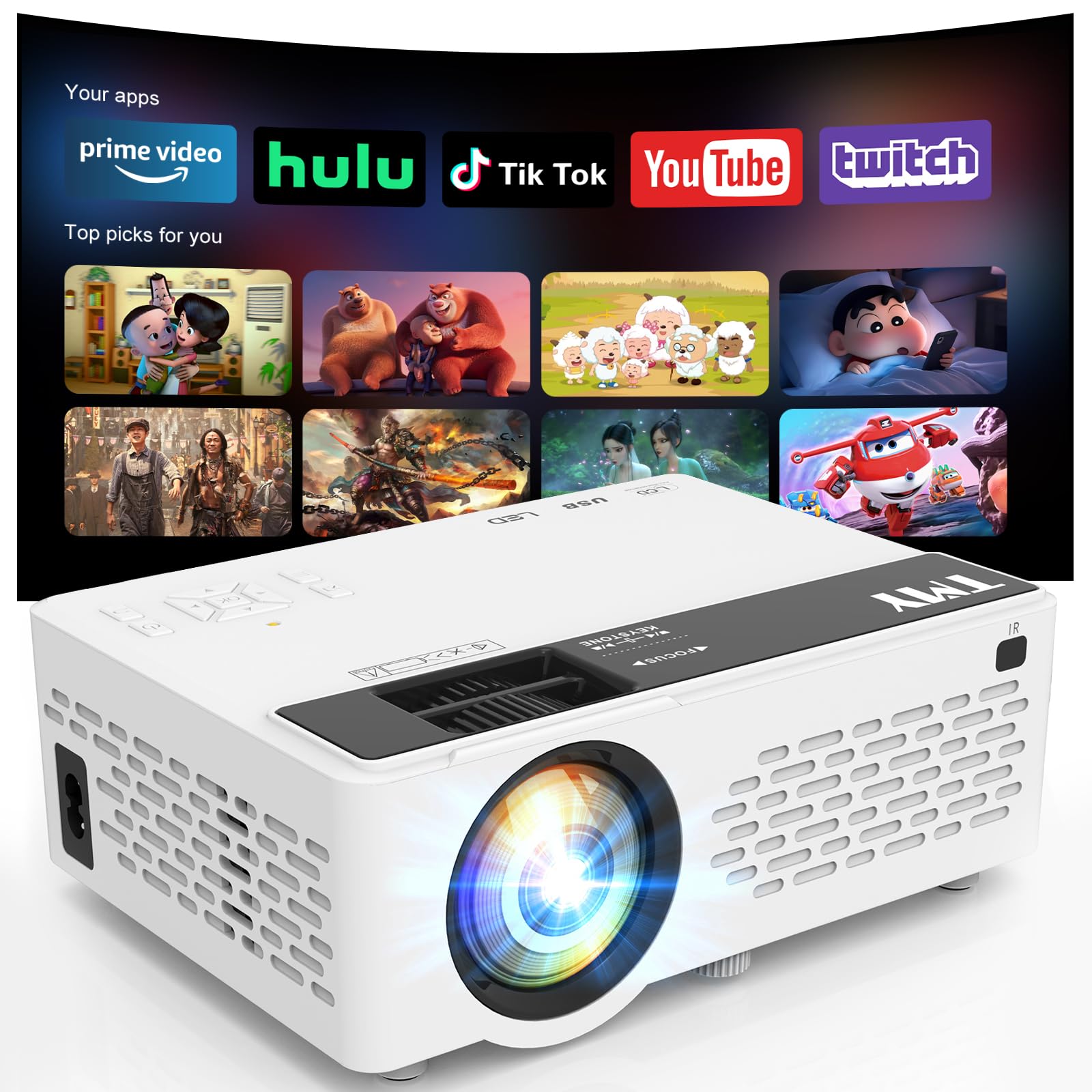
Image: The TMY Mini Movie Projector, its remote control, and power cable laid out on a wooden surface.
Key Features
- All-in-One Entertainment Hub: Pre-installed apps like Prime Video and YouTube for instant streaming.
- Upgraded 1080P HD Video: Enhanced LED light source with 50% increased brightness and Full HD support.
- WiFi 6 Lightning Connect: Faster speeds for connections and seamless wireless screen mirroring from iOS/Android devices.
- Two-way Bluetooth 5.2: Connect to external Bluetooth speakers for immersive audio or use the projector as a Bluetooth speaker.
- Multi-Device HDMI/USB Ports: Versatile connectivity for gaming consoles, laptops, Fire Sticks, and other devices.
- 50%-100% Zoom Function: Adjust screen size without moving the projector.
- Otomatiki Kurara Basa: Seta timer yekudzima otomatiki.
Gadzirira
1. Unboxing uye Kutanga Kuongorora
Carefully remove all components from the packaging. Ensure all items listed in the 'What's in the Box' section are present and undamaged.
2. Simba Connection
Connect the power cord to the projector's power input and then to a power outlet. The power indicator light will illuminate.
3. Kugadzwa
Isa purojekita panzvimbo yakagadzikana, yakati sandara. For optimal viewing, position the projector perpendicular to your projection surface (wall or screen). The projector can be placed on a table, shelf, or mounted on a tripod (not included).
4. Kugadzirisa Kutarisa uye Keystone
Turn on the projector. Adjust the focus ring on the lens until the projected image is clear and sharp. Use the keystone correction slider to adjust the image shape if it appears trapezoidal, ensuring a rectangular display.

Image: A visual guide illustrating various projection screen sizes (40" to 180") and the physical controls for focus and keystone correction on the projector.
5. Kubatanidza Zvishandiso
Iyo purojekita inotsigira akawanda ekuisa masosi:
- HDMI: Connect gaming consoles, laptops, TV sticks, etc., using an HDMI cable.
- USB: Insert a USB drive for media playback.
- TF Card: Insert a TF (MicroSD) card for media playback.
- WiFi 6: Connect to your home network for built-in app access and wireless screen mirroring.
- Makaralı 5.2: Pair with external Bluetooth speakers or use the projector as a Bluetooth speaker.

Image: An illustration detailing the multiple device connection options available on the TMY projector, including HDMI, USB, audio jack, and wireless connections like Android, iOS, tablet, Bluetooth 5.2, and WiFi 6.
Operating Instruction
1. Simba On / Off
Dzvanya bhatani remagetsi papurojekita kana remote control kuti ubatidze kana kudzima mudziyo.
2. Navigation
Use the directional buttons and 'OK' button on the projector's control panel or the remote control to navigate through menus and select options.
3. Source Selection
From the home screen, select your desired input source (HDMI, USB, TF, or built-in apps) using the navigation buttons.
4. Using Built-in Apps
Connect the projector to a WiFi 6 network. Navigate to the 'Apps' section on the home screen to access pre-installed applications like Prime Video and YouTube. Ensure a stable internet connection for smooth streaming.

Image: The TMY Mini Movie Projector projecting a screen filled with various app icons, including Prime Video, YouTube, Hulu, Britbox, Plex, and others, onto a wall.
5. Kutarisa Sikirini Isina Waya
For iOS/Android devices, select the screen mirroring option from the projector's menu. Follow the on-screen instructions to connect your smartphone or tablet wirelessly.

Image: A living room setting at night, with two people on a couch playing a video game projected onto a large screen by the TMY projector, highlighting its Super Fast WiFi6 Mirroring capability.
6. Basa reZoom
Use the 50%-100% zoom function to adjust the size of the projected image without physically moving the projector. This feature is accessible via the projector's menu or remote control.

Image: A visual representation of the TMY projector's 50%-100% zoom function, showing how the projected image size can be adjusted without moving the device.
7. Zvirongwa zveModhiyo
The projector has a built-in speaker. For enhanced audio, connect external Bluetooth speakers via the Bluetooth 5.2 feature. Alternatively, the projector can function as a standalone Bluetooth speaker for your phone.

Image: A nighttime outdoor scene with two people sitting on a blanket, one playing a guitar, and the TMY projector acting as a two-way Bluetooth speaker, connected to a smartphone.
8. Automatic Sleep Function
To set a timer for automatic shutdown, navigate to the settings menu and select the 'Auto Sleep Function'. Choose your desired duration (e.g., 1H, 8H, 20H, 24H).

Image: A child sleeping peacefully in bed, with the TMY projector on a nearby nightstand, projecting an image onto the wall, demonstrating the Auto Sleep Function with timer options (1H, 8H, 20H, 24H).
Maintenance
1. Kuchenesa
Regularly clean the projector lens with the provided cleaning kit or a soft, lint-free cloth. Avoid using abrasive cleaners. Keep the projector's ventilation openings clear of dust and debris to ensure proper cooling.
2. Kuchengeta
When not in use, cover the lens with the protective cap. Store the projector in a cool, dry place away from direct sunlight and extreme temperatures.

Image: An internal diagram of the TMY projector highlighting its dual fans and double cooling effect, indicating efficient heat dissipation for prolonged use.
Kugadzirisa matambudziko
- Mufananidzo Wakasviba: Adjust the focus ring and keystone correction slider until the image is clear and rectangular.
- Hapana Inzwi: Check the volume settings on the projector and your connected device. Ensure external Bluetooth speakers are properly paired if in use.
- Matambudziko Ekubatanidza: For WiFi, ensure the projector is within range of your router and the password is correct. For Bluetooth, ensure the device is in pairing mode and within range. For HDMI/USB, ensure cables are securely connected.
- Kupenya kwakaderera: For optimal viewing, use the projector in a dimly lit or dark room.
Zvinotsanangurwa
- Package Dimensions: 8.86 x 8.62 x 4.17 inches
- Chinhu Weight: 2.51 makirogiramu
- ASIN: B0G3F3DDRN
- Ratidza Resolution: 1280 x 720
- Kubatana Technology: 3.5mm Jack, HDMI, USB, Wi-Fi
- Special Features: Built-In Cooling System, Built-In Speaker, Lightweight, Built-in Apps
- Zvinokurudzirwa Zvishandiso: Mitambo, Mabhaisikopo Epamba
- Mugadziri: JFK
- Kutanga Kuwanikwa: Mbudzi 22, 2025
Chii chiri muBhokisi
- TMY Mini Movie Projector
- Yekuchenesa Kit
- HDMI Cable
- Power Cord
- User Manual
- Warranty Card
Warranty uye Support
Warranty Information
The TMY Mini Movie Projector comes with a 3-year warranty. Please refer to the included Warranty Card for detailed terms and conditions.
Return Policy
Enjoy a 30-day return policy for your purchase. Please check the retailer's specific return guidelines.
Mutengi Support
For any inquiries or technical assistance, TMY offers quick replies within 24 hours. Refer to the contact information provided on your Warranty Card or the official TMY websaiti yeruzivo rwekutsigira.
Zvirongwa zvekudzivirira
Zvirongwa zvekudzivirira zvakawedzerwa zviripo kuti zvitengeswe:
- 2-Yegore Dziviriro Chirongwa
- 3-Yegore Dziviriro Chirongwa
- Dziviriro Yakazara: Chirongwa chimwe chete chinofukidza zvese zvinotengwa kare uye mune ramangwana (kubhadhara kwemwedzi)


