1. Nhanganyaya
This manual provides essential information for the proper use and maintenance of your Soundcore Anker Life 2 Neo Wireless Headphones. Please read it thoroughly before using the product to ensure optimal performance and longevity.
2. Chii chiri muBhokisi
- Soundcore Anker Life 2 Neo Wireless Headphones
- USB-C Kuchaja Cable
- 3.5mm Audio Cable
- Mushandisi Chinyorwa (gwaro iri)
3. Zvigadzirwa zveChigadzirwa
- 100% More Bass: Oversized 40mm titanium-coated drivers with BassUp technology for enhanced bass output.
- Hi-Res Audio: Delivers sound up to 40 kHz for a rich listening experience.
- Yakawedzerwa Nguva Yekutamba: Kusvika kumaawa mana ekuramba uchitamba uchingochaja imwe chete.
- Kuchaja nekukurumidza: 5-minute charge provides 5 hours of listening via the high-speed USB-C port.
- Yakagadzikana Dhizaini: Features memory foam earcups, an adjustable headband, and flexible earcups for extended wear.
- Kubatana: Bluetooth 5.0 for wireless connection and a 3.5mm audio jack for wired listening.
- Yakagadzirwa Dhizaini: Compact uye inotakurika kuitira nyore kuchengetedza uye kutakura.

Image: Soundcore Life 2 Neo Headphones highlighting Hi-Res Audio certification.

Image: Diagram illustrating the BassUp Technology within the Soundcore Life 2 Neo Headphones.
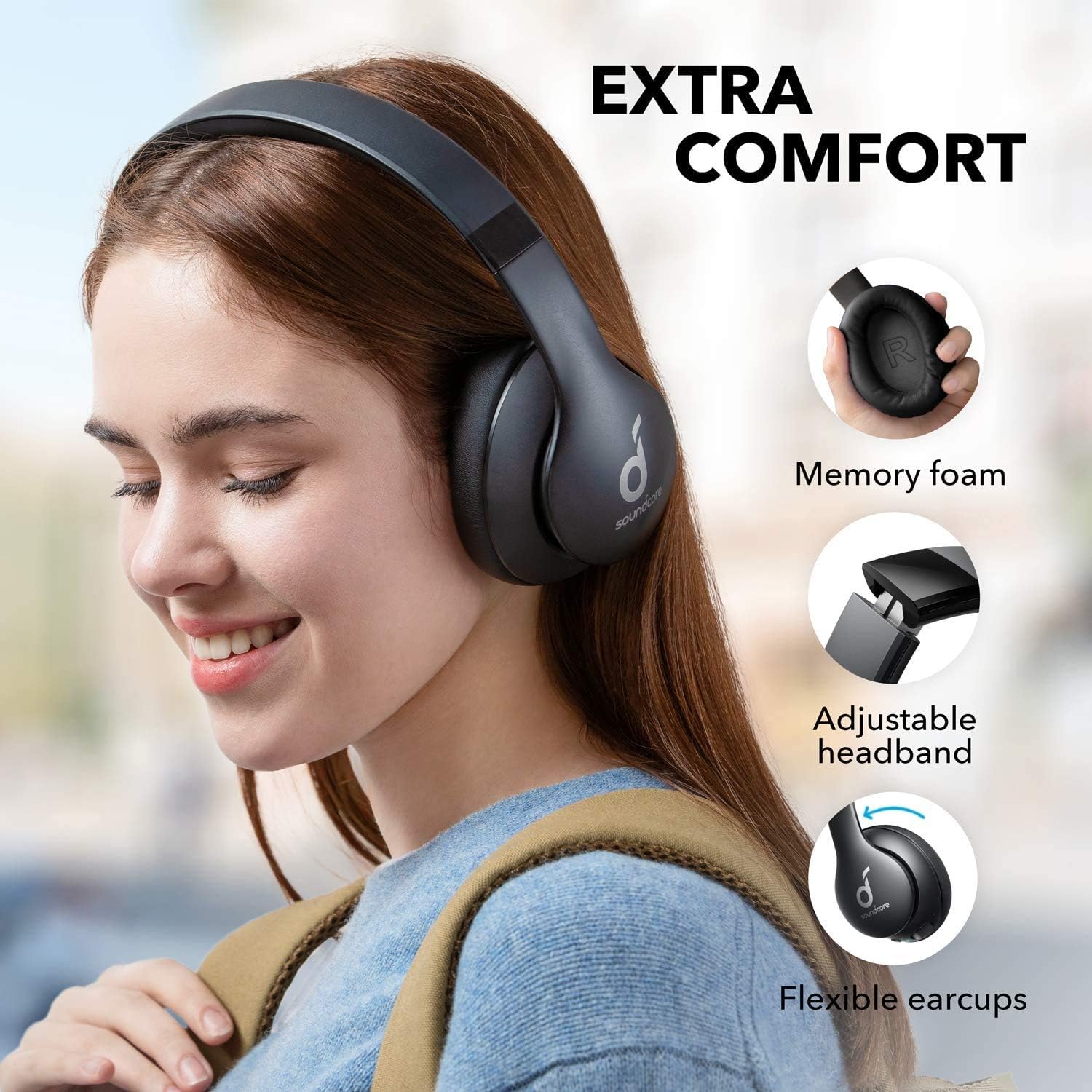
Image: Soundcore Life 2 Neo Headphones demonstrating memory foam, adjustable headband, and flexible earcups for extra comfort.
4. Setup
4.1 Kuchaja mahedhifoni
Before first use, fully charge your headphones. Connect the provided USB-C cable to the charging port on the headphones and the other end to a compatible USB power source (e.g., wall adapter, computer USB port). The LED indicator will show charging status.
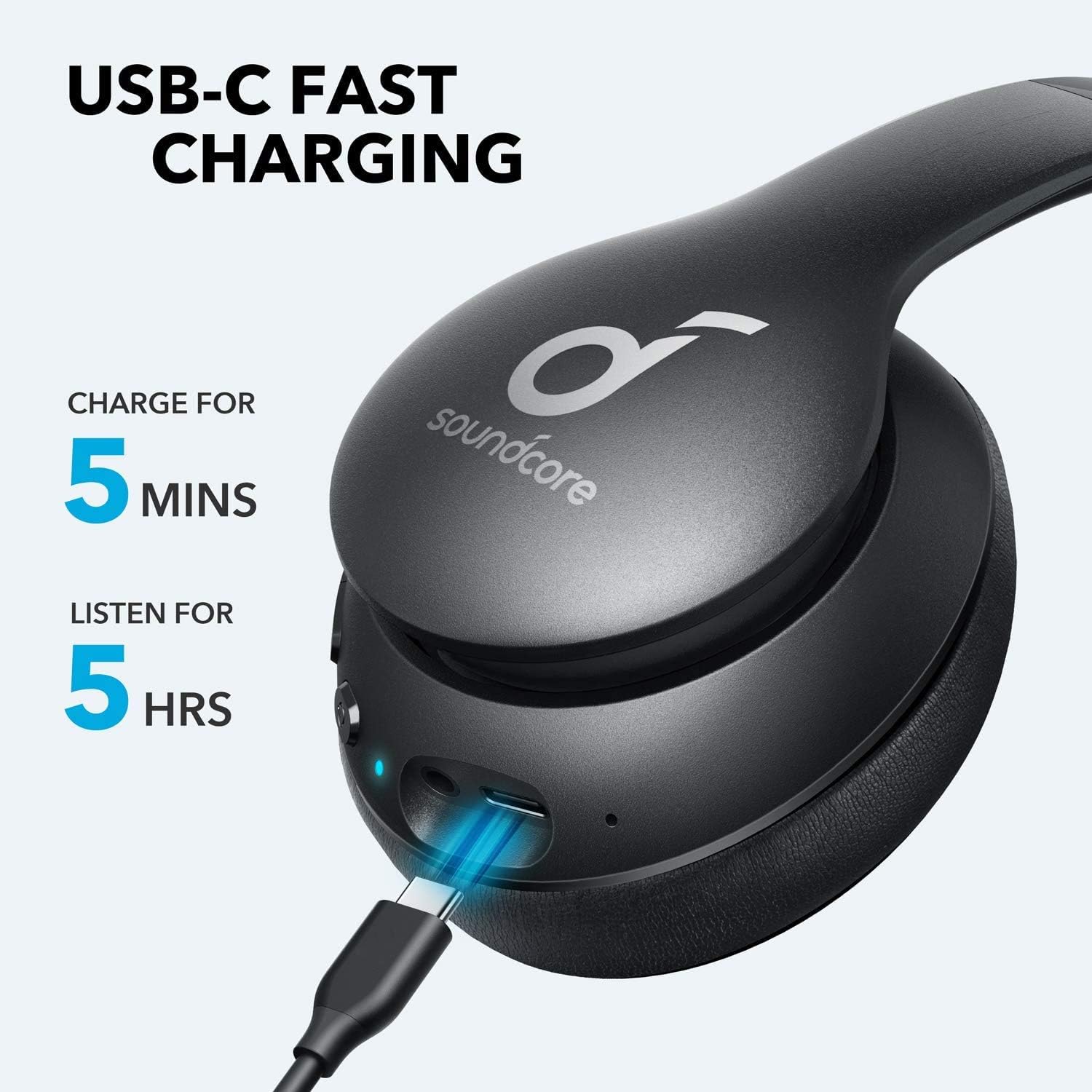
Image: Soundcore Life 2 Neo Headphones being charged via USB-C cable, illustrating the fast charging capability.
4.2 Kubatidza/Kudzima
- Kubatidza: Dzvanya uye bata bhatani reSimba kudzamara chiratidzo che LED chavheneka.
- Kudzima: Dzvanya wobata bhatani rePower kusvika chiratidzo che LED chadzima.
4.3 Bluetooth Pairing
- Ita shuwa kuti mahedhifoni akadzimwa.
- Dzvanya wobata bhatani rePower kwemasekondi angangoita 3-5 kusvika chiratidzo che LED chapenya bhuruu, zvichiratidza kuti pane pairing mode.
- Pamudziyo wako (smartphone, piritsi, komputa), gonesa Bluetooth uye tsvaga zvishandiso zviripo.
- Select "Soundcore Life 2 Neo" from the list of devices.
- Kana yangobatanidzwa, chiratidzo che LED chinoshanduka chakasimba bhuruu.
4.4 Wired Kubatana
If Bluetooth is not available or the battery is depleted, you can use the provided 3.5mm audio cable. Plug one end into the headphone's audio jack and the other end into your device's 3.5mm audio output.
5. Operating Instructions
5.1 Zvidzore
Iwo mahedhifoni anoratidza intuitive zvinodzora zviri pane earcup:
- Bhatani reSimba: Batidza/dzima, tamba/misa mimhanzi, pindura/gumisa mafoni.
- Kukwidza inzwi (+): Increase volume, skip to next track (long press).
- Vhoriyamu Pasi (-): Decrease volume, skip to previous track (long press).
- Bhatani reBassUp: Activate/deactivate BassUp mode for enhanced bass.
5.2 Kupfeka mahedhifoni
The Soundcore Life 2 Neo headphones are designed for over-ear comfort. Adjust the headband to fit snugly on your head, ensuring the earcups fully cover your ears. The earcups are marked 'L' for left and 'R' for right for correct orientation.

Image: A person wearing Soundcore Life 2 Neo Headphones, demonstrating proper fit and comfort.
6. Kuchengeta
- Geza mahedhifoni nguva dzose nejira rakapfava, rakaoma.
- Dzivisa kuisa mahedhifoni kune tembiricha yakanyanyisa, humidity, kana zuva rakananga.
- Usashandise abrasive cleaners kana solvents.
- Chengeta mahedhifoni munzvimbo inotonhorera, yakaoma kana isiri kushandiswa. Dhizaini yacho inopetwa inobvumira kuchengetwa kudiki.
7. Kugadzirisa matambudziko
7.1 Haikwanise Kubatanidza Nemudziyo
- Iva nechokwadi chekuti mahedhifoni ari mu pairing mode (inoratidza LED yebhuruu inopenya).
- Ita shuwa kuti Bluetooth yakabatidzwa pane chako kifaa.
- Fambisa mahedhifoni pedyo nemudziyo wako.
- Edza kutangazve mahedhifoni nemudziyo wako.
- Bvisa kubatanidza neBluetooth pamudziyo wako uye edza kubatanidza zvakare.
7.2 Hapana Ruzha kana Yakaderera Vhoriyamu
- Tarisa huwandu hwevhoriyamu pamahedhifoni nemudziyo wako wakabatana.
- Ensure the headphones are properly paired or connected via the 3.5mm audio cable.
- If using a wired connection, ensure the cable is fully inserted into both jacks.
- Edza nechinhu chakasiyana cheodhiyo kana mudziyo.
7.3 Nyaya dzekuchaja
- Iva nechokwadi chekuti tambo yeUSB-C yakabatana zvakanaka nemahedhifoni nemagetsi.
- Edza kushandisa USB-C tambo yakasiyana kana adapta yemagetsi.
- Tarisa kuti magetsi ari kushanda nemazvo.
8. Zvinotsanangurwa
| Feature | Detail |
|---|---|
| Model Name | Hupenyu 2 Neo |
| Brand | Soundcore |
| Kubatana Technology | Waya isina waya (Bluetooth), Yakabatana newaya (3.5mm) |
| Wireless Communication Technology | Bluetooth 5.0 |
| Audio Driver Size | 40 mamirimita |
| Hupenyu hwebhatiri | 60 Maawa |
| Kuchaja Nguva | Maminetsi mashanu ekutamba kwemaawa maviri |
| Control Type | Kudzora Midhiya, Izwi |
| Kuiswa Nzeve | Over Ear |
| Material | Faux Leather, Metal, Plastic |
| Item Weight | 0.5 Makirogiramu (1.1 makirogiramu) |
| Special Feature | Foldable, USB connectivity, Wireless |
9. Warranty uye Tsigiro
For warranty information and customer support, please refer to the documentation included with your purchase or visit the official Soundcore website. Matemu chaiwo ewaranti anogona kusiyana nedunhu nemutengesi.


