1. Nhanganyaya
This manual provides instructions for the Xgody Mate10+ smartphone. It covers device setup, operation, features, and maintenance to ensure optimal performance and user experience. The Mate10+ operates on Android 8.1, features a 5.5-inch HD display, dual 5MP cameras, and supports dual SIM functionality.
2. Package Zviri mukati
Iva nechokwadi chekuti zvinhu zvese zviripo mupakeji yechigadzirwa:
- 1 x Xgody Mate10+ Smartphone
- 1 x Chaja Adapter
- 1 x USB Cable
- 1 x Foni Nyaya
- 1 x Chinyorwa cheMushandisi weChirungu
- 1 x HD Film (Screen Protector)
- 1 x Firimu Rinodziya (Chidziviriro Chechidzitiro)

Image: Contents of the Xgody Mate10+ smartphone package.
3. Kutanga
3.1. Kuisa SIM Card neStorage Card
The Xgody Mate10+ supports dual SIM dual standby, allowing the use of two SIM cards simultaneously. It has two independent card slots: one for a Nano SIM and one for a Micro SIM or a TF (microSD) card for expandable storage.
- Tsvaga tireyi yeSIM/TF card padivi pemudziyo.
- Shandisa yakapihwa SIM ejector chishandiso kuvhura tireyi.
- Carefully place your Nano SIM card, Micro SIM card, and/or TF card into the designated slots. Ensure correct orientation.
- Sunda tireyi zvinyoro nyoro mumudziyo kusvika yatsvuka.
3.2. Kuchaja Chishandiso
Before first use, fully charge the smartphone using the provided charger and USB cable.
- Connect the USB cable to the charger adapter.
- Plug the charger adapter into a power outlet.
- Batanidza tambo ye USB kuchiteshi chekuchaja pafoni yako.
- Chiratidzo chebhatiri pachiratidziri chinoratidza mamiriro ekuchaja.
3.3. Powering On / Off
- To power on: Press and hold the Power button until the screen lights up.
- Kudzima: Dzvanya wobata bhatani rekuti Power, wobva wasarudza 'Create off' kubva pane zvasarudzwa pachidzitiro.
3.4. Kutanga Setup
Upon first power-on, follow the on-screen prompts to complete the initial setup, including language selection, Wi-Fi connection, Google account setup, and security settings.
4. Key Features and Operation
4.1. Ratidza
The Xgody Mate10+ features a 5.5-inch HD full-view display, providing a wide visual experience for viewing content.

Image: The 5.5-inch full-view display of the Xgody Mate10+.

Image: The compact design of the Xgody Mate10+ for easy portability.
4.2. Sisitimu Inoshanda (Android 8.1)
The device runs on Android 8.1, offering a user-friendly interface and enhanced performance for daily tasks.
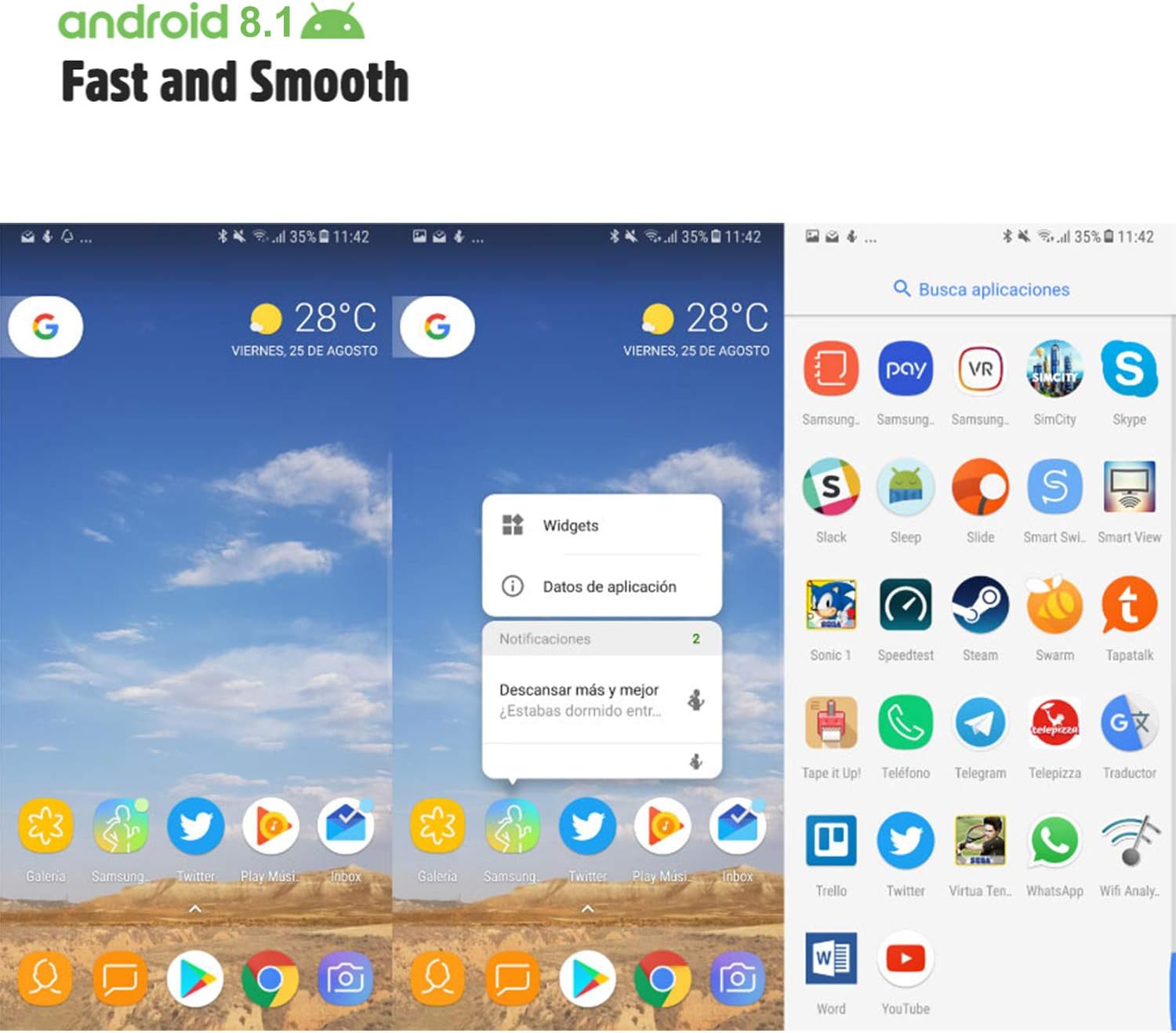
Image: Android 8.1 interface on the Xgody Mate10+.
4.3. Kamera
The Xgody Mate10+ is equipped with dual 5MP cameras, including a rear camera and a front beauty camera, for capturing photos and videos.

Image: Using the front camera for selfies.
4.4. Kuita uye Kuchengeta
The device includes 1GB RAM and 8GB internal storage (ROM), expandable up to 32GB with an external SD card, providing sufficient space for applications and media.

Image: Internal components and storage capabilities.
4.5. Kubatana
The Xgody Mate10+ is a 3G unlocked smartphone, supporting WCDMA 850/1900/2100MHz and GSM 850/900/1800/1900 MHz network bands. It is compatible with most WCDMA SIM carriers but not with CDMA carriers (e.g., Sprint, Verizon, Boost Mobile).
4.6. Chengetedzo
The device supports Face ID for unlocking, providing a convenient and secure method to access your phone.
Vhidhiyo: Pamusoroview of Xgody Mate10+ features, including camera, processor, memory, Face ID, 5.5-inch screen, dual SIM, and Android 8.1 operating system.
5. Zvinotsanangurwa
| Model | Mate10+ |
| Operating System | Android 8.1 |
| Display | 5.5 inch HD Full View Sikirini |
| RAM | 1GB |
| ROM (Kuchengetera Kwemukati) | 8GB |
| Expandable Storage | Up to 32GB (TF card) |
| Rear Camera | 5MP |
| Front Camera | 5MP (Beauty Camera) |
| Tsigiro yeSIM Kadhi | Dual SIM Dual Standby (1 Nano SIM, 1 Micro SIM or TF card) |
| Network Bands | 3G WCDMA 850/1900/2100MHz, 2G GSM 850/900/1800/1900 MHz |
| Battery Capacity | 2000mAh |
| Wireless Technologies | Bluetooth, Wi-Fi, Nharembozha |
| Kubatana | USB |
| GPS | GLONASS |
| Item Weight | 14 ounces |
| Product Dimensions | 0.39 x 0.39 x 0.39 inches |
6. Kugadzirisa matambudziko
If you encounter issues with your Xgody Mate10+, refer to the following common solutions:
- Mudziyo hausi kubatika: Ita shuwa kuti bhatiri rachajwa. Batanidza charger womira maminetsi mashoma usati waedza kubatidza zvakare.
- Hupenyu hwebhatiri husina kunaka: Reduce screen brightness, close unused apps running in the background, disable Wi-Fi/Bluetooth when not in use, and limit background data usage.
- Network yekubatanidza nyaya: Check if your SIM card is properly inserted. Verify that your SIM card supports the device's network bands (3G WCDMA 850/1900/2100MHz & 2G GSM 850/900/1800/1900 MHz). Restart the device.
- Applications freezing or crashing: Close and restart the application. If the issue persists, clear the app's cache and data in Settings > Apps. Consider uninstalling and reinstalling the app.
- Kuita zvishoma nezvishoma: Close unnecessary background applications. Clear cache data regularly. Ensure sufficient free storage space.
- Sikirini haina kupindura: Restart the device by holding the power button. If unresponsive, force restart by holding the power button for an extended period (usually 10-15 seconds).
7. Warranty uye Tsigiro
For warranty information and technical support, please refer to the warranty card included in your product package or contact Xgody customer service through their official website or designated support channels. Keep your purchase receipt as proof of purchase for warranty claims.


