Nhanganyaya
The Sharkoon Skiller SGK30 is a mechanical gaming keyboard designed for performance and durability. It features customizable RGB lighting, N-Key rollover, and a 1000Hz polling rate for responsive gameplay and typing. This manual provides essential information for setting up, operating, and maintaining your keyboard.

Image: Sharkoon Skiller SGK30 Mechanical Gaming Keyboard banner displaying the product name and type.
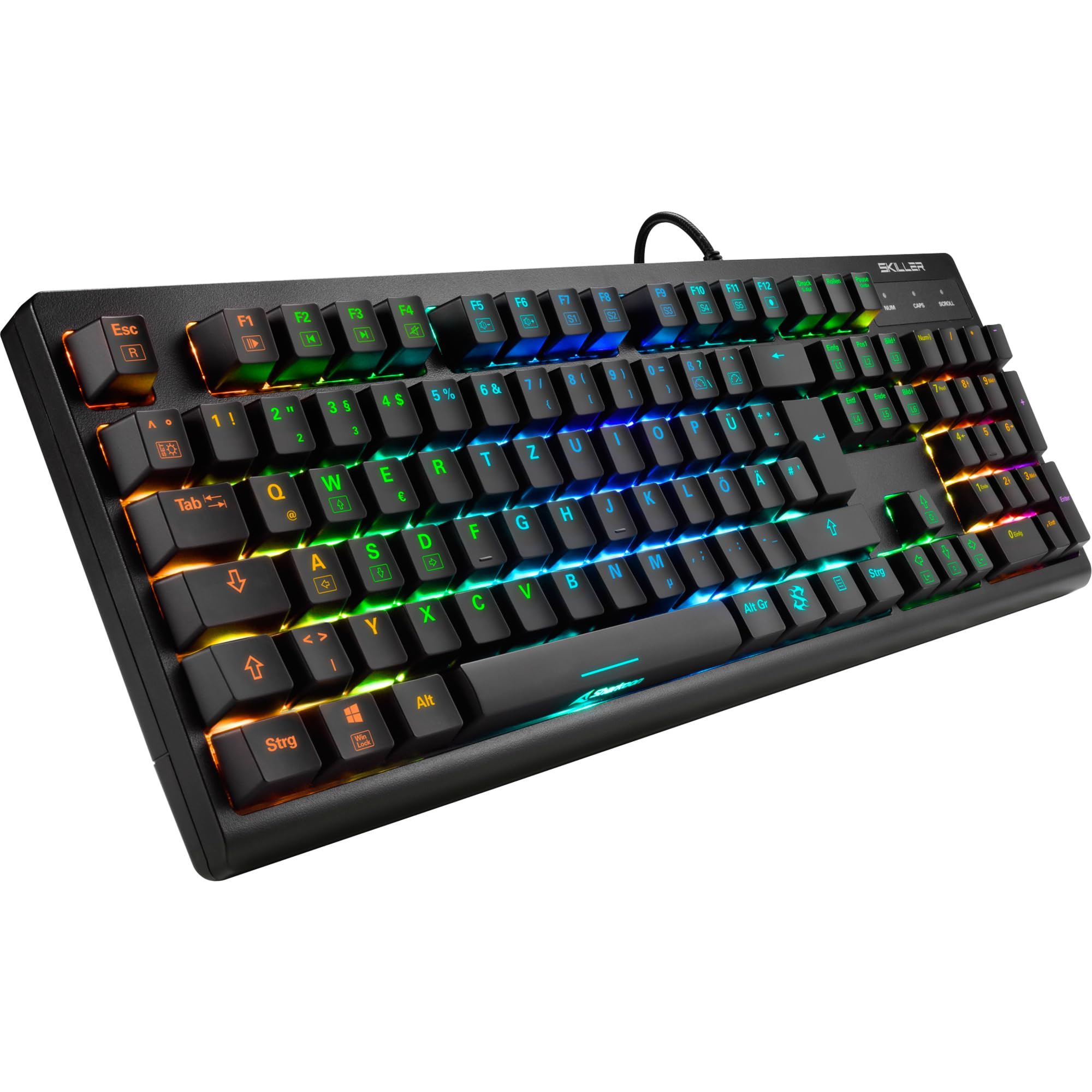
Mufananidzo: kumusoro-pasi view of the Sharkoon Skiller SGK30 mechanical gaming keyboard, showcasing marongerwo ayo akazara uye RGB backlighting inopenya.
Product Overview Vhidhiyo
Vhidhiyo: Chigadzirwa chepamutemo chaperaview of the Sharkoon Skiller SGK30 Mechanical Gaming Keyboard, demonstrating its features, RGB lighting effects, and mechanical switches.
Gadzirira
Follow these steps to set up your Sharkoon Skiller SGK30 keyboard:
- Bvisa kiyibhodhi: Carefully remove the keyboard and the included USB cable from its packaging.
- Batanidza kuKombuta: Plug the Micro USB end of the cable into the keyboard's port and the standard USB-A end into an available USB port on your computer.
- Kuiswa kwemutyairi: The keyboard is plug-and-play. Your operating system (Windows 10 or later recommended) should automatically detect and install the necessary drivers.
- Kuiswa kweSoftware (Sarudzo): For advanced customization of RGB lighting and key assignments, download the official Sharkoon software from the manufacturer's website.

Image: The Sharkoon Skiller SGK30 keyboard positioned on a desk, ready for connection.
Operating Instruction
Basic Key Mabasa
The Sharkoon Skiller SGK30 features a standard layout with additional function keys accessible via the FN key.
- FN + F1-F12: Access multimedia controls (e.g., play/pause, volume up/down, mute).
- FN + Windows Kiyi: Lock/unlock the Windows key to prevent accidental presses during gaming.
- N-Kiyi Rollover: All keys are registered simultaneously, ensuring every keystroke is detected, even during rapid input.
RGB Yemwenje Kudzora
The keyboard offers extensive RGB lighting customization. Use the following combinations to adjust lighting effects:
- FN + Insert/Home/Page Up/Delete/End/Page Down: Tembedza mwenje yakasiyana-siyana yakarongwa kare.
- FN + Arrow Keys (Up/Down): Adjust brightness levels of the lighting.
- FN + Arrow Keys (Left/Right): Gadzirisa kumhanya kwemhedzisiro yemwenje inochinja-chinja.
- Custom Illumination: Use the dedicated software for advanced per-key lighting customization.

Mufananidzo: Kuvhara view of the keyboard keys highlighting the adjustable RGB illumination capabilities.
Software Customization
For advanced settings, macro programming, and detailed RGB customization, download and install the Sharkoon Skiller SGK30 software from the official Sharkoon webwebhusaiti. Software iyi inokutendera kuti:
- Create and save custom lighting profiles.
- Program macros for specific keys.
- Kugadzirisa mabasa ekiyi.

Image: A screenshot showing the graphical user interface of the Sharkoon Skiller SGK30 customization software, illustrating various options for lighting and key remapping.
Maintenance
Kugadzirisa kwakakodzera kunovimbisa kugara kwenguva refu uye kushanda zvakanaka kwekhibhodi yako:
- Kuchenesa: Shandisa jira rakapfava, rakaoma kupukuta pamusoro pekhibhodi. Kuti uchenese zvakadzama, shandisa mhepo yakamanikidzwa kubvisa guruva nemarara pakati pemakiyi.
- Keycap Removal: If necessary, keycaps can be carefully removed using a keycap puller (not included) for thorough cleaning of the switches. Reinstall keycaps by pressing them firmly onto the switch stems.
- Dzivisa Zvinwiwa: Usaisa kiibhodhi pamvura. Kana ikadonha, bvisa kiibhodhi ipapo ipapo woisiya yaoma zvachose usati wabatanidzazve.
- Kuchengeta: Chengetedza kiibhodhi munzvimbo inotonhorera, yakaoma kure nechiedza chezuva uye tembiricha yakanyanyisa.

Mufananidzo: Kuvhara view of the mechanical switches on the Sharkoon Skiller SGK30 keyboard, illustrating their design for durability and ease of maintenance. Note: This model is available with Red switches, while the image shows Blue switches.
Kugadzirisa matambudziko
If you encounter issues with your Sharkoon Skiller SGK30 keyboard, refer to the following common solutions:
| Dambudziko | Zvinogona Kukonzera | Solution |
|---|---|---|
| Kiyibhodhi haisi kudaira | Yakasununguka USB yekubatanidza, yakanganisa USB port, mutyairi nyaya. |
|
| RGB mwenje haishande kana isiriyo | Lighting settings incorrect, software conflict. |
|
| Makiyi asiri kunyoresa | Guruva/marara pasi pekiyivha, switch isina kunaka. |
|
Zvinotsanangurwa
| Feature | Detail |
|---|---|
| Brand | Sharkoon |
| Model Number | 4044951030026 |
| Keyboard Type | Mechanical Gaming Khibhodi |
| Chinja Type | Red Switch (Blue switches are also available for this model series) |
| Kubatana | Micro USB |
| Polling Rate | 1000Hz |
| N-Kiyi Rollover | Inotsigirwa |
| RGB Lighting | RGB inogadziriswa |
| Operating System | Windows 10 (and compatible with other Windows versions) |
| Dimensions (LxWxH) | 44 x 14.4 x 3.5 cm |
| Kurema | 867 g |
Chii chiri muBhokisi
The Sharkoon Skiller SGK30 package includes:
- Sharkoon Skiller SGK30 Mechanical Gaming Keyboard
- USB Cable
Warranty uye Support
For warranty information and technical support, please refer to the official Sharkoon webtsvaga webhusaiti kana kuti taura nemutengesi wemuno. Chengeta humbowo hwekutenga kwako kuti zvikubatsire kuwana garandi.
Ongorora: Mamiriro echigadzirwa uye maficha anogona kuchinja pasina chiziviso.