1. Chigadzirwa Pamusoroview
This document provides detailed instructions for the CooSpo Replacement USB Charger Cable (Model: PC-0310-62). This cable is specifically designed to charge compatible CooSpo heart rate monitor armbands and other specified devices. Please read this manual thoroughly before use to ensure proper and safe operation.
2. Zvigadzirwa zveChigadzirwa
- Dedicated Design: Specifically engineered as a replacement charger cable for CooSpo HW706, HW702A, and HW807 heart rate monitor armbands.
- Yakanaka kuchaja: Facilitates easy and convenient charging for your compatible devices, suitable for both home and travel use.
- Kudzivirirwa Kwekuchengetedza: Incorporates built-in short circuit protection, over-voltage protection, and over-current protection to safeguard your device during charging.
- Tangle-Yemahara Dhizaini: The cable is designed to resist tangling, enhancing user convenience.
- Compact Size: Features a compact length of approximately 8.46 inches (21.5 cm).
- Secure Packaging: Supplied in a sealed anti-static bag to protect the cable during transit and storage.
3. Kugarisana
The CooSpo Replacement USB Charger Cable is compatible with the following devices:
- CooSpo HW706 Heart Rate Monitor Armband
- CooSpo HW702A Heart Rate Monitor Armband
- CooSpo HW807 Heart Rate Monitor Armband
- Schwinn IC4 Heart Rate Monitor
- DDP Yoga Heart Rate Monitor Armband
- Echelon HR Armband Monitor
Chiziviso Chakakosha: Tambo iyi KWETE suitable for the CooSpo newest armband HW9.
4. Kugadzirisa uye Kushandisa
Follow these steps to charge your compatible heart rate monitor armband:
- Batanidza kuChishandiso: Align the magnetic charging pins of the cable with the charging contacts on your heart rate monitor armband. The magnetic connection will secure the cable in place.
- Unganidza kune Simba Simba: Insert the USB-A end of the charging cable into a compatible 5V DC power adapter or a USB port on a computer.
- Charge Indicator: Refer to your heart rate monitor armband's specific instructions for its charging indicator light behavior. Typically, a light will illuminate to indicate charging is in progress.
- Kupedza Kuchaja: Once charging is complete, disconnect the cable from both the power source and your device.

Image: CooSpo heart rate monitor armband connected to the charging cable, showing a green indicator light for charging.
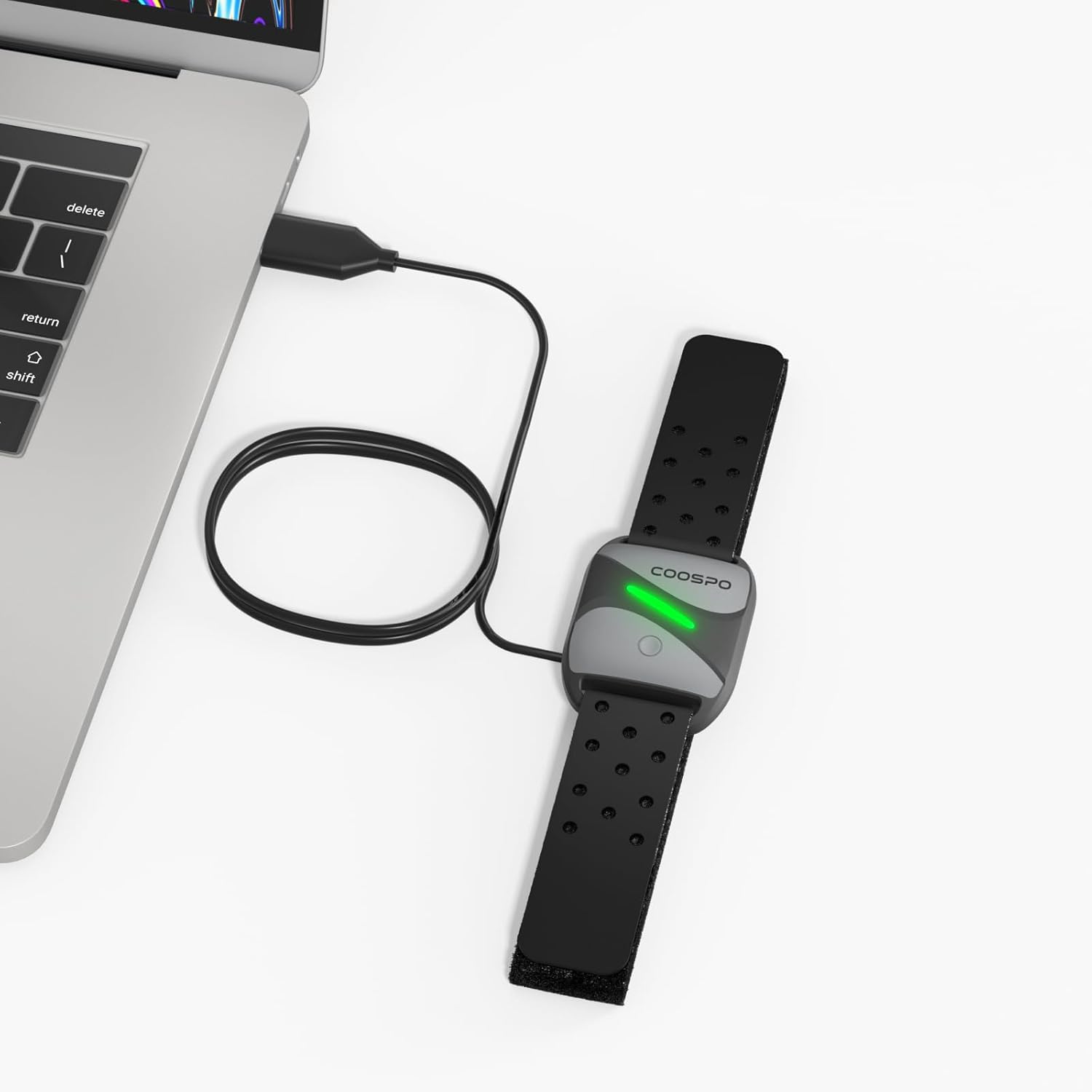
Image: CooSpo heart rate monitor armband being charged by connecting the USB cable to a laptop's USB port.
5. Safety Information
To ensure safe operation and prolong the life of your charging cable and device, please observe the following:
- Always use a DC 5V power adapter or a computer USB port for charging. Using power sources with higher voltage may damage the cable or your device.
- The cable features built-in short circuit, over-voltage, and over-current protection. However, avoid exposing the cable to extreme conditions or physical damage.
- Do not attempt to disassemble or modify the charging cable.
- Keep the charging cable away from water, moisture, and high temperatures.
- Ensure the charging contacts on both the cable and your device are clean and dry before connecting.

Image: Visual representation of the charging cable's magnetic connector and USB-A plug, highlighting its safety features including device protection, over-voltage, uye over-current protection.
6. Zvinotsanangurwa
| Brand | CooSpo |
| Model Number | PC-0310-62 |
| Connector Type | USB (Male-to-Male) |
| Cable Type | USB |
| Inowirirana Devices | Heart Rate Monitor Armbands (CooSpo HW706/HW702A/HW807, Schwinn IC4, DDP Yoga, Echelon) |
| Special Feature | Tangle Free |
| Color | Nhema |
| Nhamba yePini | 4 |
| Item Weight | 0.01 Makirogiramu (0.317 ounces) |
| Indoor / Outdoor Kushandiswa | Indoor |
| Mutengi Package Type | Sealed anti-static bag |
| Kunonyanyisa Voltage | 5 Volts (DC) |
| Package Dimensions | 8.46 x 2.2 x 0.47 inches |
7. Kuchengeta
To maintain the performance and longevity of your charging cable:
- Chengeta waya yacho munzvimbo inotonhorera, yakaoma kana isiri kushandiswa.
- Avoid bending or kinking the cable sharply, especially near the connectors.
- Clean the magnetic charging pins and USB connector periodically with a dry, soft cloth to remove any dust or debris.
- Usashandise makemikari ane hasha kana abrasive zvinhu pakuchenesa.
8. Kugadzirisa matambudziko
If you encounter issues while charging, consider the following:
- Mudziyo Hauchaji: Ensure the magnetic pins are correctly aligned and securely connected to your heart rate monitor. Verify that the USB-A end is fully inserted into a working 5V DC power adapter or computer USB port.
- Slow Charging: Ensure you are using a reliable power source. Charging from a computer USB port might be slower than a dedicated wall adapter.
- Kubatana Kwenguva: Check for any visible damage to the cable or connectors. Ensure the charging contacts on both the cable and the device are clean.
- Kuenderana Nyaya: Double-check that your heart rate monitor model is listed as compatible with this charging cable (refer to Section 3).
9. Official Product Video
Video: An official product video demonstrating the features and usage of the CooSpo USB Charging Cable.
10. Additional Product Images


11. Warranty uye Tsigiro
For warranty information, technical support, or any inquiries regarding your CooSpo Replacement USB Charger Cable, please refer to the official CooSpo webtaura nevatengi vako zvakananga. Ruzivo rwunowanzo pihwa pamwe chete nekurongedza kwechigadzirwa chako kana pawebhusaiti yemugadziri. website.
Unogona kushanyira CooSpo Store on Amazon kuti uwane rumwe ruzivo rwechigadzirwa.


