Nhanganyaya
This manual provides essential instructions for setting up, operating, maintaining, and troubleshooting your Blackview Tab 10 Android Tablet. The Blackview Tab 10 features a 10.1-inch FHD+ display, an MTK8768 Octa-Core processor, 4GB RAM, 64GB internal storage, and runs on Android 11 (Doke OS_P 1.0). It supports dual SIM cards for 4G phone calls and data, Wi-Fi, and Bluetooth 5.0 connectivity.
Please read this manual thoroughly to ensure proper use and to maximize your tablet's performance and longevity.

Mufananidzo: Vatemaview Tab 10 tablet shown from the rear in three color options: gray, golden, and silvery, highlighting its sleek design.
Gadzirira
Package Zviri mukati
Ita shuwa kuti zvinhu zvese zviripo mupakeji:
- Nhemaview Tab 10 Tablet PC
- USB Cable (Rudzi-C)
- Adapter yemagetsi (9V 2A)
- User Manual
Kuchaja Bhatiri
Before first use, fully charge the tablet. Connect the USB Type-C cable to the tablet's Type-C port and the other end to the provided power adapter. Plug the adapter into a power outlet. The charging indicator will show the charging status. The tablet supports 18W fast charging.
Kuisa SIM neTF Cards
Mutemaview Tab 10 supports dual Nano SIM cards or one Nano SIM card and one TF (microSD) card for expandable storage up to 128GB.
- Tsvaga SIM/TF kadhi tireyi padivi pehwendefa.
- Shandisa yakapihwa SIM ejector chishandiso kuvhura tireyi.
- Carefully place the Nano SIM card(s) and/or TF card into the designated slots on the tray. Ensure the cards are correctly oriented.
- Sunda tray zvinyoro nyoro mutable kusvika yadzvanya panzvimbo.
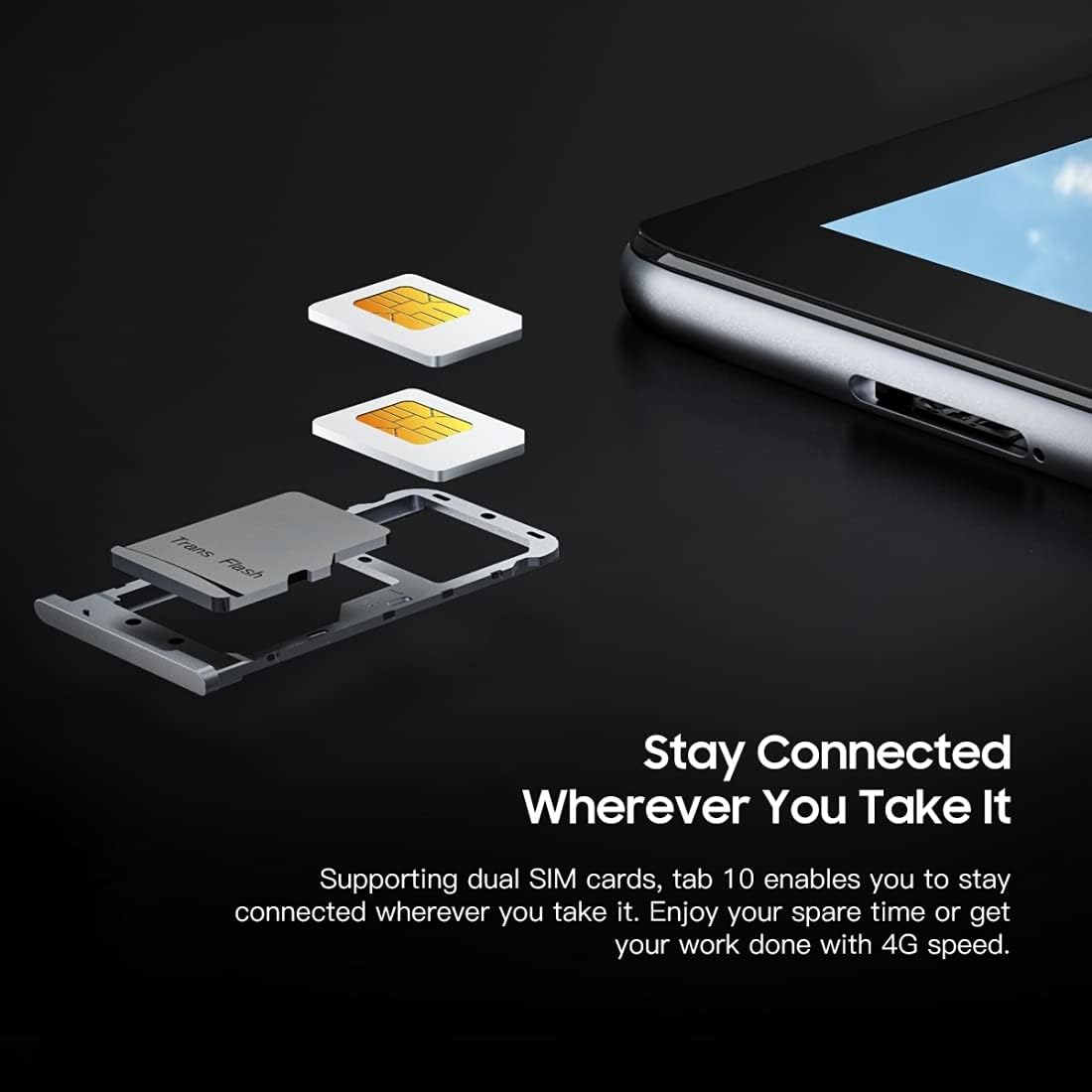
Mufananidzo: Yakadzama view yeMutemaview Tab 10's SIM card tray, showing how two Nano SIM cards are inserted, illustrating the dual SIM support.
Kubatidza/Kudzima
- Kubatidza: Dzvanya uye bata bhatani reMasimba kusvika paBlackview logo inooneka.
- Kudzima: Dzvanya uye ubate bhatani reMasimba kudzamara sarudzo dzemagetsi dzabuda, wobva wasarudza "Simba kudzimwa".
- Kuti utangezve: Dzvanya uye ubate bhatani reMasimba kusvika iyo menyu yesarudzo yemagetsi yaoneka, wobva wasarudza "Restart".
Kutanga Setup
Kana watanga kuibatidza, tevera mirairo iri pachikirini kuti upedze kugadzirisa kwekutanga:
- Sarudza mutauro wako.
- Batanidza kune network yeWi-Fi.
- Pinda neakaundi yako yeGoogle kana gadzira itsva.
- Seta kukiya skrini (PIN, pateni, password).
- Review uye kugamuchira mitemo nemamiriro.
Operating Instruction
Basic Navigation
- Top: Bata skrini kamwe chete kuti uvhure app, sarudza chinhu, kana kudzvanya bhatani.
- Bata uye Bata: Press and hold an item to access more options or move it.
- Rova zvakasimba: Dhonza chigunwe chako pachiratidziro kuti ufambe nemapeji kana zvirimo.
- Nzwara: Shandisa zvigunwe zviviri kuswededza mukati kana kunze pamifananidzo uye web mapeji.
Kubatanidza kune Networks
- Wi-Fi: Enda ku Settings > Network & internet > Wi-FiBatidza Wi-Fi, sarudza network yaunoda, uye isa password kana zvichidikanwa.
- Bluetooth: Enda ku Settings > Zvishandiso zvakabatana > Bluetooth. Turn Bluetooth on, then select a device from the list to pair.
- Nharembozha (4G): If a SIM card is inserted, go to Settings > Network & internet > Mobile network to enable mobile data and configure settings.
Kushandisa Kamera
Mutemaview Tab 10 features a 13.0MP rear camera and a 5.0MP front camera.
- Vhura iyo Kamera app.
- Tinya chiratidzo chekamera kuti uchinje pakati pemakamera ekumberi nekumashure.
- Tinya bhatani rekuvhara kuti utore foto kana kutanga/kumisa kurekodha vhidhiyo.
- Explore various camera modes and settings within the app.

Mufananidzo: Vatemaview Tab 10 displaying its camera features, including an 8MP front camera and a 13MP rear camera, emphasizing its photographic capabilities.
Android 11 and Doke OS_P 1.0
Your tablet runs on Android 11 with Blackview's Doke OS_P 1.0 interface, offering enhanced privacy controls, improved notification management, and a more intuitive user experience. Explore the Settings menu to customize your device, manage apps, and optimize performance.

Mufananidzo: Vatemaview Tab 10 screen showing the Doke OS_P 1.0 interface based on Android 11, with various settings and app screens visible.
Maintenance
Kuchenesa Chishandiso
- Shandisa jira rakapfava, risina lint kuchenesa skrini uye muviri wehwendefa.
- Pakuoma musoro, zvishoma dampsn jira rine mvura kana chidziviriro chekuchenesa chakagadzirirwa zvemagetsi.
- Dzivisa kushandisa makemikari ane hasha, abrasive zvinhu, kana aerosol sprays zvakananga pahwendefa.
Battery Care
- Avoid exposing the tablet to extreme temperatures (hot or cold), as this can affect battery life.
- Usasiye piritsi richichaja kwenguva yakareba mushure mekunge razara.
- Shandisa charger yekutanga netambo zviri pamwe chete netablet.
Software Updates
Gara uchitarisa uye kuisa zvigadziriso zvesoftware kuti uve nechokwadi chekuti piritsi rako rine zvichangobva kuitika, zvigamba zvekuchengetedza, uye kuvandudzwa kwemaitiro. Enda ku Settings > System > System update.
Kugadzirisa matambudziko
Mudziyo Haubatiki
- Iva nechokwadi chekuti bhatiri rachajwa. Batanidza piritsi pachaja kwemaminitsi makumi matatu.
- Dzvanya uye bata bhatani reSimba kwemasekonzi gumi-15 kumanikidza kutangazve.
Wi-Fi Connection Matambudziko
- Tangazve yako Wi-Fi router uye piritsi.
- Kanganwa network muWi-Fi marongero uye batanidza zvakare.
- Ita shuwa kuti uri mukati mehuwandu hweiyo Wi-Fi chiratidzo.
Slow Performance
- Vhara maapplication asina kushandiswa arikumashure.
- Clear cache data for apps that are frequently used.
- Ensure sufficient storage space is available. Delete unnecessary files kana mapurogiramu.
- Funga nezvekugadzirisa fekitori senzira yekupedzisira (chengetedza data rako kutanga).
App Inoparadza kana Kumisa
- Force close the app: Go to Settings > Zvishandiso & zviziviso, select the app, then tap Simba kumira.
- Clear the app's cache and data (this will reset the app).
- Uninstall uye dzorera iyo app.
Zvinotsanangurwa
| Model | Tabho 10 |
| Screen Size | 10.1 inches |
| Display Resolution | 1920 x 1200 (FHD+) |
| processor | MTK8768 Octa Core Cortex-A53 2.0GHz |
| RAM | 4GB |
| Kuchengeta Kwemukati | 64GB |
| Expandable Storage | TF kadhi kusvika ku128GB (isina kuisirwa) |
| Operating System | Android 11 (Doke OS_P 1.0) |
| Rear Camera | 13.0MP with AF, LED flash |
| Front Camera | 5.0MP |
| Battery Capacity | 7480mAh |
| Kuchaja | 9V 2A, 18W Fast Charging |
| Network Communication | 4G LTE, Wi-Fi (802.11a/b/g/n/ac), Bluetooth V5.0 |
| SIM Type | Dual Nano SIM |
| Interfaces | 1 x 3.5mm Earphone Port, 1 x Type-C, 1 x Magnetic Port |
| Dimensions (L x W x H) | 243 x 162 x 8.4mm (9.57 x 6.38 x 0.33 inches) |
| Kurema | 523g (1.15 makirogiramu) |

Mufananidzo: Infographic showcasing mutemaview Tab 10's main features, including its 13MP rear camera, Octa-core processor, 7480mAh battery, 10.1-inch FHD display, 8.8mm slim body, and support for dual SIM cards.
Warranty uye Support
Mutemaview Tab 10 comes with a standard manufacturer's warranty. Please refer to the warranty card included in your package for specific terms and conditions, including warranty period and coverage details.
For technical support, service inquiries, or additional product information, please visit the official Blackview webwebhusaiti kana kuti taura nedhipatimendi ravo rebasa revatengi. Chengeta risiti yako yekutenga nenhamba yeserial yechigadzirwa chako pedyo paunenge uchitsvaga rutsigiro.
Official Blackview Chitoro: Nhemaview Chitoro paAmazon


