Nhanganyaya
Ndatenda nekutengaasing the AZATOM A2 Portable DAB/DAB+ Digital Radio. This compact and versatile device is designed to provide high-quality digital and FM radio reception, offering a superior listening experience on the go. Please read this manual carefully to understand the features and operation of your new radio.

The AZATOM A2 radio, showcasing its stylish and compact design, perfect for portability.
Chii chiri muBhokisi
- AZATOM A2 Portable DAB/DAB+ Digital Radio
- USB-C Cable
- Nzeve dzeMitambo
- Mushandisi Chinyorwa (gwaro iri)
- Warranty Card
Product Overview
Familiarize yourself with the buttons and ports on your AZATOM A2 radio:

Mberi view of the AZATOM A2 radio, highlighting the display and control buttons.
- SIMBA Bhatani: Inobatidza/kudzima redhiyo.
- Menu Bhatani: Inopinda menyu sarudzo.
- VOL+ / VOL- Mabhatani: Inogadzirisa chiyero chevhoriyamu.
- ENTER/SCAN Button: Inosimbisa sarudzo kana kutanga kuongorora chiteshi.
- PRESET Buttons (1/2, 3/4): Recalls stored preset stations.
- Bhotani reMODE: Inochinja pakati peDAB/DAB+ uye FM modes.
- Nhare mbozha Jack: Connects the included earphones, which also function as the antenna.
- USB-C Chiteshi: Zvekuchaja mudziyo.
Gadzirira
1. Kuchaja Bhatiri
Before first use, fully charge the radio. Connect the supplied USB-C cable to the radio's USB-C port and the other end to a USB power adapter (not included) or a computer's USB port. The display will indicate charging status. A full charge provides up to 24 hours of playtime.

The AZATOM A2 features a long-lasting rechargeable battery for extended use.
2. Connecting Earphones (Antenna)
The included earphones serve as the radio's antenna for both DAB/DAB+ and FM reception. It is essential to connect the earphones to the 3.5mm jack before operating the radio to ensure proper signal reception.
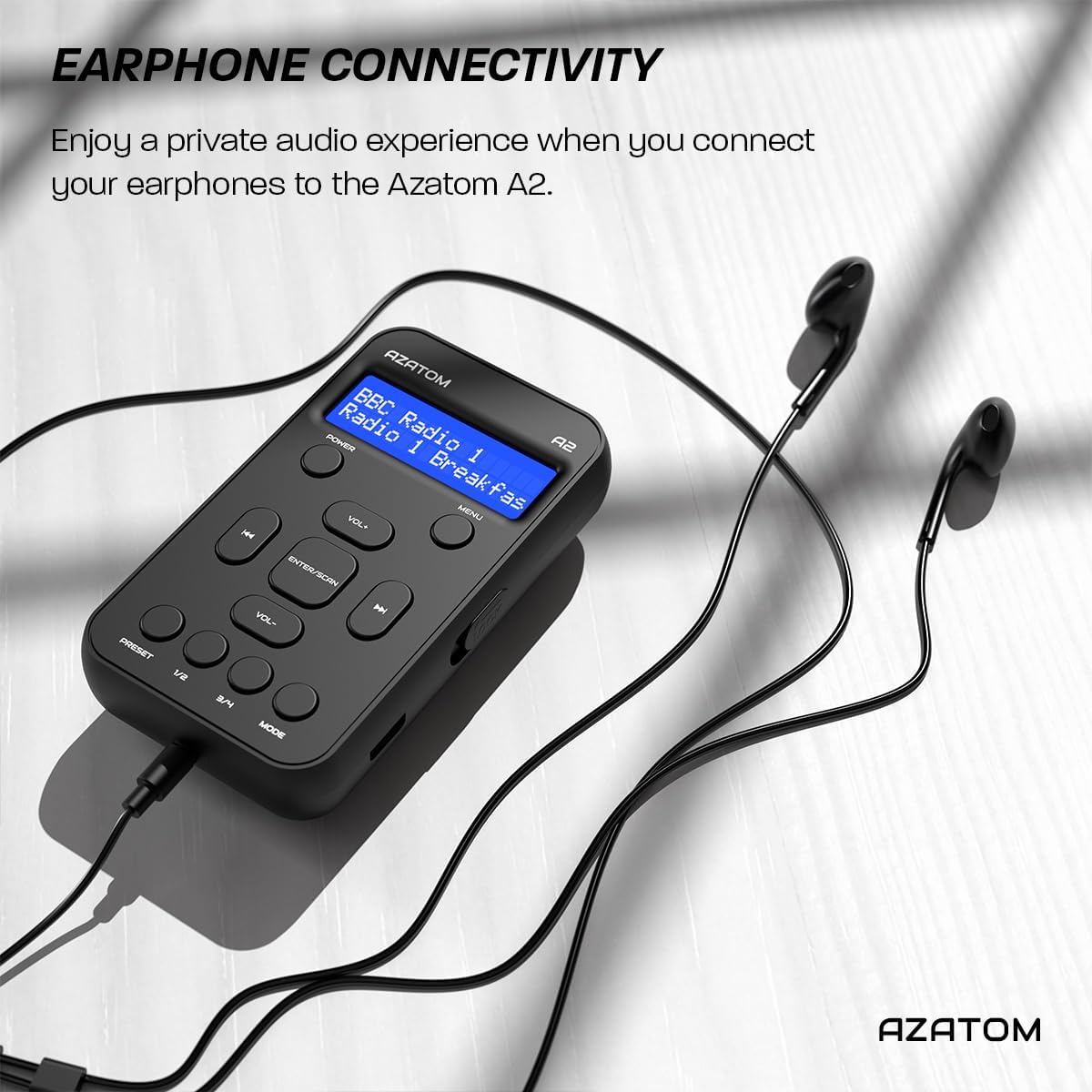
Connect the supplied earphones to the radio for optimal reception and a private listening experience.
Operating Instruction
Simba On/Kudzima
- Dzvanya uye ubate iyo SIMBA bhatani rekuvhura kana kudzima redhiyo.
DAB/DAB+ Radio Operation

The AZATOM A2 supports both DAB/DAB+ and FM radio technologies.
- Ensure the earphones are connected.
- Press the MODE button until 'DAB' or 'DAB+' is displayed.
- The radio will automatically perform a full scan for available DAB/DAB+ stations upon first use or if no stations are found. To manually scan, press and hold the PINDA/SCAN bhatani.
- Shandisa iyo VOL+ or VOL- mabhatani ekufamba-famba nerunyorwa rwezviteshi zvakawanikwa.
- Press PINDA/SCAN kusarudza chiteshi.
FM Radio Operation
- Ensure the earphones are connected.
- Press the MODE button until 'FM' is displayed.
- Kuti ukwanise kuongorora otomatiki zviteshi zveFM, tinya wobata bhatani PINDA/SCAN bhatani. Redhiyo ichaskena uye ichachengetedza zviteshi zviripo.
- Kuti ugadzirise nemaoko, tinya zvishoma bhatani rekuti VOL+ or VOL- buttons to adjust the frequency in small increments.
Kugadzika uye Kuyeuka Presets
The AZATOM A2 allows you to store up to 40 DAB+ and 40 FM favorite stations.

The AZATOM A2 allows for easy recall of your favorite preset stations.
To Store a Preset:
- Tune kune chiteshi chaunoda.
- Dzvanya uye ubate imwe yeiyo PRESET buttons (1/2 or 3/4) until the display shows 'Preset Store'.
- Shandisa iyo VOL+ or VOL- buttons to select the desired preset number (1-40).
- Press PINDA/SCAN kusimbisa nekuchengetedza chiteshi.
Kuyeuka Preset:
- Muchidimbu dzvanya imwe yeiyo PRESET buttons (1/2 or 3/4).
- Shandisa iyo VOL+ or VOL- buttons to navigate through your stored presets.
- Press PINDA/SCAN to select and play the desired preset station.
Volume Control
- Press VOL+ kuwedzera inzwi.
- Press VOL- kuderedza inzwi.
Ratidza Kupenya
The XL digital display's brightness can be adjusted to your preference. Access this setting through the MENU options.

A pedyo-up view of the AZATOM A2's clear digital display.
Maintenance
- Kuchenesa: Shandisa jira rakapfava, rakaoma kuchenesa pamusoro peredhiyo. Usashandise zvinochenesa zvinogumbura kana zvinonyungudutsa.
- Battery Care: To prolong battery life, avoid fully discharging the battery frequently. Charge the radio regularly, even if not in use for extended periods.
- Kuchengeta: Chengetedza redhiyo munzvimbo inotonhorera, yakaoma kure nechiedza chezuva uye tembiricha yakanyanyisa.
Kugadzirisa matambudziko
| Dambudziko | Zvinogona Kukonzera | Solution |
|---|---|---|
| No power/Radio won't turn on. | Bhatiri rapera. | Chaja redhiyo uchishandisa tambo yeUSB-C yauinayo. |
| Kusagamuchirwa zvakanaka kweredhiyo (DAB/FM). | Earphones not connected or not fully inserted. Weak signal area. | Ensure earphones are securely connected. Try moving to an open area or near a window. Perform a new scan. |
| Hapana ruzha. | Volume is too low or muted. Earphones not connected. | Increase the volume using VOL+. Ensure earphones are connected. |
| Redhiyo inomira kana kuti haichanzwi. | Temporary software glitch. | Press and hold the POWER button to force a restart. If issue persists, allow battery to fully discharge then recharge. |
Zvinotsanangurwa

Dimensions of the AZATOM A2 radio.
| Feature | Detail |
|---|---|
| Model | A2 |
| Dimensions (L x W x H) | 9 x 4 x 11 cm (approx. 90mm x 50mm x 24mm) |
| Kurema | 90 g |
| Mabhendi eRadio Anotsigirwa | DAB, DAB+, FM |
| Presets | 40 DAB+, 40 FM |
| Bhatiri Type | Rechargeable Lithium Ion (1800mAh) |
| Nguva yekutamba | Kusvikira kumaawa makumi maviri nemashanu |
| Display Type | LCD |
| Kubatana | USB-C (for charging), 3.5mm Earphone Jack |
| Material | Plastiki |
Warranty uye Support
AZATOM products are designed and engineered in the UK. The AZATOM A2 comes with a premium 3-year warranty (registration required). For any questions or support, please contact our dedicated customer service team. Lifetime customer support is provided to assist you with any queries.
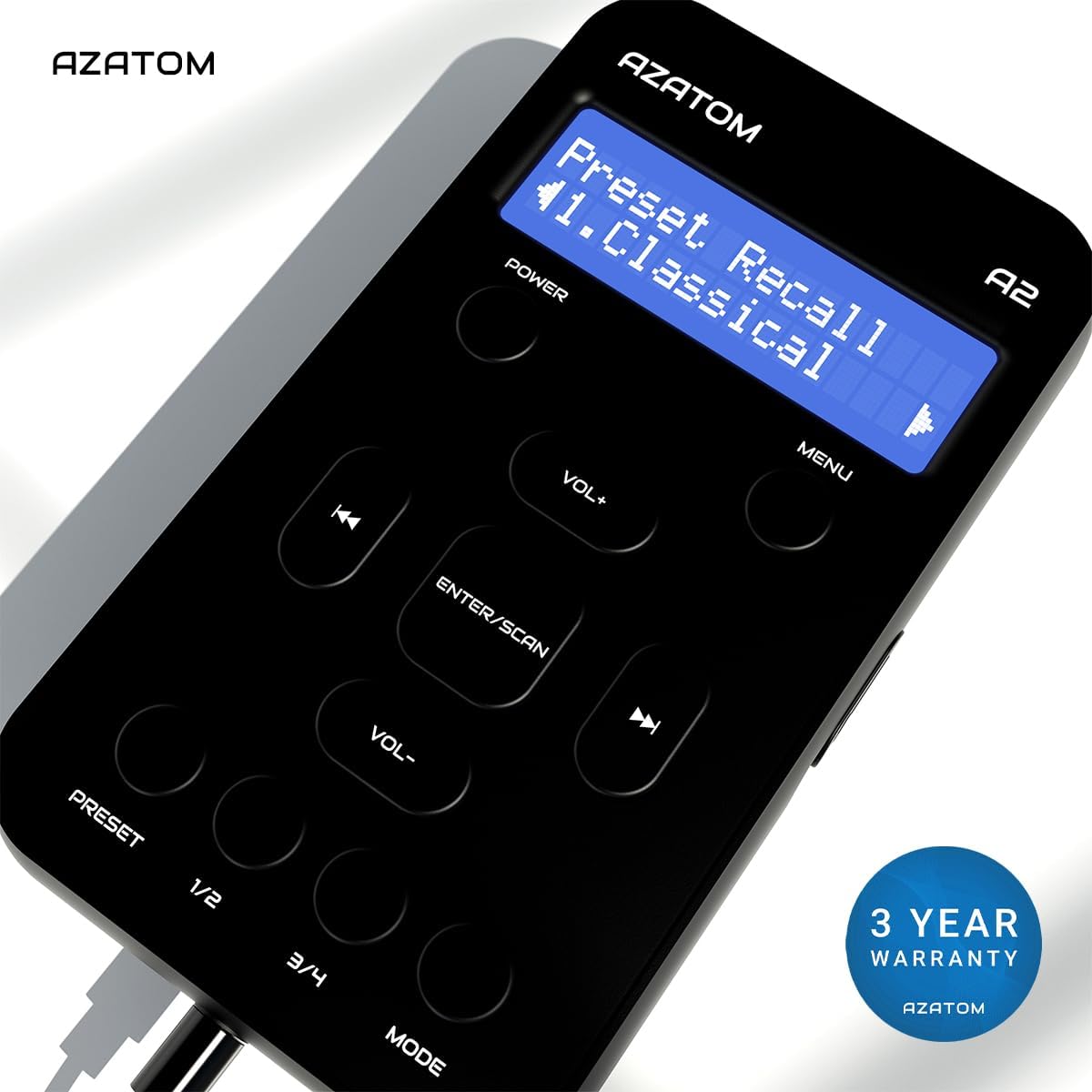
The AZATOM A2 is backed by a 3-year warranty.


