1. Nhanganyaya
Ndatenda nekutengaasing the AUKEY PC-LM3 Webcam. Bhuku rino rinopa mirairo yakadzama yekugadzirisa, kushandisa, uye kuchengetedza yako webcam. Please read this manual thoroughly before use and retain it for future reference.
2. Safety Information
- Keep the webcam away from water, moisture, and extreme temperatures.
- Usaedze kudimbura kana kugadzirisa mudziyo wega. Tumira masevhisi ese kuvashandi vanokwanisa.
- Dzivisa kudonhedza kana kuisa pasi webcam to strong impacts.
- Clean the lens with a soft, dry cloth. Do not use liquid cleaners.
3. Package Zviri mukati
Ndokumbira utarise kuti zvinhu zvese zviripo mupasuru yako:
- AUKEY PC-LM3 Webcam
- User Manual
- Tambo yeUSB (yakabatanidzwa)
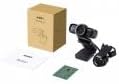
Image 1: Contents of the AUKEY PC-LM3 Webcam package, showing the webcam, manual, and packaging.
4. Chigadzirwa Pamusoroview
The AUKEY PC-LM3 is a 1080p USB 2.0 webcam designed for high-quality video communication and recording. It features a CMOS sensor and 5x optical zoom capability, providing clear and detailed visuals.
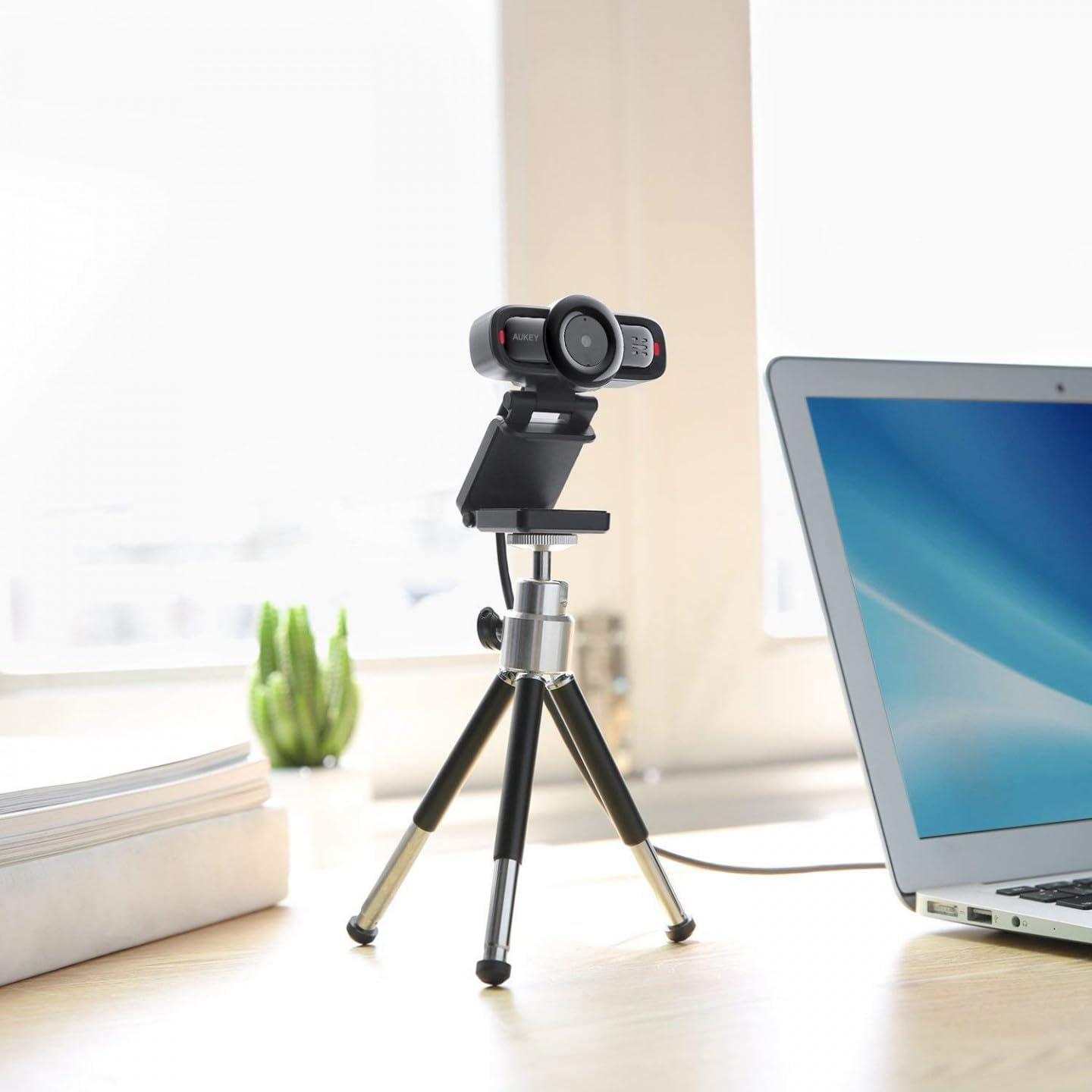
Image 2: AUKEY PC-LM3 Webcam in use, demonstrating its compact design and mounting flexibility on a tripod.
Zvinokosha:
- Full HD 1080p video recording
- CMOS sensor for clear images
- USB 2.0 connectivity for universal compatibility
- 5x optical zoom for detailed framing
- Integrated microphone for audio capture
- Adjustable clip for versatile mounting options
5. Setup
5.1 Placing the Webcam
- PaMonitor: Unfold the clip and place the webcam on top of your monitor or laptop screen. Adjust the clip to secure it firmly.
- Pane Tripod: The webcam features a standard tripod thread. Mount it onto a compatible tripod for more flexible positioning.
- Pamusoro peFlat Surface: Fold the clip to form a stable stand and place the webcam on a desk or other flat surface.
5.2 Kubatanidza neKombuta Yako
- Batanidza USB yekubatanidza ye webyakapinda muchiteshi cheUSB 2.0 kana 3.0 chiripo pakombuta yako.
- Komputa yako inofanirwa kuona uye kuisa madhiraivha anodiwa. Izvi zvinogona kutora nguva shoma.
- Kana yangoiswa, iyo webcam will be ready for use with video conferencing software or recording applications.
Cherechedza: No additional software or drivers are typically required for Windows, macOS, or Linux operating systems.
6. Kushanda kwe Webcam
6.1 Using with Video Conferencing Software
To use the AUKEY PC-LM3 webcam with applications like Zoom, Skype, Microsoft Teams, or Google Meet:
- Vhura yako yaunofarira vhidhiyo musangano musangano.
- Navigate to the application's settings or preferences (usually found under "Audio & Video" or "Devices").
- Select "AUKEY PC-LM3" as your video input device.
- Select "AUKEY PC-LM3 Microphone" (or similar) as your audio input device, if applicable.
- Adjust any video settings such as resolution or brightness within the application if available.
6.2 Kurekodha Vhidhiyo
To record video using the webcam, use your computer's built-in camera application (e.g., Camera app on Windows, Photo Booth on macOS) or third-party recording software. Ensure the AUKEY PC-LM3 is selected as the video source.
6.3 Optical Zoom
The webcam features 5x optical zoom. This function is typically controlled via software. Check your video conferencing or recording application for zoom controls. If not available, third-party webcam control software may offer this functionality.
7. Kuchengeta
7.1 Kuchenesa Webcam
- Iva nechokwadi chekuti webcam is disconnected from your computer before cleaning.
- Use a soft, lint-free cloth to gently wipe the lens and body of the webcam.
- For stubborn smudges on the lens, slightly dampen the cloth with water or a lens cleaning solution, then wipe gently. Avoid excessive moisture.
- Usashandise makemikari ane hasha, abrasive cleaners, kana zvinonyungudutsa.
7.2 Kuchengeta
Kana isiri kushandiswa, chengeta iyo webcam in a cool, dry place, away from direct sunlight and dust. Consider using a privacy cover (if included or purchased separately) to protect the lens and ensure privacy.
8. Kugadzirisa matambudziko
| Dambudziko | Solution |
|---|---|
| Webcam haina kuonekwa nekombuta. |
|
| Hapana vhidhiyo inobuda. |
|
| Hunhu hwevhidhiyo husina kunaka. |
|
9. Zvinotsanangurwa
| Feature | Detail |
|---|---|
| Model | PC-LM3 |
| Vhidhiyo Resolution | 1920 x 1080 pixels (1080p) |
| Sensor Technology | CMOS |
| Kubatana | USB 2.0 |
| Optical Zoom | 5x |
| Vhidhiyo Capture Format | MP4, AVI |
| Inotsigirwa Audio Format | AAC, MP3 |
| Dimensions (L x W x H) | 7.7 x 7.2 x 4.6 cm |
| Kurema | 130 magiramu |
| Color | Nhema |
10. Warranty uye Customer Support
AUKEY products are covered by a limited warranty from the date of purchase. For specific warranty terms and conditions, please refer to the warranty card included with your product or visit the official AUKEY website.
If you encounter any issues or have questions regarding your AUKEY PC-LM3 Webcam, please contact AUKEY customer support for assistance. Contact information can typically be found on the official AUKEY websaiti kana pawaranti kadhi.


