Nhanganyaya
Thank you for choosing the Bytech BYMSWR104BK 3 Button Gaming Mouse. This manual provides essential information for setting up, operating, and maintaining your new gaming mouse. Please read this manual thoroughly before use to ensure optimal performance and longevity of your device.
Features
- Precision Mouse: Designed for accurate tracking and responsive control.
- Adjustable DPI: Customize sensitivity for various gaming and productivity needs.
- Three Responsive Buttons: Includes left-click, right-click, and scroll wheel/middle-click for efficient operation.
- Ruvara Rwakare: Features multi-color LED lighting with 7 distinct color modes for an enhanced aesthetic experience.
- Ergonomic Dhizaini: Shaped to fit comfortably in your palm, reducing fatigue during extended use.
Zvinotsanangurwa
| Brand | Bytech |
| Model Number | BYMSWR104BK |
| Nhamba yeMabhatani | 3 |
| Movement Resolution | 1,000 DPI |
| Color Modes | 7 Colors (Multi-color Backlight) |
| Cable Length | 5 tsoka |
| Chinja Chiyero | 1 miriyoni kudzvanya |
| Item Weight | 4.9 ounces |
| Package Dimensions | 7.17 x 4.06 x 2.68 inches |
| Color | Nhema |
| Simba Source | Corded Electric (USB) |
| Hardware Platform | PC |
Package Zviri mukati
- 1 x Bytech BYMSWR104BK Wired Gaming Mouse
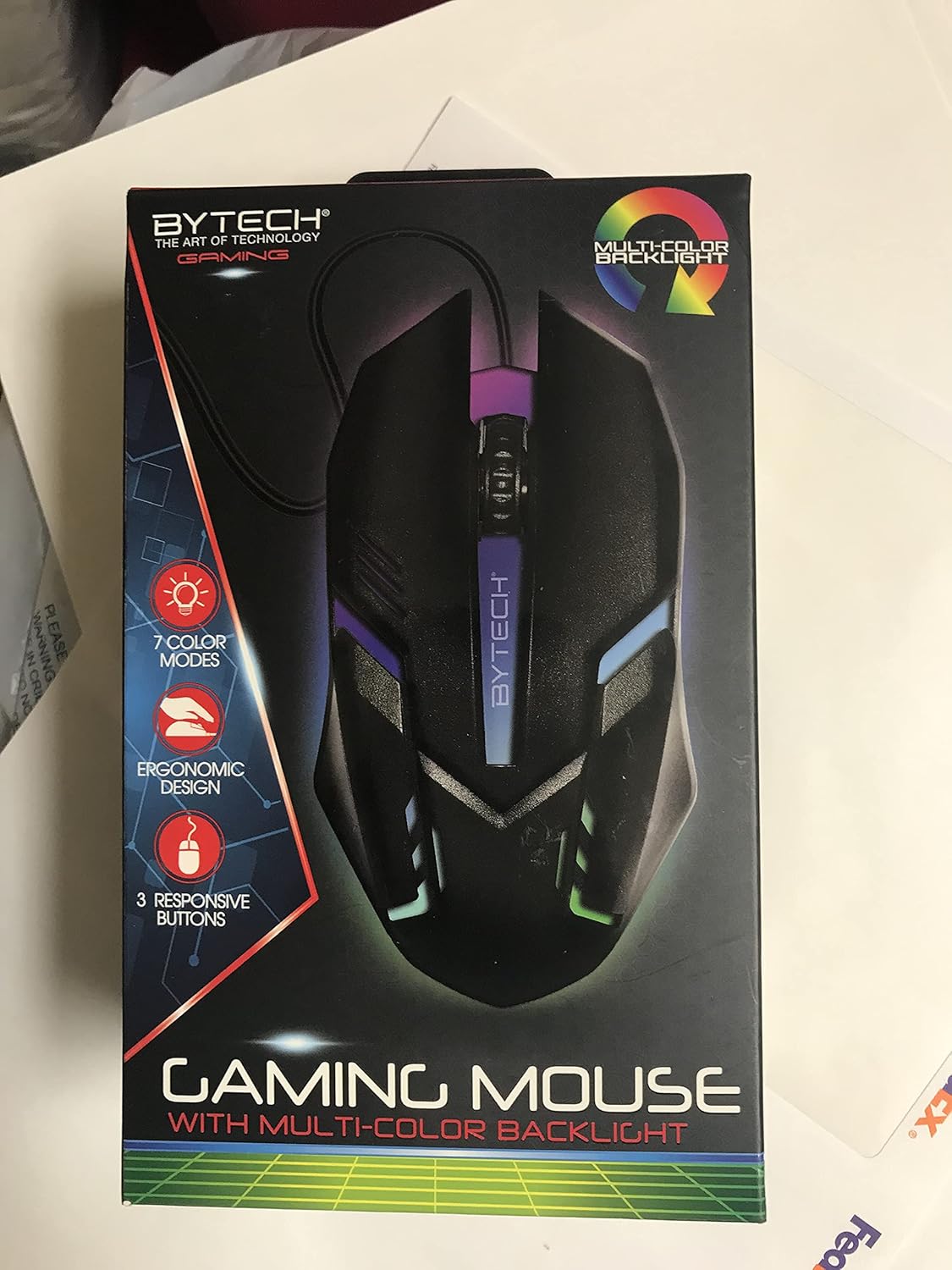
Mufananidzo: Mberi view of the Bytech BYMSWR104BK Gaming Mouse in its retail packaging, highlighting its multi-color backlight and ergonomic design.
Gadzirira
- Bvisa zvinhu: Carefully remove the gaming mouse from its packaging.
- Batanidza: Locate an available USB port on your computer (PC, laptop, etc.). Insert the USB connector of the Bytech BYMSWR104BK Gaming Mouse firmly into the USB port.
- Kuiswa kwemutyairi: The mouse is plug-and-play. Your operating system should automatically detect and install the necessary drivers. This process may take a few moments.
- Yakagadzirira Kushandisa: Once the drivers are installed, the mouse will be ready for immediate use. The multi-color backlight will illuminate.

Mufananidzo: Rear view of the Bytech BYMSWR104BK Gaming Mouse retail packaging, detailing features, specifications, and universal compatibility.
Operating Instruction
Basic Operation
- Bhatani rekuruboshwe: Primary click function, typically used for selecting items, opening files, or interacting with software.
- Bhatani rekurudyi: Secondary click function, usually opens context menus or provides additional options.
- Scroll Wheel (Middle Button): Scroll up or down to navigate documents and web pages. Pressing the scroll wheel acts as a middle-click button, often used for opening links in new tabs or auto-scrolling.
DPI Kugadziriswa
The Bytech BYMSWR104BK Gaming Mouse features adjustable DPI settings. While specific buttons for DPI adjustment are not explicitly listed on the packaging, many gaming mice allow DPI changes through a dedicated button (often located near the scroll wheel) or through software. Refer to your computer's mouse settings or Bytech's official website for advanced customization options if available.
Akatungamirira Backlight
The mouse features a dynamic multi-color LED backlight with 7 different color modes. These lights will automatically cycle through the modes once the mouse is connected and powered on. There is no manual control for changing modes on the mouse itself.
Maintenance
- Kuchenesa: Shandisa jira rakapfava, rakaoma kupukuta pamusoro pembeva. Kana iine tsvina yakaoma, pukuta zvishomaampsn jira rine mvura kana mushonga wakapfava wekuchenesa. Dzivisa kushandisa makemikari ane hasha kana abrasive zvinhu.
- Sensor Care: Chengetedza iyo optical sensor pazasi pegonzo yakachena uye isina guruva kana marara kuti uve nechokwadi chekutevera.
- Cable Management: Dzivisa kubhenda kwakapinza kana kudhonza zvakanyanya pa USB tambo kudzivirira kukuvara.
- Kuchengeta: Kana isiri kushandiswa, chengeta mbeva munzvimbo yakachena, yakaoma kure nekupisa kwakanyanya.

Mufananidzo: Side view of the Bytech BYMSWR104BK Gaming Mouse retail packaging, showcasing the multi-color backlight effect.
Kugadzirisa matambudziko
| Dambudziko | Possible Solution |
|---|---|
| Mbeva isingadaire |
|
| Chinotenderera chinotenderera kana kuti hachifambi zvakanaka |
|
| LED backlight not working |
|
Warranty uye Support
Warranty: This Bytech product comes with a 12-month warranty from the date of purchase. Please retain your proof of purchase for warranty claims.
Contact Information:
- Kero: 2585 West 13th Street, Brooklyn, NY 11223, USA
- Websaiti: www.bytechintl.com
⚠ YAMBIRO: Ichi chigadzirwa chinogona kukufumura kumakemikari, anosanganisira DEHP, inozivikanwa kuHurumende yeCalifornia kukonzera gomarara, kuremara kana kumwe kukuvadza pakuzvara. Kuti uwane rumwe ruzivo enda ku www.P65Yambiro.ca.gov.

Mufananidzo: Pazasi view of the Bytech BYMSWR104BK Gaming Mouse retail packaging, showing contact information, warranty details, and California Proposition 65 warning.


