1. Nhanganyaya
This manual provides detailed instructions for the installation, operation, and maintenance of the Wheelock SBB-W Surface Backbox. The SBB-W is designed to provide a surface mounting solution for compatible Wheelock devices, ensuring a secure and aesthetically pleasing installation. Please read this manual thoroughly before attempting any installation or operation.
2. Safety Information
YAMBIRO: Installation must be performed by qualified personnel in accordance with all local and national electrical codes and standards.
- Gara uchibvisa magetsi usati waisa kana kugadzirisa mudziyo.
- Ita shuwa kuti zvese zvinongedzo zvakachengeteka uye zvakavharirwa nemazvo.
- Do not expose the backbox to extreme temperatures or moisture beyond its specified operating conditions.
- Use only approved tools and hardware for installation.
3. Package Zviri mukati
Carefully unpack the box and ensure all items are present and undamaged. If any items are missing or damaged, contact your supplier immediately.
- 1 x Wheelock SBB-W Surface Backbox (White)
- Installation Hardware (screws, anchors - may vary)
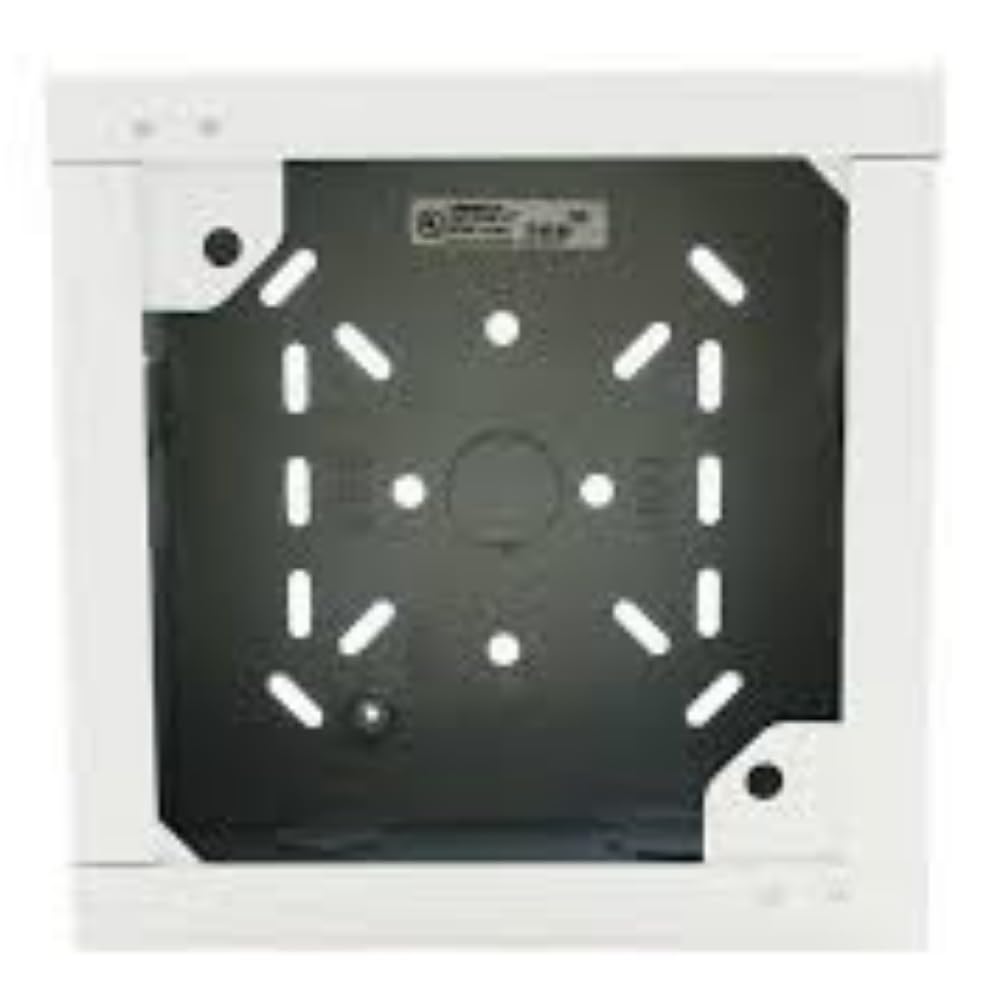
Figure 1: Wheelock SBB-W White Surface Backbox. This image shows the front view of the white surface backbox, designed for mounting compatible fire safety devices.
4. Setup uye Kuiswa
Follow these steps for proper installation of the SBB-W Surface Backbox:
- Sarudza Nzvimbo Yekukwirisa: Choose a flat, stable surface suitable for mounting the backbox. Ensure there is sufficient space for the backbox and any connected devices, and that the location complies with all relevant building codes.
- Mako Mounting Holes: Position the backbox against the desired mounting surface. Use a pencil or marker to mark the locations for the mounting screws through the designated holes on the backbox.
- Drill Pilot Holes: Using an appropriate drill bit for your mounting surface (e.g., wood, drywall, masonry), drill pilot holes at the marked locations. If mounting into drywall, insert wall anchors as needed.
- Secure Backbox: Align the backbox with the pilot holes and secure it to the surface using the provided mounting screws. Do not overtighten, but ensure the backbox is firmly attached and does not wobble.
- Wire Management: Route necessary wiring into the backbox through the designated knockouts or entry points. Ensure all wiring is properly stripped, terminated, and secured according to electrical codes.
- Mudziyo wekuisa: Once the backbox is securely installed and wired, mount the compatible Wheelock device (e.g., horn, strobe) onto the backbox according to the device's specific installation instructions.
5. Operating Instructions
The Wheelock SBB-W Surface Backbox is a passive component designed to house and protect compatible Wheelock fire alarm signaling devices. It does not have active operational controls. Its primary function is to provide a secure and compliant mounting enclosure for the device it supports.
Operation of the overall system will depend on the specific signaling device installed within the backbox and the fire alarm control panel to which it is connected. Refer to the instruction manual of the installed device for its operational details.
6. Kuchengeta
The SBB-W Surface Backbox requires minimal maintenance. Regular inspection is recommended to ensure its integrity and proper function as an enclosure.
- Visual Inspection: Periodically inspect the backbox for any signs of physical damage, cracks, discoloration, or loose mounting.
- Kuchenesa: If necessary, clean the exterior of the backbox with a soft, damp jira. Usashandise abrasive cleaners kana zvinonyungudutsa, sezvo izvi zvinogona kukanganisa kupera.
- Secure Mounting: Ensure that the backbox remains securely mounted to the surface. Tighten any loose screws if found.
7. Kugadzirisa matambudziko
As a passive enclosure, the SBB-W backbox itself typically does not experience "malfunctions." Most issues will relate to its installation or the device it houses.
| Dambudziko | Zvinogona Kukonzera | Solution |
|---|---|---|
| Backbox is loose on mounting surface. | Screws are not tightened sufficiently or anchors are failing. | Tighten mounting screws. If anchors are failing, replace with appropriate anchors for the wall material. |
| Damage to backbox (cracks, dents). | Kukanganiswa mumuviri kana kubatwa zvisina kunaka. | Replace the damaged backbox to ensure proper protection of the internal device. |
| Device mounted in backbox is not functioning. | Issue with the device itself or its wiring. | Refer to the troubleshooting section of the specific device's instruction manual. Verify wiring connections. |
8. Zvinotsanangurwa
| Feature | Detail |
|---|---|
| Model Number | SBB-W |
| Chikamu Nhamba | WSBBW |
| Brand | Wheelock |
| Color | Chena |
| Style | Safety |
| Mugadziri | WHEELOCK |
| UPC | 742779298560 |
| Item Package Quantity | 1 |
| Simba Source | Battery Powered (Note: This specification likely refers to the device intended for the backbox, not the backbox itself.) |
9. Ruzivo rweWaranti
According to product information, there is Hapana Warranty provided for the Wheelock SBB-W Surface Backbox. Please consult your point of purchase for their return or exchange policies.
10. Mutengi Tsigiro
For technical assistance, questions regarding installation, or to report issues, please contact your authorized Wheelock distributor or the manufacturer directly.
Mugadziri: WHEELOCK
Please have your product model number (SBB-W) and any relevant purchase information ready when contacting support.


