Nhanganyaya
This manual provides instructions for the SZELAM 5.6-inch LCD Digital Alarm Clock, Model 2199. This versatile device functions as both a wall-mounted and tabletop clock, displaying time, temperature, and humidity with a large, easy-to-read font. It is designed to help you monitor your indoor environment and manage your schedule effectively.
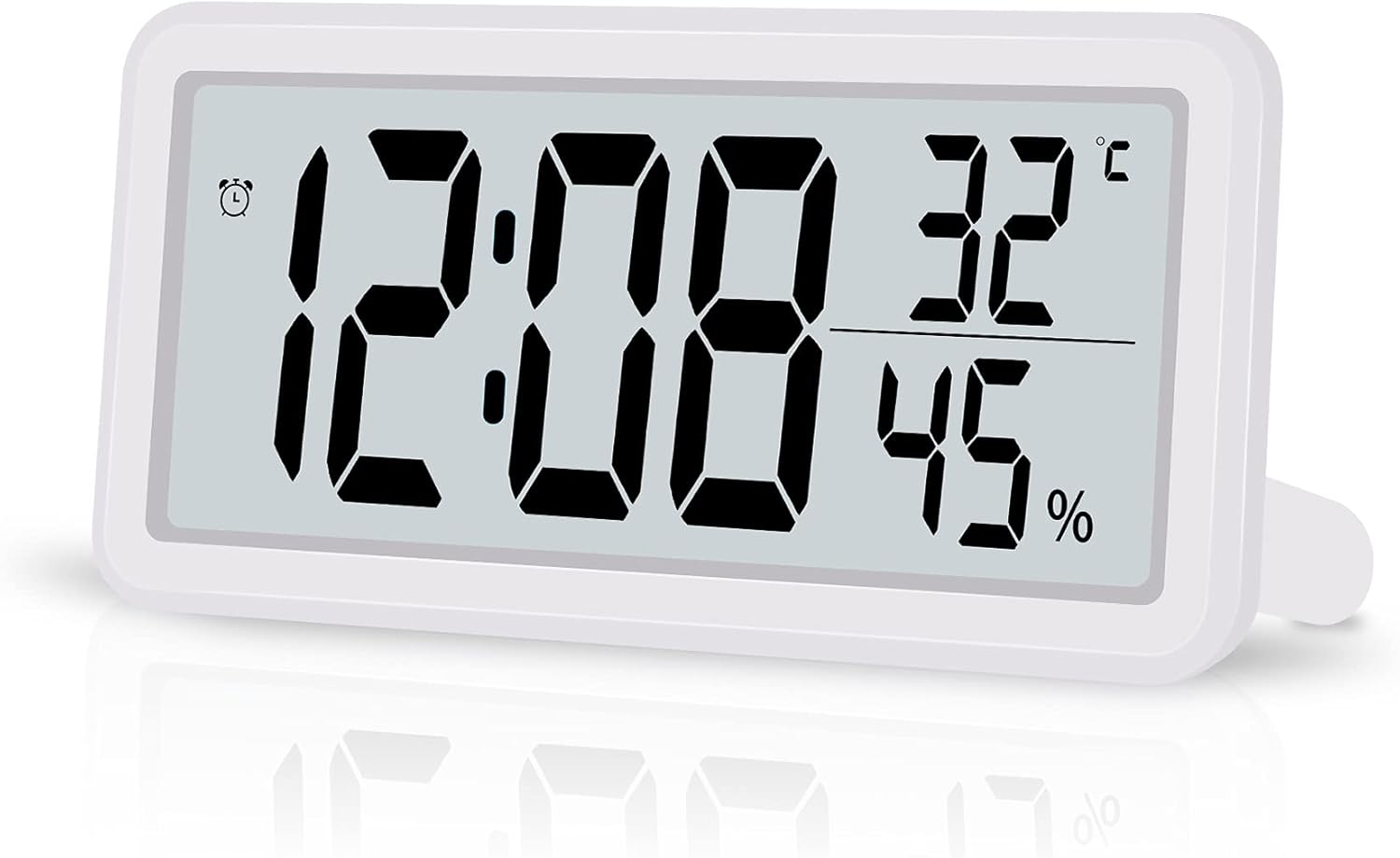
Figure 1: SZELAM 5.6-inch LCD Digital Alarm Clock
The image shows the SZELAM 5.6-inch LCD Digital Alarm Clock from a slight angle, displaying the time (12:08), temperature (32°C), and humidity (45%). The clock has a white casing and a clear digital display.
Product Features
- Yakakura LCD Ratidza: Features a 5.6-inch screen with bold, large fonts for clear visibility of time, temperature, and humidity.
- Tembiricha uye Humidity Monitoring: Built-in sensors detect and display indoor temperature (Celsius/Fahrenheit switchable) and humidity levels.
- Alarm with Snooze Function: Set alarms to wake up or for important events. The snooze function provides an additional 5 minutes of sleep.
- 12/24 Maawa Nguva Mafomati: Easily switch between 12-hour (with AM/PM indicator) and 24-hour time formats.
- Battery Powered: Operates on a CR2032 battery (included), offering portability and freedom from power outlets.
- Kuiswa kwakasiyana-siyana: Designed for both tabletop use with a fold-out stand and wall mounting via a hanging hole.

Figure 2: Product Dimensions and Feature Icons
This image illustrates the clock's dimensions: 5.8 inches wide and 2.9 inches high, with a thickness of 0.47 inches. Below the clock, six icons represent its main features: Battery Powered, Humidity, 12/24H Mode, Temperature, Date Display, and Snooze Mode.
Zvinoumba Pamusoroview
Familiarize yourself with the main components of your digital alarm clock.

Mufananidzo 3: Zvikamu zvePaneti reMberi nereKumashure
The top part of the image shows the front display with labels for 12H Mode (AM/PM), Alarm icon, Time, Temperature, and Humidity. The bottom part shows the back of the clock, labeling the Hanging Hole, Vents Hole, Battery Compartment, Speaker, Bracket (fold-out stand), and control buttons: MODE, UP, DOWN, MAX/MIN, and SNOOZE.
Mabhatani ekudzora:
- MUENZANISO: Used to switch between time, alarm, and date display modes, and to enter setting modes.
- UP: Used to increase values during setting or switch between 12/24-hour format.
- PASI: Used to decrease values during setting or switch between Celsius/Fahrenheit.
- MAX / MIN: Displays maximum and minimum temperature/humidity records.
- SNOOZE: Activates the snooze function when the alarm sounds.
Gadzirira
1. Kuiswa kwebhatiri
- Tsvaga nzvimbo yebhatiri kuseri kwewachi.
- Vhura chivharo chebhatiri.
- Insert one CR2032 battery, ensuring the correct polarity (+/-).
- Vhara chivharo chebhatiri zvakachengeteka.

Mufananidzo 4: Kuiswa kwebhatiri
This image shows a close-up of the back of the clock, with a hand inserting a CR2032 coin cell battery into the designated battery compartment.
2. Initial Settings (Time, Date, 12/24H, Temperature Unit)
Upon battery installation, the clock will power on. You may need to set the current time, date, and preferred display formats.
- Dzvanya uye ubate iyo MODE button to enter time setting mode. The hour digits will flash.
- Shandisa iyo UP or PASI mabhatani ekugadzirisa awa.
- Press MODE again to move to minute setting. Adjust with UP or PASI.
- Ramba uchidzvanya MODE to cycle through setting the year, month, and day. Adjust each with UP or PASI.
- After setting the date, press MODE to select 12-hour or 24-hour format. Use UP or PASI to toggle.
- Press MODE again to select the temperature unit (°C or °F). Use UP or PASI to toggle.
- Press MODE one last time or wait a few seconds for the settings to save and return to normal display.
Note: Setting the date can sometimes require careful timing with button presses. If the screen changes unexpectedly, simply re-enter the setting mode.
Operating Instruction
1. Nguva Nezuva Kuratidzwa
- In normal display mode, the clock shows time, temperature, and humidity.
- Press the MODE button briefly to switch between time display and date display (month and day).
- To change between 12-hour and 24-hour format, press the UP button in normal time display mode.
2. Kuratidzwa kweTembiricha neHumidity
- The current temperature and humidity are continuously displayed on the screen.
- Kuti uchinje pakati peCelsius (°C) neFahrenheit (°F), tinya bhatani rekuti PASI button in normal display mode.
- Press the MAX/MIN bhatani kuti view the maximum and minimum recorded temperature and humidity values. Press again to return to current readings.
3. Kuisa Alarm
- From normal display mode, press the MODE button repeatedly until the alarm time is displayed (an alarm icon may appear).
- Dzvanya uye ubate iyo MODE bhatani. Nhamba dzeawa yekuyambira dzichapenya.
- Shandisa iyo UP or PASI mabhatani ekugadzirisa awa yearamu.
- Press MODE again to move to alarm minute setting. Adjust with UP or PASI.
- Press MODE one last time or wait a few seconds to save the alarm setting.
- Kuti uvhure kana kudzima alarm, tinya iyo UP button while the alarm time is displayed. An alarm icon will appear/disappear to indicate its status.
4. Snooze Basa
Kana alarm yarira, tinya pa KUSVIRA bhatani rekunyaradza alarm kwenguva pfupi. Alarm icharira zvakare mushure memaminitsi angangoita mapfumbamwe.

Figure 5: Snooze Function in Use
This image depicts a woman sleeping peacefully with the SZELAM Digital Alarm Clock on her bedside table. A magnified inset highlights the "SNOOZE" button on the top of the clock, indicating its easy accessibility for activating the snooze function.
5. Kuisa Sarudzo
The clock offers flexible placement options:
- Kushandisa Tabletop: Extend the fold-out bracket on the back of the clock to stand it upright on any flat surface, such as a desk or bedside table.
- Kuisa madziro: Use the hanging hole on the back of the clock to mount it securely on a wall.

Figure 6: Wall-Mounted and Desk Placement
This image demonstrates the clock's versatility. The top section shows the clock mounted on a wall above a television, highlighting the hanging hole. The bottom section shows the clock placed on a desk with its fold-out stand extended, next to a notebook and pen.
Maintenance
1. Kuchenesa
To clean the clock, gently wipe the surface with a soft, dry cloth. Avoid using abrasive cleaners or solvents, as these can damage the display or casing.
2. Kutsiviwa kwebhatiri
When the display becomes dim or the clock functions erratically, it's time to replace the CR2032 battery. Follow the battery installation steps outlined in the "Setup" section. Ensure proper disposal of old batteries according to local regulations.
Kugadzirisa matambudziko
| Dambudziko | Zvinogona Kukonzera | Solution |
|---|---|---|
| Chiratidziro chakaderera kana kuti chisina. | Bhatiri rakaderera kana rapera. | Tsiva bhatiri reCR2032. |
| Cannot set time/date correctly. | Incorrect button sequence or timing. | Refer to the "Initial Settings" section and follow the steps carefully. Practice the button presses. |
| Alarm hainzwi. | Alarm haina kushanda. | Ensure the alarm icon is displayed, indicating the alarm is active. Refer to "Setting the Alarm". |
| Temperature/humidity readings seem inaccurate. | Clock placed near heat/cold sources or in extreme conditions. | Relocate the clock to a stable indoor environment away from direct sunlight, vents, or moisture. |
Zvinotsanangurwa
| Brand | SZELAM |
| Model Number | 2199 |
| Display Type | Dhijitari LCD |
| Product Dimensions | Approx. 14.7 cm (Width) x 7.4 cm (Height) x 1.2 cm (Depth) |
| Product Weight | Approx. 0.1 kg (100g) |
| Simba Source | 1 x CR2032 Bhatiri (rakabatanidzwa) |
| Mabasa | Time (12/24H), Date, Alarm, Snooze, Temperature (°C/°F), Humidity, MAX/MIN Records |
| Color | Chena |
| Mashandisiro Enzvimbo | Indoor |
Warranty uye Support
Specific warranty information for the SZELAM 5.6-inch LCD Digital Alarm Clock, Model 2199, is not provided in this manual. Please refer to the product packaging or the retailer's webwebhusaiti kuti uwane rumwe ruzivo nezve garandi uye rutsigiro rwevatengi.
For further assistance or inquiries, please contact the seller or manufacturer through the platform where the product was purchased.


