Nhanganyaya
Thank you for choosing Soundcore Life A3i Noise Cancelling Wireless Earbuds. This manual provides essential information for setting up, operating, and maintaining your earbuds to ensure optimal performance and longevity.
The Soundcore Life A3i earbuds are designed to deliver a superior audio experience with advanced features:
- Inonzwika Audio: Equipped with 10mm oversized drivers and BassUp technology for deep, thumping bass.
- Kudzima Ruzha Runoshanda RweHybrid (ANC): Reduces external noise by up to 35dB, allowing for immersive listening.
- Transparency Mode: Stay aware of your surroundings while enjoying your audio.
- AI-Enhanced Calls: Six dedicated microphones and an AI algorithm ensure clear calls even in noisy environments.
- Yakawedzerwa Nguva Yekutamba: Up to 10 hours on a single charge, and a total of 40 hours with the compact charging case (ANC off).
- Kuchaja nekukurumidza: 10 minutes of charge provides 2 hours of playback.
- Soundcore App Customization: Access 22 preset EQ settings and personalize your sound profile.
- Dual Connections: Chinja pakati pemidziyo miviri yakabatana zvisina muganho.
- Dziviriro Mvura: IPX5-rated protection against sweat, rain, and water splashes.
Chii chiri muBhokisi
Your Soundcore Life A3i package includes the following items:
- Soundcore Hupenyu A3i Noise Kudzima Earbuds
- Kuchaja Case
- S/M/L Ear Tips (one set pre-installed)
- USB-C Cable
- Quick Start Guide (QSG)
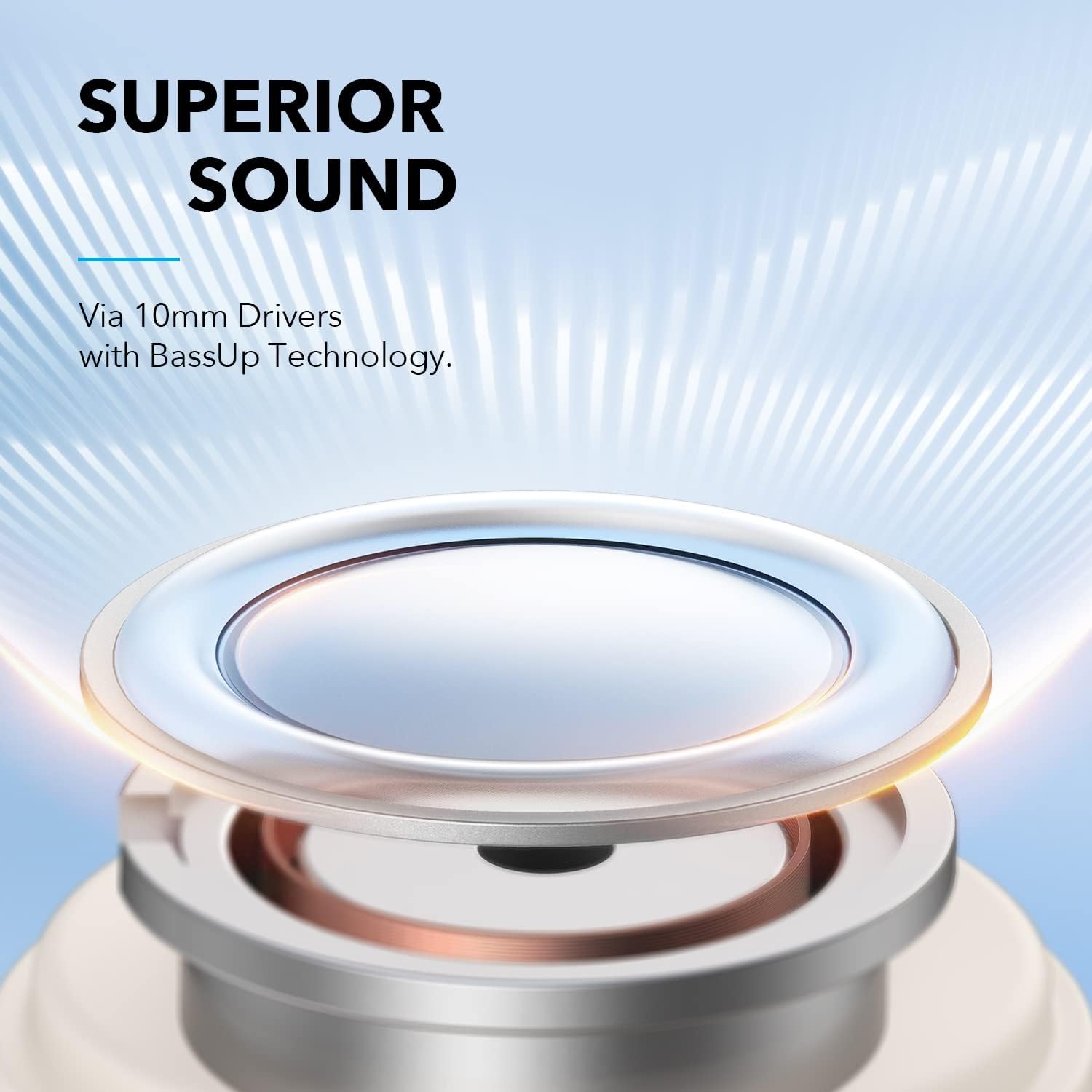
Image: The Soundcore Life A3i earbuds in their charging case, alongside the USB-C charging cable and extra ear tips.
Gadzirira
1. Kutanga Kuchaja
Before first use, ensure your earbuds and charging case are fully charged. Connect the provided USB-C cable to the charging port on the case and a power source. The LED indicators on the case will show charging status.

Image: The Soundcore Life A3i charging case with its lid open, showing the earbuds inside and LED indicator lights on the front of the case.
2. Bvisa Firimu Inodzivirira
Upon unboxing, remove the protective film from the charging contacts on both earbuds. Place the earbuds back into the charging case and close the lid to activate them.
3. Kubatanidza neChishandiso Chako
- Vhura bhokisi rekuchaja. Ma earbuds anopinda otomatiki mu pairing mode, inoratidzwa nemwenje ye LED inopenya.
- Pamudziyo wako (smartphone, piritsi, laptop), enda kuBluetooth marongero.
- Select "Soundcore Life A3i" from the list of available devices.
- Once connected, the LED indicators on the earbuds will turn solid blue.
Image: A hand holding the Soundcore Life A3i charging case open, next to a smartphone screen showing "Soundcore Life A3i Connected" in the Bluetooth settings.
4. Kupfeka
Choose the ear tips that provide the best fit for optimal noise cancelling performance and comfort. Gently insert the earbuds into your ears and rotate them until they fit snugly and securely.
Image: A diagram illustrating the correct way to insert the earbud into the ear canal for a secure fit and the incorrect way, which can affect noise reduction.
Operating Instruction
Controls
The Soundcore Life A3i offers physical buttons for control. Customize these controls via the Soundcore App.
Image: A diagram detailing the button functions for the left and right earbuds, including actions for pressing once, pressing twice, and pressing and holding for 2 seconds.
- Tamba/Kumbomira: Dzvanya chero earbud kamwe.
- Next Track: Press the right earbud twice.
- Previous Track: Press the left earbud twice.
- Vhoriyamu Kumusoro: Press the right earbud once.
- Vhoriyamu Pasi: Press the left earbud once.
- Pindura/Pedzisa Kufona: Dzvanya chero earbud kamwe.
- Ramba Kufona: Dzvanya chero earbud kwemasekonzi maviri.
- Shandisa Izwi Mubatsiri: Press either earbud for 2 seconds (customizable).
Kuteerera Modes
The Soundcore Life A3i offers multiple listening modes to suit your environment:
- Kudzima Ruzha Runoshanda RweHybrid (ANC): Press and hold either earbud for 2 seconds to toggle between ANC and Normal mode. This mode significantly reduces ambient noise.
- Normal Mode: Hapana kudzima ruzha kana kujekesa.
- Transparency Mode: This mode allows you to hear your surroundings clearly. To activate Transparency Mode, use the Soundcore App.

Image: A person wearing the Soundcore Life A3i earbuds, illustrating the Hybrid Active Noise Cancelling feature in an urban environment.
Soundcore App
Download the Soundcore App from your device's app store to unlock full customization options, including:
- Selecting from 22 preset EQ settings or creating custom sound profiles.
- Switching between ANC, Normal, and Transparency modes.
- Customizing earbud button controls.
- Kugadziridza firmware.

Image: A smartphone displaying the Soundcore App interface, highlighting the 22 EQ presets available for sound customization.
Maintenance
Proper maintenance ensures the longevity and performance of your Soundcore Life A3i earbuds.
- Kuchenesa: Regularly clean the earbuds and charging case with a soft, dry, lint-free cloth. Use a cotton swab to gently clean the ear tips and charging contacts.
- Kuramba Mvura: The earbuds are IPX5 water-resistant, meaning they can withstand sweat and light splashes. Do not submerge them in water or expose them to heavy rain. Ensure they are dry before placing them back in the charging case.
- Kuchengeta: Kana isiri kushandiswa, chengeta maearbuds mukesi yavo yekuchaja kuti uzvidzivirire uye ugare wakachajwa.
- Dzivisa Kunyanya Kupisa: Do not expose the earbuds or case to extreme temperatures (hot or cold) as this can damage the battery and internal components.
Kugadzirisa matambudziko
If you encounter issues with your earbuds, try the following troubleshooting steps:
- Maearbuds haana kubatanidza:
- Ensure the protective film is removed from the charging contacts.
- Place earbuds back in the case, close the lid, then open to re-enter pairing mode.
- Forget "Soundcore Life A3i" from your device's Bluetooth list and try pairing again.
- Hapana ruzha kubva kune imwe earbud:
- Place both earbuds back in the charging case and close the lid. Open it again after a few seconds.
- Check the earbud's charging contacts for any debris.
- Hunhu husina kunaka:
- Ensure ear tips provide a secure seal in your ear. Try different sizes.
- Chenesa matipi enzeve uye maspeaker grilles.
- Adjust EQ settings in the Soundcore App.
- Noise Cancelling not effective:
- Ensure earbuds are worn correctly and snugly.
- Verify ANC is activated via the Soundcore App or earbud controls.
- Edza matipi ezeve akakura akasiyana echisimbiso chiri nani.
- Maearbuds haasi kuchaja:
- Ita shuwa kuti tambo yekuchaja yakabatana zvakachengeteka kune ese ari maviri kesi uye magetsi sosi.
- Chenesa macontacts ekuchaja pamaearbuds uye mukati mekesi.
- Edza tambo ye USB-C yakasiyana neadapter yemagetsi.
Zvinotsanangurwa
| Model Name | Hupenyu A3i |
| Model Number | A3992021 |
| Kukura Kwemutyairi | 10 mm x 2 |
| Frequency Response | 20 Hz - 20 kHz |
| Impedance | 16 Ω |
| Bluetooth Version | 5.2 |
| Bluetooth Range | 10 m / 33 ft |
| Nguva yekutamba (Earbuds) | Kusvikira kumaawa makumi maviri nemana (ANC kure) |
| Yese Yekutamba (neNyaya) | Kusvikira kumaawa makumi maviri nemana (ANC kure) |
| Water Resistance Rating | IPX5 |
| Kuchaja Port | USB-C |
| Item Weight | 2.08 ounces |
| Product Dimensions | 4.53 x 3.54 x 2.76 inches |
Warranty uye Support
Soundcore provides an 18-mwedzi waranti for the Life A3i Noise Cancelling Wireless Earbuds.
For technical support, warranty claims, or additional information, please visit the official Soundcore website or contact their customer service. You can also refer to the Quick Start Guide included in your package for contact details.
For the latest updates and support resources, please visit: www.namambe.com


