Crosscall CORE-M5 User Manual
Muenzaniso: 1001011101114
Nhanganyaya
This manual provides comprehensive instructions for the setup, operation, maintenance, and troubleshooting of your Crosscall CORE-M5 rugged smartphone. Designed for durability and performance in challenging environments, the CORE-M5 is built to withstand various conditions while providing essential communication and smart device functionalities.
Please read this manual thoroughly before using your device to ensure proper operation and to maximize its lifespan.
Package Zviri mukati
Pakuvhura pasuru, simbisa kuti zvinhu zvese zviripo:
- Crosscall CORE-M5 Device
- USB Kuchaja Cable
- Quick Start Guide
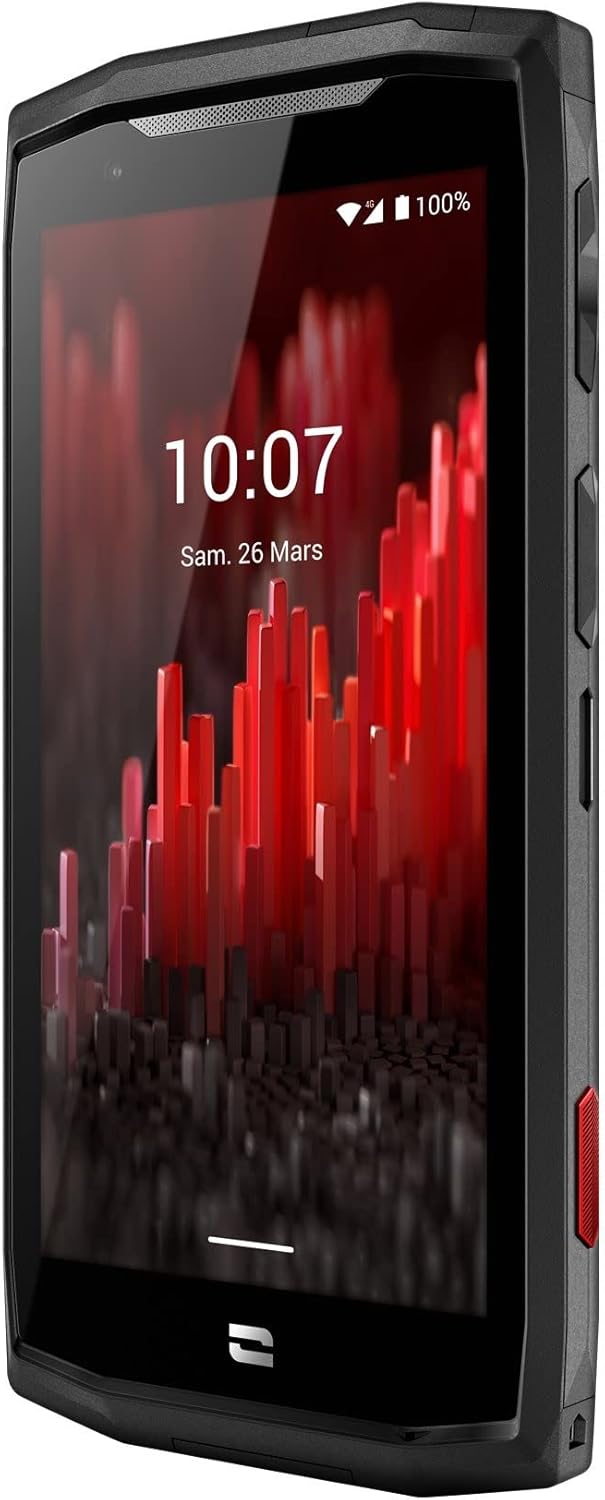
Mufananidzo: Wakakombama pamberi view of the Crosscall CORE-M5 device, highlighting its robust design and display.
Gadzirira
1. Inserting the SIM Card and Memory Card
The CORE-M5 supports SIM cards for cellular connectivity and an optional memory card for expanded storage. Locate the SIM/memory card tray on the side of the device.
- Power off the device completely.
- Use the provided SIM ejector tool (or a small paperclip) to open the SIM/memory card tray.
- Carefully place your SIM card(s) and/or memory card into the designated slots on the tray, ensuring correct orientation as indicated on the tray.
- Sunda tireyi zvinyoro nyoro mumudziyo kusvika yadzvanya panzvimbo.

Image: A user demonstrating the insertion of a SIM card into the device's slot.
2. Kutanga Kuchaja
Before first use, it is recommended to fully charge your CORE-M5.
- Connect the USB charging cable to the device's charging port.
- Batanidza rimwe divi retambo kune adapta yemagetsi yeUSB inoenderana kana chiteshi cheUSB chekombuta.
- The charging indicator on the screen will show the charging status. Allow the device to charge until the battery icon indicates a full charge.
3. Powering On uye Initial Configuration
- Press and hold the Power button (usually located on the side) until the Crosscall logo appears.
- Tevedzera zviri pa-skrini kuti upedze kuseta kwekutanga, kusanganisira kusarudza mutauro, kubatana kweWi-Fi, kuseta account yeGoogle, uye zvigadziriso zvekuchengetedza.
Operating the CORE-M5
Basic Navigation
- Touchscreen: Navigate the device using taps, swipes, and pinch gestures on the 4.95-inch touchscreen display.
- Bhatani reSimba: Press to turn the screen on/off, or press and hold to power off/restart the device.
- Mabhatani eVolume: Rongedza vhoriyamu yemedia, vhoriyamu yekufona, kana vhoriyamu yeringi.
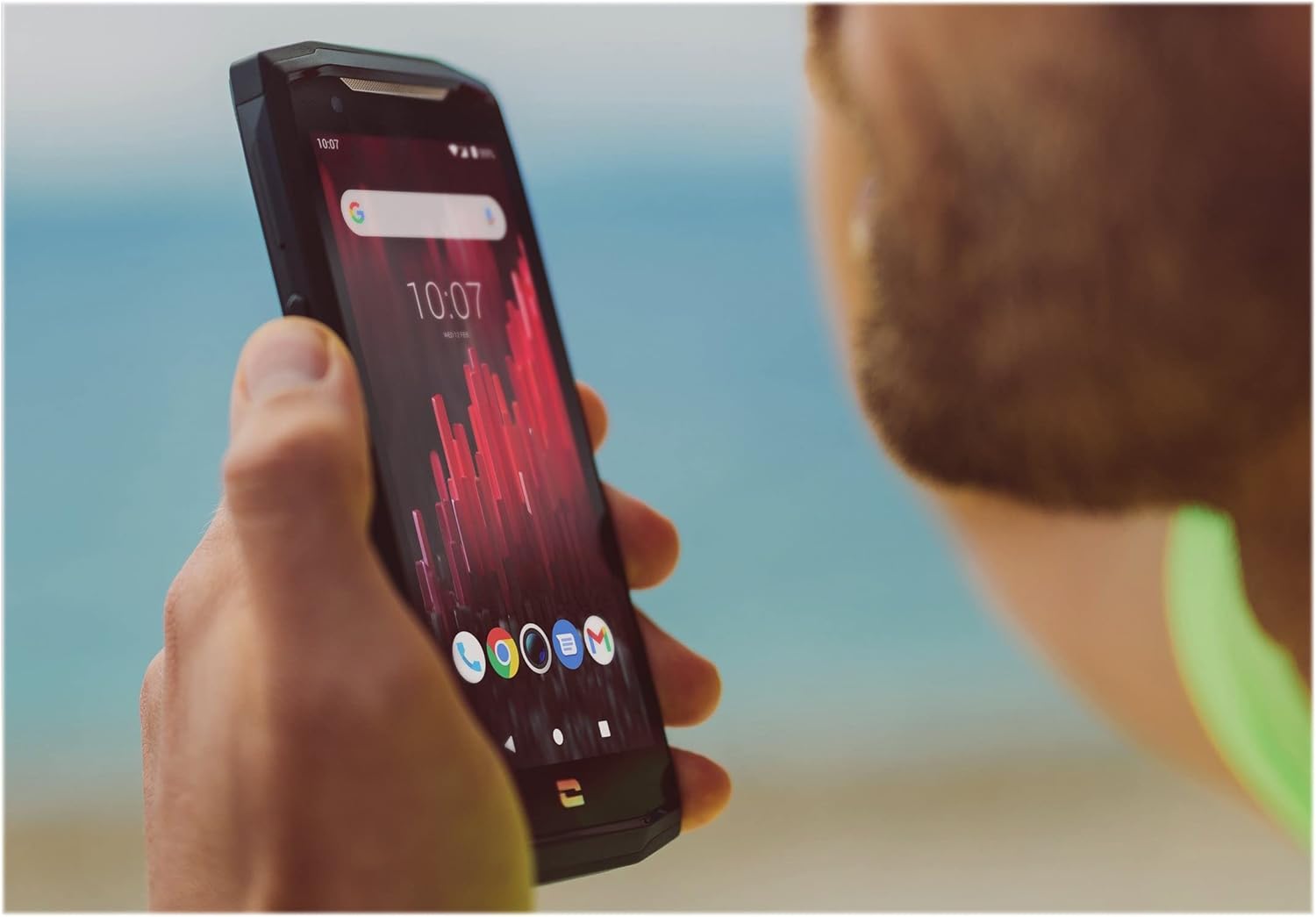
Image: The CORE-M5 in use, demonstrating its compact size and clear display for outdoor visibility.
Kubatana
- Wi-Fi: Svika zvigadziriso zveWi-Fi kubva kuKurumidza Settings panhi kana Settings app yekubatanidza kune isina waya network.
- Bluetooth: Pair with Bluetooth devices such as headphones, speakers, or other smartphones via the Bluetooth settings.
- USB: Connect the device to a computer using the USB cable for data transfer or charging.
- Nharembozha Enable or disable mobile data from the Quick Settings or Network & Internet settings. Supports 2G and 3G cellular technologies.
Kamera Kushanda
The CORE-M5 features both front and rear cameras for capturing photos and videos.
- Vhura iyo Kamera application kubva pachiratidziro chekumba kana dhirowa reapp.
- Dzvanya bhatani rekuvhara kuti utore mufananidzo kana kuti chinja kuenda kumodhi yevhidhiyo kuti utorere.
- Shandisa zvidzoreso zvepa-screen kuchinja pakati pemakamera ekumberi nekumashure, gadzirisa zoom, kana kuisa mafirita.
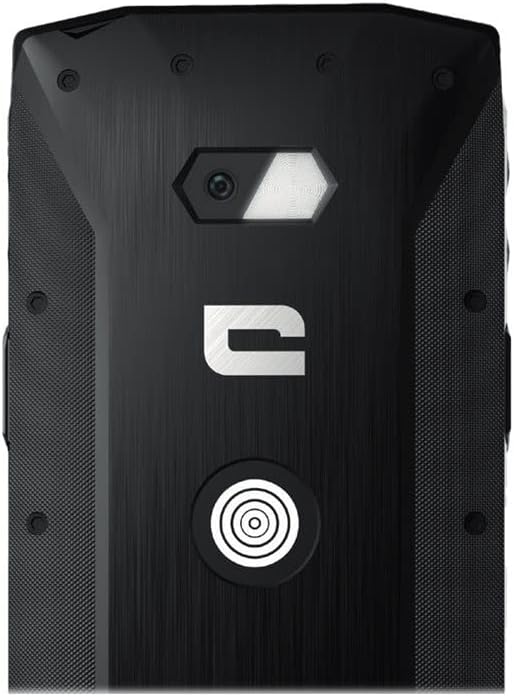
Mufananidzo: Zvakadzama view of the CORE-M5's rear, highlighting the camera module and the X-Link magnetic connection system.
X-Link System
The CORE-M5 is equipped with Crosscall's X-Link magnetic connection system on the back, allowing for easy attachment of compatible accessories such as chargers, mounts, and external batteries.
- Align the X-Link accessory with the magnetic connector on the back of your CORE-M5.
- The magnets will guide the accessory into place, ensuring a secure connection.

Image: The CORE-M5 securely mounted in a vehicle, demonstrating the utility of the X-Link system for hands-free use.
Maintenance
- Kuchenesa: Shandisa nyoro, damp cloth to clean the device. Avoid harsh chemicals or abrasive materials. Ensure all ports are closed before cleaning if exposed to water.
- Mvura uye Dust Resistance: The CORE-M5 is designed to be rugged. However, ensure all port covers are securely closed to maintain water and dust resistance. Avoid prolonged submersion beyond specified limits.
- Battery Care: To prolong battery life, avoid extreme temperatures. Do not allow the battery to fully discharge frequently.
- Zvigadziriso zveSoftware: Gara uchitarisa uye kuisa masisitimu ekugadzirisa kuti uve nechokwadi chekushanda kwakakwana uye kuchengetedzeka.
Kugadzirisa matambudziko
| Dambudziko | Zvinogona Kukonzera | Solution |
|---|---|---|
| Mudziyo haubatike | Bhatiri rakaderera; software crash | Chaja mudziyo kwemaminitsi angangoita makumi matatu. Ita zvekumanikidzwa kutangazve nekubata bhatani rePower kwemasekondi gumi kusvika gumi nemashanu. |
| Sikirini haibatike | Temporary software glitch | Restart the device. If unresponsive, perform a forced restart. |
| Poor call quality / No network | Weak signal; incorrect SIM insertion; network issue | Enda kunzvimbo ine chiratidzo chiri nani. Isazve SIM card. Bata mupi we network yako. |
| Zvishandiso zvinoputsika kana kutonhora | Insufficient memory; app conflict; outdated software | Close background apps. Clear app cache/data. Update apps and system software. Free up storage space. |
Zvinotsanangurwa
| Feature | Detail |
|---|---|
| Model Name | 1001011101114 |
| Brand | Crosscall |
| Operating System | Android |
| CPU Model | Cortex |
| Screen Size | 4.95 inches |
| Resolution | 1026 x 513 |
| RAM | 3 GB |
| Memory Storage Capacity | 32 GB |
| Battery Capacity | 4000 mAh |
| Nguva Yekutaura Parunhare | 24 Maawa |
| Kubatana | Bluetooth, Wi-Fi, USB |
| Nhoroondo ye Cellular Technology | 2G, 3G |
| Wireless Carrier | Yakakiyiwa |
| Makamera | Kumashure, Mberi |
| Color | Nhema |
| Product Dimensions | 4.25 x 0.79 x 4.25 inches |
| Item Weight | 8 ounces (226.6 magiramu) |
| Kutanga Kuwanikwa | Gunyana 21, 2021 |
Warranty uye Support
Crosscall products are known for their durability and come with a manufacturer's warranty. For specific warranty terms and conditions, please refer to the warranty card included with your product or visit the official Crosscall website.
For technical support, troubleshooting assistance, or service requests, please contact Crosscall Customer Service through their official channels. Have your product model number (1001011101114) and purchase information ready when contacting support.
Official Crosscall Websaiti: www.crosscall.com


