Nhanganyaya
The Pigtronix Gamma Drive is a versatile overdrive pedal designed to deliver a wide range of tones, from subtle boosts to aggressive, all-out grind. Its intuitive controls allow musicians to sculpt their sound with precision, making it an essential tool for any guitarist seeking dynamic and expressive overdrive.

Mufananidzo 1: Mberi view of the Pigtronix Gamma Drive Overdrive Pedal. This image displays the pedal's blue casing, the four control knobs (Volume, Gain, Treble, Bass), the footswitch, and the DC 9V power input label.
Key Features
- Overdrive Pedal with Treble Bass Controls
- Wide range of gain from subtle boost to heavy distortion
- Compact uye yakasimba dhizaini
- True bypass switching for signal integrity
Package Zviri mukati
Paunenge uchivhura pasuru, ndapota ita shuwa kuti zvese zvinotevera zvinhu zviripo:
- Pigtronix Gamma Drive Overdrive Pedal
- Bhuku rekushandisa (gwaro iri)
- Connection Cable
Setup Guide
Follow these steps to properly set up your Pigtronix Gamma Drive pedal:
1. Simba Connection
Connect a standard 9V DC power supply (not included) to the "DC 9V" input jack on the top of the pedal. Ensure the power supply is center-negative and provides at least 10mA of current.
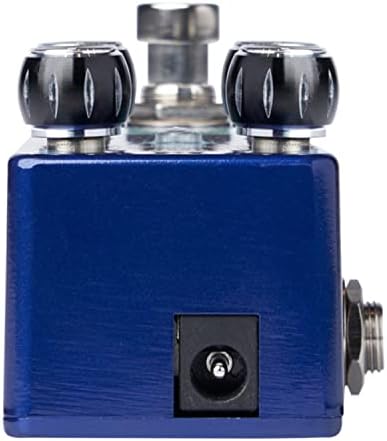
Figure 2: Close-up of the DC 9V power input jack located on the top side of the pedal.
2. Instrument Connection
Connect your instrument (e.g., guitar) to the INPUT jack on the right side of the pedal using a standard 1/4-inch instrument cable.
3. AmpLifier Connection
Batanidza iyo OUTPUT jack kuruboshwe rweruboshwe kune yako amplifier's input uchishandisa imwe waya yemidziyo ye 1/4-inch yakajairika.
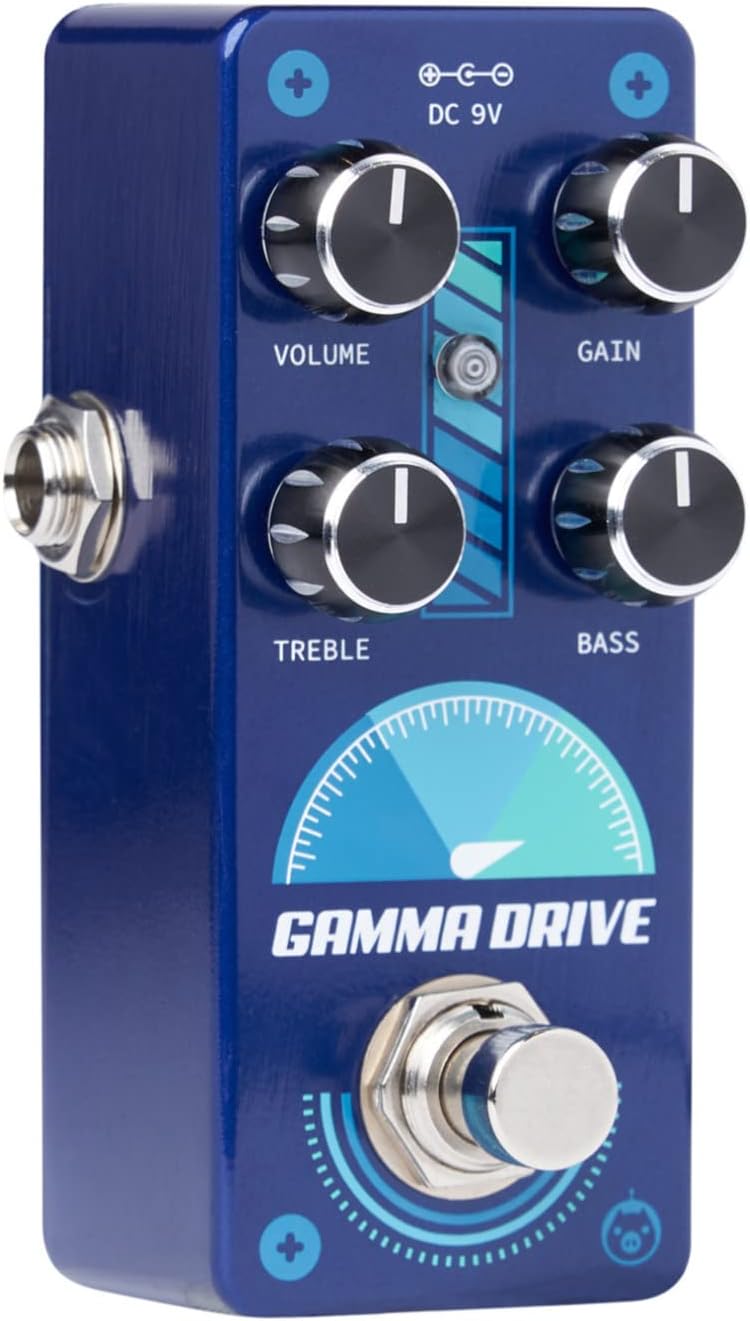
Mufananidzo 3: Angled view illustrating the input jack (right side) and output jack (left side) for instrument and amplifier connections.
Operation
The Pigtronix Gamma Drive features four primary control knobs and a footswitch for intuitive sound shaping.
Kudzora Pamusoroview
Mufananidzo 4: Mberi view of the pedal showing the layout of the control knobs.
- VOLUME: Controls the overall output level of the pedal. Turn clockwise to increase the volume.
- WANA: Adjusts the amount of overdrive and distortion. Higher settings produce more saturated and aggressive tones.
- TRUBLE: Shapes the high-frequency content of your tone. Turn clockwise for brighter sounds, counter-clockwise for warmer tones.
- BASS: Controls the low-frequency content. Turn clockwise to add more bass, counter-clockwise to reduce it.
Kushandisa Footswitch
The large footswitch at the bottom of the pedal engages or bypasses the effect. When the effect is active, the LED indicator above the footswitch will illuminate. When bypassed, your signal passes through the pedal unaffected (true bypass).
Maintenance and Care
- Kuchenesa: Use a soft, dry cloth to clean the pedal's surface. Avoid abrasive cleaners or solvents.
- Kuchengeta: Chengeta pedal munzvimbo inotonhorera, yakaoma kure nezuva rakananga uye tembiricha yakanyanya.
- Simba: Always use a regulated 9V DC power supply with the correct polarity (center-negative) to prevent damage.
- Connections: Ensure all cables are securely connected before use. Disconnect cables when not in use to prevent accidental damage.
Kugadzirisa matambudziko
| Dambudziko | Zvinogona Kukonzera | Solution |
|---|---|---|
| Hapana ruzha kana pedal yakabatidzwa. | Incorrect cable connections; Power supply issue; Pedal not engaged. | Check all input/output cables; Ensure 9V DC power supply is connected and functional; Press footswitch to engage pedal (LED should light up). |
| Weak or distorted sound. | Low power; Incorrect gain/volume settings. | Verify power supply voltage and current; Adjust GAIN and VOLUME knobs to desired levels. |
| Ruzha rusingadiwe kana kuti ruzha. | Chinotenderera pasi; Tambo dzisina kunaka; Kukanganiswa kwemagetsi kubva kune mamwe magetsi. | Use isolated power supply; Try different cables; Move pedal away from power transformers or fluorescent lights. |
Zvinotaurwa Nezvehunyanzvi
| Tsanangudzo | Value |
|---|---|
| Item Weight | 9 ounces |
| Product Dimensions | 8.4 x 6.3 x 4.7 inches |
| Model Number | GDR |
| Color | Light Blue, Black |
| Hardware inowanikwa | HP-HSC |
| Signal Format | Analogi |
| Simba Source | Battery Powered (Note: Typically refers to ability to use battery, but 9V DC adapter is standard for pedals) |
| Voltage | 9 Volts DC |
| Ampage | 10 mamiriyoniamps (minimum required) |
Warranty uye Support
For detailed warranty information, product registration, and technical support, please visit the official Pigtronix websaiti kana kubata dhipatimendi ravo rebasa revatengi. Chengetedza humbowo hwako hwekutenga kune warranty claim.
Official Websaiti: www.pigtronix.com


