Nhanganyaya
Thank you for choosing the HTC True Wireless Bluetooth Earbuds 2. This manual provides detailed instructions on how to set up, operate, and maintain your earbuds to ensure optimal performance and longevity. Please read this manual carefully before using the product.
Chii chiri muBhokisi
- 1x yekuchaja kesi
- 1x USB Type-C tambo
- 1x Kurumidza Kutanga Nongedzo
- 2x True Wireless Earbuds (Left and Right)
- 2x pairs of rubber tips (large and small) - Note: A medium pair is likely pre-installed.
Product Overview
Familiarize yourself with the components of your HTC True Wireless Bluetooth Earbuds 2 and their charging case.

Image: The HTC True Wireless Earbuds 2, with one earbud outside the open charging case, showing the charging contacts and indicator light.
The charging case features a USB-C port for charging and an LED indicator to show charging status. Each earbud has touch-sensitive surfaces for control and charging contacts at the bottom.
Gadzirira
1. Kuchaja maEarbuds uye Case
Usati watanga kushandisa, ita shuwa kuti ese maearbud nekesi yekuchaja zvazara.
- Place the earbuds into the charging case. Ensure they are correctly seated; the indicator lights on the earbuds should illuminate, indicating charging.
- Connect the USB Type-C cable to the charging port on the case and the other end to a USB power source (e.g., computer, wall adapter).
- The charging case's indicator light will show charging status. A full charge for the case provides up to 3 additional charges for the earbuds, extending total playtime to 32 hours.

Image: The HTC True Wireless Earbuds 2 in their charging case, illustrating the long battery life performance with up to 8 hours listening time per charge and 32 hours total with the 500mAh charging case.
2. Kubatanidza neChishandiso
Mahedhifoni anoshandisa Bluetooth 5.1 kuti akwanise kubatanidza zvinhu nekukurumidza uye zvakagadzikana.
- Vhura kesi yekuchaja. Maearbuds anozopinda otomatiki maitiro ekubatanidza.
- Pamudziyo wako (smartphone, piritsi, laptop), shandisa Bluetooth.
- Tsvaga "HTC TWS3" or "HTC True Wireless Earbuds 2" in the list of available Bluetooth devices.
- Select the earbuds to connect. Once connected, you will hear a confirmation tone.

Image: The HTC True Wireless Earbuds 2 and their charging case positioned near a smartphone, demonstrating the quick and easy pairing process facilitated by the latest Bluetooth 5.1 chipset.
The earbuds can be used individually or together. For optimal stereo sound, use both earbuds. They maintain a stable connection up to 10 meters (32 feet) from your device.
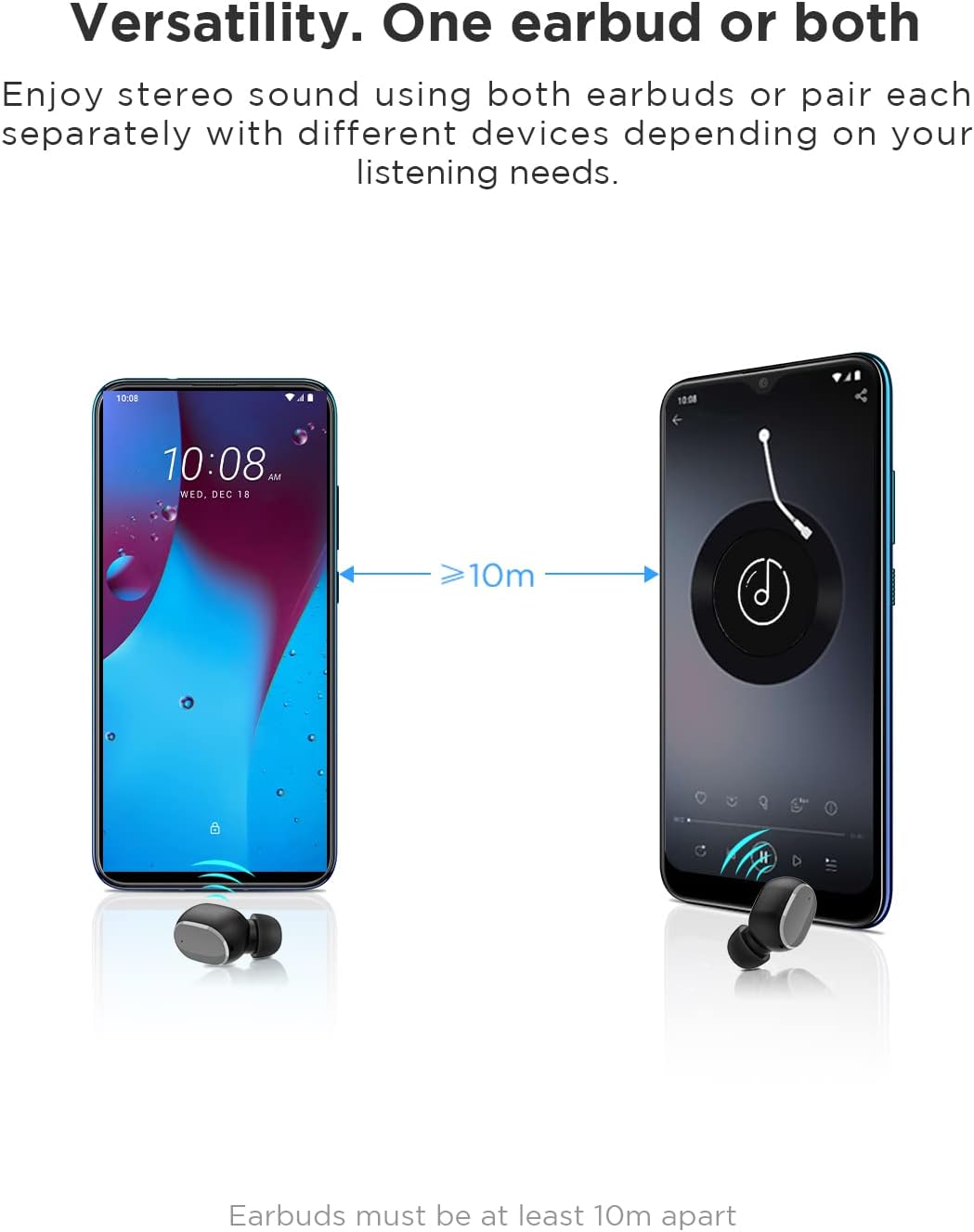
Image: An illustration showing two smartphones and earbuds, emphasizing the versatility of using one or both earbuds and the effective operating range of at least 10 meters.
Operating Instruction
The HTC True Wireless Bluetooth Earbuds 2 feature intuitive touch controls for various functions.

Image: A detailed diagram illustrating the simple touch controls for the HTC True Wireless Earbuds 2, including commands for play/pause, track navigation, call management, voice assistant, and volume control.
| Chiito | Function |
|---|---|
| Tokonya chero earbud kamwe | Play / Pause music, Answer / End call |
| Tokonya earbud yekuruboshwe kaviri | Wedzera Inzwi |
| Tokonya earbud yekurudyi kaviri | Deredza Inzwi |
| Tokonya chero earbud katatu | Activate Voice Assistant |
| Tokonya uye bata earbud yekuruboshwe kwemasekonzi maviri | Ridza Rwiyo Rwakapfuura |
| Tokonya uye bata earbud yekurudyi kwemasekonzi maviri | Ridza Rwiyo Runotevera |
| Tap and hold either earbud for 2 seconds (during incoming call) | Ramba Kufona |
| Tap either earbud 5 times | Clear pairing / Restore factory settings |
The earbuds are designed for comfortable, long-term wear, weighing only 4.4g per earbud. They come with three different sizes of ear tips to ensure a secure and comfortable fit.

Image: A person comfortably wearing an HTC earbud, accompanied by illustrations highlighting the ergonomic design, skin-friendly material, and the inclusion of three different earplug sizes for optimal fit and comfort.
Maintenance
Kuchenesa
Kuchenesa nguva dzose kunobatsira kuchengetedza ruzha rwemhando uye hutsanana.
- Shandisa jira rakapfava, rakaoma, risina lint kupukuta maearbud nekesi yekuchaja.
- For earwax or debris in the ear tips or speaker mesh, use a small, soft brush or cotton swab. Do not use sharp objects.
- Avoid using abrasive cleaners, alcohol, or chemical solvents.
Storage
Kana isiri kushandiswa, chengeta maearbuds mukesi yavo yekuchaja kuti uzvidzivirire uye ugare wakachajwa.
- Chengetedza munzvimbo inotonhorera, yakaoma, kure nekupisa kwakanyanya uye zuva rakananga.
- Dzivisa kuchengeta munzvimbo dzine guruva kana dzakasviba.
Kuramba Mvura (IPX5)
The HTC True Wireless Bluetooth Earbuds 2 are rated IPX5 water-resistant, meaning they can withstand a sustained, low-pressure water jet spray. This makes them suitable for workouts and light rain.
- Usanyudze maearbuds mumvura.
- Bhokisi rekuchaja harina kunyura mvura. Richengetedze rakaoma.
- Ita shuwa kuti maearbuds aoma usati waadzosera muchesi yekuchaja kudzivirira kukuvara.
Kugadzirisa matambudziko
Kana ukasangana nematambudziko nemaearbuds ako, tarisa kune anotevera akajairika mhinduro:
| Dambudziko | Solution |
|---|---|
| Maearbuds asingabatanidzwe nemudziyo |
|
| Only one earbud has sound |
|
| Maearbuds haasi kuchaja |
|
| Poor sound quality or disconnections |
|
Zvinotsanangurwa
Detailed technical specifications for the HTC True Wireless Bluetooth Earbuds 2.
| Feature | Detail |
|---|---|
| Model Name | TWS 2 (HTC TWS3) |
| Kubatana Technology | Wireless (Bluetooth 5.1) |
| Maheadphone Jack | USB (yekuchaja) |
| Control Type | Kubata, Kudzora Vhoriyamu |
| Mvura Resistance Level | IPX5 (Earbuds) |
| Mafomati eMaikorofoni | Built-In, Stereo |
| Nguva Yekutamba (Earbuds) | Kusvikira kumaawa masere (chaji imwe chete) |
| Talk Time (Earbuds) | Kusvikira kumaawa masere (chaji imwe chete) |
| Total Playtime with Charging Case | Kusvikira kumaawa makumi maviri nemashanu |
| Kuchaja Case Battery Capacity | 500mAh |
| Earbud Weight (Single) | 4.4g |
| Maximum Operating Distance | Mafiti mana (approx. 10 metres) |
| Inowirirana Devices | Android, Malaptop, iPhone |
| Material | Plastiki |
| Product Dimensions | 4.34 x 4.34 x 3.45 cm; 160 g (overall package) |
Safety Information
Please observe the following safety guidelines for safe and effective use:
- Usabvisa, kugadzirisa, kana kugadzirisa chigadzirwa. Izvi zvinogona kukonzera moto, kuvhundutswa nemagetsi, kana kukuvara zvachose kwechigadzirwa.
- Chengeta chigadzirwa ichi kure nekupisa kwakanyanya, chiedza chezuva chakananga, uye hunyoro hwakawanda.
- Dzivisa kudonhedza kana kuisa chigadzirwa kune simba rakasimba.
- Usashandise maearbuds pamavhoriyamu akawandisa kwenguva yakareba, nekuti izvi zvinogona kukonzera kukuvara kwekunzwa.
- Chengetedza kure nevana nemhuka dzinovaraidza.
- Rasa chigadzirwa nemabhatiri acho zvine ungwaru maererano nemitemo yenzvimbo.
Mutengi Support
For further assistance or inquiries, please contact HTC customer support through their official channels. Refer to the product packaging or the official HTC websaiti yeruzivo rwekusangana.
Note: Specific warranty details are not provided in this manual. Please refer to your purchase documentation or the manufacturer's websaiti yeruzivo waranti.


