1. Nhanganyaya
Thank you for choosing Kinganda Q71 Bluetooth Earbuds. This manual provides detailed instructions for setting up, operating, and maintaining your new wireless earbuds. Please read this manual carefully before use to ensure proper functionality and to maximize your listening experience.
2. Safety Information
- Do not expose the earbuds or charging case to extreme temperatures, humidity, or corrosive environments.
- Dzivisa kuteerera nepamusoro-soro mazinga kwenguva yakareba kudzivirira kukuvara kwekunzwa.
- Chengetedza mudziyo kure nevana uye mhuka dzinovaraidza.
- Usaedze kupatsanura kana kugadzirisa chigadzirwa. Izvi zvinoita kuti garandi isashande.
- Geza maearbud nekesi yekuchaja nejira rakapfava, rakaoma chete.
3. Package Zviri mukati
Ndokumbira utarise kuti zvinhu zvese zviripo mupasuru yako:
- Kinganda Q71 Bluetooth Earbuds (Left and Right)
- Kuchaja Case
- USB Kuchaja Cable
- Akawanda Saizi Ezeve Mazano
- User Manual
4. Chigadzirwa Pamusoroview
Familiarize yourself with the components of your Kinganda Q71 Bluetooth Earbuds.
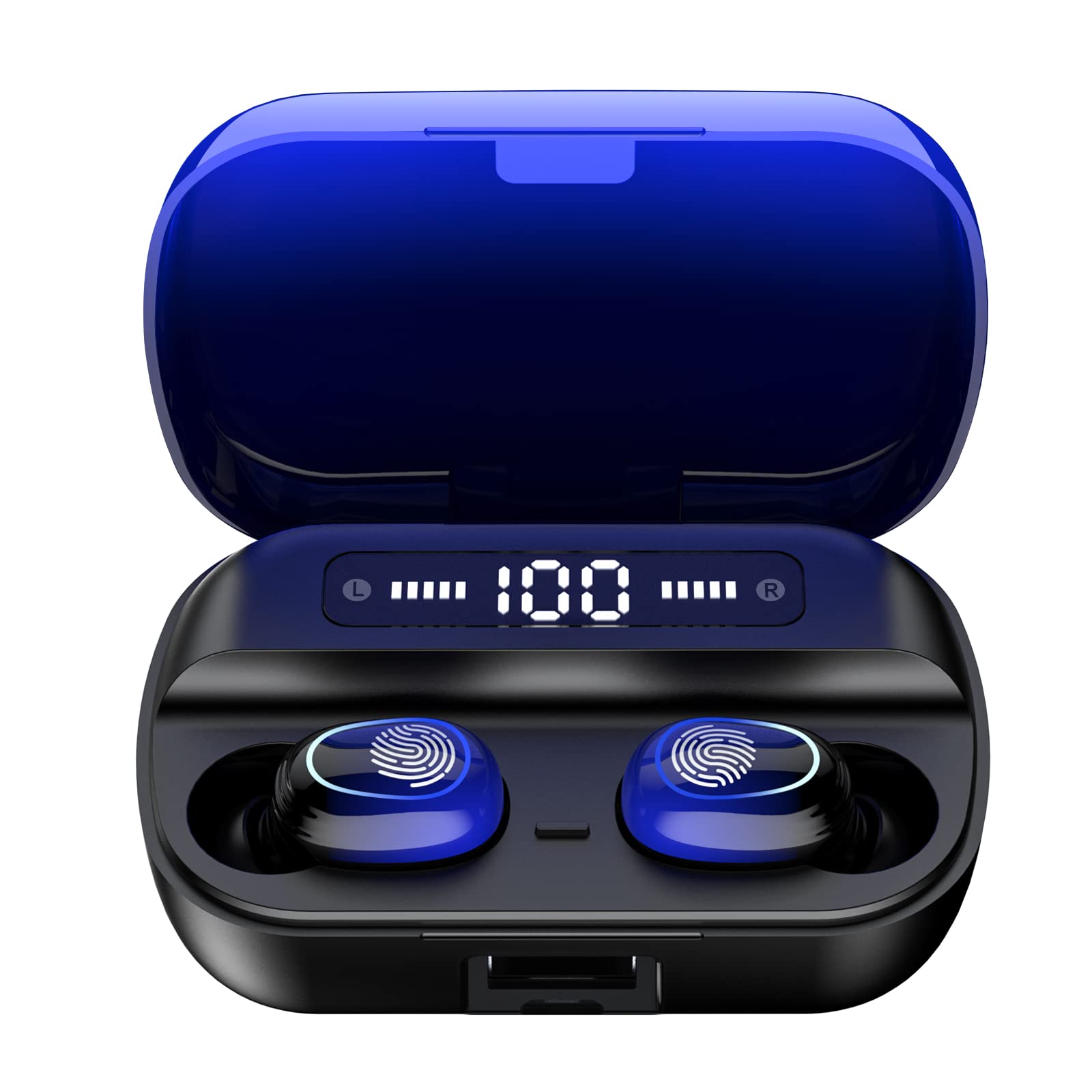
Mufananidzo 4.1: Pamusoroview of Kinganda Q71 Bluetooth Earbuds and key features including Bluetooth 5.1, low latency, low power consumption, touch control, clear calls, 10mm speakers, compatibility with iOS and Android, and a 33-foot signal range.
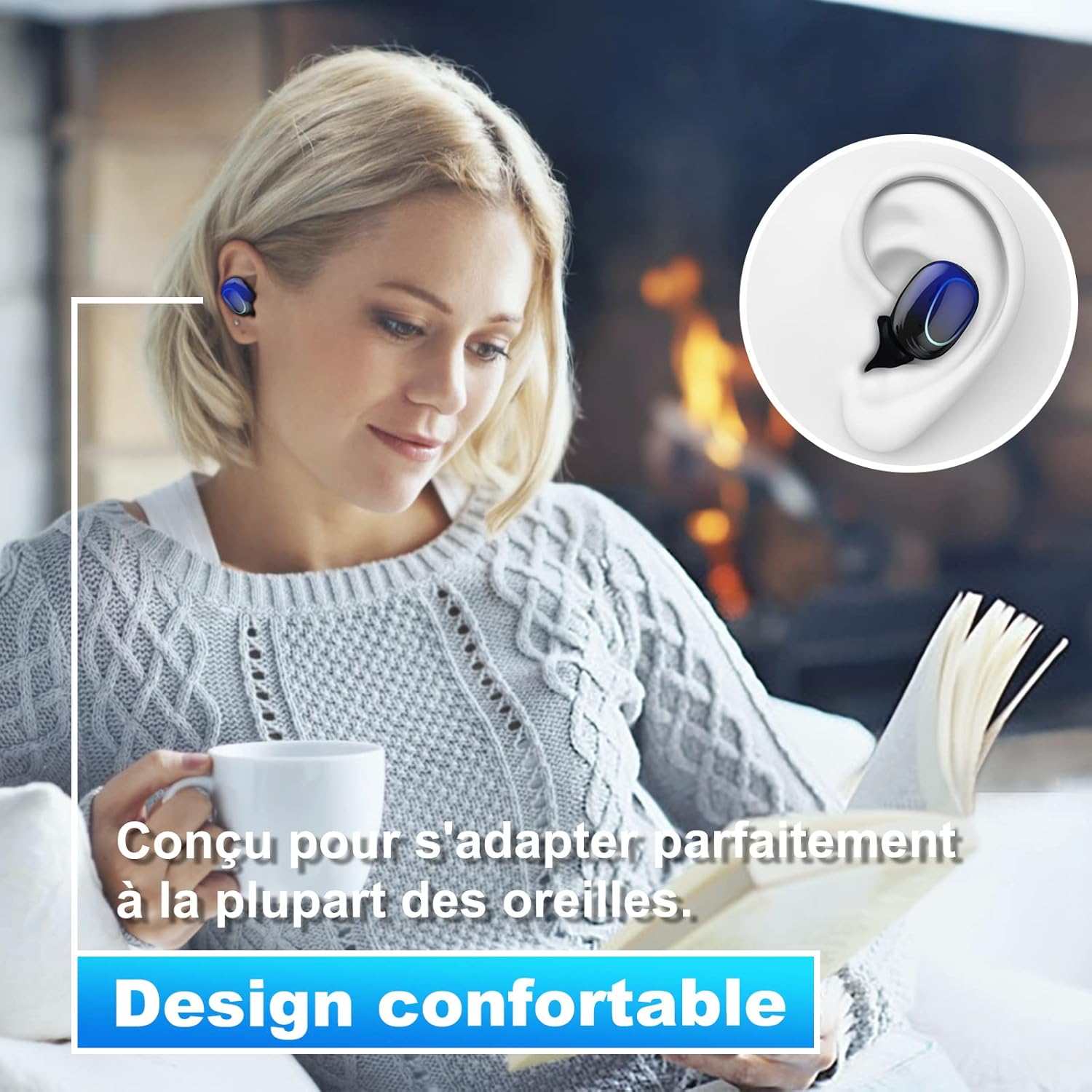
Image 4.2: The Kinganda Q71 earbuds are designed for a comfortable and secure fit in most ears.
5. Setup
5.1 Kuchaja maEarbuds uye Case
Usati watanga kushandisa, chajisa kesi yekuchaja nemaearbud.
- Isa maearbuds muchesi yekuchaja. Ita shuwa kuti vakagara zvakanaka.
- Batanidza tambo yekuchaja yeUSB kune chinobatidza chiri pabhokisi uye kune simba (semuenzaniso, adapta yemadziro eUSB, chinobatidza USB yekombuta).
- Marambi echiratidzo ari pabhokisi acharatidza mamiriro ekuchaja. Kana achangochaja zvizere, marambi acho acharatidza kuti apera kana kuti adzima.

Image 5.1: The charging case has a 3500mAh battery. Earbuds provide approximately 5 hours of playback, and the case extends total usage to about 150 hours. A full recharge takes approximately 1.5 hours.
5.2 Kubatanidza neBluetooth Chishandiso
Mahedhifoni anoshandisa Bluetooth 5.1 kuti akwanise kubatana zvakanaka.
- Vhura kesi yekuchaja. Maearbuds anozobatidza otomatiki uye opinda papairing mode.
- Pamudziyo wako (smartphone, piritsi, nezvimwewo), shandisa Bluetooth.
- Tsvaga available Bluetooth devices and select "Kinganda Q71" (or similar name) from the list.
- Once connected, you will hear a confirmation tone, and the indicator lights on the earbuds will change.
5.3 Kupfeka maEarbuds
For optimal sound quality and comfort, choose the correct ear tip size and ensure a snug fit.
- Select the ear tips that best fit your ear canals.
- Isa chivharo cheearbud chimwe nechimwe zvinyoro nyoro munzeve yako, uchichitenderedza zvishoma kusvika chanzwa chakachengeteka uye chakasununguka.
6. Operating Instructions
The Kinganda Q71 earbuds feature touch controls for easy operation.

Image 6.1: Touch controls for various functions including power, music playback, call management, and voice assistant activation.
6.1 Basic Mabasa
- Batidza/Kudzima: Earbuds power on automatically when removed from the case and power off when placed back in the case. Alternatively, long-press the touch area for manual power on/off.
- Tamba/Kumbomira: Top kamwechete pane imwe earbud.
- Next Track: Tokonya earbud yekurudyi kaviri.
- Previous Track: Tokonya earbud yekuruboshwe kaviri.
- Pindura/Pedzisa Kufona: Tokonya kamwe chete pane imwe earbud panguva yekufona.
- Ramba Kufona: Long-press on either earbud during an incoming call.
- Shandisa Mubatsiri weIzwi (Siri): Tokonya katatu pane imwe earbud.
6.2 Maitiro ekushandisa
The Kinganda Q71 earbuds support various listening modes.

Image 6.2: The earbuds can be used in mono mode (single earbud) to stay aware of surroundings, TWS stereo mode for immersive sound, or twin mode to share music with another person.
- Mono Mamiriro: Use a single earbud (left or right) to listen to audio while keeping the other ear open to your surroundings. Simply remove one earbud from the case.
- TWS Stereo Mode: Use both earbuds for a full stereo audio experience. Both earbuds will automatically connect to each other and your device when removed from the case.
- Twin Mode: Share your music with a friend by giving them one earbud. Both earbuds will play the same audio.
7. Kuchengeta
7.1 Kuchenesa
Kuchenesa nguva dzose kunobatsira kuchengetedza ruzha rwemhando uye hutsanana.
- Shandisa jira rakapfava, rakaoma, risina lint kupukuta maearbud nekesi yekuchaja.
- Remove ear tips and clean them with mild soap and water if necessary, then dry thoroughly before reattaching.
- Usashandise makemikari ane hasha kana abrasive zvinhu.
7.2 Kuchengeta
Kana isiri kushandiswa, chengeta maearbuds mukesi yavo yekuchaja kuti uzvidzivirire uye ugare wakachajwa.
8. Kugadzirisa matambudziko
Kana ukasangana nematambudziko, edza zvinotevera mhinduro:
- Maearbuds haana kubatanidza: Ensure both earbuds are charged. Place them back in the case, close it, then open it again to re-initiate pairing mode. Check your device's Bluetooth settings and try reconnecting.
- Imwe chete earbud inoshanda: Place both earbuds back in the charging case, close the lid, wait a few seconds, then open the lid and remove them simultaneously. This should force them to re-sync.
- Hapana ruzha: Check the volume level on your device and ensure the earbuds are properly connected.
- Kuchaja nyaya: Ensure the charging cable is securely connected to both the case and the power source. Try a different charging cable or power adapter.
- Hunhu husina kunaka: Ensure the earbuds are clean and properly seated in your ears. Try different ear tip sizes for a better seal.
9. Zvinotsanangurwa
| Model Name | Q71 |
| Brand | Kinganda |
| Kubatana Technology | Wireless (Bluetooth 5.1) |
| Wireless Range | Kusvika 33 tsoka (10 metres) |
| Audio Driver Type | Dynamic Driver (10mm) |
| Kudzora Nzira | Bata Kudzora |
| Material | Plastiki, Silicone |
| Mvura Resistance Level | Isingapindi mvura (IPX7) |
| Earbud Battery Hupenyu | Approx. 5 maawa |
| Kuchaja Kadhi Bhatiri Hupenyu | Approx. 150 hours (with case) |
| Kuchaja Capacity | 3500mAh |
| Recharge Nguva | Approx. 1.5 maawa |
| Inowirirana Devices | Bluetooth-enabled devices (iOS, Android) |
| Special Feature | Lightweight |

Image 9.1: The 10mm immersive drivers deliver enhanced sound quality with deeper bass.

Image 9.2: With an IPX7 waterproof rating, the earbuds are protected against sweat and water splashes, making them suitable for sports.
10. Warranty uye Tsigiro
Kinganda products are designed for reliability and performance. This product comes with a standard manufacturer's warranty. For specific warranty details, please refer to the warranty card included in your package or contact Kinganda customer support.
If you have any questions, require technical assistance, or need to claim warranty service, please contact our customer support team through the contact information provided on the Kinganda official websaiti kana chikuva chako chekutenga.


