Nhanganyaya
Thank you for choosing the Final ZE3000 True Wireless Earbuds. This manual provides essential information for the proper setup, operation, and maintenance of your earbuds to ensure an optimal audio experience. Please read this manual thoroughly before use.
Chii chiri muBhokisi
- Final ZE3000 True Wireless Earbuds (Left and Right)
- Kuchaja Case
- USB-C Kuchaja Cable
- Mushandisi Chinyorwa (gwaro iri)
- Eartips (masaizi akasiyana)

Image: Final ZE3000 True Wireless Earbuds and their charging case, displayed in black.
Product Overview
The Final ZE3000 earbuds are designed for high-fidelity sound reproduction with a focus on comfort and stable wireless connectivity. Each earbud features a touch control panel and an LED indicator.

Mufananidzo: Pedyo-up view of the Final ZE3000 earbuds, highlighting their unique geometric design and audiophile-level quality.

Image: The Final ZE3000 charging case, showcasing its premium SHIBO textured finish.
Gadzirira
1. Kuchaja maEarbuds uye Case
Before first use, fully charge the earbuds and charging case. Connect the supplied USB-C cable to the charging port on the case and a USB power source. The LED indicator on the case will show charging status. A full charge takes approximately 1.5 hours.

Image: Final ZE3000 earbuds placed inside their charging case.
2. Kubatanidza neChishandiso
- Open the charging case. The earbuds will automatically enter pairing mode, and the LED indicators on the earbuds will flash.
- Pamudziyo wako (smartphone, piritsi, nezvimwewo), shandisa Bluetooth.
- Tsvaga available Bluetooth devices and select "ZE3000" from the list.
- Kana zvangobatanidzwa, zviratidzo zve LED zviri pama earbuds zvinomira kupenya.
The ZE3000 uses Bluetooth 5.2 for a stable connection up to 10 meters.

Image: A smartphone screen showing the 'ZE3000' listed as an available Bluetooth device for pairing.
3. Kuisa maEarbuds
Proper fit is crucial for sound quality and comfort. Choose the eartips that provide the best seal and comfort for your ears. Gently insert the earbuds into your ear canals and twist slightly until they feel secure.
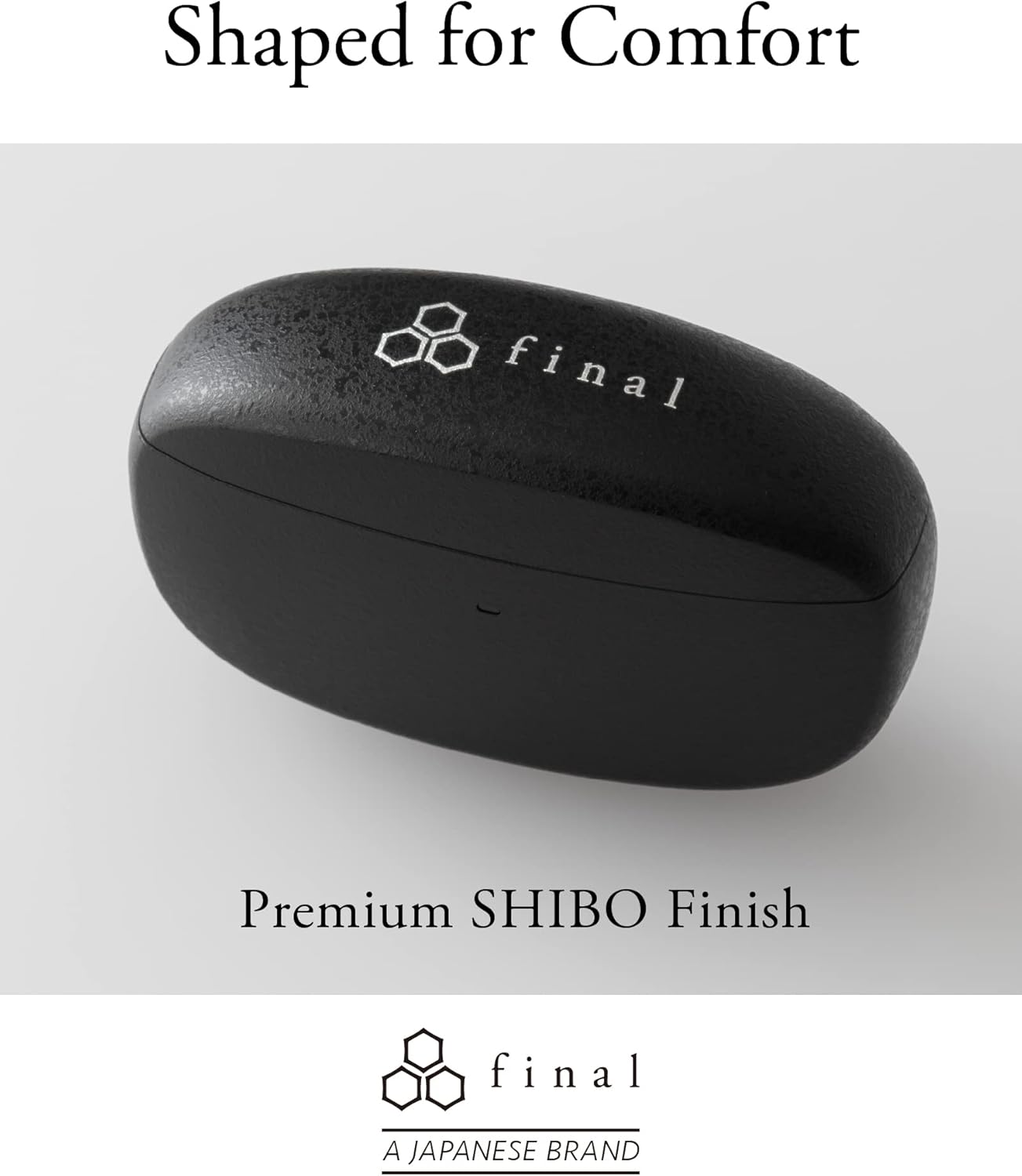
Image: A person demonstrating the correct way to wear the Final ZE3000 earbuds for a secure and comfortable fit.
Operating Instruction
Touch Controls
The ZE3000 earbuds feature intuitive touch controls on the outer surface of each earbud.

Image: Diagram illustrating the location of the touch control panel, microphone, and LED indicator on the earbud.
| Chiito | Function |
|---|---|
| Single Tap (Kuruboshwe/Kurudyi) | Tamba / Imbomira mimhanzi, Pindura / Pedza kufona |
| Tap kaviri (kurudyi) | Next track |
| Tokonya kaviri (Kuruboshwe) | Previous track |
| Tap katatu (kurudyi) | Volume Up |
| Tap katatu (Kuruboshwe) | Volume Down |
| Kudzvanya kwenguva refu (Kuruboshwe/Kurudyi) | Activate izwi mubatsiri |
Simba On/Kudzima
- Power On: Vhura kesi yekuchaja, uye maearbuds anozobatidza otomatiki uye obatanidza kune yekupedzisira paired mudziyo.
- Power Off: Isa maearbuds kumashure muchesi yekuchaja wovhara chivharo. Vanodzima votanga kuchaja.
Maintenance
Kuchenesa
Regularly clean your earbuds and charging case to maintain performance and hygiene.
- Shandisa jira rakapfava, rakaoma, risina lint kupukuta maearbud nekesi yekuchaja.
- Bvisa nzeve wozvichenesa nesipo yakapfava nemvura, wozonyatsoomesa usati wabatanidza zvakare.
- Geza zvinyoro nyoro zvinobatika pakuchaja pamaearbuds uye kese nekadonje swab yakaoma.
Storage
Kana isiri kushandiswa, chengetedza maearbuds mukesi yavo yekuchaja kuti uzvidzivirire uye uone kuti inoramba yakachajiwa.
Kuramba Mvura (IPX4)
The Final ZE3000 earbuds are IPX4 water-resistant, meaning they are protected against splashing water from any direction. They are not designed for submersion in water. Avoid exposing them to heavy rain, showering, or swimming.
Kugadzirisa matambudziko
- Hapana Ruzha/Matambudziko Ekubatanidza:
- Ita shuwa kuti maearbuds akachajwa.
- Verify Bluetooth is enabled on your device and the earbuds are selected.
- Edza kubvisa maearbud uye kubatanidza zvakare maearbuds nemudziyo wako.
- Ita shuwa kuti hapana mimwe michina yakabatana zvine chekuita nemaearbuds.
- Imwe Earbud Haisi Kushanda:
- Place both earbuds back in the case, close the lid, wait a few seconds, then open again.
- Check charging contacts for debris.
- Kudzora Kubata Hakupinduri:
- Ita shuwa kuti minwe yako yakachena uye yakaoma.
- Edza kutangisa maearbuds nekuaisa mukesi uye nekuvhara chivharo.
Zvinotsanangurwa
| Feature | Detail |
|---|---|
| Model Number | ZE3000 |
| Kubatana Technology | Bluetooth 5.2 |
| Wireless Kukurukurirana | Bluetooth |
| Audio Driver Type | Dynamic Driver |
| Frequency Range | 20 Hz - 20,000 Hz |
| Hupenyu hwebhatiri (Earbuds) | Kusvikira kumaawa makumi maviri nemashanu |
| Yese Yekutamba Nguva (neNyaya) | Kusvikira kumaawa makumi maviri nemashanu |
| Kuchaja Nguva | Approx. 1.5 maawa |
| Control Type | Bata Kudzora |
| Mvura Resistance Level | IPX4 (Isingatende mvura) |
| Bluetooth Range | 10 Mamita |
| Item Weight | 42 magiramu (zvese) |
| Product Dimensions | 1.38 x 2.76 x 0.98 inches |
Support
For further assistance or inquiries, please visit the official Final store or contact customer support.


