1. Nhanganyaya
Welcome to the OKAI Neon Electric Scooter user manual. This guide provides essential information for the safe assembly, operation, maintenance, and troubleshooting of your new electric scooter. Please read this manual thoroughly before your first ride to ensure optimal performance and safety.
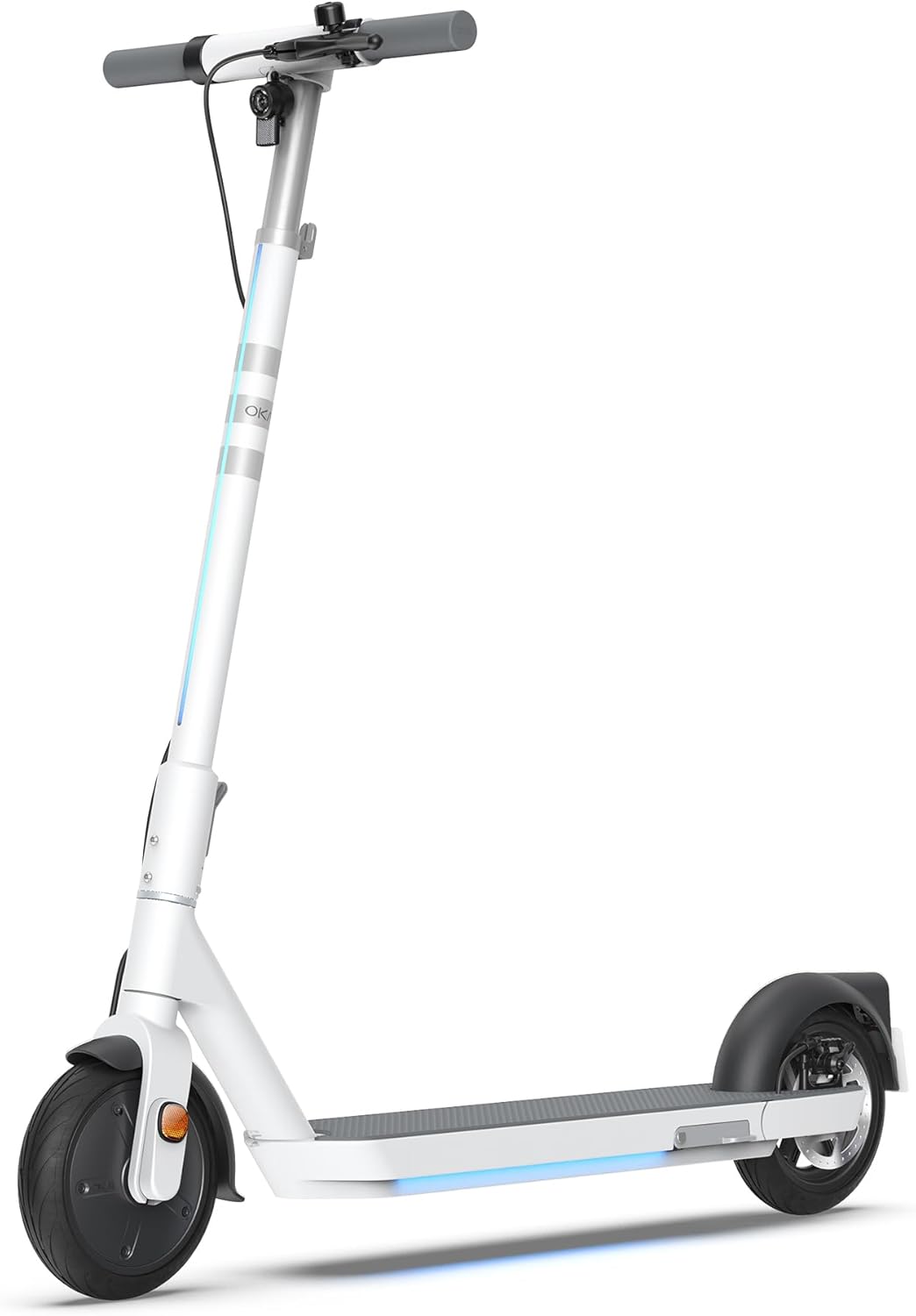
Figure 1: The OKAI Neon Electric Scooter, showcasing its sleek white design and integrated lighting.
2. Safety Information
Riding an electric scooter carries inherent risks. To minimize these risks, always adhere to the following safety guidelines:
- Gara wakapfeka ngowani uye giya rekuchengetedza rakakodzera (mabvi emabvi, mapedhi egokora) paunenge uchikwira.
- Iva nechokwadi chekuti zvese zvikamu zvakabatanidzwa zvakanaka usati waenda.
- Usatasva mumamiriro emvura, kunaya kwemvura, kana nemumvura.
- Tevedzera mitemo yemumugwagwa yemuno.
- Chengetedza kumhanya kwakachengeteka uye daro kubva kune dzimwe mota nevanofamba netsoka.
- Dzivisa kutasva wakadhakwa nedoro kana zvinodhaka.
- The maximum weight limit for this scooter is 220 pounds (100 kg). Do not exceed this limit.
- This scooter is designed for adult use.
3. Package Zviri mukati
Iva nechokwadi chekuti zvinhu zvese zviripo uye zviri mumamiriro akanaka kana wabvisa zvinhu mubhokisi:
- OKAI Neon Electric Scooter
- Adapter yekuchaja
- Mushandisi Chinyorwa (gwaro iri)
- Zvishandiso zveGungano (kana zvichidikanwa)
- NFC Kiyi Kadhi
4. Setup and Initial Charge
4.1 Unboxing uye Assembly
Carefully remove the scooter and all accessories from the packaging. The OKAI Neon Electric Scooter typically comes pre-assembled with minimal setup required. Follow these steps:
- Lift the handlebar stem until it clicks into place. Ensure the folding mechanism is securely locked.
- Attach the handlebars to the stem, ensuring all cables are properly connected and not pinched. Tighten any screws as instructed in the quick start guide (if provided separately).
4.2 Kutanga Kuchaja
Before your first ride, fully charge the scooter's battery. This helps prolong battery life.
- Tsvaga chiteshi chekuchaja pane scooter.
- Connect the charging adapter to the scooter's charging port, then plug the adapter into a standard wall outlet.
- The scooter's display will indicate charging status. A full charge typically takes approximately 5.5 hours.
- Kana yanyatsochajiswa, bvisa charger.
5. Operating Instructions
5.1 Kubatidza/Kudzima
- To power on: Press and hold the power button on the handlebar until the display illuminates.
- Kudzima: Dzvanya wobata bhatani rekudzima kusvika chiratidziro chadzima.
5.2 Nheyo dzeKutasva
To begin riding, place one foot on the deck and push off with the other foot to gain some initial momentum. Once moving, gently press the accelerator lever to engage the motor. For braking, use the hand levers for the electric brake (front) and disc brake (rear).

Figure 2: Key features including the smart display, disc brake, 300W power motor, and hidden rear suspension.
5.3 Speed Modes
The OKAI Neon Electric Scooter features multiple speed modes to suit different riding conditions and rider preferences. Refer to the scooter's display or the OKAI app to switch between modes. The maximum speed is approximately 15.5 MPH (25 km/h).
5.4 Kupeta Mechanism
The scooter features a one-click folding design for easy storage and transport. To fold, locate the folding latch near the base of the handlebar stem, release it, and carefully fold the stem down until it locks into place with the rear fender.
5.5 App Connectivity and Customization
Enhance your riding experience by connecting your OKAI Neon Electric Scooter to the OKAI app. The app allows for:
- Adjusting ambient light settings.
- Monitoring real-time ride updates and battery status.
- Customizing dashboard settings.
- Locking/unlocking the scooter (using the NFC key card or app).
Download the official OKAI app from your device's app store and follow the in-app instructions to pair your scooter.
6. Kuchengeta
Regular maintenance ensures the longevity and safe operation of your OKAI Neon Electric Scooter.
6.1 Kuchengeta Battery
- Chaja bhatiri zvizere usati watanga kushandisa.
- Avoid completely draining the battery. Recharge after each use, or at least once a month if not used regularly.
- Chengeta scooter munzvimbo inotonhorera, yakaoma, kure nezuva rakananga uye tembiricha yakanyanya.
- Use only the official OKAI charging adapter.
6.2 Dzvinyiriro yeTayi
The front tire is pneumatic, and maintaining correct tire pressure is crucial for ride comfort, range, and safety. Check tire pressure regularly. While specific recommended PSI is not provided in this manual, generally, electric scooters require tire pressure between 30-50 PSI. Consult a professional if unsure or if you experience frequent deflation.
6.3 Kuchenesa nekuchengetedza
- Chenesa sikuta ne adamp jira. Usashandise majeti emvura ane simba rakawanda kana michina yekuchenesa inoparadza.
- Ita shuwa kuti chivharo chechiteshi chekuchaja chakavharwa zvakachengeteka usati wacheneswa.
- Chengetedza scooter mumba munzvimbo yakaoma kana isiri kushandiswa.
6.4 Kuongorora Mabhureki
Regularly inspect the front electric brake and rear disc brake for proper function. Ensure brake levers are responsive and brake pads are not excessively worn. Adjust or replace components as needed, or seek professional assistance.
7. Kugadzirisa matambudziko
This section addresses common issues you might encounter with your OKAI Neon Electric Scooter.
| Dambudziko | Zvinogona Kukonzera | Solution |
|---|---|---|
| Sikuta haibati simba. | Low battery; loose connections; power button issue. | Charge the battery fully. Check all visible cable connections. Ensure the power button is not stuck. |
| Mota haisi kushanda. | Low battery; kick-start not performed; faulty accelerator. | Ensure battery is charged. Push off to gain initial speed before pressing accelerator. Contact support if issue persists. |
| Kumhanya kana kuti daro rakaderedzwa. | Low tire pressure; heavy load; riding uphill; cold weather; battery degradation. | Check and inflate tires to recommended pressure. Reduce load. Battery performance can be affected by temperature. |
| Brakes feel weak or unresponsive. | Worn brake pads; loose brake cable; air in hydraulic system (disc brake). | Inspect brake pads for wear and replace if necessary. Adjust brake cable tension. For hydraulic issues, seek professional service. |
| Error codes on display (e.g., E3). | Sensor malfunction; motor issue; controller issue. | Refer to the OKAI app or contact customer support with the specific error code for diagnosis. |
If you encounter an issue not listed here or if the suggested solutions do not resolve the problem, please contact OKAI customer support.
8. Zvinotsanangurwa
| Feature | Detail |
|---|---|
| Brand | OKAI |
| Model Name | Neon Series (ES20) |
| Color | Chena |
| Max Speed | Kusvika 15.5 MPH (25 km/awa) |
| Max Range | Up to 25 Miles (40 km) |
| Kurema Kurema | 220 Mapaundi (100 kg) |
| Kuchaja Nguva | Approx. 5.5 Maawa |
| Zviyero zveChigadzirwa (L x W x H) | 45" x 17.7" x 44.5" (114.3 masendimita x 44.9 masendimita x 113 cm) |
| Item Weight | 35.2 Mapaundi (16 kg) |
| Frame Material | Aluminium |
| Wheel Size | 9 inches |
| Brake Style | Front: Electric Brake, Rear: Disc Brake |
| Kumiswa Type | Rear Suspension |
| Special Features | Dual Braking System, Cruise Control, Wide Platform, Lockable, Foldable, Ambient Light |

Figure 3: Dimensions of the OKAI Neon Electric Scooter.
9. Warranty uye Customer Support
9.1 Ruzivo rweWaranti
The OKAI Neon Electric Scooter comes with a 1 Year Limited Warranty. This warranty covers manufacturing defects under normal use. Please retain your proof of purchase for warranty claims. For full warranty terms and conditions, refer to the official OKAI websaiti kana kubata rutsigiro rwevatengi.
9.2 Mutengi Tsigiro
For technical assistance, warranty claims, or any other inquiries, please contact OKAI customer support. You can find contact information on the official OKAI website or through the OKAI app. OKAI offers 100% local customer support.
Visit the official OKAI Store on Amazon: OKAI Store


