1. Nhanganyaya
Thank you for choosing the MAXTOP T5 Smartwatch. This device is designed to help you monitor your health and fitness activities, receive notifications, and manage various daily functions. Please read this manual carefully to ensure proper use and optimal performance.

Image: The MAXTOP T5 Smartwatch in use during a run, highlighting its fitness and health tracking capabilities.
2. Package Zviri mukati
Ita shuwa kuti zvinhu zvese zviripo mupakeji:
- MAXTOP T5 Smartwatch Head
- Tarisa Sungira
- Magnetic kuchaja Cable
- User Manual
3. Setup uye Kutanga Kushandisa
3.1. Kuchaja Smartwatch
Usati washandisa kekutanga, chaja wachi yacho zvizere.
- Connect the magnetic charging cable to the charging points on the back of the smartwatch.
- Connect the USB end of the cable to a standard USB power adapter (5V/1A recommended) or a computer's USB port.
- Chiratidziro chewachi chinoratidza mamiriro ekuchaja. Kuchaja kwakazara kunowanzo tora maawa maviri.
Cherechedza: The battery life is approximately 3 to 5 days with normal use and up to 7 days in standby mode. Actual battery life may vary based on usage.
3.2. Kuiswa kweApp uye Kubatanidza
To access all features and synchronize data, download and install the companion app on your smartphone.
- Scan the QR code in the manual or search for "MAXTOP" or "H BAND" in your smartphone's app store (Google Play Store for Android, Apple App Store for iOS).
- Dhawunirodha uye isa iyo app.
- Ita shuwa kuti Bluetooth yakagoneswa pane yako smartphone.
- Open the app and follow the on-screen instructions to create an account and pair your MAXTOP T5 Smartwatch.
- During pairing, select "T5" from the list of available devices.
Kuenderana: Requires iOS 9.0 or higher, or Android 6.0 or higher.
4. Kushandisa Smartwatch
4.1. Basic Navigation
- Touchscreen: Svetera kuruboshwe/kurudyi, kumusoro/pasi kuti ufambe mumamenyu nemafunctions. Dzvanya kuti usarudze.
- Side Button: Dzvanya kuti udzokere kuchidzitiro chekumba kana kumutsa mudziyo.

Image: The MAXTOP T5 Smartwatch showing its main display with time, steps, distance, and calories.
4.2. Fitness Tracking
The smartwatch tracks various fitness metrics throughout the day.
- Step Counter: Automatically records your daily steps.
- Distance: Calculates the distance covered based on your steps.
- Macalorie Akapiswa: Inofungidzira mari yekoriori.

Image: A visual representation of the smartwatch's 24-hour tracking feature, showing steps, distance, and calorie data.
4.3. Mitambo Modes
The smartwatch offers 10 exercise modes to track specific workouts.
- Access the "Sports" menu on the watch.
- Select your desired activity (e.g., Running, Walking, Cycling).
- The watch will record duration, distance, and calories for the selected activity.

Image: A man running, with icons representing the 10 available sports modes on the MAXTOP T5 Smartwatch.

Image: A man exercising with weights, illustrating the 10 sports modes available on the smartwatch.
4.4. Kuongorora Utano
The smartwatch provides continuous monitoring of key health metrics.
- Heart Rate Monitor: Measures your heart rate in real-time. Access this function from the watch menu or view data mu app.
- Blood Pressure Monitor: Provides blood pressure readings. For medical accuracy, consult a professional medical device.
- Kutsvaga Kurara: Monitors your sleep patterns, including deep sleep, light sleep, and awake time. View detailed analysis in the app to adjust sleep habits.
- Kutevera Menstrual Cycle Tracking: For female users, the app can track and predict menstrual cycles.

Image: A man sleeping, with the smartwatch displaying heart rate and icons indicating deep sleep, light sleep, and awake time tracking.

Image: The smartwatch screen showing sleep data, including duration and quality.

Image: The smartwatch displaying a heart rate reading.

Image: The smartwatch displaying a blood pressure reading.

Image: A woman wearing the smartwatch, with an overlay showing the menstrual period management feature.
4.5. Zviziviso
Receive call and message notifications directly on your smartwatch when paired with your phone.
- Nhare Dzinopinda: The watch will vibrate and display caller ID. You can reject calls from the watch.
- Message Alerts: Receive notifications from SMS, Facebook, WhatsApp, Twitter, Instagram, LinkedIn, etc.
Zvakakosha: The smartwatch cannot answer calls or reply to messages.
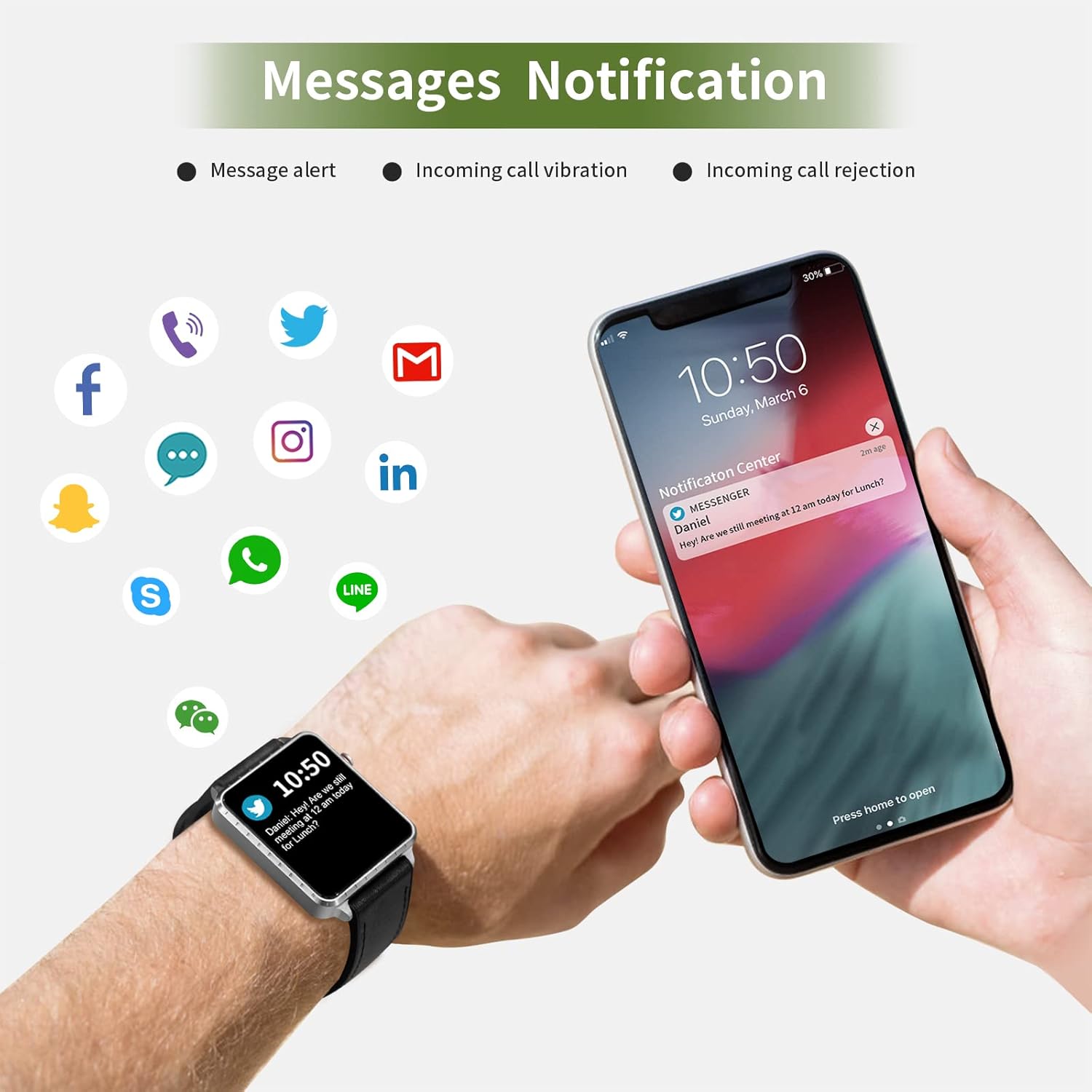
Image: The smartwatch and a smartphone displaying message notifications from social media and communication apps.

Image: The smartwatch screen showing icons for various social media and communication app notifications.
4.6. Zvimwe Zvimwe
- Kudzora Mumhanzi: Control music playback on your smartphone (play, pause, skip tracks) directly from the watch.
- Kamera Remote Control: Shandisa wachi sevhavha yekure kure kune yako smartphone kamera.
- Alarm Clock: Set alarms through the app, and the watch will vibrate to alert you.
- Stopwatch/Timer: Basic timekeeping functions.
- Tsvaga Runhare: Locate your paired smartphone by triggering an alert sound from the watch.
- Sedentary Chiyeuchidzo: The app can remind you to move if you've been inactive for too long.
- Customizable Watch Faces: Choose from various watch faces via the app.

Image: The smartwatch screen showing the camera icon, indicating its remote camera control function.

Image: The smartwatch screen showing music control icons (play, pause, skip).

Image: A collage of different watch faces available for the MAXTOP T5 Smartwatch.
5. Kuchengeta
5.1. Mvura Isingapindire muyero (IP68)
The MAXTOP T5 Smartwatch is IP68 waterproof, meaning it is dust-tight and protected against continuous immersion in water up to 1.5 meters for a maximum of 30 minutes.
- You can wear the watch while washing hands, running in the rain, or swimming in shallow water.
- Usa immerse the watch in seawater, hot water, or use it in hot springs or saunas.
- Avoid exposing the watch to high-pressure water jets.
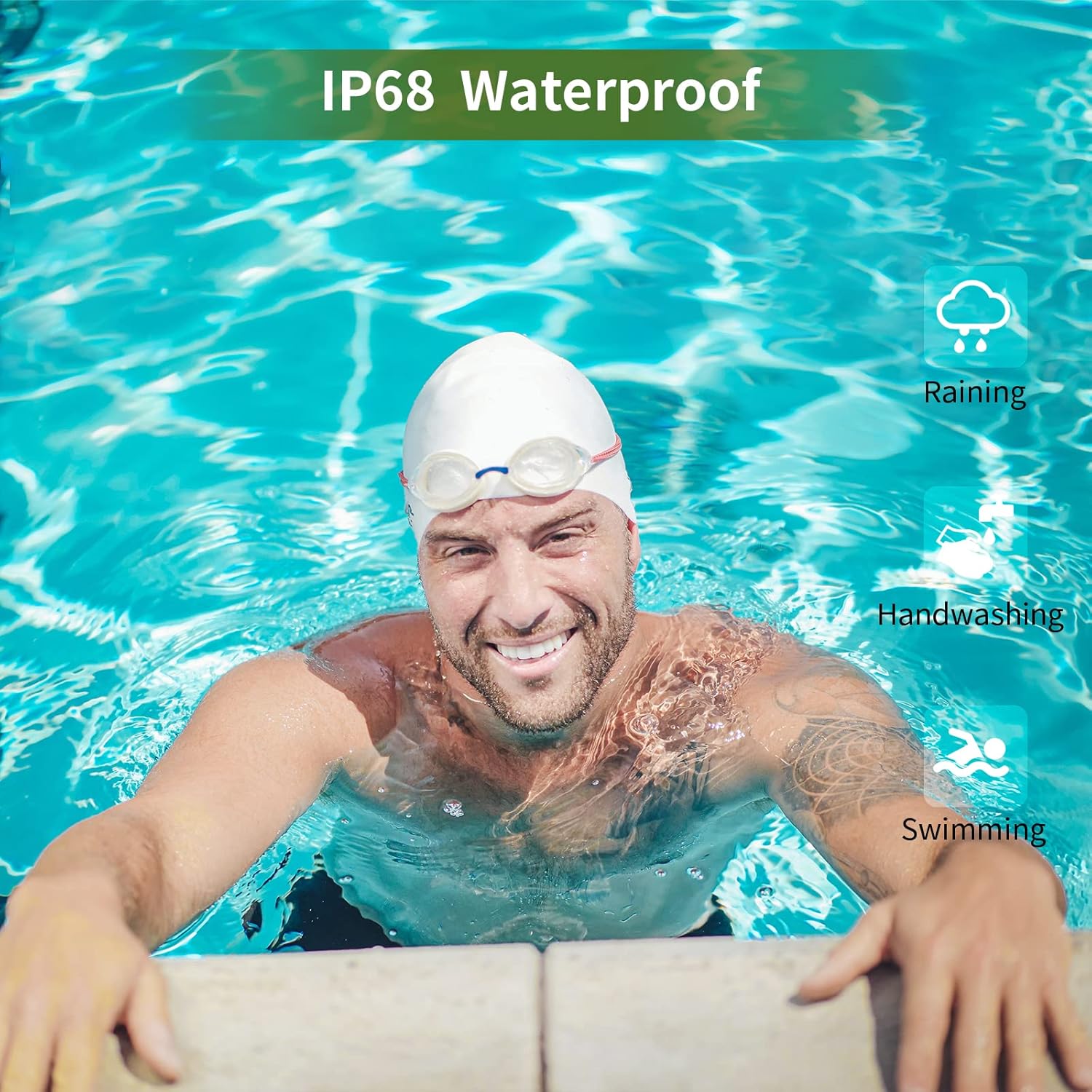
Image: A man swimming, demonstrating the IP68 waterproof capability of the MAXTOP T5 Smartwatch.

Image: The smartwatch with water droplets, visually confirming its IP68 waterproof rating.
5.2. Kuchenesa
Wipe the watch and strap regularly with a soft, dry cloth. If necessary, use a slightly damp cloth and dry thoroughly. Avoid harsh chemicals.
6. Kugadzirisa matambudziko
- Watch not kubatidza: Ita shuwa kuti wachi yachajiwa zvizere. Isungirire pachaja kweinenge maminitsi makumi matatu.
- Haikwanise kubatana ne smartphone:
- Ita shuwa kuti Bluetooth yakabatidzwa pafoni yako.
- Iva nechokwadi chekuti wachi iri mukati meBluetooth (kazhinji mamita gumi).
- Tangazve zvese wachi uye yako smartphone.
- Tarisa kana iyo app yakagadziridzwa kune yazvino vhezheni.
- If previously paired, try unpairing from your phone's Bluetooth settings and re-pairing through the app.
- Mashoko ehutano asina kururama:
- Ita shuwa kuti wachi yakapfekwa zvakanaka paruoko rwako, kwete yakanyanya kusimba kana kuregedzera.
- Dzivisa kufamba zvakanyanya panguva yekuyera.
- Environmental factors can affect readings. For medical accuracy, consult a professional medical device.
- Zviziviso hazvina kugamuchirwa:
- Check app permissions on your smartphone to ensure the app has access to notifications.
- Verify that notification settings are enabled within the MAXTOP/H BAND app.
- Ita shuwa kuti wachi yakabatana neBluetooth.
- Upfupi bhatiri hupenyu:
- Kushandisa zvinhu zvakaita sekutarisa kurova kwemoyo nguva dzose, sikirini yakajeka, uye zviziviso zvakawanda zvinogona kuderedza hupenyu hwebhatiri.
- Reduce screen brightness and notification frequency if extended battery life is desired.
7. Zvinotsanangurwa

Image: Detailed physical dimensions of the MAXTOP T5 Smartwatch, including watch face and strap measurements.
| Feature | Detail |
|---|---|
| Brand | MAXTOP |
| Model | T5 |
| Screen Size | 1.54 inches |
| Dimensions | 4.5 x 3.8 x 1 cm |
| Kurema | 250 g |
| Waterproof Rating | IP68 |
| Kubatana | Bluetooth |
| Operating System | iOS (9.0 and above), Android (6.0 and above) |
| Bhatiri Type | Lithium Polymer |
| Kuchaja Nguva | Approx. 2 maawa |
| Upenyu hwebhatiri (Kushandiswa Kwemazuva ese) | 3-5 mazuva |
| Hupenyu hwebhatiri (Yakamira) | Kusvikira kumazuva makumi manomwe |
| Inosanganisirwa Zvikamu | Watch head, strap, magnetic charging cable, manual |
8. Warranty uye Tsigiro
For warranty information and customer support, please refer to the warranty card included in your package or visit the official MAXTOP website.
Disclaimer: The health monitoring features of this device are for general wellness and fitness purposes only and are not intended for medical diagnosis, treatment, or prevention of any disease. Always consult a medical professional for health-related concerns.


