1. Nhanganyaya
This manual provides essential instructions for setting up, operating, and maintaining your Amazfit GTS 2 Mini New Version Smart Watch. Please read this manual thoroughly before using your device to ensure proper functionality and safety.

The Amazfit GTS 2 Mini New Version Smart Watch.
2. Chii chiri muBhokisi
The Amazfit GTS 2 Mini New Version Smart Watch package includes the following items:
- Amazfit GTS 2 Mini New Version Smart Watch
- Chaja Cable
- User Manual
3. Chigadzirwa Pamusoroview
The Amazfit GTS 2 Mini New Version Smart Watch combines a sleek design with comprehensive health and fitness tracking capabilities. It features a 1.55-inch AMOLED display and a lightweight, skin-friendly silicone strap.
Zvinokosha:
- 1.55-inch Always-On AMOLED Display: Provides vibrant colors and clear visibility.
- Hupenyu hweBhatiri hwemazuva 14: Extended usage on a single charge.
- Alexa Yakavakirwa-mukati: Voice assistant for queries, translations, and weather updates.
- Kutariswa Kwehutano: Blood Oxygen Saturation (SpO2), Heart Rate, Sleep, and Stress Level monitoring.
- 68+ Mitambo Modes: Tracks various indoor and outdoor activities.
- Yakavakwa-mukati GPS: For accurate outdoor activity tracking.
- 5 ATM Water Resistance: Suitable for swimming and daily use.
- Female Cycle Tracking: Provides insights into menstrual cycles.
- Bluetooth Camera Control: Dzora kamera yefoni yako uri kure.
4. Setup
4.1 Kuchaja Chishandiso
Before initial use, fully charge your Amazfit GTS 2 Mini. Connect the charging cable to the charging port on the back of the watch and plug the USB end into a power adapter or computer USB port.
4.2 Pairing with the Zepp App
- Download the Zepp App kubva kuApp Store (iOS) kana Google Play Store (Android).
- Open the Zepp App and create an account or log in.
- Dzvanya chiratidzo che "+" chiri muapp kuti uwedzere mudziyo mutsva.
- Select "Watch" and then choose "Amazfit GTS 2 Mini".
- Follow the on-screen instructions to scan the QR code displayed on your watch or search for your device via Bluetooth.
- Simbisa chikumbiro chekubatanidza pafoni yako newachi.
5. Operating Instructions
5.1 Basic Navigation
- Touchscreen: Swipe up, down, left, or right to navigate through menus and notifications. Tap to select.
- Side Button: Press to return to the watch face or access the app list. Press and hold for quick access to a customizable function.
5.2 Alexa Yakavakwa-mukati
To use Alexa, ensure your watch is connected to your phone and the Zepp App. Swipe right on the watch face to access the Alexa screen. Speak your commands or questions directly to the watch.

Interact with Alexa directly from your watch.
5.3 Kuongorora Utano
The watch offers comprehensive health tracking features:
- YeMoyo Rate Kuongorora: Iyo wachi inogara ichitarisa kurova kwemoyo wako. View your current heart rate and historical data in the Heart Rate app on the watch or in the Zepp App.
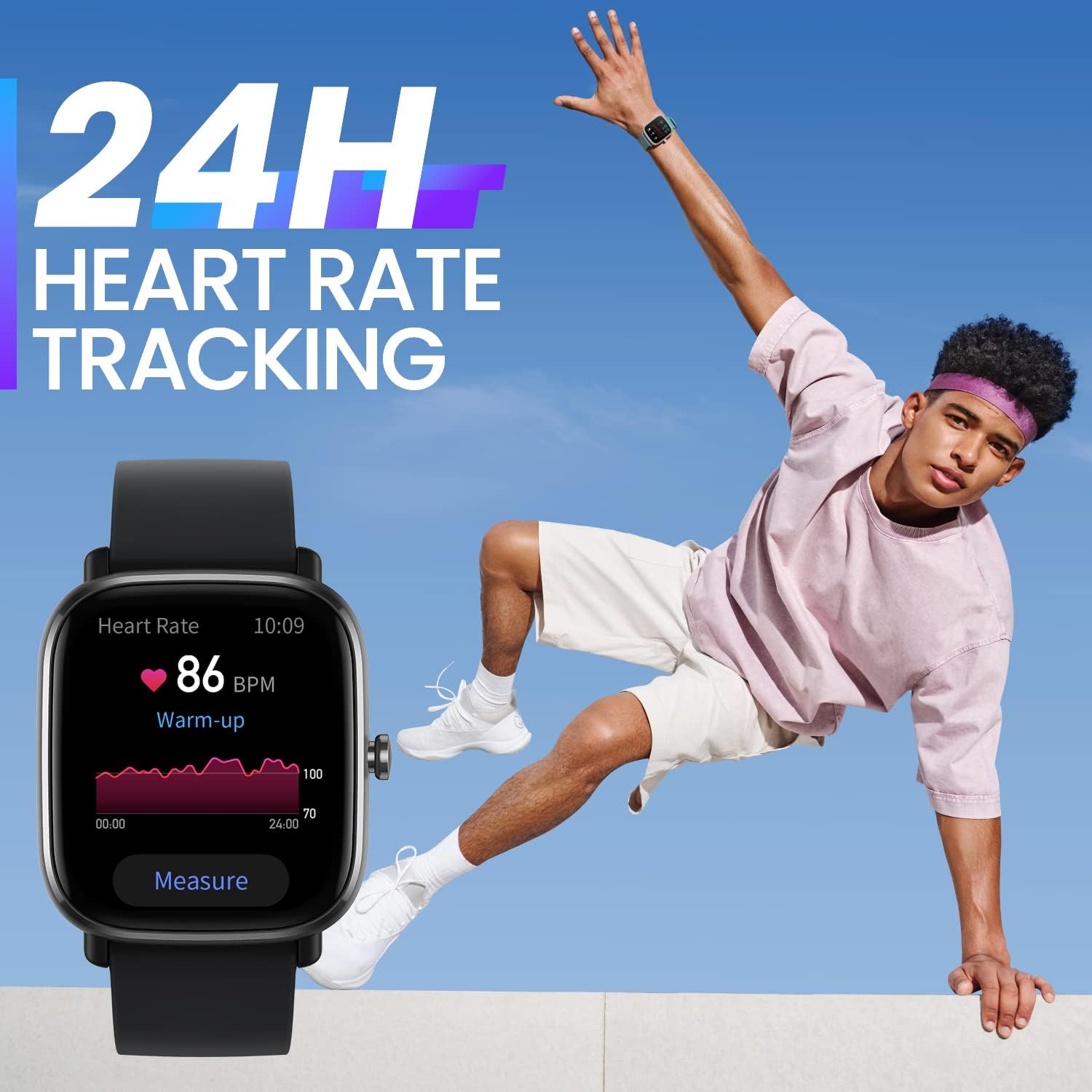
Real-time kurova kwemoyo.
- Blood Oxygen Saturation (SpO2) Measurement: Access the SpO2 app on your watch to take a measurement. Ensure your arm is still and the watch is snug on your wrist for accurate results.

Tarisa huwandu hweokisijeni muropa rako.
- Kuongorora Kurara: Wachi iyi inoteedzera otomatiki maitiro ako ekurara, kusanganisira kuraratages (light, deep, REM) and duration. View detailed sleep analysis in the Zepp App.

Automatic sleep quality monitoring.
- Kutarisa Kushushikana Kwepfungwa: The watch can estimate your stress levels throughout the day. Access the Stress app for current readings and trends.
- Female Cycle Tracking: Record your menstrual cycle information in the Zepp App to receive predictions and reminders on your watch.

Track your female cycle with ease.
5.4 Sport Modes and GPS
The watch supports over 68 sport modes. Select your desired activity from the Sport Modes list to start tracking. The built-in GPS will record your route and distance for outdoor activities.

High precision GPS for accurate tracking.

Engage in over 68 sports modes.
5.5 Zviziviso Nezvimwe Zvimiro
- Zviziviso: Receive real-time alerts for incoming calls, text messages, and app pushes.
- Always-On AMOLED Display: Keep essential information visible at all times.
Always-On AMOLED Display for constant visibility.
- Zviso zvekutarisa: Choose from over 80 watch faces or customize with your own photos via the Zepp App.

Customize your watch with numerous watch faces.
- Makaralı Kamera: Shandisa wachi yako sevhavha yekure kure kune kamera yefoni yako.

Dzora kamera yefoni yako uri kure.
6. Kuchengeta
6.1 Cleaning the Watch
Gara uchichenesa wachi yako uye tambo kudzivirira kushatirwa kweganda uye kuchengetedza kushanda. Shandisa nyoro, damp cloth to wipe the watch body and strap. Avoid using harsh chemicals or abrasive materials.
6.2 Kuramba Mvura
The Amazfit GTS 2 Mini has a water resistance rating of 5 ATM, meaning it can withstand pressures equivalent to a depth of 50 meters. It is suitable for showering, swimming, and other shallow-water activities. However, it is not recommended for diving or high-pressure water activities.
6.3 Kuchengeta Battery
To prolong battery life, avoid exposing the watch to extreme temperatures. Charge the watch regularly, but avoid overcharging. If the watch will not be used for an extended period, charge it to about 50% before storing.

Enjoy up to 14 days of battery life.
7. Kugadzirisa matambudziko
7.1 Tarisa Isingabatike
Ensure the watch is fully charged. Connect it to the charging cable and a power source for at least 30 minutes. If it still doesn't turn on, try performing a force restart by pressing and holding the side button for 10-15 seconds.
7.2 Unable to Pair with Phone
- Ita shuwa kuti Bluetooth yakabatidzwa pafoni yako.
- Ita shuwa kuti wachi iri mukati menharembozha yako.
- Tangazve zvese foni yako newachi.
- Clear the Bluetooth cache on your phone (Android) or forget the device in Bluetooth settings (iOS) and try pairing again.
- Ensure the Zepp App is updated to the latest version.
7.3 Nhamba Yehutano Yakashata
- Ensure the watch is worn snugly on your wrist, about one finger's width from your wrist bone.
- Keep your arm still during measurements (e.g., SpO2).
- Chenesa sensor yemoyo kuseri kwewachi.
8. Zvinotsanangurwa
| Feature | Tsanangudzo |
|---|---|
| Model Number | 850030107886 |
| Display | 1.55-inch AMOLED |
| Kuramba Mvura | 5 ATM |
| Upenyu hwebhatiri (Kushandiswa Kwemazuva ese) | Kusvikira kumazuva makumi manomwe |
| Kubatana | Bluetooth, GPS Yakavakirwa mukati |
| Sensors | Heart Rate, Blood Oxygen, Accelerometer, Gyroscope |
| Dimensions | 1.38 x 0.31 x 1.57 inches |
| Kurema | 1.09 ounces |
9. Warranty uye Tsigiro
Kuti uwane ruzivo nezvewarandi uye rutsigiro rwevatengi, ndapota tarisa kuAmazfit yepamutemo websaiti kana kubata mutengesi wako wepanzvimbo. Chengeta risiti yako yekutenga yezvichemo zvewaranti.
Unogona kuwana mamwe mashoko uye mibvunzo inowanzo bvunzwa pa Amazfit official website.


