
1. Nhanganyaya
The alpina Smart Home Zigbee Climate Sensor is designed to monitor temperature and humidity levels within your home. Maintaining optimal indoor climate is crucial for health, comfort, and energy efficiency. This device helps you keep track of these vital parameters and provides alerts through the alpina Smart Home application.
Dry and overly humid air can cause various health problems and mold growth. Unstable temperatures contribute to high energy bills. The alpina Smart temperature and humidity meter helps monitor both, measuring temperatures from -20 to 60 °C and humidity from 0 to 100% RH. Connect the Zigbee thermometer to the alpina Smart Home app to receive notifications when home temperature or humidity changes.
2. Zvigadzirwa zveChigadzirwa
- Accurate Climate Monitoring: Inoyera tembiricha kubva -20°C kusvika 60°C uye mwando kubva pa0% kusvika 100% RH.
- Utano uye Nyaradzo: Helps maintain ideal indoor humidity (40-60% RH) to prevent health issues and mold growth.
- Kushanda Kwesimba: By monitoring and maintaining stable temperatures, you can optimize heating/cooling and reduce energy costs.
- Smart Notifications: Receive instant alerts on your smartphone via the alpina Smart Home app when temperature or humidity changes significantly.
- Wide Range Connectivity: Operates with a Zigbee Gateway, allowing connection with up to 50 alpina Smart Home devices within a 90-meter range (unobstructed).
- Easy App Integration: Seamlessly connects to the alpina Smart Home app, available for both Android and iOS devices.

Image: The alpina Smart Home Climate Sensor positioned next to a smartphone screen showing the alpina Smart Home application interface. Above them are graphical icons representing smart home connectivity, temperature, humidity, and a 90-meter range, highlighting the device's key functionalities.
3. Setup Guide
- Bvisa mudziyo: Carefully remove the alpina Smart Home Zigbee Climate Sensor from its packaging.
- Kuisa Battery: The device requires one CR2 lithium battery (included). Open the battery compartment, insert the battery with the correct polarity, and close the compartment.
- Download the alpina Smart Home App:
- For Android devices, download from the Google Play Store.
- For iOS devices, download from the Apple App Store.
- Connect to Zigbee Gateway:
- Ensure your alpina Smart Zigbee Gateway (sold separately) is powered on and connected to your home network.
- Open the alpina Smart Home app and log in or create an account.
- In the app, select the option to "Add a sub-device."
- Press and hold the reset button on the climate sensor for at least 5 seconds until the indicator light illuminates.
- Tevedza iyo-pa-skrini mirairo muapp kuti upedze kuita pairing.
- Name Your Sensor: Once connected, you can assign a custom name to your sensor within the app (e.g., "Living Room Sensor," "Bedroom Humidity").
- Kuiswa: Place the sensor in the desired location, ensuring it is not exposed to direct sunlight, drafts, or extreme temperatures that could affect readings. Wall mounting is supported.
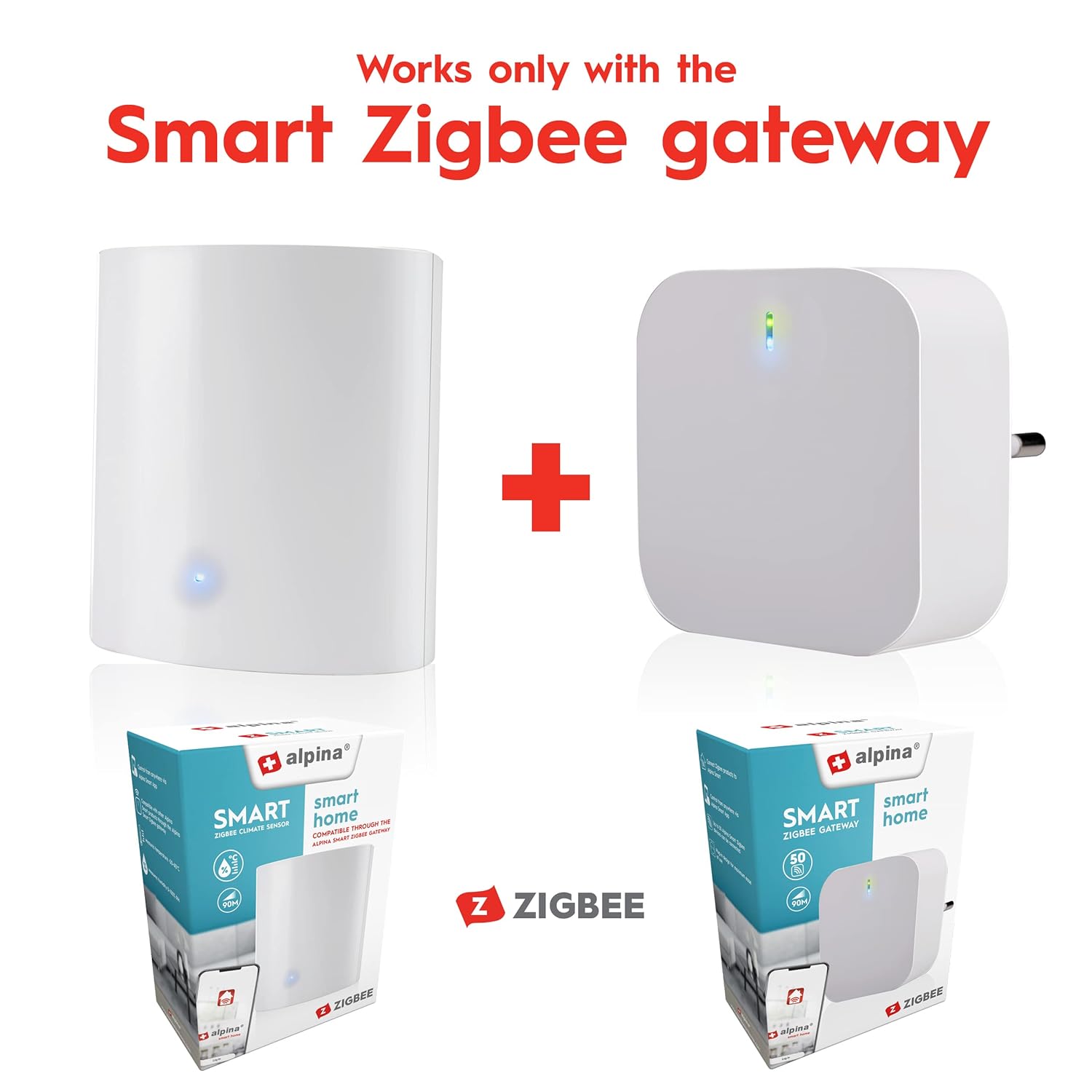
Image: The alpina Smart Home Climate Sensor is displayed next to the alpina Smart Zigbee Gateway, emphasizing that the sensor works only with the gateway. Both devices are shown with their retail packaging, indicating they are separate but complementary products for a smart home system.
4. Operating Instructions
- Monitoring Climate Data:
- Open the alpina Smart Home app on your smartphone.
- Select your climate sensor from the list of devices.
- The app will display real-time temperature and humidity readings.
- Kunzwisisa Maverengero:
- Tembiricha: Displayed in degrees Celsius (°C).
- Humidity (RH): Relative Humidity, measured as a percentage (%). This indicates the amount of water vapor in the air relative to the maximum amount it can hold at that temperature.
- Ideal indoor humidity is typically between 40% and 60% RH.
- Kugadzira Zviziviso:
- Within the alpina Smart Home app, navigate to the settings for your climate sensor.
- You can set custom thresholds for temperature and humidity. If readings go above or below these thresholds, you will receive a push notification on your phone.
- Interpreting Alerts:
- If you receive an alert for high humidity, consider using a dehumidifier or improving ventilation.
- If you receive an alert for low humidity, consider using a humidifier.
- Temperature alerts can help you adjust your thermostat for comfort and energy savings.
5. Kuchengeta
- Kutsiva Bhatiri: When the battery level is low, the app may notify you, or the device's indicator light might behave differently. Replace the CR2 lithium battery by opening the battery compartment. Ensure correct polarity.
- Kuchenesa: Wipe the sensor's exterior with a soft, dry cloth. Do not use liquid cleaners or abrasive materials, as these can damage the device.
- Optimal Placement: Periodically check the sensor's placement to ensure it is not obstructed or moved to an area that could skew readings (e.g., near a heat vent, open window, or direct sunlight).
6. Kugadzirisa matambudziko
- Mudziyo Hauna Kubatana neApp:
- Ensure the CR2 battery is correctly installed and has sufficient charge.
- Verify that your alpina Smart Zigbee Gateway is powered on and connected to the internet.
- Make sure the sensor is within the 90-meter range of the Zigbee Gateway.
- Repeat the pairing process as described in the "Setup" section, ensuring you hold the reset button for at least 5 seconds.
- Check if the alpina Smart Home app is updated to the latest version.
- Kuverengwa kweTembiricha/Humidity Isina Kururama:
- Relocate the sensor away from direct sunlight, heating/cooling vents, open windows, or sources of steam/moisture.
- Ensure the sensor is not covered or obstructed.
- Allow some time for the sensor to stabilize after placement or battery replacement.
- Hapana Zviziviso Zvakagamuchirwa:
- Check your smartphone's notification settings to ensure the alpina Smart Home app has permission to send notifications.
- Verify that you have set up notification thresholds correctly within the app.
- Iva nechokwadi chekuti foni yako ine internet inoshanda.
- Hupenyu Hupfupi Hwebhatiri:
- Ensure you are using a high-quality CR2 lithium battery.
- Kupisa kwakanyanya kunogona kukanganisa mashandiro ebhatiri.
7. Zvinotsanangurwa
| Parameter | Value |
| Device Type | Smart Temperature/Humidity Sensor |
| Temperature Measurement Range | -20 °C kusvika +60 °C |
| Tembiricha Yakarurama | ± 2 °C |
| Humidity Measurement Range | 0% kusvika 100% RH |
| Humidity Kururama | ± 5% RH |
| Kushanda Voltage | 3 V |
| Magetsi | 1 x CR2 Lithium battery (included) |
| Wireless Technology | Zigbee (IEEE 802.15.4) |
| Radio Range | Kusvika kumamita makumi matatu (asina kuvharwa) |
| Kugarisana | alpina Smart Zigbee Gateway |
| Dimensions (L x W x H) | 42 x 20 x 23 mm |
| Frequency Range | 2405-2480 MHz |
| Maximum RF Output Power | 6.278 dBm |
| Kanyanga Kuwana | 2 dBi |
| Model Number | 8711252265506 |
| Mugadziri | alpina |
| Nyika Yekwakabva | China |
8. Ruzivo rweWaranti
This alpina Smart Home product is covered by the manufacturer's standard warranty. Please refer to the warranty card included with your purchase or visit the official alpina webWebhusaiti kuti uwane mitemo nemirau yakadzama yewarandi. Chengeta humbowo hwekutenga kwako kuti uwane zvikumbiro zvewarandi.
9. Mutengi Tsigiro
For technical assistance, troubleshooting, or any questions regarding your alpina Smart Home Zigbee Climate Sensor, please visit the official alpina Smart Home support website or contact their customer service department. Contact information can typically be found on the product packaging or the alpina Smart Home website.


