1. Nhanganyaya
This manual provides comprehensive instructions for the Naxa NDS-6501 Portable Dual 6.5-inch Bluetooth Speaker. Please read this manual thoroughly before operating the device to ensure proper use and to maximize your experience. Keep this manual for future reference.
2. Package Zviri mukati
Tarisa kuti zvinhu zvese zvakanyorwa pazasi zvinosanganisirwa mupakeji yako:
- Naxa NDS-6501 Portable Bluetooth Speaker
- Wired Maikorofoni
- USB Kuchaja Cable
- Mushandisi Chinyorwa (gwaro iri)
3. Zvigadzirwa zveChigadzirwa
The Naxa NDS-6501 speaker offers a range of functionalities designed for portable audio entertainment:
- Dual 6.5-inch full-frequency speakers for clear audio output.
- Bluetooth connectivity for wireless audio streaming from compatible devices.
- Integrated multi-color flame lights with various lighting effects.
- True Wireless Stereo (TWS) function for connecting two NDS-6501 speakers wirelessly.
- Wired microphone input for vocal use.
- Built-in FM radio tuner for local station access.
- USB port and MicroSD/TF card slot for playing audio files from external storage.
- Auxiliary (3.5mm) input for wired audio connections.
- Rechargeable battery providing up to 2 hours of playback time.
4. Kudzora uye Madhoo
The speaker features various controls and input/output ports. A typical layout includes a power button, volume controls, mode selection, playback controls (play/pause, skip tracks), microphone input, USB port, MicroSD card slot, auxiliary input, and a charging port. Refer to the diagram below for specific locations.
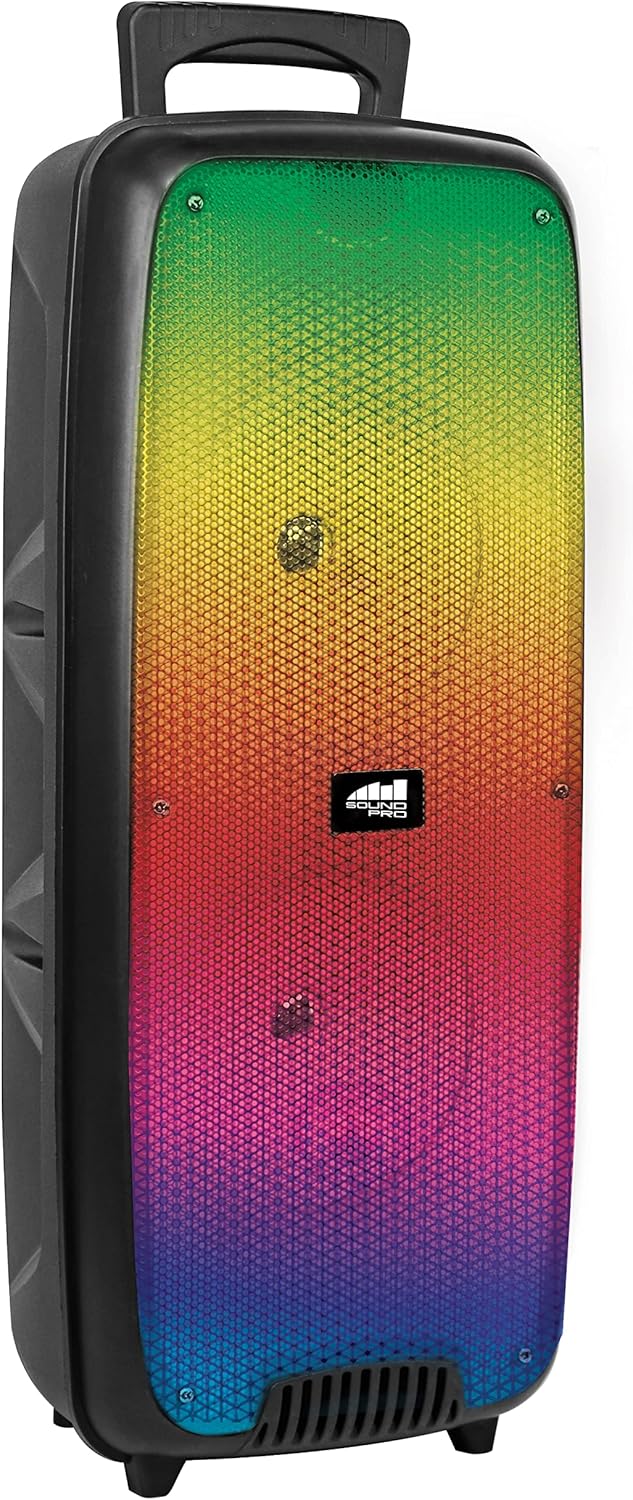
Mufananidzo 4.1: Mberi view of the Naxa NDS-6501 speaker, showcasing the dual 6.5-inch drivers and multi-color flame lights.

Mufananidzo 4.2: Side view of the Naxa NDS-6501 speaker, illustrating its portable design with an integrated handle.
5. Setup
5.1 Kuchaja Mutauriri
- Connect the supplied USB charging cable to the speaker's charging port.
- Batanidza imwe magumo e USB tambo kune ino enderana USB magetsi adapta (isina kuisirwa) kana komputa USB port.
- Chiedza chekuchaja chichavheneka, kazhinji kacho chitsvuku, panguva yekuchaja.
- Once fully charged, the indicator light will change color or turn off (refer to specific LED behavior in your product). A full charge provides approximately 2 hours of playback.
5.2 Kubatidza/Kudzima
- To power on: Press and hold the Power button for a few seconds until the speaker activates.
- Kudzima: Dzvanya wobata bhatani rePower zvakare kusvika sipika yadzima.
6. Operating Instructions
6.1 Bluetooth Pairing
- Ensure the speaker is powered on and in Bluetooth mode. If not, press the Mode button to switch to Bluetooth. The speaker will indicate it is ready for pairing (e.g., a flashing LED or an audible prompt).
- Pamudziyo wako unoshanda neBluetooth (smartphone, tablet, nezvimwewo), enda kuzvirongwa zveBluetooth.
- Tsvaga available devices. You should see "NDS-6501" or a similar name in the list.
- Select "NDS-6501" to initiate pairing.
- Once successfully paired, the speaker will provide an audible confirmation, and the Bluetooth indicator light will become solid.
6.2 Kubatanidza True Wireless Stereo (TWS)
The TWS function allows you to connect two NDS-6501 speakers for a stereo sound experience.

Mufananidzo 6.1: Illustration of the True Wireless Stereo (TWS) function, enabling two speakers to connect wirelessly from a single Bluetooth source.
- Ensure both NDS-6501 speakers are powered on and in Bluetooth mode, but not yet paired to any device.
- On one of the speakers (this will be the primary speaker), press and hold the TWS button (or a designated pairing button) for a few seconds.
- The primary speaker will search for the secondary speaker. Once connected, both speakers will provide an audible confirmation.
- Now, pair your Bluetooth device to the primary speaker as described in Section 6.1. Audio will play through both speakers in stereo.
6.3 FM Radio Kushanda
- Press the Mode button to switch to FM Radio mode.
- Press the Play/Pause button to automatically scan and save available FM stations.
- Use the Previous/Next track buttons to navigate between saved stations.
6.4 USB/MicroSD Playback
- Insert a USB flash drive or a MicroSD/TF card (with audio files) muchiteshi chakakodzera.
- The speaker should automatically switch to USB or MicroSD mode and begin playing audio. If not, press the Mode button to select the correct input.
- Use the playback controls (Play/Pause, Previous/Next) to manage your music.
6.5 Kushandisa Maikorofoni
- Connect the wired microphone to the microphone input jack on the speaker.
- Adjust the microphone volume control (if available) on the speaker to your desired level.
- The microphone audio will be mixed with any music playing through the speaker.
6.6 Mwenje Migumisiro
- The speaker features integrated multi-color flame lights.
- Press the Light button (if available) to cycle through different lighting modes or to turn the lights on/off.
- The lights may synchronize with the music playback.
7. Kuchengeta
- Kuchenesa: Shandisa jira rakapfava, rakaoma kuchenesa kunze kwemutauri. Usashandise zvinochenesa zvinogumbura, wakisi, kana zvinonyungudutsa.
- Kuchengeta: Kana isingashandiswi kwenguva yakareba, chengeta mukurukuri munzvimbo inotonhorera, yakaoma pasina chiedza chezuva uye tembiricha yakanyanyisa.
- Battery Care: Kuti bhatiri rirambe richirarama kwenguva refu, dzivisa kuburitsa bhatiri rakazara nguva nenguva. Chaja sipika nguva dzose, kunyangwe isiri kushandiswa.
- Kuratidzwa kwemvura: Chinopakurira mvura ichi hachipindi mvura. Dzivisa kuchiisa mumvura kana hunyoro hwakawandisa.
8. Kugadzirisa matambudziko
| Dambudziko | Zvinogona Kukonzera | Solution |
|---|---|---|
| Mutauri haabati simba. | Bhatiri rapera. | Chaja mutauri uchishandisa tambo ye USB yakapihwa. |
| Hapana ruzha kubva kumutauri. | Volume is too low; incorrect input mode; device not paired. | Increase volume; press Mode button to select correct input; re-pair Bluetooth device. |
| Chishandiso cheBluetooth hachikwanise kuwana sipika. | Chipika hachisi muchimiro chekupairira; mudziyo wakanyanya kure; kupindira. | Ensure speaker is in Bluetooth pairing mode; move device closer; avoid obstacles. |
| TWS pairing inotadza. | Maspika atobatanidzwa nemudziyo; kure zvakanyanya. | Ensure both speakers are unpaired from other devices; place speakers within 33 feet of each other. |
| Maikorofoni haisi kushanda. | Microphone not fully plugged in; microphone volume low. | Ensure microphone is securely connected; adjust microphone volume. |
9. Zvinotsanangurwa
| Feature | Tsanangudzo |
|---|---|
| Model Number | NDS-6501 |
| Mutauri Mukuru | Mainches maviri 6.5 |
| Kubatana Technology | Bluetooth, USB, MicroSD, Aux (3.5mm) |
| Audio Input | Wired Maikorofoni |
| Audio Output Mode | Stereo |
| Maximum Output Power | 3 Watts |
| Mutauri AmpLification Type | Active |
| Bhatiri Type | Lithium Ion (rechargeable, included) |
| Bhatiri Avhareji Hupenyu | Kusvikira kuMaawa mashanu |
| Zviyero zveChigadzirwa (L x W x H) | 24.13 x 19.05 x 57.91 masendimita (9.5 x 7.5 x 22.8 inches) |
| Item Weight | 2.81 kg (6.2 lbs) |
| Color | Nhema |
| UPC | 840005017555 |
10. Warranty uye Tsigiro
For warranty information or technical support, please refer to the warranty card included with your product or visit the official Naxa Electronics website. Chengetedza risiti yako yekutenga sehumbowo hwekutenga kune chero vimbiso yewaranti.


